CyberPanel Community

Migration from Apache to Litespeed help

kn
kahl n #1

Hello

I’m hoping I can find some help here. I have setup cyberpanel/litespeed and I’ve migrated my Wordpress site using Duplicator over from an Azure App Service (Apache based server). Since I’ve migrated over to Litespeed, I have been inundated with errors all over the site, most of them include these two:

Uncaught Error: Call to undefined method …
Parse error : syntax error, unexpected ‘endforeach’ (T_ENDFOREACH)

Why would my site run seamlessy on Apache, but after migration all these errors are produced? Is there some kind of configuration I need to do?

Here are the server details:
Apache Server: PHP Version 7.4.26
Litespeed Server: PHP Version 7.4.29

Any help is appreciated.
Many thanks
Kahl

25 replies
MK
Mirza Khadnezar S [sick] #2

if we talk only about Wordpress then try use Wp-Migration …
but if we talk whole server
sry i cant help :frowning:

kn
kahl n #3

Thanks! Are you suggesting I should use this plugin to migrate over and see if that helps?

MK
Mirza Khadnezar S [sick] #4

yes… there is many tutorial at youtube for migration Wordpress and very easy to use

kn
kahl n #5

Thanks

I have been able to migrate over, but my site doesn’t work like it did. I now have errors I never had before even though the site is an exact clone

MK
Mirza Khadnezar S [sick] #6

it will helped if you provide
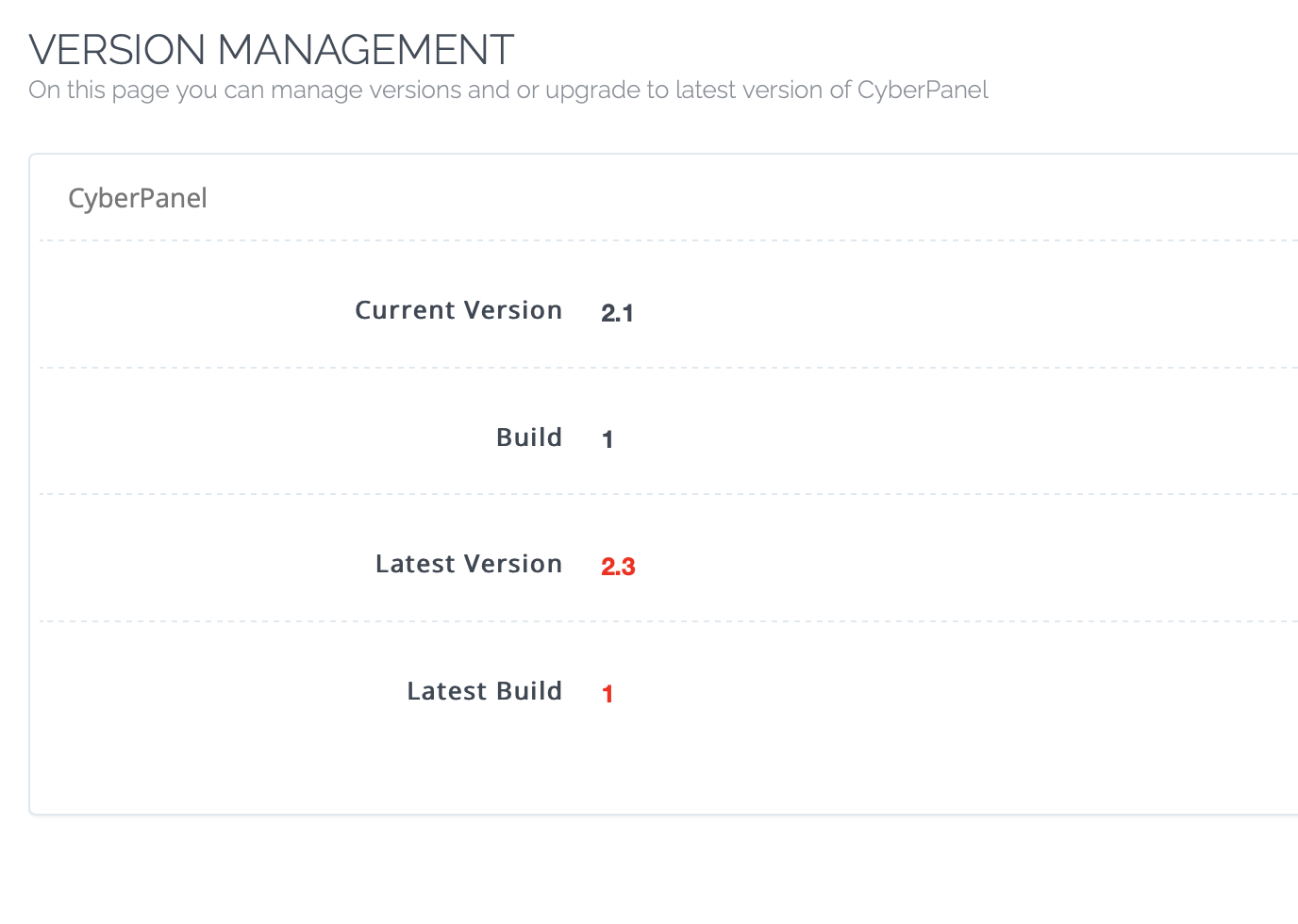
-screenshoot cyberpanel version
-Wordpress version
-/home/user/ chmod chown
-current problem

what you wanto to do
what is your final goal (expectation_

sh
shoaibkk #7

Please how me content in htaccess

kn
kahl n #9

Wordpress Version is 5.9.3

Here is my site one page on my live site:
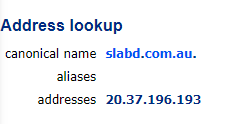
https://slabd.com.au/complete-through-dates/

Here is the exact same page hosted by cyberpanel/litespeed with debugging turned on (I’ve used duplicator to clone the site). Notice the table wont display.
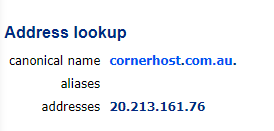
https://cornerhost.com.au/complete-through-dates/

It seems that any of the pages that I have coded return all sorts of errors. I don’t understand why they are occuring. I’m trying to make my site compatible with cyberpanel so that I can migrate it over.

Thanks for helping!

kn
kahl n #11

No, two different servers. i’m trying to migrate servers. Moving from Apache to Litespeed/CyberPanel

MK
Mirza Khadnezar S [sick] #12

those ip is same…
you should fix that first before do migration
then it will look like

olddomainname.oldserver.tld = website full running
newdomain.newserver.tld = blank wordpress

at this step if at newdomain.newserver.tld wordpress running well and no error then you can go to next step. migration the wp

kn
kahl n #13

The ips you posted are different though? How are they the same?

MK
Mirza Khadnezar S [sick] #14

Lol sorry
yeah that different
sorry someone just contact me at email and i missed
i though i was reply to him

forgive me… little crowded on my head…

well
then you can try to cleanup the new server and use default wp installation
after everything is run well
you can migrate

kn
kahl n #15

Thanks for you input. I don’t think that is the probelm. It’s a fresh image, I have 2 other sites running on it that are working fine, it is just this site this isolated site that has an issue.

MK
Mirza Khadnezar S [sick] #16

ok then

sorry cant help
because as far as i know
wordpress is only about files and db

and if we want to find the problem we only can find it by tracing from part to part

forgive me because i cant help

kn
kahl n #17

Thanks for trying. Appreciate your help

Dr
Dreamer #18

Did you migrate original htacces or use new wp generated one?

NK
Nitesh Kunnath #19

The problem lies with duplicator plugin. Duplicator modifies the htaccess all on its own and sometimes it messes up. Hence I stopped using duplicator and I manually transfer the website. Duplicator also edits wp-config file to add the site address.

You can try updraft plugin too as thats more popular and error-free.

This can also be related to table format of your database. Your old server might be using MyISAM and shifting to InnoDB can have some issues too.

But checking your provided site, it seems its something to do with your theme. Just try to change the theme and see if the errors are gone. and then revert to this current theme.
Try to restart the server too.

kn
kahl n #20

The original htaccess was migrated. What would be the best action to take in this case?

Dr
Dreamer #21

I was just thinking if there was something important for site to work.

MK
Mirza Khadnezar S [sick] #22

agree
at least tracing problem 1 by 1 to solved

kn
kahl n #23

Thank you for your suggestions. First I will migrate the site manually and proceed with the rest of the troubleshooting from there. I’ll update once I find the solution incase others have this same problem.

kn
kahl n #24

Update, here is what I’ve done so far:

  • I’ve transferred the site over manually

  • I’ve tested with the default Wordpress themes: Twenty Twenty, Twenty Twenty-Two and Storefront

  • I can confirm both DB server engines are InnoDB

The issue still exists and it hasn’t solved the problem :frowning:

Here is another example of an error I get. After seeing this error, I remove the word “public” from my functions in my class and the error is gone. Why would this error appear on the new server and not the old one? Both are PHP 7.4

kn
kahl n #25

I’ve installed the “Server Information” plugin and have noticed some difference. The Server on the Left is where my site is currently, and the server on the Right is where I’m migrating too. It appears the PHP versions are different, even though in CyberPanel I have 7.4 selected.

MK
Mirza Khadnezar S [sick] #26

thats why i asking you to do one by one precedure…

why ?
it just ask doctor when you got headache
it can be anything…
need to trace it
without it … i doubt some one can help you for instant solution

good luck

Sign in to reply