Follow the documentation here https://www.litespeedtech.com/support/wiki/doku.php/litespeed_wiki:php:apt#installation
https://www.litespeedtech.com/support/wiki/doku.php/litespeed_wiki:php:apt:packages
Follow the documentation here https://www.litespeedtech.com/support/wiki/doku.php/litespeed_wiki:php:apt#installation
https://www.litespeedtech.com/support/wiki/doku.php/litespeed_wiki:php:apt:packages
I used wget -O - http://rpms.litespeedtech.com/debian/enable_lst_debian_repo.sh | bash
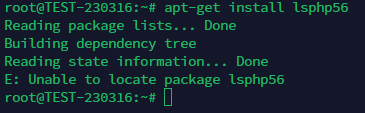
and then used apt-get install lsphp56
the result is that couldn’t located the php56
Build from source
$ sudo apt-get build-essential pkg-config openssl libssl-dev openssl-blacklist openssl-blacklist-extra bison autoconf automake libtool re2c flex libxml2-dev libssl-dev libbz2-dev libcurl4-openssl-dev libdb5.1-dev libjpeg-dev libpng12-dev libXpm-dev libfreetype6-dev libt1-dev libgmp3-dev libc-client2007e-dev libldap2-dev libmcrypt-dev libmhash-dev freetds-dev zlib1g-dev libmysqlclient-dev libncurses5-dev libpcre3-dev unixODBC-dev libsqlite0-dev libaspell-dev libreadline6-dev librecode-dev libsnmp-dev libtidy-dev libxslt-dev libt1-dev
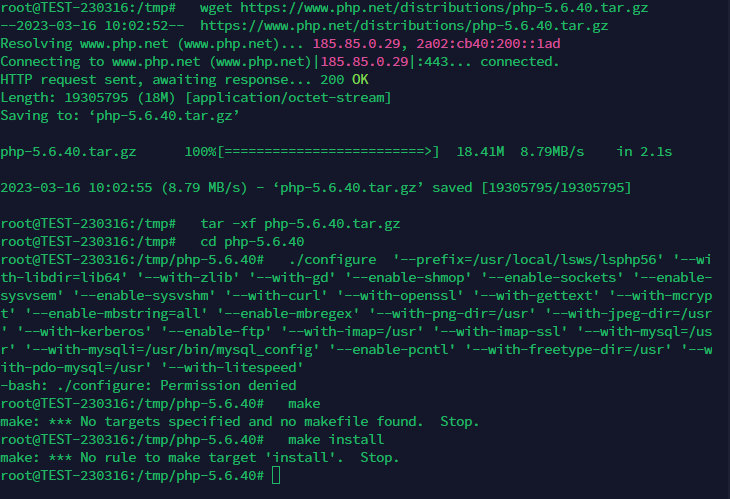
$ sudo cd /tmp
$ sudo wget https://www.php.net/distributions/php-5.6.40.tar.gz
$ sudo tar -xf php-5.6.40.tar.gz
$ sudo cd php-5.6.40
$ sudo ./configure '--prefix=/usr/local/lsws/lsphp56' '--with-libdir=lib64' '--with-zlib' '--with-gd' '--enable-shmop' '--enable-sockets' '--enable-sysvsem' '--enable-sysvshm' '--with-curl' '--with-openssl' '--with-gettext' '--with-mcrypt' '--enable-mbstring=all' '--enable-mbregex' '--with-png-dir=/usr' '--with-jpeg-dir=/usr' '--with-kerberos' '--enable-ftp' '--with-imap=/usr' '--with-imap-ssl' '--with-mysql=/usr' '--with-mysqli=/usr/bin/mysql_config' '--enable-pcntl' '--with-freetype-dir=/usr' '--with-pdo-mysql=/usr' '--with-litespeed'
$ sudo make
$ sudo make install
If this is successful set as default OR go to OLS/LS and setup php https://YOUR_SERVER_IP:7080 as this will not be detected on your cyberpanel frontend
Try making ./configure executable by running chmod +x configure inside /tmp/php-5.6.40
Greetings,
I have open a topic today regarding the same issue.
I have been using Cyberpanel for the last few months so I am still learning, and mostly I have default settings. I only set up things that where importatnt for security reasons.
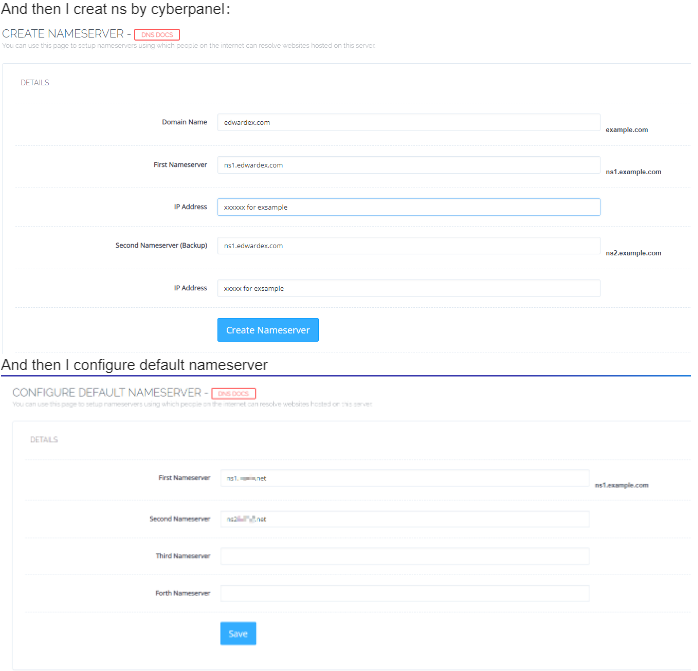
I have set up 3 domains on my Cyberpanel without any problem and they are public and I have been using them, but in the last week i try to set up 2 more domains and I having problems with nameservers and I also get resonse from server “Failed to obtain SSL, issuing self-signed SSL for:”
I think I have set up everything right but why the DNS and nameservers won’t propagate I have no Idea. I did everything I did on the other 3 domains.
One of two domain i have setup nameserver more than 15 days and still the ns did not propagate. The other i have setup yesterday.
Also yesterday I have updated my Cyberpanel to the latest version.
Is there anything else I can try to force things? Will it help if I delete the website and set it up again?
Cyberpanel is running on Contabo server, Ubuntu 20.04
If you have any more questions feel free to ask.
Thank you in advanced
I am writing to offer a definitive solution to this issue.
Although there is no problem in the main domain, problems may occur in domains added later.
It can be seen in both TLD or ccTLD domains.
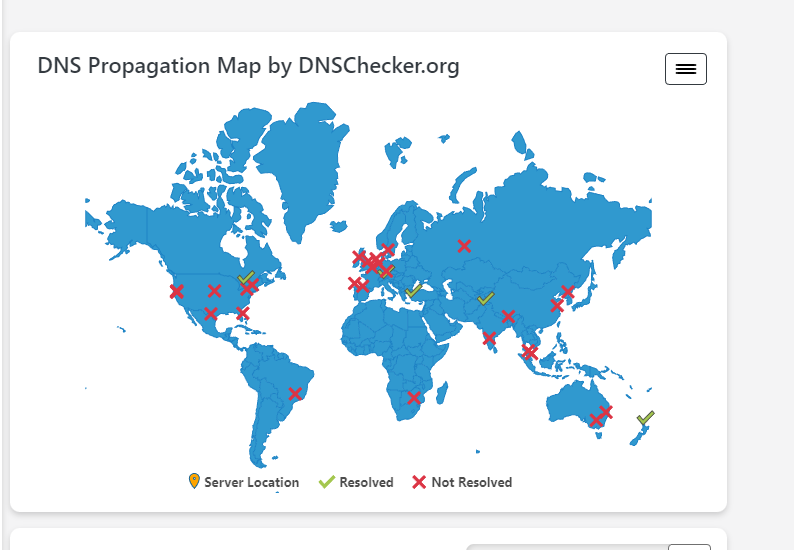
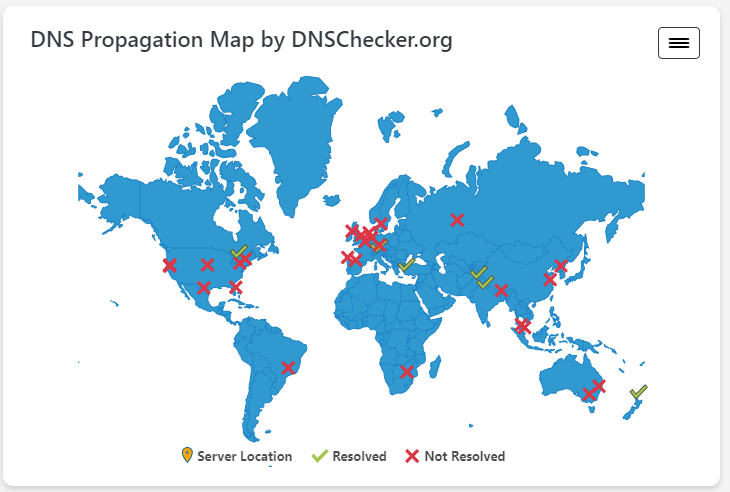
When you search on dnscheckerorg and similar pages, the A Record and NS record are not propagated in all servers.
If we consider the problem in this table. While the main domain is fully propagated, the subsequent TLD and ccTLD domains are not propagated.
In this case, the solution is as follows:
nano /etc/dhcp/dhclient.conf command.prepend domain-name-servers .prepend domain-name-servers 8.8.8.8,8.8.4.4; replace it with this line.I gave an example for the Ubuntu system. What we did was to add the Google DNS addresses to the DHCP records of our Linux system.
I am noting it here because I have found a solution to this problem at least 5-6 times.
Best regards CyberPanel Family…