Community

How to use php version 8.2.4 or 8.1.7?

AG
ANDRE GARSIA #1

I’ve read all the threads on here and haven’t found a solution. I used this link How to use php version 8.2 for install php 8.2
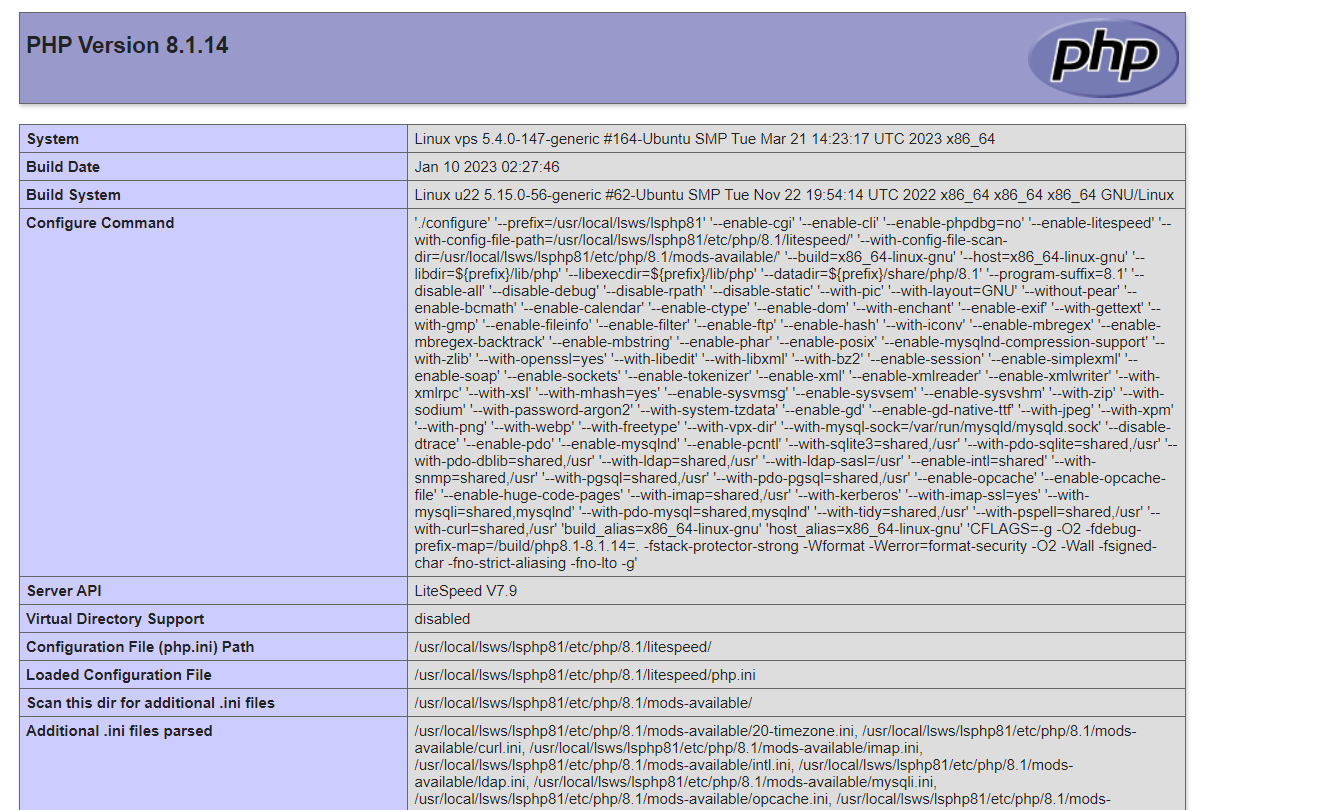
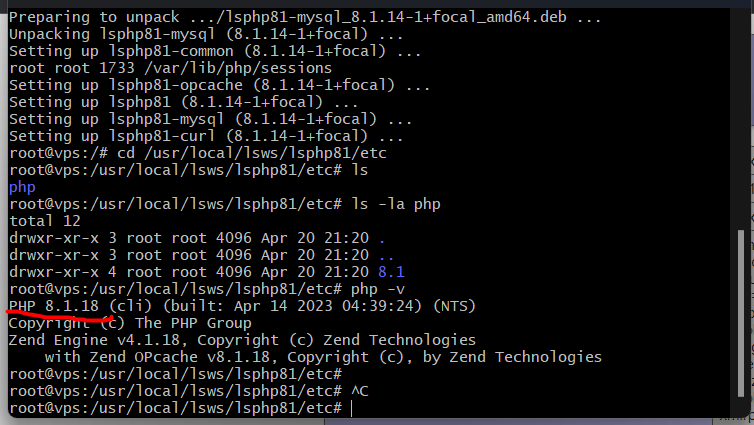
So I installed php 8.2 on the Ubuntu, then I added a configuration file for OpenLite speed, but it still shows the version for the site 8.1.14 and in Ubuntu php -v this 8.1.17 +

  1. How for OpenLite speed setup php 8.1.17 + or 8.2.4 ??
jo
josephgodwinke #2

Welcome @axotn1k1 Happy you are here

Shows where

AG
ANDRE GARSIA #3

How ? I have error: An error occurred: Sorry, new users can only put one embedded media item in a post.

jo
josephgodwinke #5

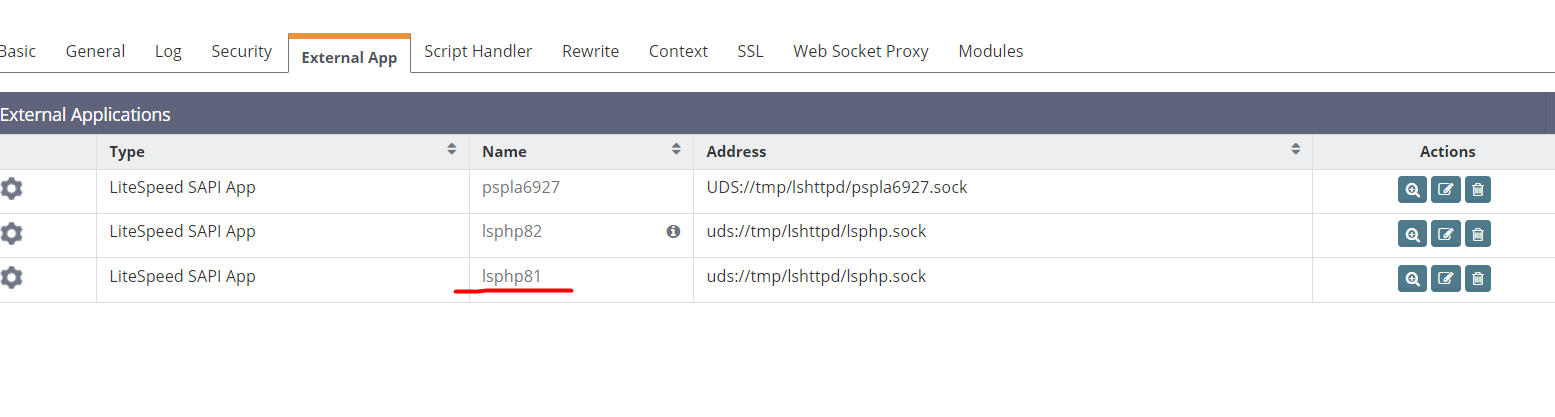
Did you set the external app for the virtual host in OLS/LS Web Admin Console ? Edit the PHP LiteSpeed SAPI App of your website’s virtual host

Set the full path of your preferred php under command field - Specifies the full command line including parameters to execute the external application.

AG
ANDRE GARSIA #6

Yes, I did it all. I installed version 8.1.19


Then I added settings in Openlitespeed

Restarted the server, but the version is still 8.1.4

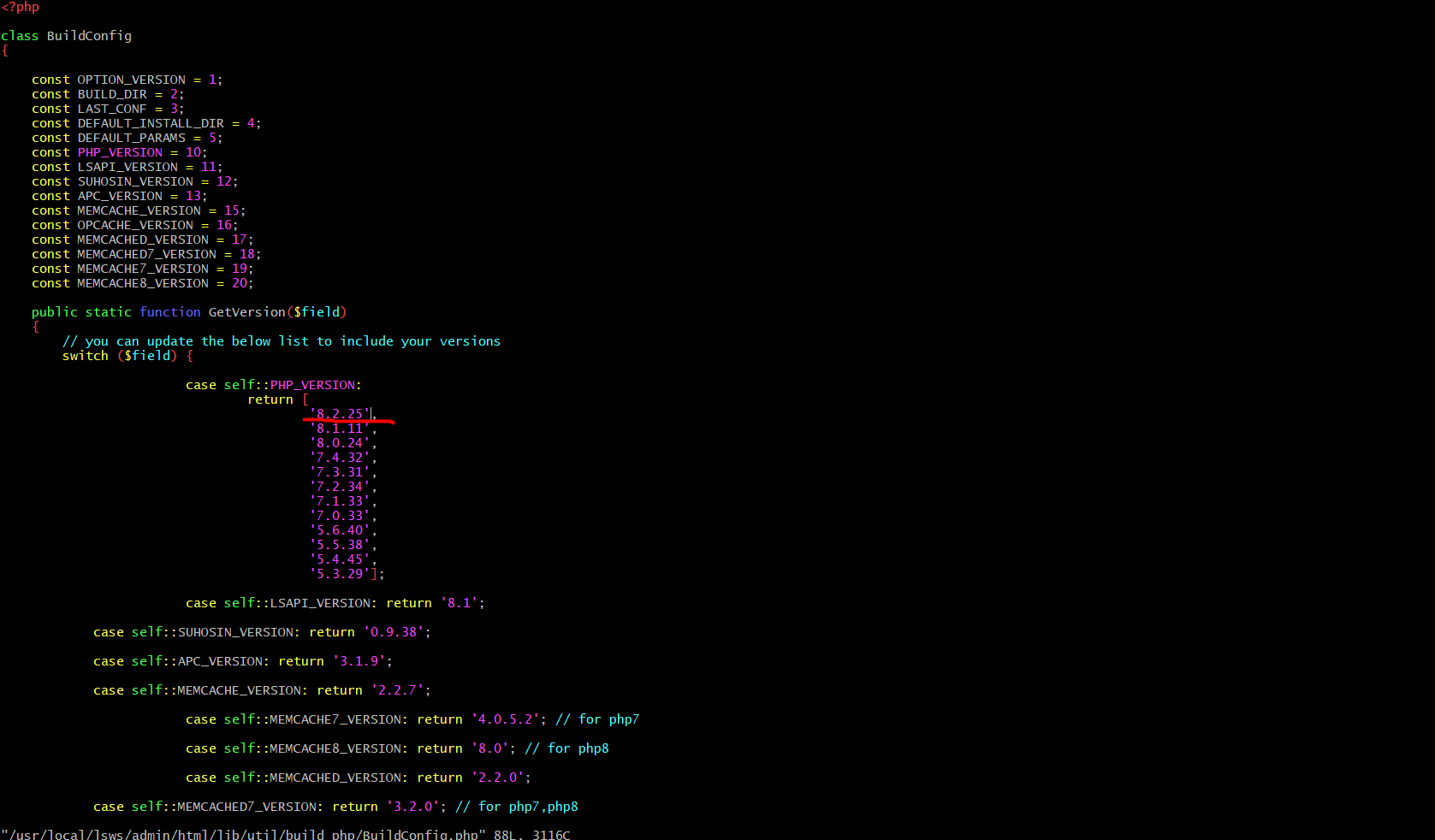
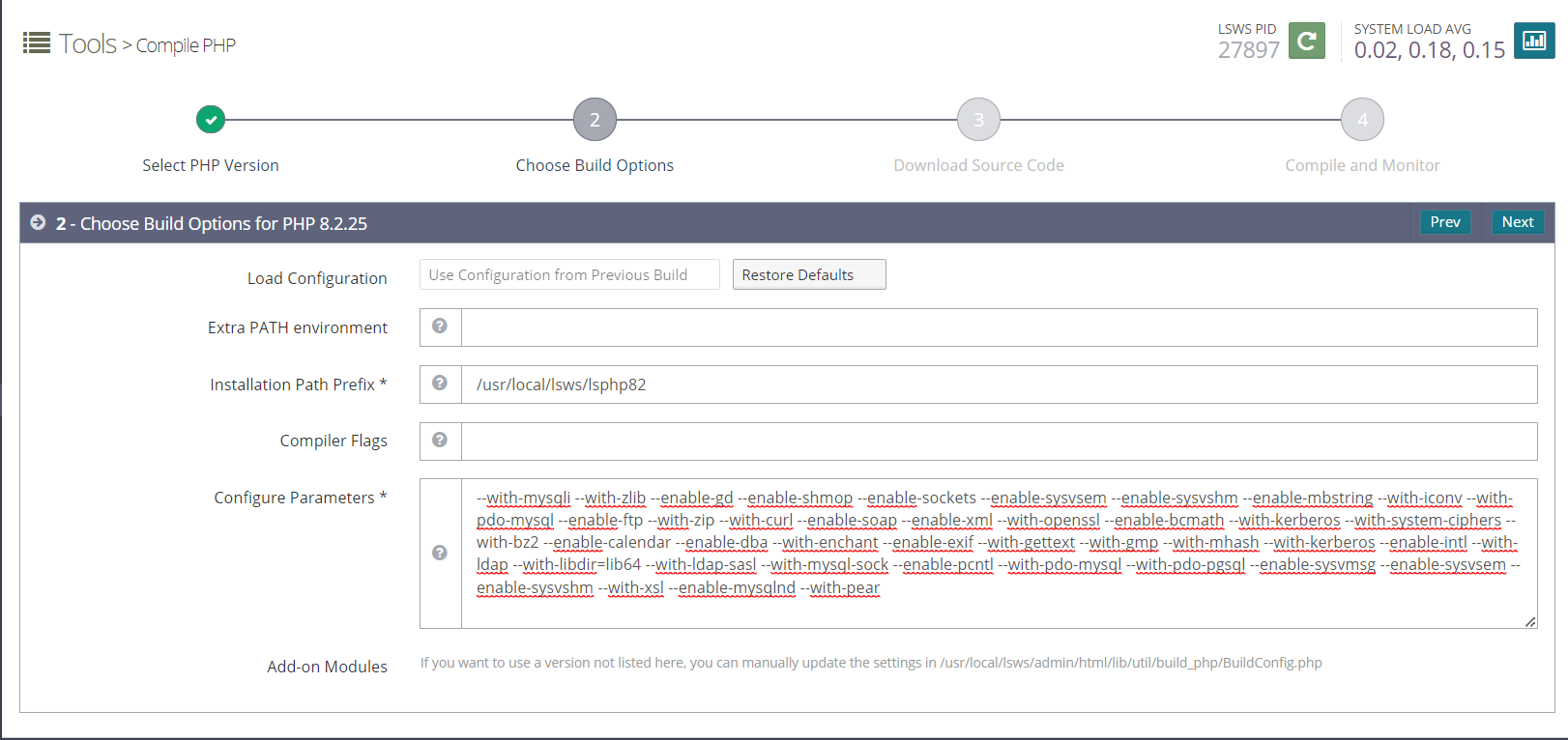
I found this post and started compiling php to the version I need

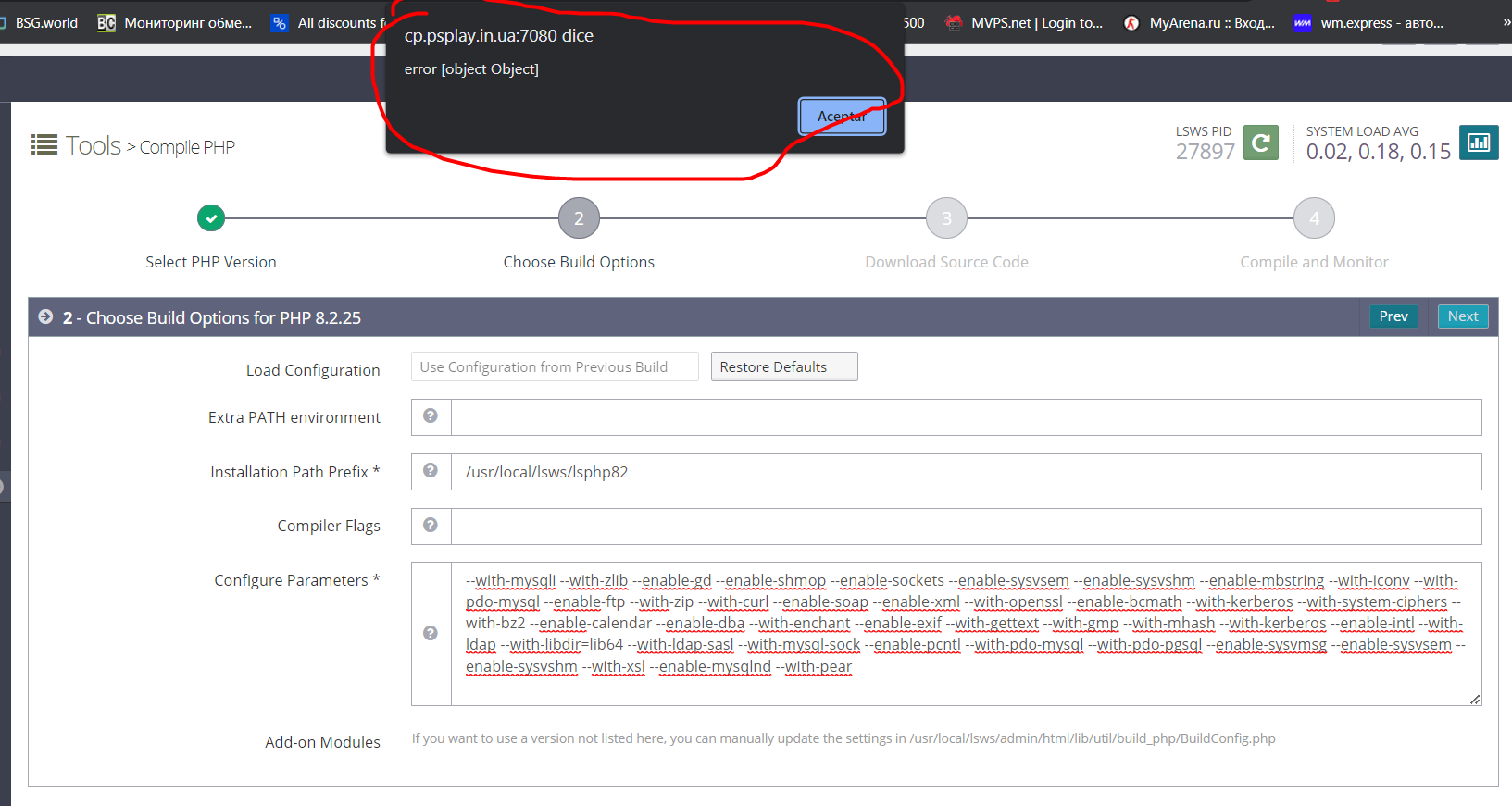
But I have an endless loading load and no next window “Done” What am I doing wrong ?

jo
josephgodwinke #7

What do you mean by this statement ?

jo
josephgodwinke #8

The LiteSpeed SAPI App should have unique name you should also set a proper unique socket address used by the external application Syntax: IPv4 or IPV6 address:port or UDS://path

You should also specify whether you want the web server to start the application automatically - choose YES option so that it gets started through CGI Daemon. This always athe default setting if you changed this revert it back to YES

SD
SaJeTek Developer #9

It takes a very long time to compile so please be patient.
If you get errors, then follow the steps to install the devels.

AG
ANDRE GARSIA #12

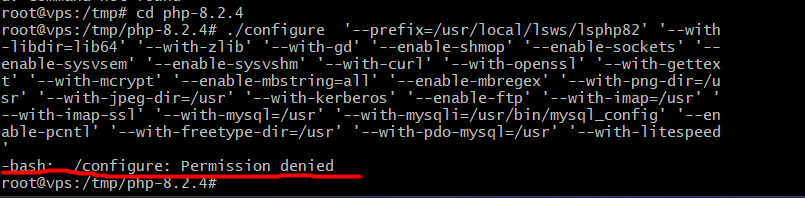
I can’t follow this instruction, I have an error when I create a config

I searched for a solution but didn’t find it. What am I doing wrong ? Ubuntu 20.04

jo
josephgodwinke #13

This is an issue of making making ./configure executable chmod +x configure This should work.

How to use php version 8.2 this process works perfectly on Ubuntu 20.04

AG
ANDRE GARSIA #16

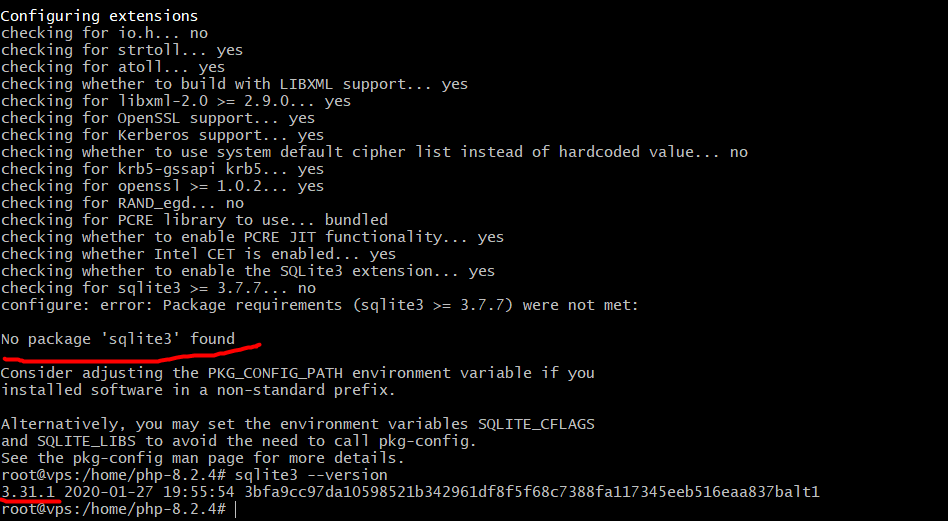
Done, buy have new error

checking for utf8_mime2text signature... new
checking for U8T_DECOMPOSE... yes
checking for pam_start in -lpam... yes
checking for crypt in -lcrypt... yes
configure: error: Cannot find imap library (libc-client.a). Please check your c-client installation.

jo
josephgodwinke #17

Is this centos ? cause I bet it was ubuntu from your topic description

jo
josephgodwinke #19

is this a new installation ?

AG
ANDRE GARSIA #20

What do you have in mind “New”? I installed the cyberpanel a couple of hours ago
Maybe need change it here?

./configure  '--prefix=/usr/local/lsws/lsphp82' '--with-libdir=lib64' '--with-zlib' '--with-gd' '--enable-shmop' '--enable-sockets' '--enable-sysvsem' '--enable-sysvshm' '--with-curl' '--with-openssl' '--with-gettext' '--with-mcrypt' '--enable-mbstring=all' '--enable-mbregex' '--with-png-dir=/usr' '--with-jpeg-dir=/usr' '--with-kerberos' '--enable-ftp' '--with-imap=/usr' '--with-imap-ssl' '--with-mysql=/usr' '--with-mysqli=/usr/bin/mysql_config' '--enable-pcntl' '--with-freetype-dir=/usr' '--with-pdo-mysql=/usr' '--with-litespeed'

Or copy the library somewhere? Like that

--with-imap=/usr/lib/libc-client.a

?

Sign in to reply