
MK
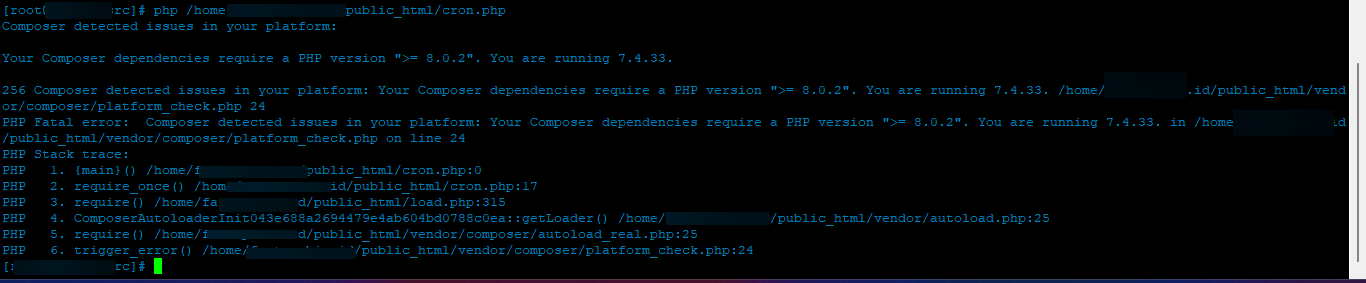
ClosedChange default php to v8.0

10 replies
jo
Hello @MyIDKaTePe
You need to create a symbolic link to version 8.0 e.g.
ln -s /usr/local/lsws/lsphp80/bin/php /usr/bin/php
This sets default php for CyberPanel installation as 8.0.x
MK


jo
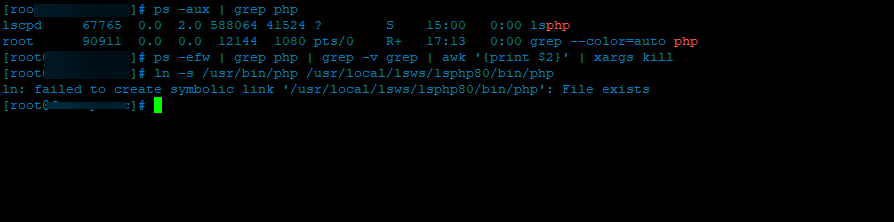
Run
# see all php processes running
ps -aux | grep php
# kill them the linux way
killall -9 php
# OR sth more complex
ps -efw | grep php | grep -v grep | awk '{print $2}' | xargs kill
Then try link php8.0 again
MK
jo
Run this first then symbolic link
rm -Rf /usr/bin/php
MK


jo
Yes now add symbolic link to php 8.0 Php -v display php version 7.4 hot to change 8.0 - #2 by josephgodwinke
MK
already do that… see the screenshot
jo
josephgodwinke
#10
You can force if symlink exists like this
# ln -s source_file symbolic_link
ln -sf /usr/bin/php /usr/local/lsws/lsphp80/bin/php
MK
it’s working…
but
[root@xxxx ~]# php -v
-bash: php: command not found