LCUSF — Luveedu Cloud Ultra Security Firewall
Enterprise-grade Linux web security platform — intelligent traffic analysis, multi-layer automated defense, and a real-time operations dashboard built for production infrastructure.
LCUSF delivers a full security stack in a single deployment: WAF, brute-force protection, malware scanning, proactive threat intelligence, IP reputation enforcement, bot challenge injection, and deep process monitoring — all managed from one unified control plane.
 Platform Overview
LCUSF operates as a deeply integrated security layer between the internet and your web stack. It combines:
-
Network-layer enforcement via iptables/ip6tables and high-performance ipset matching
-
Application-layer inspection with signature and AI-hybrid WAF logic
-
Behavioral analysis to detect and pre-empt evolving attack patterns
-
Operational intelligence delivered through a real-time security dashboard
Designed for hosting providers, managed service operators, and security-focused sysadmins who need more than a firewall — LCUSF is a full security operations platform.
 System Requirements
| Requirement | Specification |
|—|—|
| Operating System | Ubuntu 20.04+, Debian 10+, AlmaLinux 8+, Rocky Linux 8+, CentOS Stream 8+, Fedora 36+ |
| Web Server | Apache2, Nginx, or OpenLiteSpeed (CyberPanel) |
| Python | 3.9 or higher |
| Database | MySQL 5.7+ or MariaDB 10.3+ |
| Firewall Subsystem | iptables, ip6tables, ipset |
| Access Level | Root or passwordless sudo |
| Internet Access | Required during installation |
| RAM | 512 MB minimum — 1 GB+ recommended |
| Disk Space | 500 MB free space minimum |
 Installation
The universal installer auto-detects your environment — CyberPanel + OpenLiteSpeed, standalone Apache, or standalone Nginx — and deploys the appropriate integration automatically. No manual selection required.
curl -fsSL https://ultrasecurity.luveedu.dev/bootstrap/install.sh | bash
Once installed, access the security dashboard at:
http://YOUR_SERVER_IP:8182
 Licensing
LCUSF requires a valid license to operate. After installation, the dashboard will present a License Required screen until a license is activated.
Getting a License
Visit the Luveedu Cloud portal to purchase a license:
https://ultrasecurity.luveedu.dev/buy-license ( coming soon ) ( use demo license )
A 30-day free trial is also available directly from the License Required page — no purchase needed to evaluate the platform.
Activating Your License
-
Open the dashboard at
http://YOUR_SERVER_IP:8182 -
On the License Required screen, enter your license key in the Activate a license form
-
Click Activate License — the server contacts the Luveedu portal to validate and bind the key
-
On success, the dashboard loads immediately
Each license key is bound to a single server IP at activation time.
Checking License Status
From the command line:
lcusf --license-status
From the dashboard, navigate to Settings → License Info to view the full license details including key, type, expiry, and last validation timestamp.
Renewing or Managing Your License
-
Renew:
https://ultrasecurity.luveedu.dev/renew-license -
Admin portal:
https://cloud.luveedu.com -
Support: [email protected]
If your license is suspended or requires attention, use the Refresh Status button on the License Required page to re-sync with the portal immediately.
 Feature Reference
1. Dashboard — Real-Time Security Intelligence
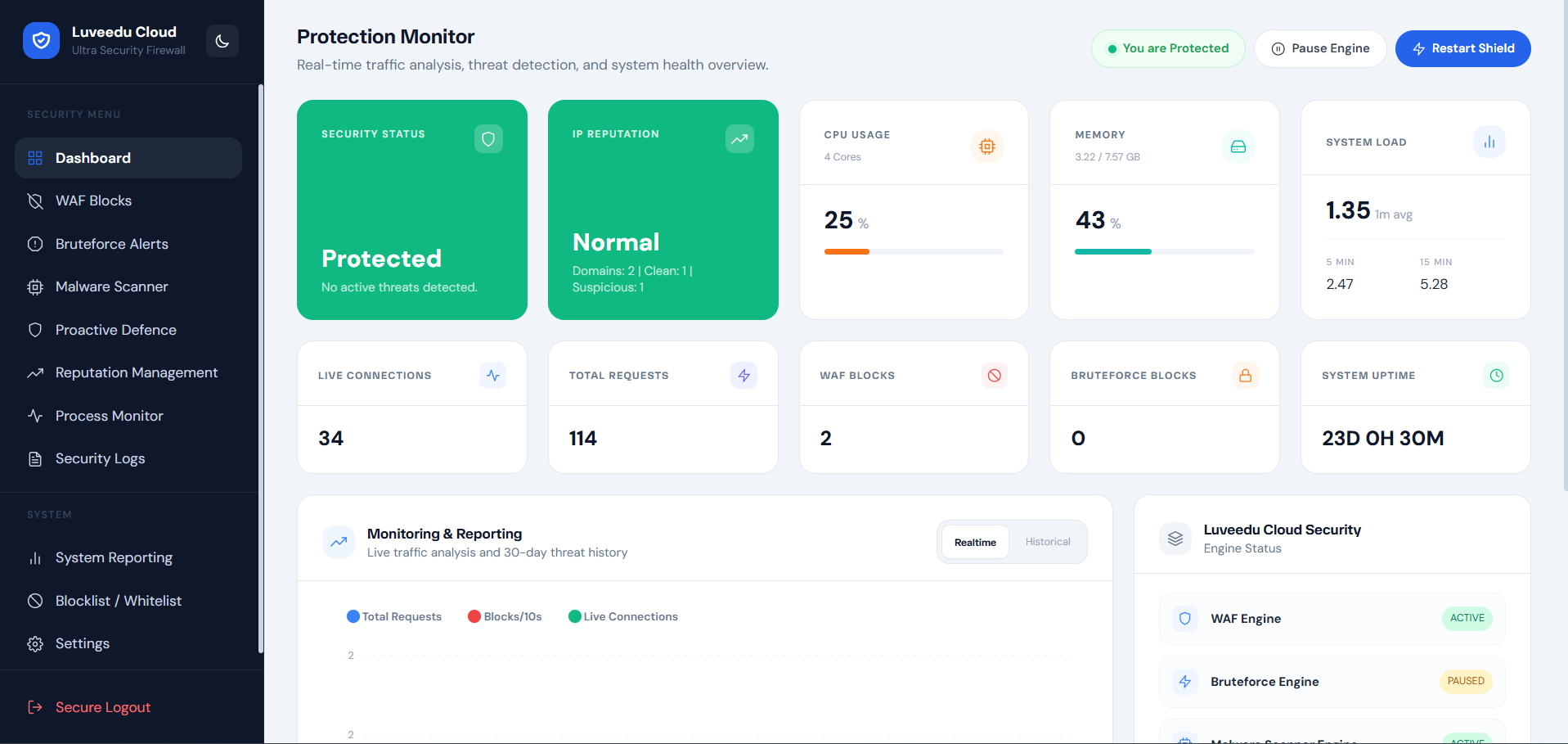
The central command surface providing live visibility into platform state and active threat activity.
-
Live telemetry charts — request throughput, block rate, and attack trend graphs updated in real time
-
System health indicators — CPU load, memory utilization, and system pressure at a glance
-
Engine status panel — operational state of all active security engines and background workers
-
Security event counters — total blocks, active threats, scan results, and brute-force activity
-
Activity feed — timestamped stream of recent security events with type classification
-
Dark/light mode with persistent preference and smooth transition support
2. WAF Blocks — Web Application Firewall Event Log
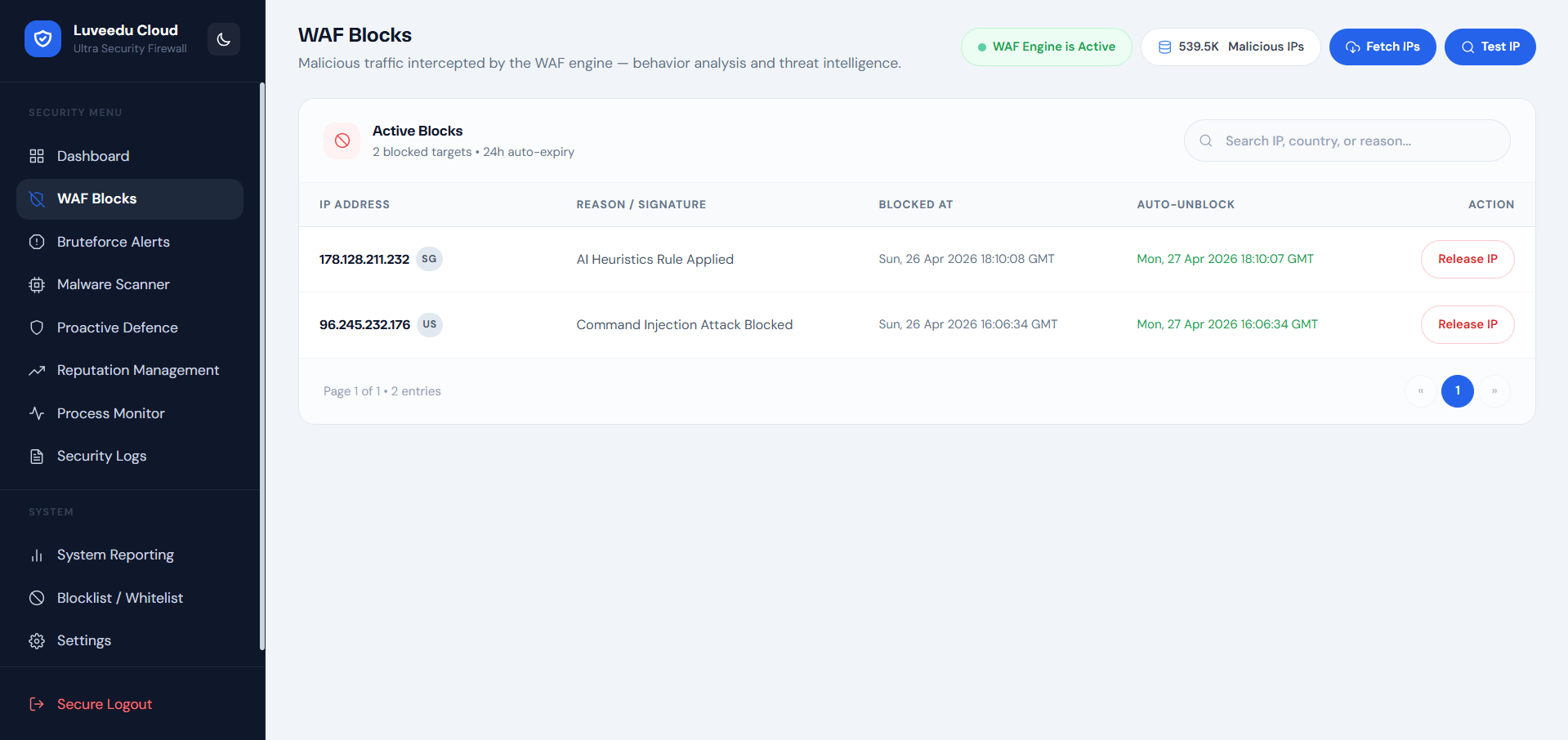
Full audit trail of all firewall enforcement decisions with operational context.
-
Request-level WAF event log — every blocked request recorded with source IP, country, HTTP method, URI, and enforcement action
-
Attack classification — identifies SQLi, XSS, path traversal, command injection, and protocol abuse patterns
-
Payload inspection results — signature match details included for forensic and compliance workflows
-
Country of origin tagging — GeoIP-resolved flag and ISO country code per event
-
AI heuristic flags — events flagged by behavioral analysis are distinctly identified
-
High-volume filtering controls — search and filter log entries by IP, action type, country, or URI pattern
-
Pagination and export — supports large event volumes with configurable page depth
3. Bruteforce Alerts — Authentication Attack Detection
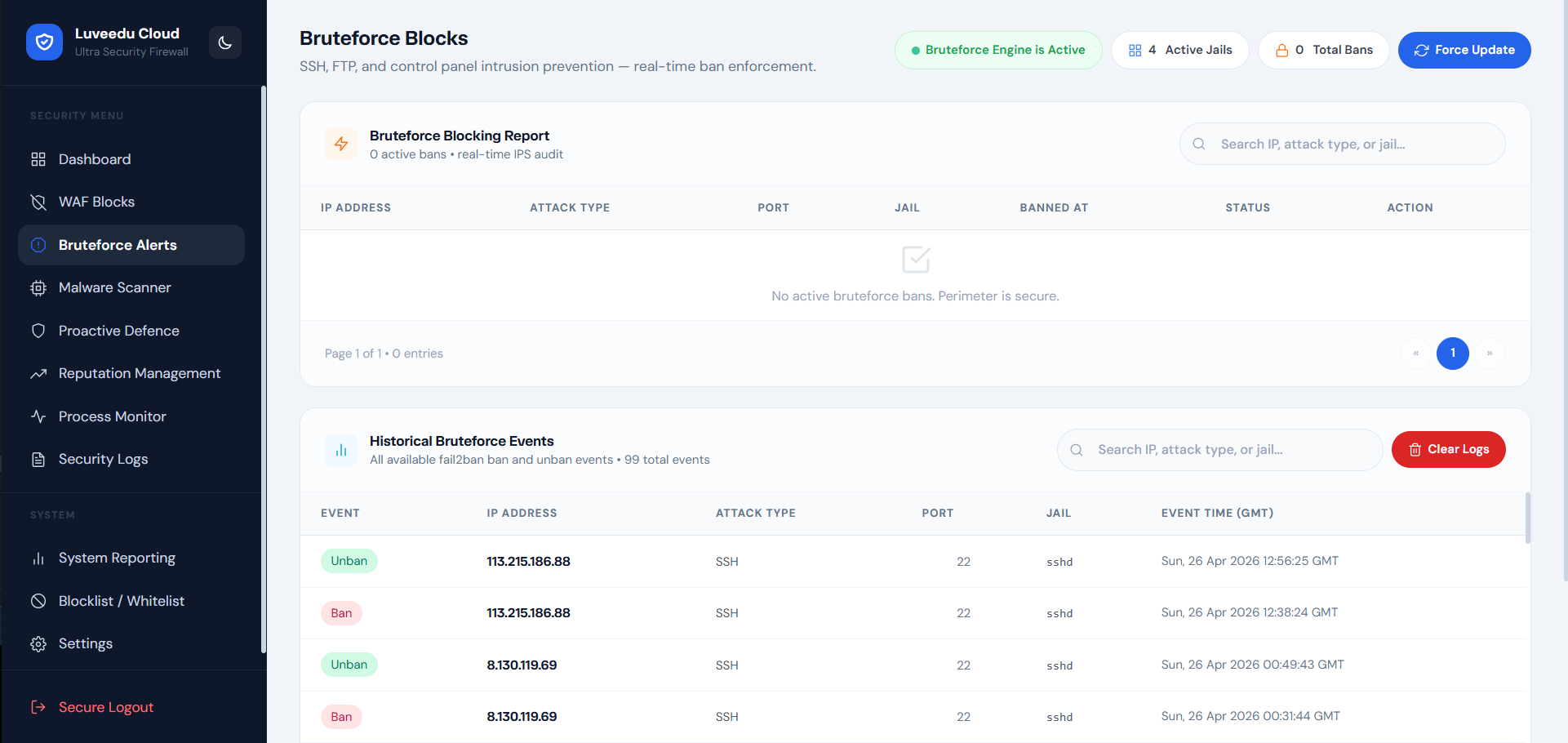
Detects and neutralizes credential stuffing and brute-force campaigns across authentication surfaces.
-
Multi-service brute-force monitoring — SSH, FTP, SMTP, POP3, IMAP, WordPress login, and XML-RPC endpoints
-
Threshold-based detection — configurable attempt limits before enforcement triggers
-
Attacker IP isolation — confirmed brute-force sources blocked at firewall level automatically
-
Block synchronization — brute-force blocks propagate to the central IP block enforcement layer
-
Attack timeline view — per-IP attempt history with timestamps and targeted service
-
Repeat offender tracking — identifies IPs with multi-session attack histories
-
Maintenance controls — flush stale records, reset counters, and clean up expired enforcement state
4. Malware Scanner — File System Threat Detection
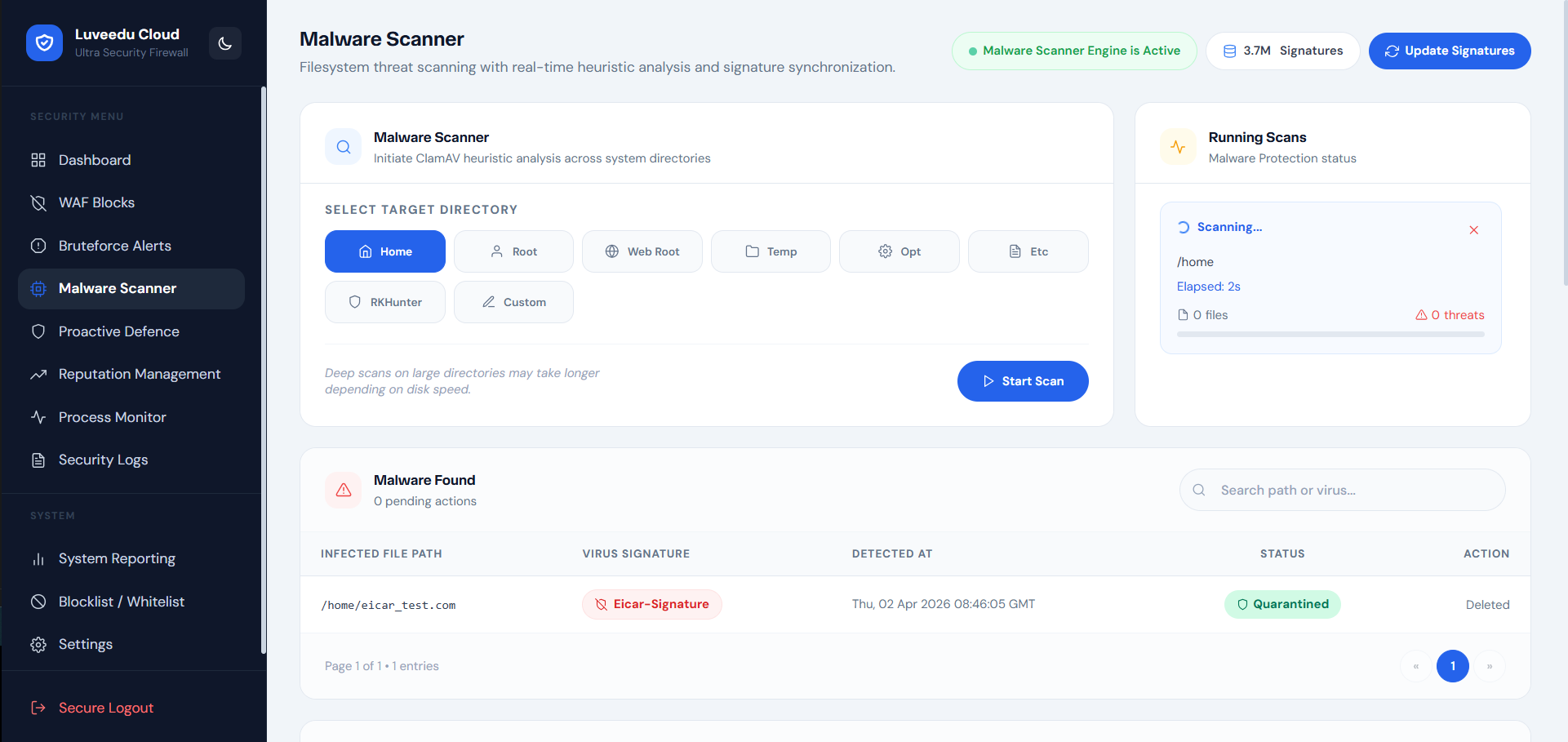
Multi-mode malware scanning with AI-enhanced detection for web-hosted environments.
-
Dual-engine scanning — ClamAV signature scanning combined with AI behavioral pattern analysis
-
Scan mode selection — Rapid (lightweight targeted), Deep (full filesystem traversal), Suspicious-Only (high-entropy and anomalous files)
-
Web root focus — scanner tuned to detect web shells, backdoors, cryptominers, and obfuscated droppers in served directories
-
Quarantine actions — infected files can be isolated or deleted with full audit logging
-
Historical scan records — per-scan result archive with timestamps, file paths, threat classifications, and action taken
-
Scheduled scanning support — automated periodic scan execution with configurable frequency
-
Threat severity grading — results classified from informational to critical with recommended remediation actions
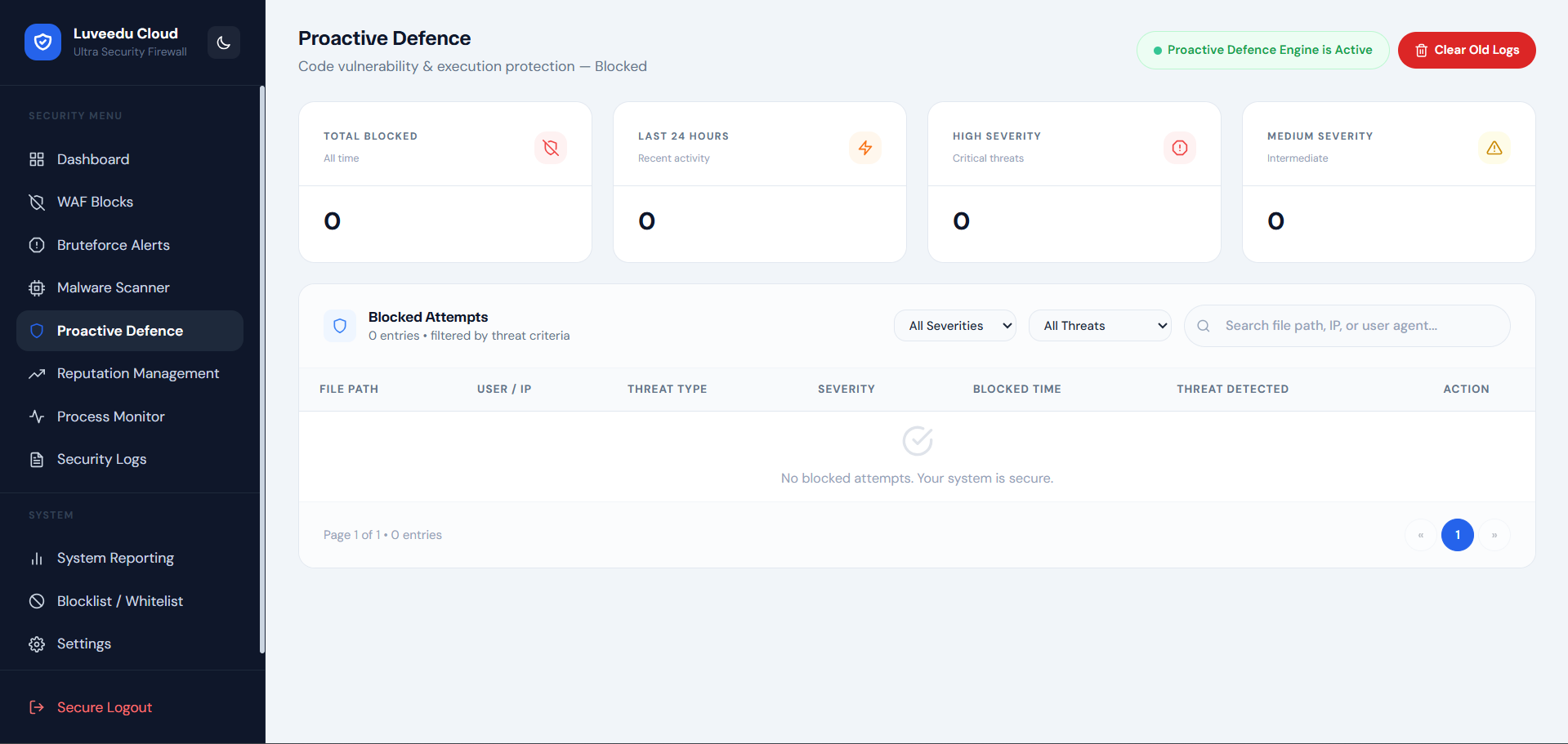
5. Proactive Defence — Threat Intelligence Pre-Emption
Stops known-bad traffic before it reaches your application using curated global threat intelligence.
-
IP reputation blocklist enforcement — automatic blocking of IPs appearing in trusted abuse and threat feeds
-
CIDR-level blocking — entire malicious network ranges blocked efficiently using ipset matching
-
Country-level access control — whitelist or block traffic by country with granular exceptions
-
Tor and VPN exit node detection — configurable enforcement against anonymization network traffic
-
Threat feed management — view, enable, disable, or refresh individual intelligence sources
-
Feed synchronization scheduling — pull updated threat intelligence on configurable intervals
-
AI-enriched scoring — threat confidence scores attached to blocked entries for operator review
-
Allowlist exception management — trusted IPs and CIDR ranges exempt from proactive enforcement
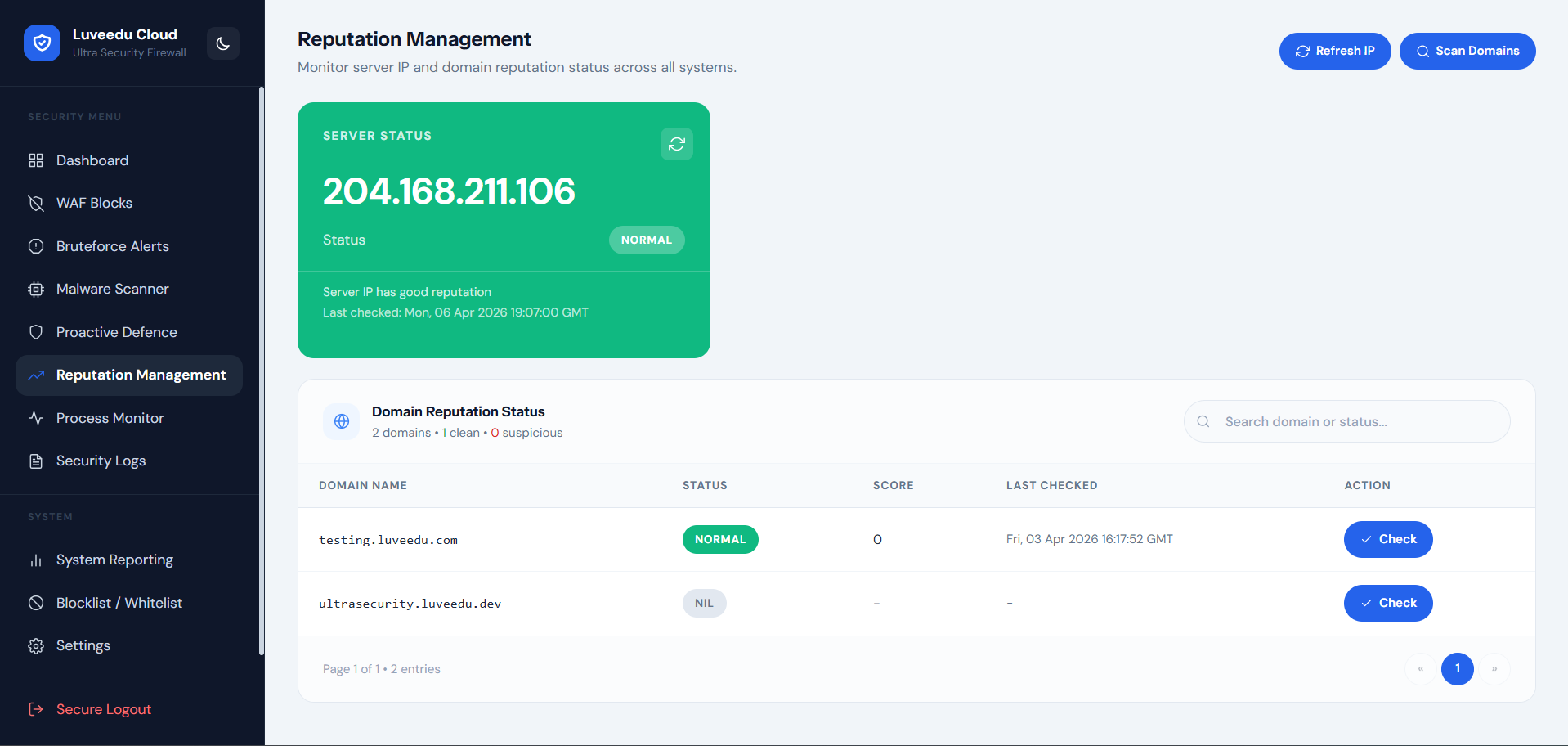
6. Reputation Management — IP Reputation Enforcement
Real-time IP reputation lookup and cloud-synchronized threat scoring for inbound traffic sources.
-
Per-IP reputation queries — instant lookup of any IP against cloud threat intelligence database
-
Abuse confidence scoring — numeric risk score with category breakdown (spam, brute-force, DDoS source, scanning)
-
ISP and ASN identification — context enrichment showing hosting provider, ASN, and organization per IP
-
Historical abuse records — total reported incident count and last-seen attack timestamps
-
Cloud sync — reputation data synchronized with Luveedu Cloud threat intelligence for current accuracy
-
Bulk IP assessment — evaluate large sets of IPs from logs or traffic captures
-
Enforcement integration — reputation-confirmed threats can be pushed directly to the IP blocklist
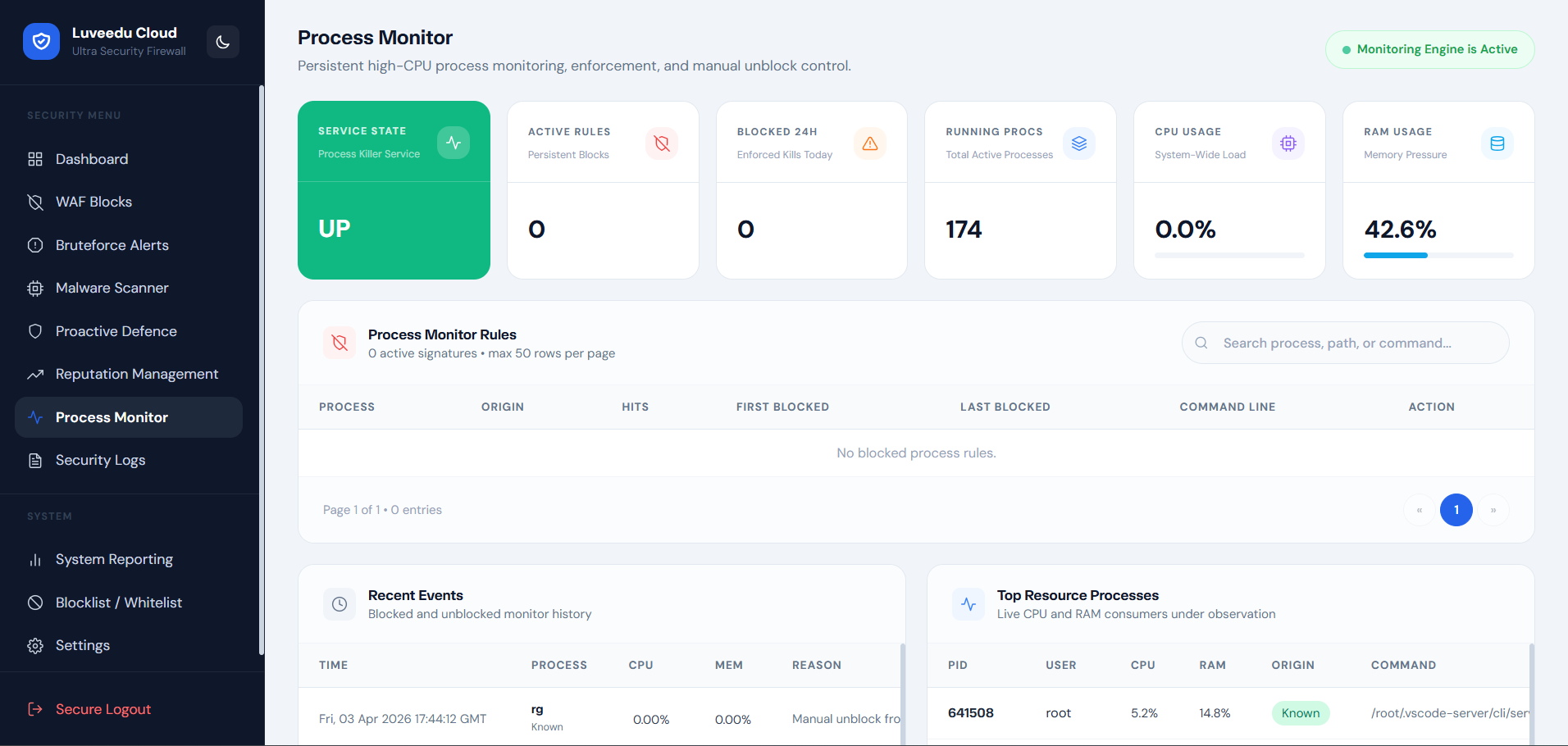
7. Process Monitor — OS-Level Threat Termination
Detects and kills malicious or anomalous OS processes spawned by web application compromise.
-
Live process inspection — real-time process tree view with CPU, memory, owner, and launch path
-
Suspicious process detection — AI classification of process behavior against known malware and webshell spawn patterns
-
Automatic kill mode — configurable auto-termination of processes exceeding suspicion threshold
-
Manual termination controls — operator-initiated kill with confirmation and logging
-
Process ancestry analysis — identifies processes spawned by web server workers (PHP, Python, Node) for post-exploitation detection
-
Cryptominer detection — specialized detection for CPU-intensive unauthorized mining processes
-
Process execution history — audit log of all terminated processes with timestamps, owner, and kill reason
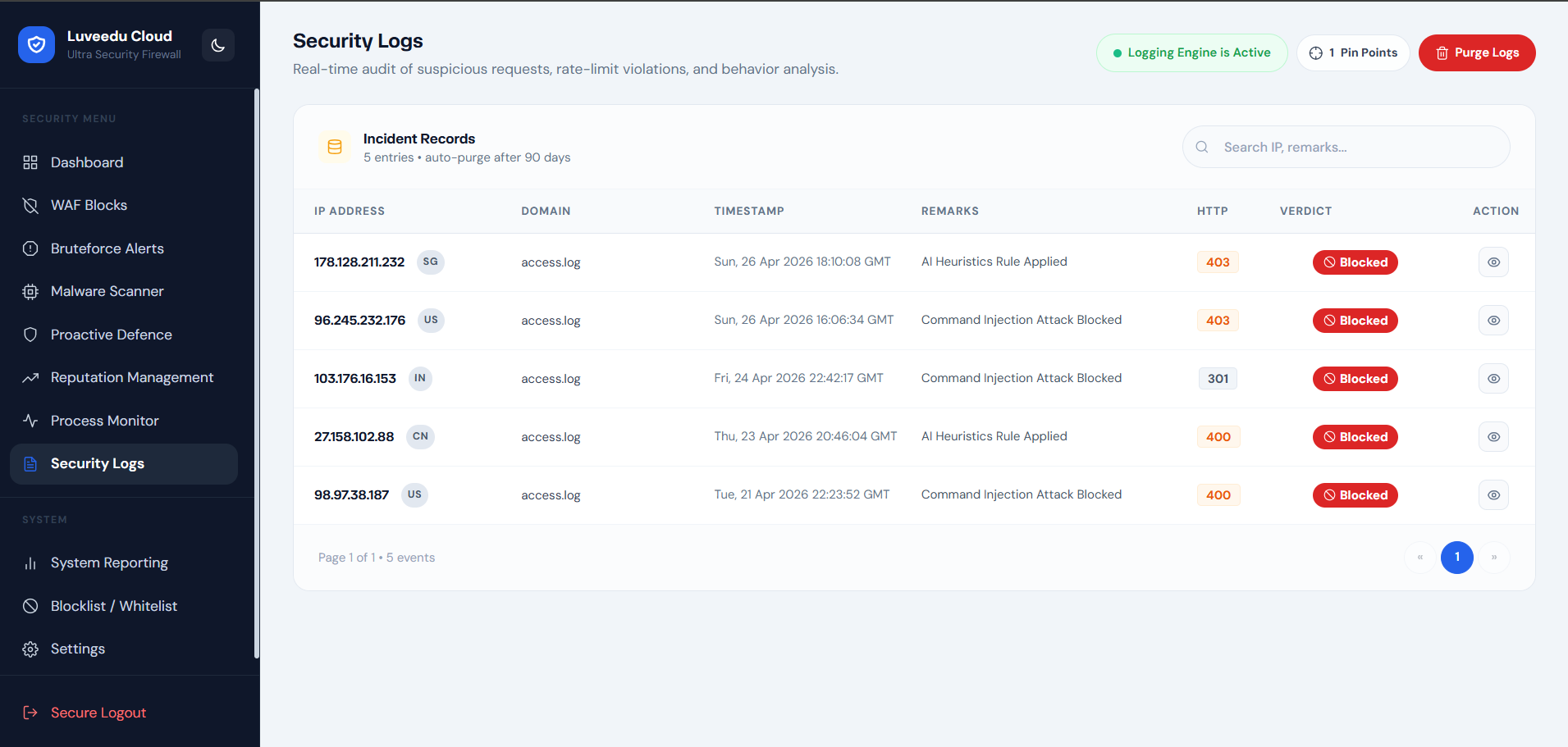
8. Security Logs — Full Audit Trail
Comprehensive event log aggregating all security activity across engines and enforcement layers.
-
Unified log view — single interface covering WAF events, brute-force activity, scanner results, and engine alerts
-
Severity-tier filtering — filter by critical, high, medium, low, and informational events
-
Source IP and service tagging — every log entry includes source IP, target service, and enforcement layer
-
Event deduplication — repeated identical events collapsed with occurrence count to reduce noise
-
Time range selection — filter log view to custom date/time windows for incident analysis
-
Export capability — log data exportable for external SIEM ingestion or compliance reporting
-
Persistent audit retention — log records retained with configurable rolling archive depth
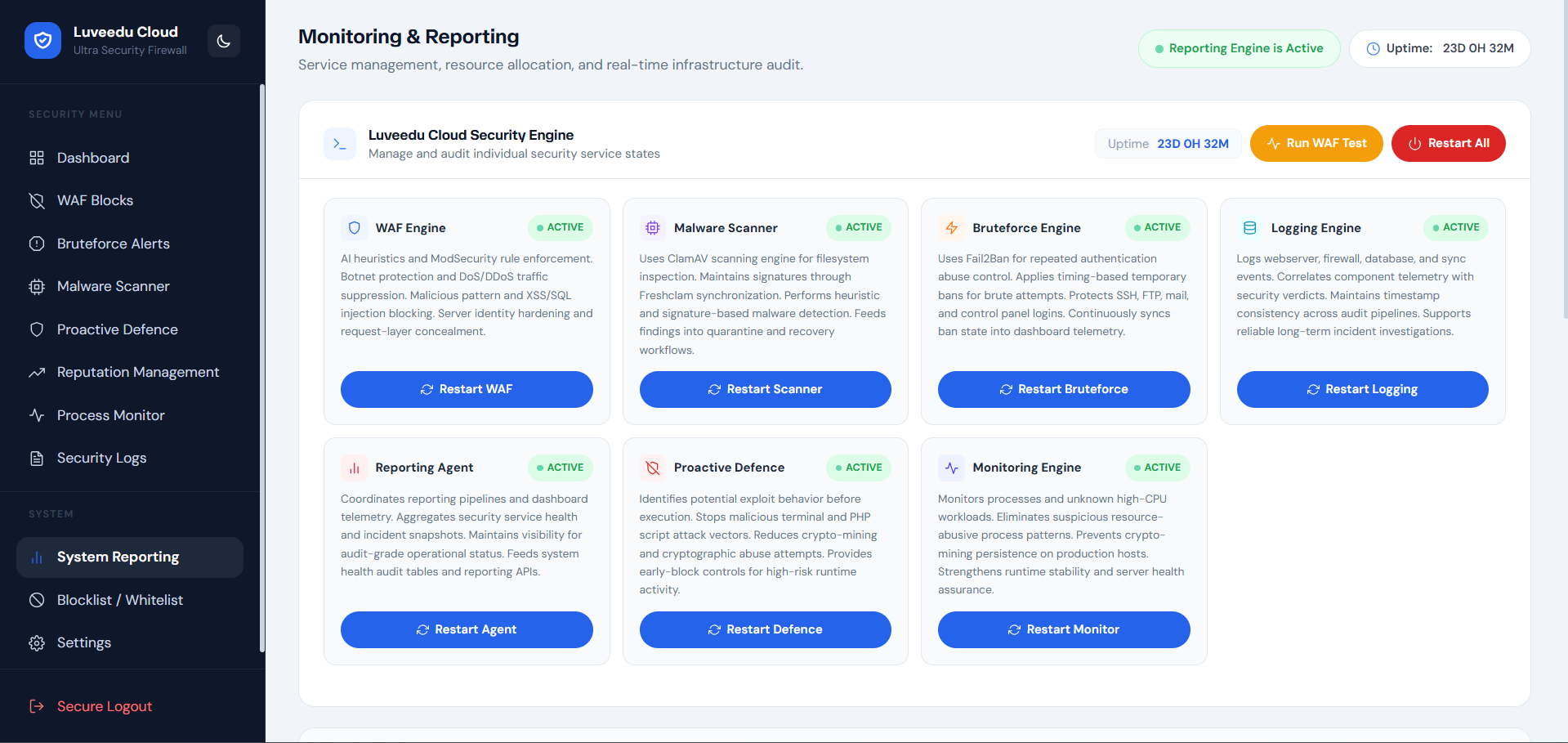
9. System Reporting — Health and Operational Audit
Scheduled and on-demand reporting for service health, pipeline metrics, and security posture.
-
Service state snapshots — point-in-time records of all active security engine health
-
Pipeline throughput metrics — request processing rates, inspection volume, and enforcement action counts
-
Scheduled health audits — automated periodic capture of platform operational state
-
Incident correlation support — timestamped records assist post-incident timeline reconstruction
-
Trend analysis — block rate, scan result, and brute-force trend charts across configurable time windows
-
Report archive — historical audit records stored and browsable from the reporting interface
-
Export and share — reports exportable as structured data for compliance, handoff, or documentation
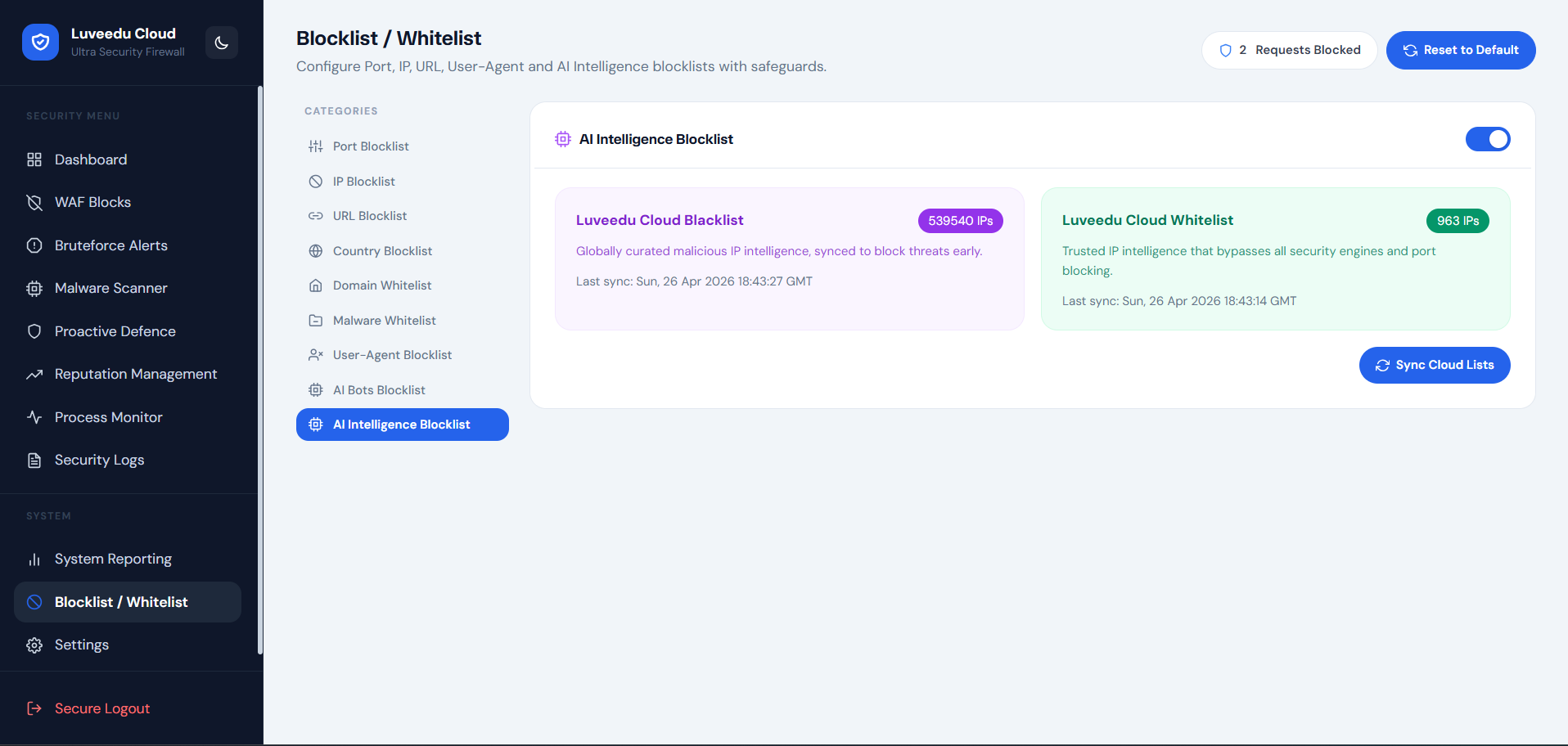
10. Blocklist / Whitelist — Manual Enforcement Controls
Direct operator control over IP enforcement state independent of automated engines.
-
Manual IP block entry — block any IPv4 or IPv6 address immediately with optional expiry
-
CIDR range blocking — block entire subnets using efficient ipset enforcement
-
Whitelist management — trusted IPs and ranges permanently exempt from all enforcement layers
-
Block reason tagging — operator-defined notes attached to each manual block for accountability
-
Expiry-based blocks — time-limited blocks that auto-expire without manual cleanup
-
Bulk import — load lists of IPs or CIDRs from file for rapid enforcement deployment
-
Block audit trail — complete history of who added or removed entries and when
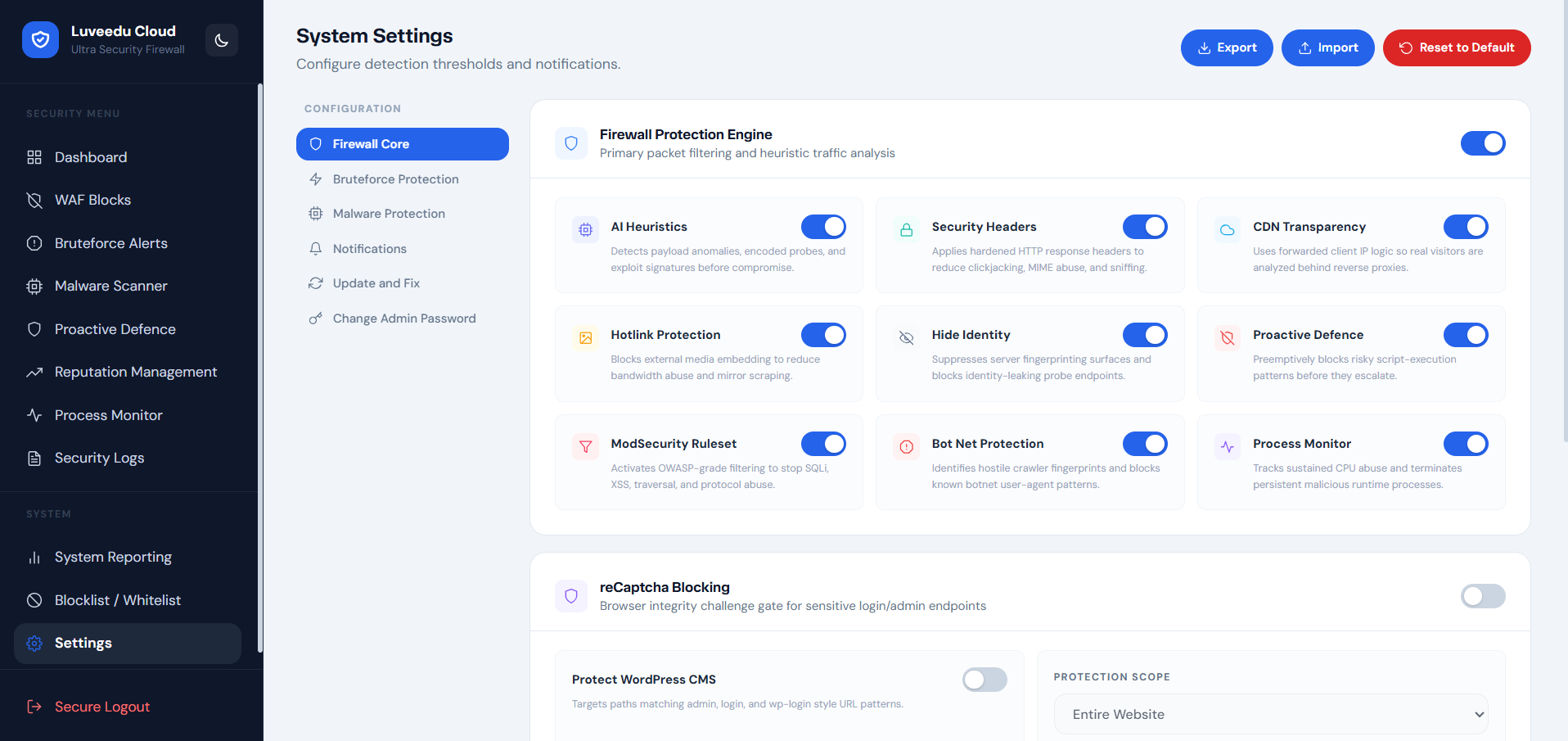
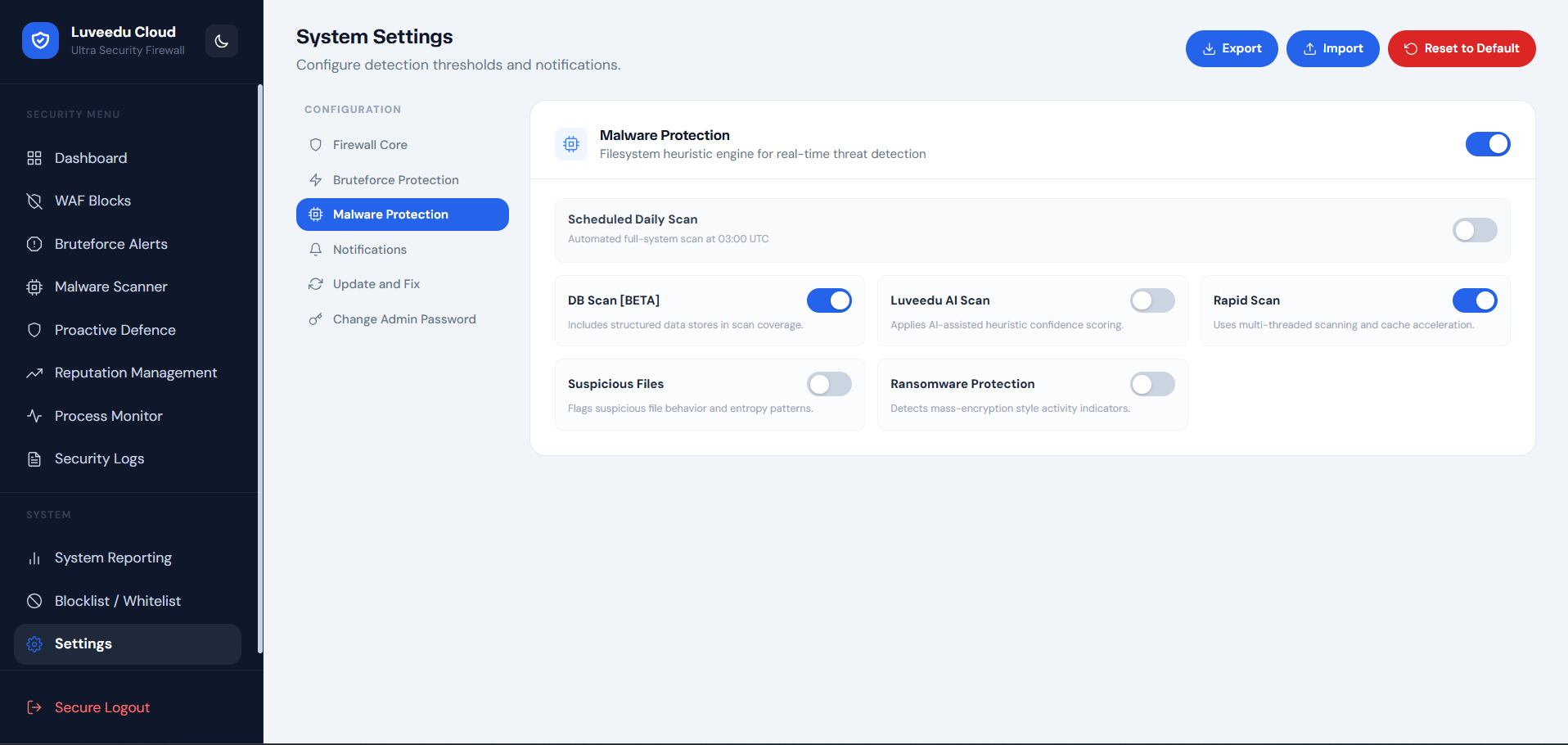
11. Settings — Full Platform Administration
Central control plane for all engine configuration, security policy, notification routing, and platform lifecycle management.
Engine Controls
-
Enable/disable individual security engines independently (WAF, brute-force, malware scanner, proactive defence, process monitor, reputation)
-
Tune detection sensitivity thresholds per engine
-
Configure enforcement modes: monitor-only, auto-block, or quarantine
Alert and Notification Configuration
-
Email alert routing with configurable severity threshold triggers
-
Alert digest mode for high-volume environments
-
SMTP configuration with connection test capability
Platform Lifecycle
-
Update — pull and apply latest stable LCUSF release with full pre-flight validation
-
Fix / Repair — re-apply stable runtime configuration to recover from degraded states
-
Change Admin Password — secure credential rotation from within the dashboard
Configuration Portability
-
Export config — full platform configuration export for backup or migration
-
Import config — restore configuration from export archive
Access and Security
-
Session timeout configuration
-
Admin credential management
-
Login audit log
 Supported Environments
LCUSF integrates natively with all major Linux web stacks. The universal installer handles detection and configuration automatically.
| Environment | Integration Model |
|—|—|
| CyberPanel + OpenLiteSpeed | Native OLS WAF hook + CyberPanel service integration |
| Standalone Apache | mod_security compatible WAF injection + Apache service management |
| Standalone Nginx | Nginx module integration + custom ruleset deployment |
All environments share the same dashboard, API surface, and enforcement backend.
 Operational Maintenance
All maintenance operations are accessible directly from the Settings panel in the dashboard. No SSH required for standard operations.
| Action | Description |
|—|—|
| Update | Pull and apply latest stable release; validates environment before applying |
| Fix / Repair | Re-deploy runtime configuration and recover from service degradation |
| Change Password | Rotate admin credentials securely from within the authenticated session |
 Troubleshooting
Dashboard not reachable after install
-
Confirm the security platform services are active and listening on port 8182
-
Verify your server firewall or cloud security group allows TCP 8182 inbound
Blocked legitimate traffic
-
Use the Whitelist section in Blocklist / Whitelist to exempt trusted IPs immediately
-
Review WAF Blocks log to identify the triggering rule and adjust sensitivity in Settings
Update or Fix action not completing
-
Confirm internet connectivity from the host:
curl -I https://ultrasecurity.luveedu.dev -
Verify host package manager is healthy and retry the action from Settings
High false-positive rate from WAF
-
Reduce WAF detection sensitivity in Settings > Engine Controls
-
Review recent WAF Blocks log entries to identify the pattern causing false positives
Malware scanner not starting
-
Confirm ClamAV is installed and the signature database is current
-
Use the Fix action from Settings to restore scanner runtime state
 Support & Enterprise Contact
For deployment assistance, enterprise onboarding, custom ruleset development, or priority support:
-
 Email: [email protected]
 -
 Portal: https://cloud.luveedu.com
 Summary
LCUSF is a production-hardened, multi-layer web security platform for Linux environments. It replaces the fragmented approach of managing iptables, fail2ban, ClamAV, and WAF rules independently — with a unified, intelligent, and operationally transparent security system.
| Capability | Delivered By |
|—|—|
| Real-time WAF | WAF Blocks engine + Security Logs |
| Brute-force defense | Bruteforce Alerts + auto-block synchronization |
| Malware detection | ClamAV + AI behavioral scanner |
| Threat pre-emption | Proactive Defence + reputation feeds |
| IP reputation enforcement | Reputation Management + cloud threat intelligence |
| Process-level detection | Process Monitor with auto-kill capability |
| Full operator visibility | Dashboard, Reporting, Security Logs |
| Operational continuity | Settings: update, fix, config export/import |