Summary
On /websites/<example.com>/domainAlias I added domain aliases. After adding an alias:
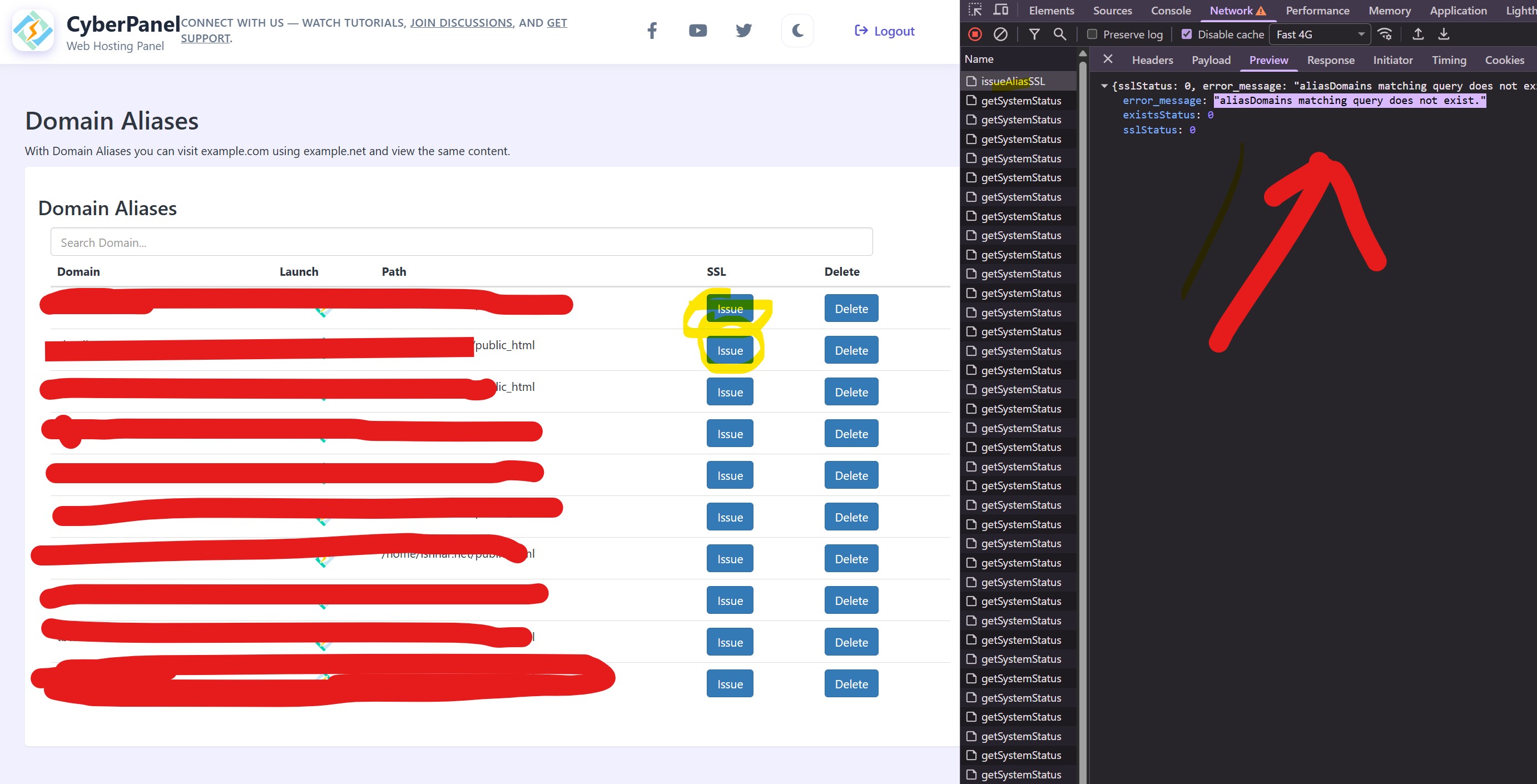
- Clicking Issue SSL for that alias fails with the server error:
aliasDomains matching query does not exist. - The Delete button does not send any request to the server at all. When I tested with an external JS POST request the server log shows the same
aliasDomains matching query does not exist.error.
I inspected the database and found that when creating an alias the new record is inserted into websiteFunctions_websites, but the websiteFunctions_aliasdomains table remains empty. The function AliasDomainCheck (which raises the DoesNotExist) queries websiteFunctions_aliasdomains, so it fails.
This happens on both versions I tested (2.4.2 and 2.4.4).
Environment
- CyberPanel installed on: AlmaLinux 8 (VPS)
- CyberPanel version: 2.4.4
- Reproducible on: 2.4.2 and 2.4.4 (I tested both)
Steps to reproduce
- Go to:
/websites/<master-domain>/domainAlias(example:/websites/example.com/domainAlias) - Add a domain alias (fill alias domain and save).
- After alias is added, click Issue SSL for that alias.
- Observe server response:
aliasDomains matching query does not exist.
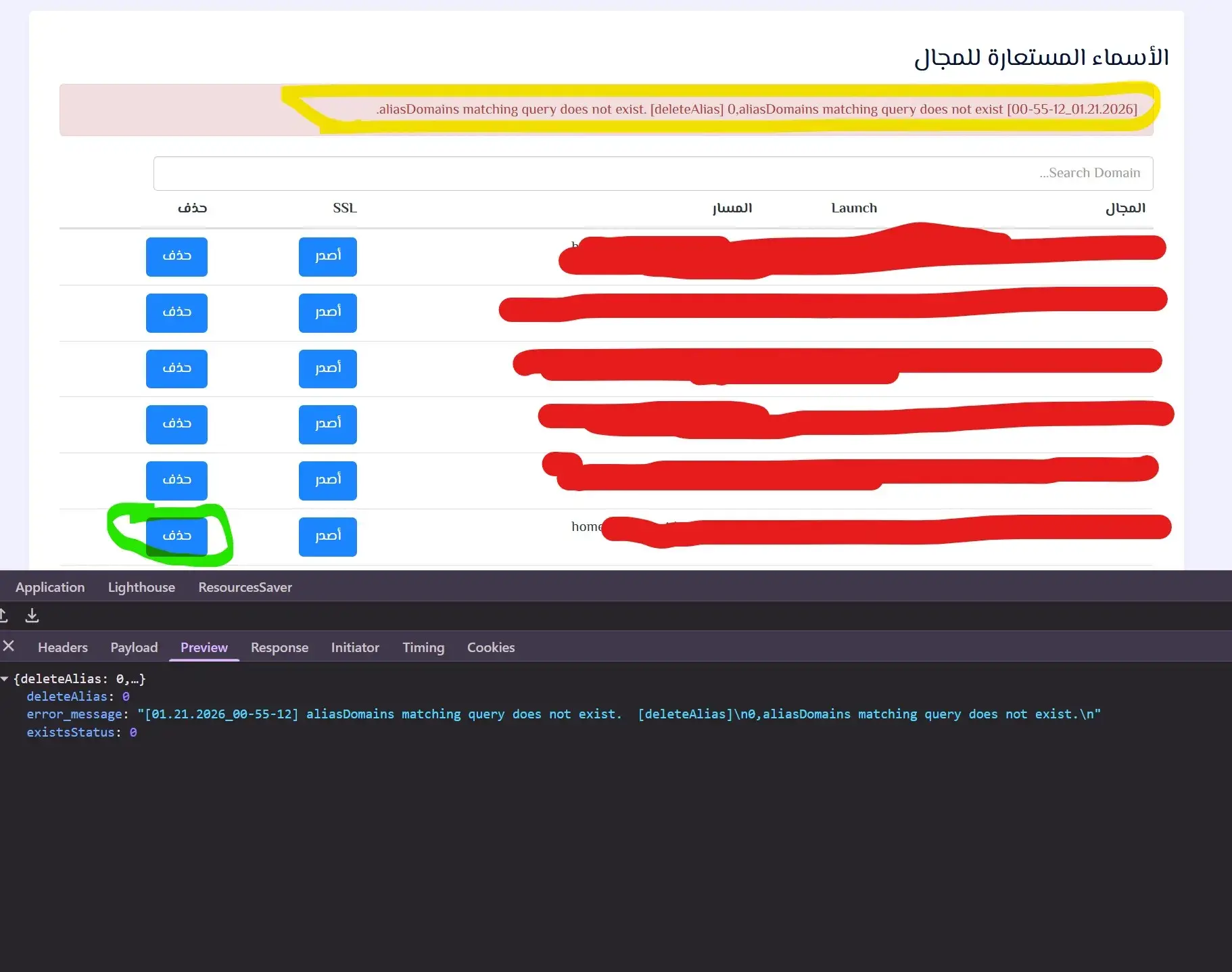
- Try to delete the alias via the Delete button in the aliases table.
- No network request is sent (no POST in browser Network tab).
- When testing with a manual JS POST to the same endpoint, server log shows:
[01.21.2026_00-55-12] aliasDomains matching query does not exist. [deleteAlias] 0,aliasDomains matching query does not exist.
Logs / Traceback (important parts)
Django error when clicking Issue SSL
DoesNotExist at /websites/issueAliasSSL
aliasDomains matching query does not exist.
...
File "/app/plogical/acl.py", line 76, in AliasDomainCheck
    aliasOBJ = aliasDomains.objects.get(aliasDomain=aliasDomain)
...
django.db.utils.OperationalError: ... DoesNotExist...
Manual delete test log (server)
[01.21.2026_00-55-12] aliasDomains matching query does not exist. [deleteAlias] 0,aliasDomains matching query does not exist.
Investigation / Findings
- When an alias is created via the UI, a record appears in
websiteFunctions_websites(so the alias exists somewhere). - However, the code that validates aliases (
AliasDomainCheck) does:
aliasOBJ = aliasDomains.objects.get(aliasDomain=aliasDomain)
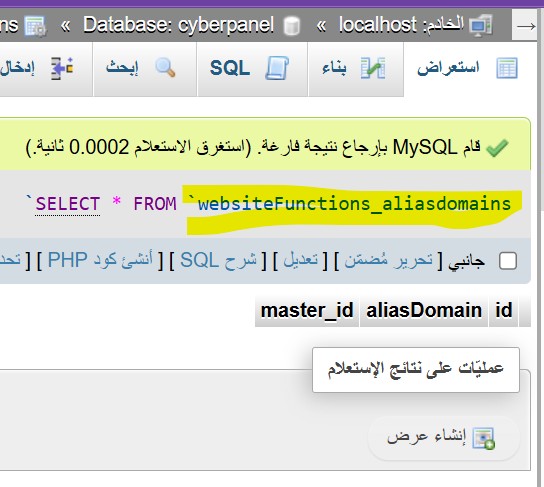
and queries the websiteFunctions_aliasdomains model/table. That table is empty on my instance — so .get() raises DoesNotExist.
- Therefore the code expects the alias to be in
aliasdomainstable, but the actual add process populateswebsitestable only. - The Delete button problem: the front-end
ng-clickusesdeleteChildDomain(...)(or similar) but in my local JS the controller function name differs (removeAlias). That explains why the button didn’t send a request — the template calls a function name that wasn’t defined. (This is a separate but related frontend issue.)
For your information, I have reviewed this proposal:[Domain Aliases CyberPanel - Knowledge Base]
However, this didn’t work, and the problem isn’t related to this suggestion.
Please help me resolve this issue as soon as possible.