CyberPanel Community

01 - Installing CyberPanel

RM
Rana Muhammad Usman Nasir #1

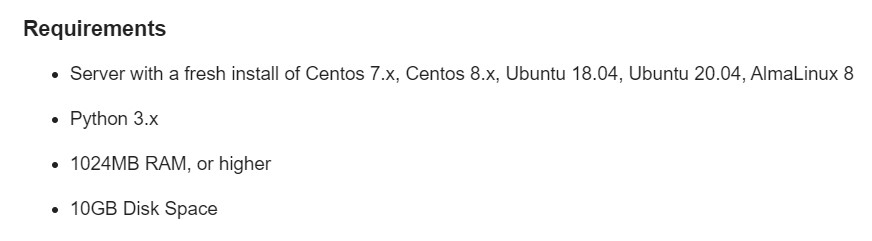
Requirements

  • Server with a fresh install of Ubuntu 20.04, Ubuntu 22.04, CloudLinux 7, CloudLinux 8, AlmaLinux 8, AlmaLinux 9.

  • 1024MB RAM, or higher

  • 10GB Disk Space


CyberPanel vs CyberPanel Ent

CyberPanel is 100% identical in both versions. The only difference is which web server is running in the back-end.

  1. CyberPanel comes with OpenLiteSpeed and is completely free for an unlimited number of domains and worker processes.
  2. CyberPanel Ent comes with LiteSpeed Web Server Enterprise and it is free for 1 domain. If you need more than 1 domain, you can view our pricing page. The CyberPanel license includes the price of your LiteSpeed Enterprise license.

To learn more about the differences between OpenLiteSpeed and LiteSpeed Web Server Enterprise, please see this comprehensive comparison.


Installing CyberPanel

Step 1: Connect to your server via SSH

The installation of CyberPanel is quite simple. First, log into your server via SSH as the root user (sudo will not work). You can get the login details from your web host.

Step 2: Update packages

For Ubuntu: sudo apt update && sudo apt upgrade -y
For CentOS/Alma/Rocky:

sudo yum check-update
sudo yum update

Step 2: Run the installation script

Run the following command. It will initiate the automated installation script, which will prompt you for a few decisions about which version of LiteSpeed and which add-ons you would like to install.

sh <(curl https://cyberpanel.net/install.sh || wget -O - https://cyberpanel.net/install.sh)

If, for some reason, you are not able to log in as root, you can use this command

sudo su - -c "sh <(curl https://cyberpanel.net/install.sh || wget -O - https://cyberpanel.net/install.sh)"

Step 3: Select the version of LiteSpeed that you would like to use

Select which version of LiteSpeed to install. If you select LiteSpeed Enterprise, please ensure that you have obtained a license key first. It is free for 1 domain, but you still need to obtain the key. Visit the pricing table to decide your desired plan.

CyberPanel Installer v2.1.2

RAM check : 184/981MB (18.76%)

Disk check : 7/30GB (27%) (Minimal 10GB free space)

1. Install CyberPanel with OpenLiteSpeed.

2. Install Cyberpanel with LiteSpeed Enterprise.

3. Exit.


  Please enter the number[1-3]:

If you selected LiteSpeed Enterprise, you will see the following prompt. Enter your serial number

If you do not have any license, you can also use trial license (if server has not used trial license before), type TRIAL

Please input your serial number for LiteSpeed WebServer Enterprise:

Step 4: Select options and add-ons

You will be presented with a series of prompts for different options and add-ons that are available.

Full Service (default Y):

Remote MySQL (default N):

  • Allow for your Database to be installed on a remote server

CyberPanel Version (default Latest Version):

  • You can choose to install a previous version of CyberPanel, or press Enter to install the latest

Password (default “1234567”):

  • It is recommended that you use “s” to set your own strong password

Memcached (default Y):

  • Distributed memory object caching system

Redis (default Y):

  • In-memory data structure store, used as a database, cache, and message broke

Watchdog (default Yes):

  • Kernel watchdog is used to monitor if a system is running. It is supposed to automatically reboot hanged systems due to unrecoverable software errors

Step 5: Installation

The installation process will proceed automatically. It will take 5-10 minutes, depending on the speed of your server.

Step 6: Finalize Installation

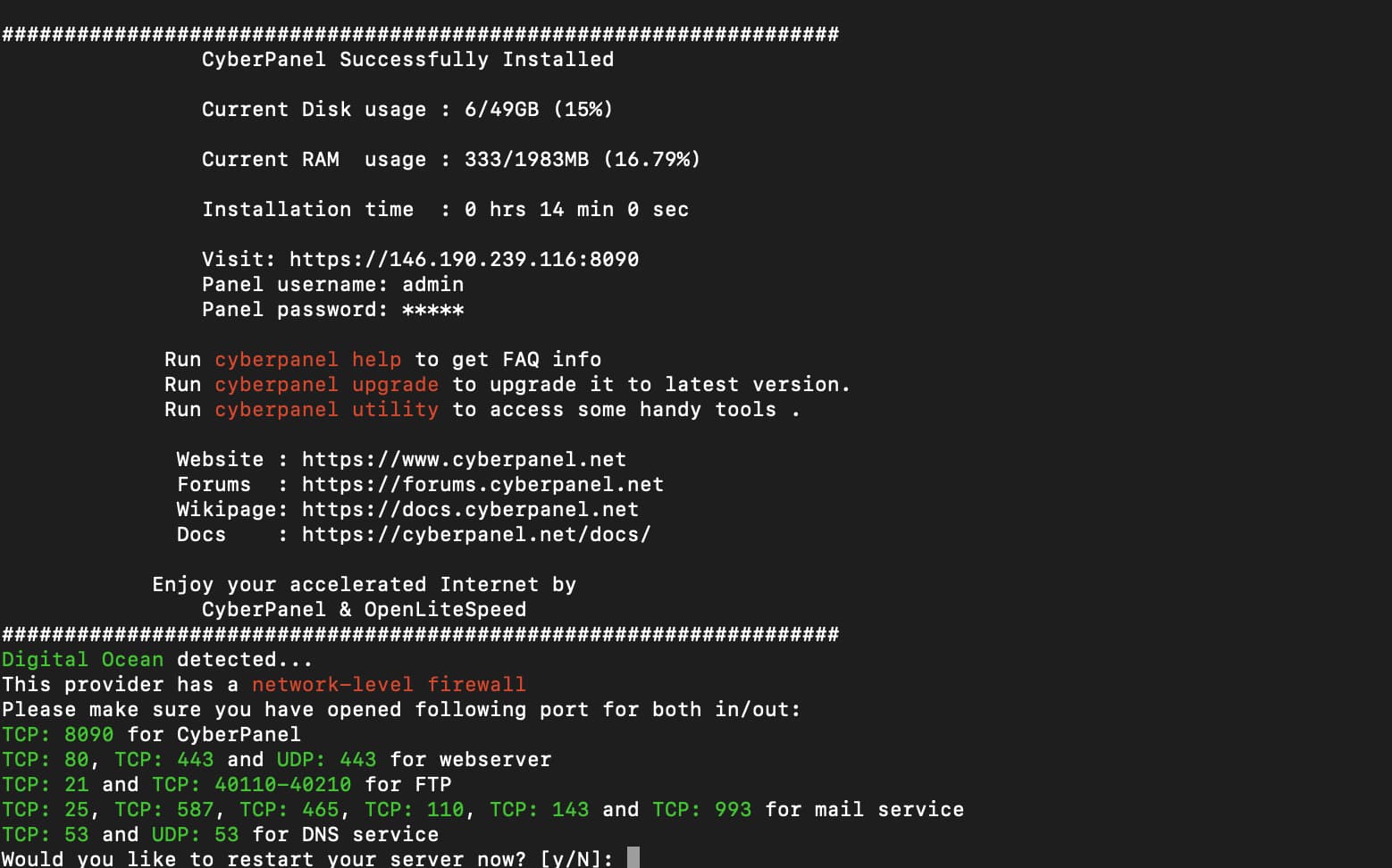
At the end of the installation process, you will be presented with the following screen which contains important information about your configuation. Select and copy it to a safe location for future reference.

###################################################################
                CyberPanel Successfully Installed

                Current Disk usage : 7/30GB (26%)

                Current RAM  usage : 313/981MB (31.91%)

                Installation time  : 0 hrs 11 min 0 sec

                Visit: https://<your server's IP address>:8090
                Panel username: admin
                Panel password: <the password you set during installation>
                Visit: <your server's IP address>:7080
                WebAdmin console username: admin
                WebAdmin console password: TSXMwny4zVeDg37K

                Visit: https://<your server's IP address>:8090/rainloop/?admin
                Rainloop Admin username: admin
                Rainloop Admin password: gQKFWm9O3nr7Xn

             Run cyberpanel help to get FAQ info
             Run cyberpanel upgrade to upgrade it to latest version.
             Run cyberpanel utility to access some handy tools .

              Website : https://www.cyberpanel.net
              Forums  : https://forums.cyberpanel.net
              Wikipage: https://docs.cyberpanel.net
              Docs    : https://cyberpanel.net/docs/

            Enjoy your accelerated Internet by
                CyberPanel & OpenLiteSpeed
###################################################################
If your provider has a network-level firewall
Please make sure you have opened following port for both in/out:
TCP: 8090 for CyberPanel
TCP: 80, TCP: 443 and UDP: 443 for webserver
TCP: 21 and TCP: 40110-40210 for FTP
TCP: 25, TCP: 587, TCP: 465, TCP: 110, TCP: 143 and TCP: 993 for mail service
TCP: 53 and UDP: 53 for DNS service
Your provider seems blocked port 25 , E-mail sending may not work properly.

Step 7: Restart Server

Would you like to restart your server now? [y/N]:

Enter “y” to restart. Or enter “reboot” later after you have performed other desired operations.

Step 8: Access CyberPanel

After the successful installation you can access CyberPanel using the details below (make sure to change):

URL: https://<Your Server's IP Address>:8090 
Username: admin
Password: <the password you set during installation>

Troubleshooting

503 Error After Install

If you get a 503 error after installing CyberPanel, you can do one of the following things.

1. Check LSCPD Status.

systemctl status lscpd

If LSCPD is not running, start LSCPD using:

systemctl start lscpd

2. Manually set up virtualenv

source /usr/local/CyberCP/bin/activate
pip install --ignore-installed -r /usr/local/CyberCP/requirments.txt
deactivate
virtualenv --system-site-packages /usr/local/CyberCP
systemctl restart lscpd

3. Install Logs

If you are still having issues after these steps, you can try to find errors in the install logs, they are located at:

/var/log/installLogs.txt

4. Submit Bug Report

If all of the above failed, please submit a bug report.

100 replies
an
antivirusadmin #3

CyberPanel Ent comes with LiteSpeed Web Server Enterprise and it is free for 1 domain.

If you selected LiteSpeed Enterprise, you will see the following prompt. Enter your serial number

If you do not have any license, you can also use trial license (if server has not used trial license before), type TRIAL

Please input your serial number for LiteSpeed WebServer Enterprise:

I want use CyberPanel Ent for 1 domain , what should I do? is that free or need the pricing plan?

1 domain with subdoamin and subfolder or just 1domain?

na
namegoeshere #4

The Bug Report link at the end of your post is “invalid or doesn’t exist.”

Bug Report:

Installation fails on AlmaLinux 8.

~]# uname -r
4.18.0-348.12.2.el8_5.x86_64

Install Watchdog set to Yes…

31 files removed
Dependencies resolved.

Package Architecture Version Repository Size

Removing:
epel-release noarch 8-13.el8 @@commandline 35 k

Transaction Summary

Remove 1 Package

Freed space: 35 k
Running transaction check
Transaction check succeeded.
Running transaction test
Transaction test succeeded.
Running transaction
Preparing : 1/1
Running scriptlet: epel-release-8-13.el8.noarch 1/1
Erasing : epel-release-8-13.el8.noarch 1/1
Running scriptlet: epel-release-8-13.el8.noarch 1/1
Verifying : epel-release-8-13.el8.noarch 1/1

Removed:
epel-release-8-13.el8.noarch

Complete!
CentOS Linux 8 - PowerTools 5.7 kB/s | 8.1 kB 00:01
Errors during downloading metadata for repository ‘powertools-for-cyberpanel’:

I can’t include anymore error message because “new users can only include 2 urls.”

~]# cat /var/log/installLogs.txt

Starting installation…,1

Initialization completed…,2

Setting up repositories…,1

Installing necessary components…,3

command failed, exiting. For more information read /var/log/installLogs.txt [404]

NK
Nitesh Kunnath #5

Try to install again and it should be solved.

Ni
Nick #6

Should I be running sudo apt update && sudo apt upgrade -y before installing CyberPanel or does it need to be a truly fresh install?

I ask because different VPS providers seem to install different versions of the same OS, such that if I run apt update, there are anywhere from 0 to 80 packages available to be upgraded, depending on the provider.

NK
Nitesh Kunnath #7

Its always recommended to do the OS update command before installing or upgrading cyberpanel.

OG
OGE #9

Hello World! Installation will be successful if MySQL and PHPMYADMIN are installed on the server? Or do I need to install the cyberpanel on the clean server OpenLitespeed? :man_technologist:

MK
Mirza Khadnezar S [sick] #10

then actually there is something with your datacenter and/or connections

recommended :
Install OS with minimalist and no features
do Upgrade system
restart
install cyberpanel using auto installer

fl
fluxx #11

hey i am not able to install cyberpanel using
.

sh <(curl https://cyberpanel.net/install.sh || wget -O - https://cyberpanel.net/install.sh)

here is error

Initializing...

Fetching latest data from CyberPanel server...

This may take few seconds...

Unable to fetch Branch name...

Please try again in few moments, if this error still happens, please contact support

is this something to do with cyberpanel github?
@die2mrw007 @usmannasir

SK
SENTHIL KUMAR #12

Is there anyway to reinstall Cyberpanel without old files not getting deleted??. Or possible to setup database installation again?

Ni
Nick #13

@brvnbld Run the upgrade script.

@fluxx have you solved this? Sometimes I get installation errors that are solved by running it again.

MK
Mirza Khadnezar S [sick] #15

what command you run to install ?

RM
Rana Muhammad Usman Nasir #23

Rainloop password is available using

cat /usr/local/CyberCP/public/rainloop.php
Za
Zakaria #26

Hello ,
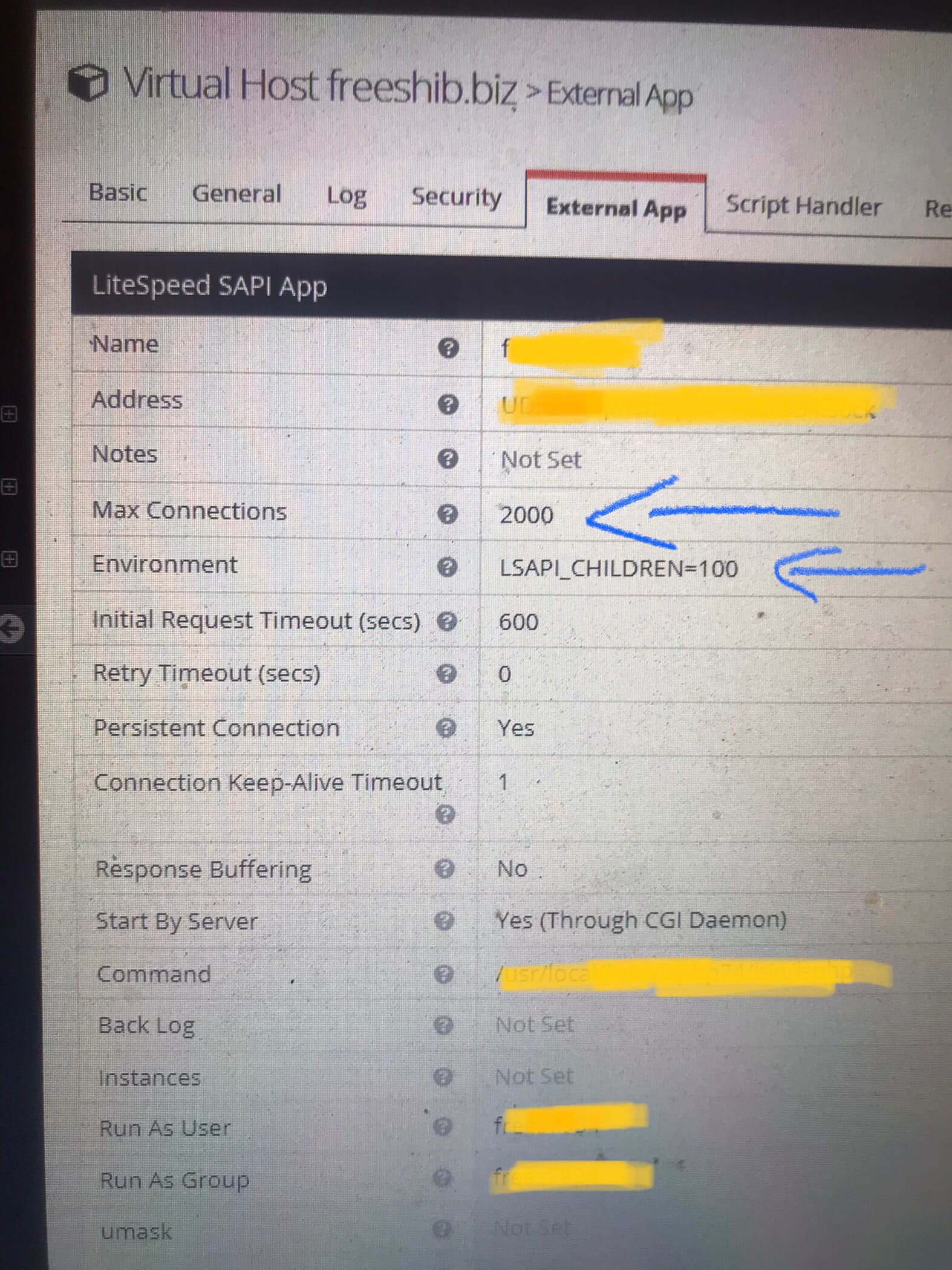
Can you pls talk about openlitespeed, i use dedicated server with good resources and i want modify openlitespeed without limit for can use all resources of my server , exactly the issue : lsapi possible deal lock

Thanks.

an
antivirusadmin #28

@usmannasir
There was not necessary to remove it , just need more detail and explanation

something like this:

###################################################################

>                 CyberPanel Login URL

Visit: https://<your server ip>:8090
                Panel username: admin
                Panel password: ^i0lf1bi2AG^dlEt
				
				**Open Litespeed web Console :**
                Visit: https://<your server ip>:7080
                WebAdmin console username: admin
                WebAdmin console password: ^i0lf1bi2AG^dlEt
               
			   
			    **Webmail Panel:**
                Visit: https://<your server ip>:8090/rainloop/?admin
                Rainloop Admin username: admin
                Rainloop Admin password: ^i0lf1bi2AG^dlEt
###################################################################
MK
Mirza Khadnezar S [sick] #29

actually i need that too
but some (more) user confusing about the different between Litespeed and cyberpanel admin login

Za
Zakaria #30

That in openlitespeed ; i use that max connections for solve the problem of lsapi possible deal lock ,
i see the range of that is 1 to 2000 ,
My question are can use high number more then 2000 ,
and any modifications for openlitespeed not use the limit , i use dedicated server 8 core AMD so that is high resources i want use my resources without limit because i own my server

RE
REdwards #31

I am also having this same issue.

I’m using ubuntu 20.04 and all packages are up-to-date.

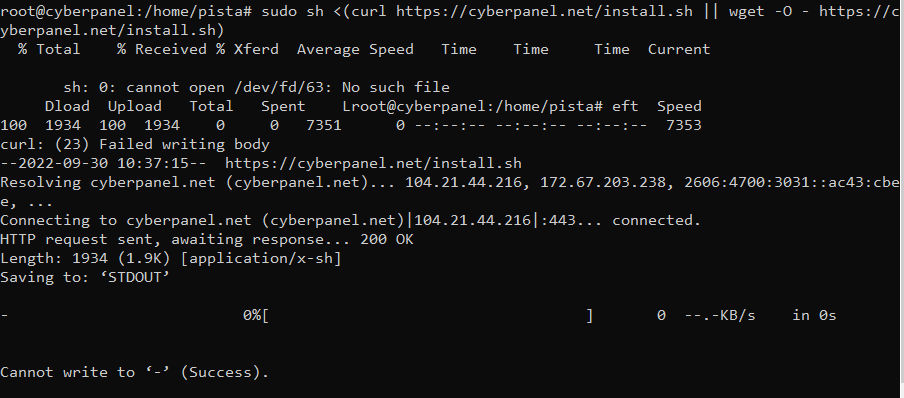
`root@admin82:~# sh <(curl https://cyberpanel.net/install.sh || wget -O - https://cyberpanel.net/install.sh)
% Total % Received % Xferd Average Speed Time Time Time Current
Dload Upload Total Spent Left Speed
100 1802 100 1802 0 0 5966 0 --:–:-- --:–:-- --:–:-- 5947
curl is already the newest version (7.68.0-1ubuntu2.11).
wget is already the newest version (1.20.3-1ubuntu2).
0 upgraded, 0 newly installed, 0 to remove and 0 not upgraded.

Initializing…

Fetching latest data from CyberPanel server…

This may take few seconds…

Unable to fetch Branch name…

Please try again in few moments, if this error still happens, please contact support
`

Would really appreciate some help - I think I have tried the process 20 times but every-time it fails

Thanks

@usmannasir

RE
REdwards #33

Thanks @Dreamer I tried ping but as you know you can only ping a domain i.e. cyberpanel.net or ip.

When I did ping cyberpanel.net I got the response back so its not blocked. There seems to be someother other issue as I can see that cyberpanel.sh get downloaded but it cannot find branch name.

RE
REdwards #34

I still haven’t been able to install cyberpanel. The VPS provider says that they are not blocking any ip or service. So I guess there is an issue with Cyberpanel. Can someone please assist me with this in resolving this issue of getting ‘Unable to fetch branch name…’ whilst installing cyberpanel.

Thank you

Aj
Ajin #35

I’m using Ubunto 20.10, but when i install it says.

CyberPanel is supported on Ubuntu 18.04, Ubuntu 20.04, Ubuntu 20.10, CentOS 7.x, CentOS 8.x, CloudLinux 7.x, CloudLinux 8.x and AlmaLinux 8.x…

Aj
Ajin #37

But when i run the comment it says - CyberPanel is supported on Ubuntu 18.04, Ubuntu 20.04, “Ubuntu 20.10”, CentOS 7.x, CentOS 8.x, CloudLinux 7.x, CloudLinux 8.x and AlmaLinux 8.x…

Dr
Dreamer #38

That’s might be typo what nobody noticed because it’s quite rare VPS providers have ubuntu 20.10 as option. Just go with 20.04 and you are fine.

Aj
Ajin #39

Thanks for the update.

Dr
Dreamer #40

Ubuntu 20.10 has already stop getting updates too see here. So better stick with 20.04 which still get official updates.

wa
wang #41

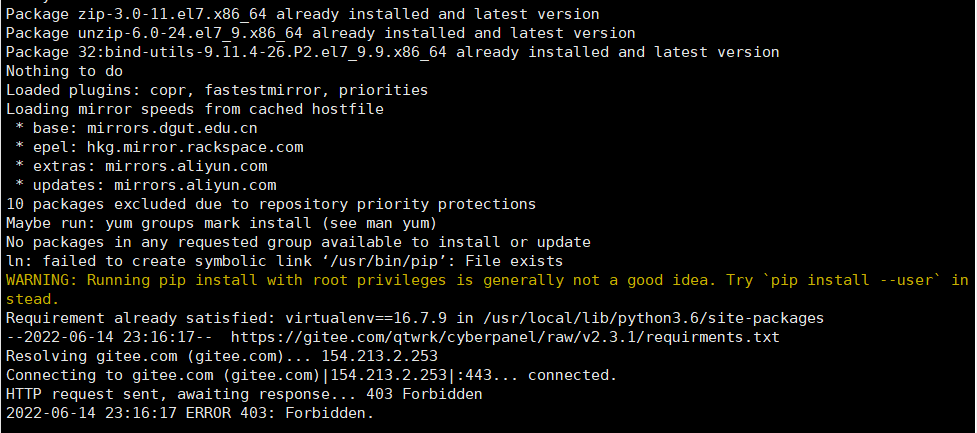
I had this problem during installation. Can you tell me what I should do?

TD
Tien Dung Dao #42

How to install CyberPanel lightest version?

How can I remove unnecessary features to save server resources?

MK
Mirza Khadnezar S [sick] #43

ready the step… when you asked to answer install all services (or something like that, just say N)

like what ?

TD
Tien Dung Dao #44

I don’t need some…

  • Power DNS
  • Incremental backup
  • Root File Manager
  • Top Processes (Server Status)
  • Mail, Mail Settings
  • Containerization

Thanks

MK
Mirza Khadnezar S [sick] #45

go with webmin …
you can customize and install only you need

at cyberpanel you can do that too
since you mention this

then i think you can edit the source from github … and make your own custom installation and UX UI

K👑
King 👑 #46

Hi

Which is better, faster and more flexible?

Ubuntu or CentOS

Which version is better?

Gu
Gunstra #47

Getting this error:

Complete!
Last metadata expiration check: 0:00:29 ago on Mon Jul 18 16:44:40 2022.
No match for argument: gpgme-devel
Error: Unable to find a match: gpgme-devel
above command failed…
[root@vserv ~]#

also, who’s idea was it to use light grey text on a white background? That’s a squinter hehe

MS
M Saha #49

I have deleted the cyberpanel.sh file from root directory right after cyberpanel got successfully installed. Is it okay? Or, that file was important to have?

Ni
Nick #50

It is fine. That’s just a script to install everything. You can download it fresh with the command in this topic if you ever want to install again

ro
robidos #51

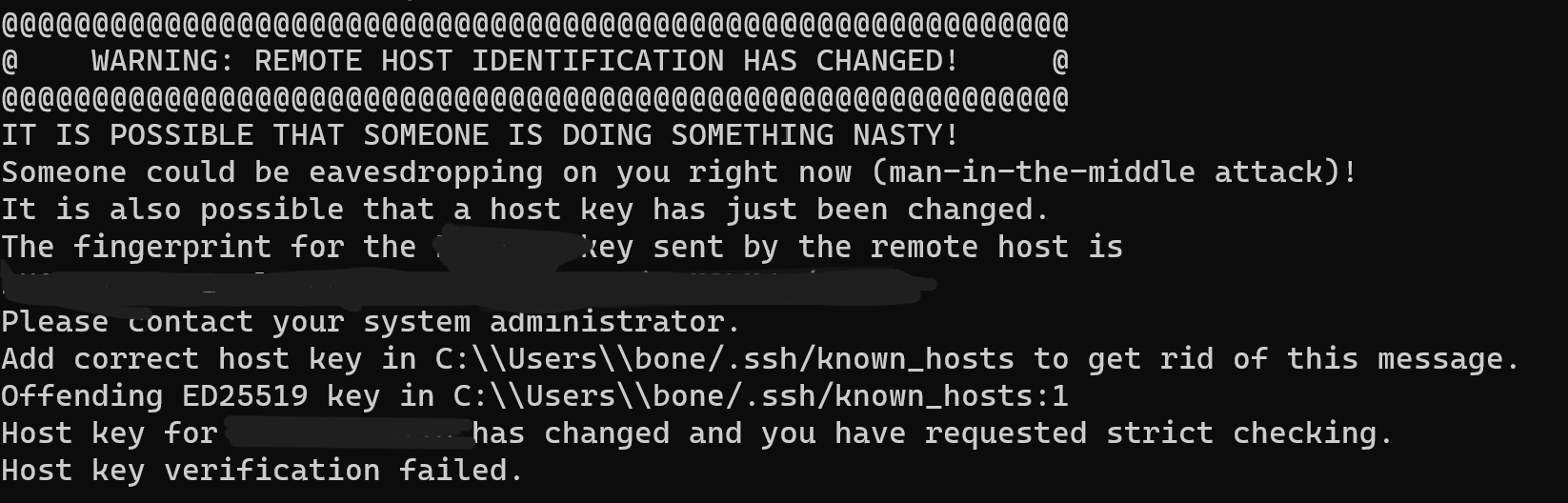
installed it on lxc container on proxmox, went fine but on reboot could not log in via terminal and ssh. so installed in on a VM with ubunutu server 2204 iso. (minimal option)

dropped to root via sudo su but the script keeps telling me am not root and still use SUDO.

so now am finally installing it (as root) with

sudo su - -c “sh <(curl https://cyberpanel.net/install.sh || wget -O - https://cyberpanel.net/install.sh)”

not sure why root is disabled or is this a ubuntu server thing did i forgot someting on the install ?

DP
Daniel Perez #52

Hello, I try many times and it stops at the same error:

[09.30.2022_03-27-48] #########################################################################

[09.30.2022_03-27-48] [ERROR] We are not able to run rpm -ivh http://rpms.litespeedtech.com/centos/litespeed-repo-1.2-1.el7.noarch.rpm return code: 1. Fatal error, see /var/log/installLogs.txt for full details.

[09.30.2022_03-27-48] #########################################################################

Oops, something went wrong…
[root@webhosting-1 ~]#

Thank you in advance for your help.

ov
ovh #56

need methode for windows ^^

Dr
Dreamer #57

Windows not supported as clearly stated on start of thread

fa
fadi #58

Hi,
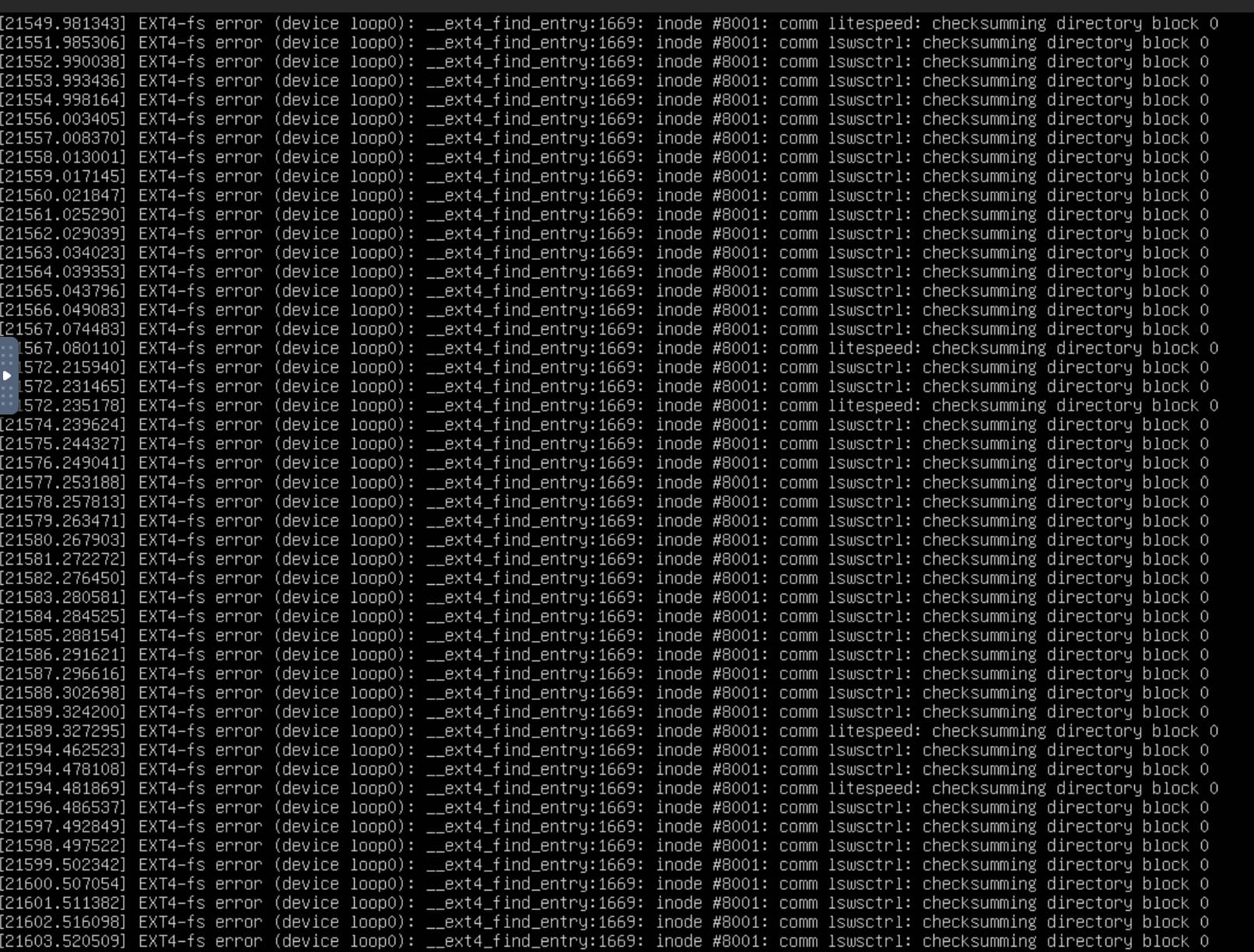
I ran the script above on my existing Vultr OLS server and now this has been going for a while!! What should I do? Let it continue or what?
Please help. I’m in panic mode!!
Thanks.
[screenshot]

an
antivirusadmin #59

Hi
could you tell me what happen?
I need more detail like : OS , version of os , version of cyberpanel , the problem,
upload the log file based on this link:

fa
fadi #60

OS: Ubuntu 22.04
I don’t have cyberpanel installed. I ran the script above to get it installed. I was trying to install cyberpanel and this happened. It’s still going!! Did I lose my website!! all my handwork is gone? Now I have this when I run SSH to get the logs for you.

Dr
Dreamer #61

You should install cyberpanel on fresh server where nothing installed before.

Spin new server and install cyberpanel after that migrate website.

Ma
Matteo #62

Installer fail if mysql user password contain a " ` " inside.
[12.30.2022_11-06-49] [ERROR] We are not able to run /usr/local/CyberPanel/bin/python manage.py makemigrations return code: 1. Fatal error, see /var/log/installLogs.txt for full details.

How to relaunch the configuration? I’ve manual update the password in the config file:
sudo vim /usr/local/CyberCP/CyberCP/settings.py

But there is no information on other operation left undone…

File “”, line 1014, in _gcd_import
File “”, line 991, in _find_and_load
File “”, line 975, in _find_and_load_unlocked
File “”, line 671, in _load_unlocked
File “”, line 844, in exec_module
File “”, line 981, in get_code
File “”, line 911, in source_to_code
File “”, line 219, in _call_with_frames_removed
File “/usr/local/CyberCP/CyberCP/settings.py”, line 123
‘PASSWORD’: ‘BmD`F’:g6rE{1Eut’,
^
SyntaxError: invalid syntax

[12.30.2022_11-06-49] #########################################################################

[12.30.2022_11-06-49] Running /usr/local/CyberPanel/bin/python manage.py makemigrations failed. Running again, try number 3

[12.30.2022_11-06-49] #########################################################################

Relaunch installation from zero exit with this info message: CyberPanel already installed, exiting…

Cyberpanel cant be reached on 8090 port

matteo_lavaggi@cyberpanel:~$ systemctl status lscpd
Unit lscpd.service could not be found.

Not very good first start ^^

an
antivirusadmin #64

Hi
if this is the first time you are truing to install the cyberpanel , please tell me this Ubuntu OS is clean or not , means before cyberpanel you had other control panel or it was clean?
second : where is you location(tell me the gmt time)
third: get backup first from your website before everything.

if you can , send me your ssh details , I will try to install

Dr
Dreamer #65

Probably easiest way make new server and copy site files and database from old server to new one.

fa
fadi #66

Hi,
This is Ubuntu disk on Vultr server. It had no panels before. It was my first attempt to install CyberPanel. I’m in North America, good time is 1PM - 2AM.

My website is down and inaccessible. I managed to get the folders using rescuesystem but I’m having no luck accessing myphpadmin to export the database, which without it, my website is a potato.

I don’t need the cyberpanel anymore, all I need if you can assist is my wordpress database.

Thank you.

fa
fadi #67

this is easy if I have the wordpress database which I don’t. My months worth building the website was flushed down the toilet in a matter of seconds.

Thank you

Dr
Dreamer #68

How did you have site on server before installing cyberpanel?

You still have SSH access just find database from there.

fa
fadi #69

I installed one click WordPress with OpenLiteSpeed on Ubuntu, then tried to install CyberPanel.
I did mount /dev/vda1 but could not find anything that’s *.sql. I found the frm and the ibd files which now I have to reverse engineer to build my tables but still not a guarantee.
I’m open to any suggestions.

Thank you.

an
antivirusadmin #70

HI

Merry christmas and happy new year

If you have access to the ssh , then for exporting the database use this command:

mysqldump -u [uname] -p db_name > /home/yourwebsite/fullwpdb.sql

fa
fadi #71

Hi,
Merry Christmas and happy new year to you as well.
How to give you access to ssh? I appreciate all your help.

Ka
Kartickay #72

Hi @usmannasir @shoaibkk

I got an error during fresh installation of latest Cyberpanel 2.3.3 on Ubuntu 22.04

[ERROR] We are not able to run systemctl start mariadb return code: 1.

Installer stopped with message Oops, something went wrong…

Check installLogs.txt here: https://pastebin.com/AMjK2uPc

This is an OpenVZ VPS with 4vCPU, 8GB RAM & 200GB SSD space.

Can you please check and let me know how to resolve this error.

Thanks

rs
rssperky #73

Yeh, with Ubuntu 22 are still big problems. Can´t install first time to work it, no compatible?

CR
Cristian Radu #74

I think I started to get brain damage making this cyberpanel thing work just to stress myself out even more. I initially bought a vps with centos7 and cyberpanel , after encountering various issues, one of members from here pointed me to this page where it says centos 7 is not recommended for fresh installs. i destroyed the vps, installed ubuntu 22.04 from scratch and triggered the install script
is been more than 30 minutes on a really decent vps and the install script is still running even if you mentioned the whole operation should take 5 - 10 minutes. on a vps with a value of 450USD+ (64gb ram, Optimized cpu compute and yet this installer throws a lot of errors as i could see from the terminal … is not even finished yet to review the install logs … . at this point dear develoeprs i need to know if there’s any stability with this product or i should serve as a labrat experiment? honestly, i tried various OS’es and environments just to continuously have all kind of errors in place while trying to troubleshoot things. with all due respect, is better to stick with a paid cpanel service than risking compromising things with this “next-level” thing …

SA
Said Ali #75

Hallo Mish!

The problem you are getting error is probably because cyberpanel is supported on ubuntu 20.04 and not 22.04.

Cyberpanel is mostly supported on ubuntu 20.04 and debian 7.

CR
Cristian Radu #76

Hello and thanks for your reply, I used ubuntu 22.04 because it was stated in the description:

Requirements

  • Server with a fresh install of Centos 7.x (Not recommended for new installs), Centos 8.x, Ubuntu 18.04, Ubuntu 20.04, AlmaLinux 8, Ubuntu 22.04
SA
Said Ali #78

Try with auto script on ubuntu 20.04
From a fresh instance of vps.
Run the following commands:

Get into root command

sudo su -

nano cyberpanel.sh

Then paste the following code into the cyberpanel.sh file

#!/bin/bash
### Install cyberpanel
bash <( curl -sk https://raw.githubusercontent.com/litespeedtech/ls-cloud-image/master/Setup/cybersetup.sh )
### Regenerate password for Web Admin, Database, setup Welcome Message
bash <( curl -sk https://raw.githubusercontent.com/litespeedtech/ls-cloud-image/master/Cloud-init/per-instance.sh )

#Now make the file executable with command

chmod +x cyberpanel.sh

#Now run the file with the command

./cyberpanel.sh

#END

Sit back and just watch it. Don’t do anything once finish it will let you know.

DL
Drinko Lee #80

If I reinstall cyberpanel on top of another installation that has already been installed for months, will I lose my sites?

SA
Said Ali #81

The site files will most likely be available but good chances you will crush your current cyberpanel instance and send your site offline

MQ
Minh Quan #83

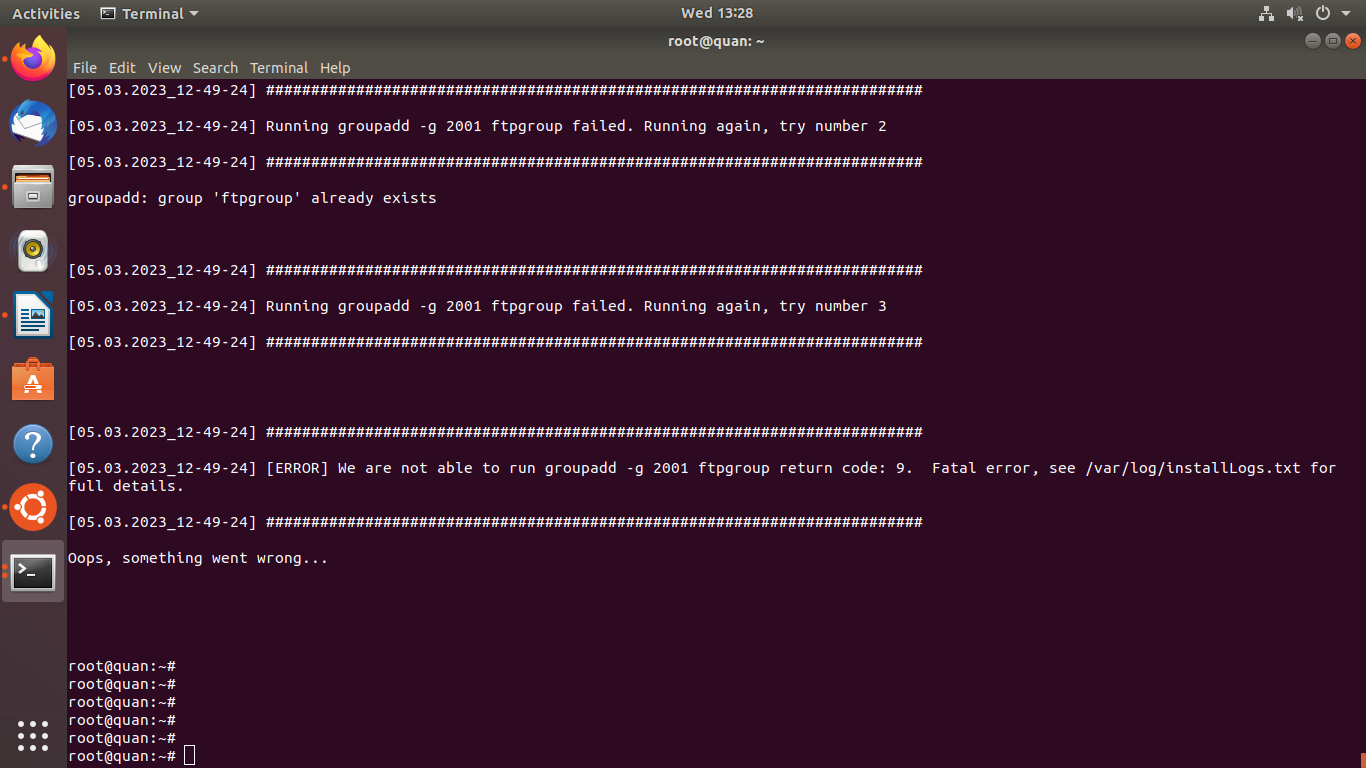
“Hello, I installed CyberPanel with OpenLiteSpeed, but during the installation, I encountered an error message that said “We are not able to run groupadd -g 2001 ftp group code 9”. I have attached some pictures of the error message during the installation process.”

Vi
VietcongAdmin #84

I’ve got an error
It say “E: Unable to correct problems, you have held broken packages.
above command failed…” when i’m going to finish the installion

Ja
Jan #85

I don’t think there is anything more beautiful than watching a script running - Install success 1st time. Thank you.

Ja
Jan #86

Hi - Fresh ubuntu install’s need the be configured before attempting to install cyberpanel.

Example curl is not installed by default

SA
Said Ali #87

Hallo!

If you post the logs, it will be very helpful. To understand what is going on and possible get a quicker solution.

ed
edoswald #88

Install goes well until this point
Could use some help.

[08.09.2023_13-51-21] #########################################################################

[08.09.2023_13-51-21] Setup MariaDB so it can support Cyberpanel’s needs

[08.09.2023_13-51-21] #########################################################################

Traceback (most recent call last):
File “/root/cyberpanel/install/install.py”, line 2593, in
main()
File “/root/cyberpanel/install/install.py”, line 2473, in main
installCyberPanel.Main(cwd, mysql, distro, ent, None, port, args.ftp, args.powerdns, args.publicip, remotemysql,
File “/root/cyberpanel/install/installCyberPanel.py”, line 706, in Main
installer.fixMariaDB()
File “/root/cyberpanel/install/installCyberPanel.py”, line 336, in fixMariaDB
conn = mariadb.connect(user=‘root’, passwd=self.mysql_Root_password)
File “/usr/local/CyberPanel/lib/python3.10/site-packages/MySQLdb/init.py”, line 130, in Connect
return Connection(*args, **kwargs)
File “/usr/local/CyberPanel/lib/python3.10/site-packages/MySQLdb/connections.py”, line 185, in init
super().init(*args, **kwargs2)
MySQLdb._exceptions.OperationalError: (1045, “Access denied for user ‘root’@‘localhost’ (using password: YES)”)
Oops, something went wrong…

fl
florevit.com #90

@pllv89 this the supported versions Server with a fresh install of Centos 7.x (Not recommended for new installs),
fresh install supported versions
Centos 8.x, Ubuntu 18.04, Ubuntu 20.04, AlmaLinux 8, Ubuntu 22.04

JI
JIL #91

Not able to install on OS: Ubuntu 22.04 x86_64, server become not reachable . Tried 4 - 5 times after reinstalling the node but facing same issue

Selecting previously unselected package gir1.2-nm-1.0:amd64.

(Reading database … 170196 files and directories currently installed.)

Preparing to unpack …/0-gir1.2-nm-1.0_1.36.6-0ubuntu2_amd64.deb …

Unpacking gir1.2-nm-1.0:amd64 (1.36.6-0ubuntu2) …

Selecting previously unselected package python3-nftables.

Preparing to unpack …/1-python3-nftables_1.0.2-1ubuntu3_amd64.deb …

Unpacking python3-nftables (1.0.2-1ubuntu3) …

Selecting previously unselected package python3-firewall.

Preparing to unpack …/2-python3-firewall_1.1.1-1ubuntu1_all.deb …

Unpacking python3-firewall (1.1.1-1ubuntu1) …

Selecting previously unselected package firewalld.

Preparing to unpack …/3-firewalld_1.1.1-1ubuntu1_all.deb …

Unpacking firewalld (1.1.1-1ubuntu1) …

Selecting previously unselected package libipset13:amd64.

Preparing to unpack …/4-libipset13_7.15-1build1_amd64.deb …

Unpacking libipset13:amd64 (7.15-1build1) …

Selecting previously unselected package python3-cap-ng.

Preparing to unpack …/5-python3-cap-ng_0.7.9-2.2build3_amd64.deb …

Unpacking python3-cap-ng (0.7.9-2.2build3) …

Selecting previously unselected package ipset.

Preparing to unpack …/6-ipset_7.15-1build1_amd64.deb …

Unpacking ipset (7.15-1build1) …

Setting up python3-cap-ng (0.7.9-2.2build3) …

Setting up python3-firewall (1.1.1-1ubuntu1) …

Setting up libipset13:amd64 (7.15-1build1) …

Setting up gir1.2-nm-1.0:amd64 (1.36.6-0ubuntu2) …

Setting up ipset (7.15-1build1) …

Setting up python3-nftables (1.0.2-1ubuntu3) …

Setting up firewalld (1.1.1-1ubuntu1) …

update-alternatives: using /usr/share/polkit-1/actions/org.fedoraproject.FirewallD1.server.policy.choice to provide /usr/share/polkit-1/actions/org.fedoraproject.FirewallD1.policy (org.fedoraproject.FirewallD1.policy) in auto mode

Created symlink /etc/systemd/system/dbus-org.fedoraproject.FirewallD1.service → /lib/systemd/system/firewalld.service.

Created symlink /etc/systemd/system/multi-user.target.wants/firewalld.service → /lib/systemd/system/firewalld.service.

Processing triggers for man-db (2.10.2-1) …

Processing triggers for dbus (1.12.20-2ubuntu4.1) …

Processing triggers for libc-bin (2.35-0ubuntu3.1) …

NEEDRESTART-VER: 3.5

client_loop: send disconnect: Broken pipe

er
ericneo2 #92

Fails on Ubuntu 22.04.3 LTS


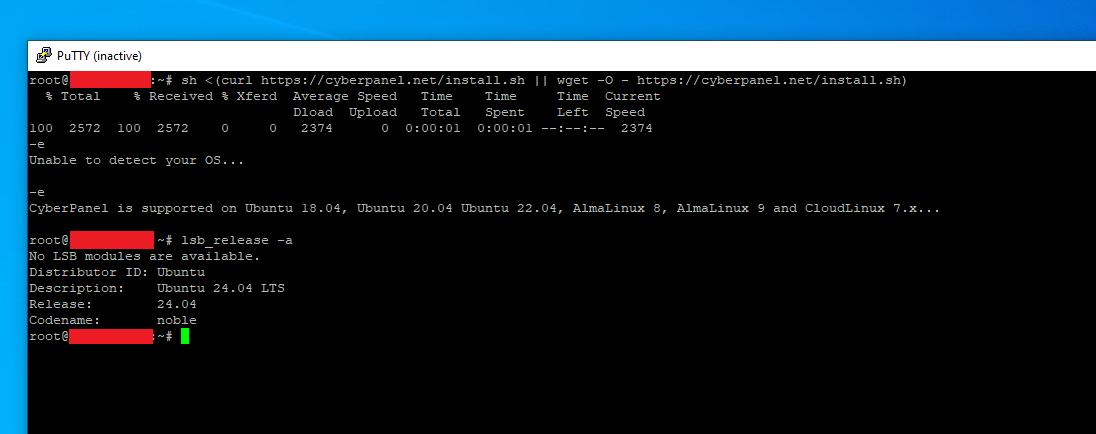
Fails on Ubuntu 20.04.6 LTS

sh <(curl https://cyberpanel.net/install.sh || wget -O - https://cyberpanel.net/install.sh)

Fails to detect the OS

sudo su - -c "sh <(curl https://cyberpanel.net/install.sh || wget -O - https://cyberpanel.net/install.sh)"

Runs but forces the firewall to be uninstalled and forces a restart which breaks the install process and prevents it from being run again.


Works on Alma Linux 8.8

https://cyberpanel.net/install.sh fails to detect the OS but actually can be installed.

Steps:
sudo curl https://cyberpanel.net/install.sh > install.sh - To save the file locally.
sudo nano install.sh - Change $SERVER_OS to CentOS8 and save
sudo sh install.sh or su - -c install.sh it will download cyberpanel.sh for CentOS8
sudo sh cyberpanel.sh - To install

To my amazement this one actually installs and completes. While really happy that it’s working I have to say for any new user who wants to try or see what this software is about this is not a great experience and gives me 0 confidence that it will survive any future updates.

ÜY
ÜMİT YILDIZ #94

installed Ubuntu for the WM I created on my own server and completed the installation process. It works stably. However, I want to install on localhost. Cyberpanel operates directly via my external IP address. The interesting thing is that I can access the cyberpanel admin panel from my local IP address. However, when I create a web page, it does not launch on localhost. Because it requires a domain address. Can I use cyberpanel on localhost by creating a local domain?

BR
BRWebGuy #96

I have looked at this install guide a few times over the last year or so. I have also attempted to install CyberPanel following the instructions provided on Ubuntu 22.04 and each time there are errors. More than a few people have indicated this is an issue. Why is the script not working and why hasn’t it been resolved? This guide was updated to say we could use Ubuntu 22.04 and yet it never successfully installs. Saying things like it can’t find PHP and giving errors when trying to set up a site. It seems silly to have a script that still doesn’t work with Ubuntu 22.04 when there is already a Ubuntu 23 out… when will this be resolved? Before or after they drop support for Ubuntu 20.04?

3x
3xploit #97

is it possible if we just using local machine via vmware ?

SA
Said Ali #98

Yes! You just need to forward the required ports to public internet. Example for wehsites to work you need to forward ports 80 and 443. Similarly for emails

an
antivirusadmin #99

Oops, something went wrong... [404]

Starting installation..,1

Initialization completed..,2

Setting up repositories...,1

Installing necessary components..,3

Installing required virtual environment,3

Installing requirments..,3

Getting CyberPanel code..,4

Necessary components installed..,5

Setting up system tweak...,20

Starting main installation..,30
[05.28.2024_23-59-42] Starting CyberPanel installation..,10
[05.28.2024_23-59-42] Running: adduser --disabled-login --gecos "" cyberpanel,10
[05.28.2024_23-59-43] [ERROR] We are not able to run adduser --disabled-login --gecos "" cyberpanel return code: 1.  Fatal error, see /var/log/installLogs.txt for full details.
[05.28.2024_23-59-44] [ERROR] We are not able to run adduser --disabled-login --gecos "" cyberpanel return code: 1.  Fatal error, see /var/log/installLogs.txt for full details.
[05.28.2024_23-59-44] [ERROR] setup_account_cyberpanel. 71, see /var/log/installLogs.txt for full details.
[05.28.2024_23-59-45] Running: wget http://rpms.litespeedtech.com/debian/enable_lst_debain_repo.sh, see /var/log/installLogs.txt for full details.
[05.28.2024_23-59-46] Successfully ran: wget http://rpms.litespeedtech.com/debian/enable_lst_debain_repo.sh., see /var/log/installLogs.txt for full details.
[05.28.2024_23-59-46] Running: ./enable_lst_debain_repo.sh, see /var/log/installLogs.txt for full details.
[05.28.2024_23-59-58] Successfully ran: ./enable_lst_debain_repo.sh., see /var/log/installLogs.txt for full details.
[05.28.2024_23-59-59] Running: , see /var/log/installLogs.txt for full details.
[05.29.2024_00-00-00] Successfully ran: ., see /var/log/installLogs.txt for full details.
[05.29.2024_00-00-00] Running: , see /var/log/installLogs.txt for full details.
[05.29.2024_00-00-01] Successfully ran: ., see /var/log/installLogs.txt for full details.
[05.29.2024_00-00-01] Installing LiteSpeed Web server,40
[05.29.2024_00-00-03] Running: DEBIAN_FRONTEND=noninteractive apt-get -y install openlitespeed,40
[05.29.2024_00-00-07] [ERROR] We are not able to run DEBIAN_FRONTEND=noninteractive apt-get -y install openlitespeed return code: 100.  Fatal error, see /var/log/installLogs.txt for>
[05.29.2024_00-00-11] [ERROR] We are not able to run DEBIAN_FRONTEND=noninteractive apt-get -y install openlitespeed return code: 100.  Fatal error, see /var/log/installLogs.txt for>
JA
Joabe Arruda #105

In the installation documentation, the availability of installation on Ubuntu 24 does not count in requirements, this is at your own risk. While you may be able to resolve some errors like this manually, I strongly recommend that you only use the currently supported and tested operating system options. :slight_smile:

https://community.cyberpanel.net/docs?topic=82

AR
Ahmad Rusli #106

Thank you. I didn’t read carefully.

Ma
Max #107

Is anyone here running cyberpanel on a virgin alma9 (now supported OS) without manual fixing of package-dependencies?

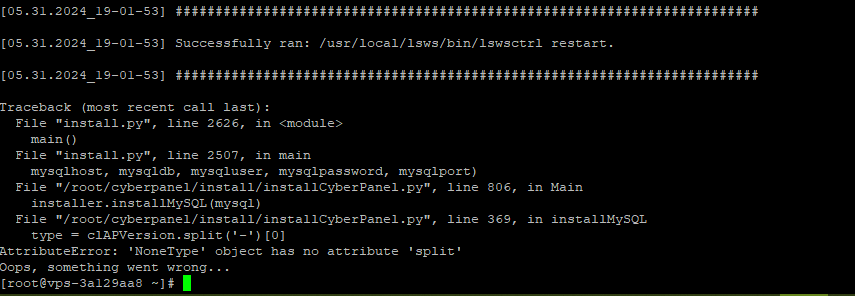
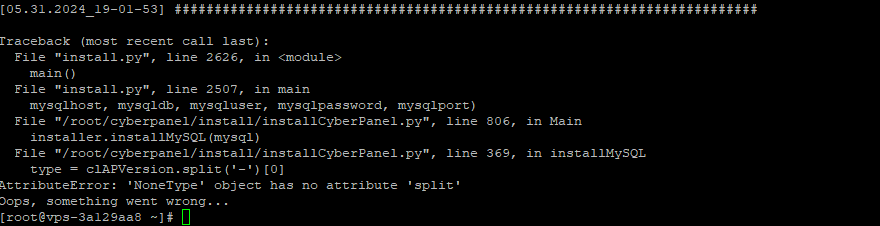
I tried to install cyberpanel on alma9, but still I got this error:

Traceback (most recent call last):
File “/root/cyberpanel/install/install.py”, line 2626, in
main()
File “/root/cyberpanel/install/install.py”, line 2506, in main
installCyberPanel.Main(cwd, mysql, distro, ent, None, port, args.ftp, args.powerdns, args.publicip, remotemysql,
File “/root/cyberpanel/install/installCyberPanel.py”, line 808, in Main
installer.installMySQL(mysql)
File “/root/cyberpanel/install/installCyberPanel.py”, line 371, in installMySQL
type = clAPVersion.split(‘-’)[0]
AttributeError: ‘NoneType’ object has no attribute ‘split’
Oops, something went wrong…

That’s the same issue as I had triying to run the install.sh-script using SERVER_OS=“CentOS8”.

In the new version of the install script SERVER_OS is still set to CentOS8 for detected Alma9 as OS?
Is this correct?

It seems like cyberpanel does not work with python 3.9 (standard in alma9).

Yo
Yokito #108

Successfully installed Cyberpanel, but when I visited the site, <my_ip>:8090 it can’t be reached. By the way, I’m using a Virtual Machine. Can you please help me? Thanks

SA
Said Ali #109

Check if the port 8090 is allowed by your vps provider firewall.

Make sure you are also visiting the https not http

Sign in to reply