He ignored the setting from php.ini file by hardcoding a value of 120.
So the way he “fixed it” will only delete files that were modified exactly 120 minutes ago when the script runs.
Won’t delete files that were changed 119, 118, 121, 150, and such minutes ago.
The php.ini settings use values in seconds, ctime in minutes.
To properly fix it, edit this file: /usr/local/CyberCP/bin/cleansessions
With this content:
#!/bin/bash
for version in $(ls /usr/local/lsws|grep lsphp); do echo ""; echo "PHP $version"; session_time=$(/usr/local/lsws/${version}/bin/php -i |grep -Ei 'session.gc_maxlifetime'| grep -Eo "[[:digit:]]+"|sort -u); find -O3 "/var/lib/lsphp/session/${version}" -ignore_readdir_race -depth -mindepth 1 -name 'sess_*' -type f -cmin +$((session_time / 60)) -delete; done
This will properly read the session_time that is set up in your php.ini (default 14400 seconds = 240 minutes = 4 hours) and will use that value to delete sessions older than that time.
You can then also execute it directly by running: bash /usr/local/CyberCP/bin/cleansessions
You can edit the setup_php_sessions.sh to reflect those changes.
But keep in mind that every time you run the cyberpanel update script, this changes will be replaced (unless you use that code to make a script outside of cyberpanel logic and crontab it, which I recommend)
Me and others already pointed it out, a lot of times, it was ignored so, won’t lose my time again with it
Edit: I actually only resumed coming back to forum because I see that you are actively helping people, something that in my opinion, should relay to the guys who make the software.
So I decided to also give my help when I can, you’re going a great job
@tmoore Thanks. I migrated most of my clients over to CyberP based servers so now am heavily invested in making this panel work, understanding every single issue with it and getting involved solving them
Removing a file or directory is an atomic operation requiring a single system call, so if the rm command hangs, it’s because the kernel is stuck.
Restart the server and repeat that task. Its recommended to stop some services to reduce load if its offpeak for your clientele.For example systemctl stop lscpd once you are done with running the commands start LSCPD systemctl start lscpd
Now process is completely done and I very satisfied by the result because, I get what i want. Very Very Thanks for your time and support.
I have one question that, How i stop the making of session file or how i set the cron job for deletation of session file of php80. Because session file is only created in php80. Now in other version of php
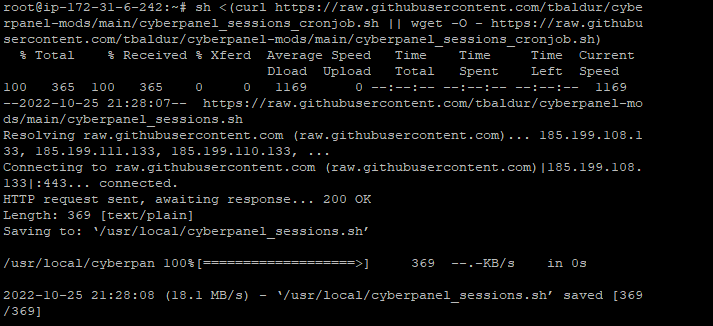
Editing the cleansessions above is enough (runs twice per hour), but, just in case to be sure, you can add another cronjob outside of cyberpanel logic. That way you can safely update cyberpanel in the future:
sh <(curl https://raw.githubusercontent.com/tbaldur/cyberpanel-mods/main/cyberpanel_sessions_cronjob.sh || wget -O - https://raw.githubusercontent.com/tbaldur/cyberpanel-mods/main/cyberpanel_sessions_cronjob.sh)
This will create the script to delete the sessions and set up crontab to run the said script every hour at the 17th and 47th minute.
Thank you very much Tmoore, I’m facing this issue form many weeks and i know what was the problem but, I have not any knowledge of Linux. So, I’m not able to fix the issue and i’m increasing the storage day by day. You solved this issue in few hours.
Thank you very much tamoore. I appreciate your knowledge and helpful nature.
I’m also want to learn Linux and server management. Do you please guide me from were i can start learning.