CyberPanel Community

CSF Installation Disabled After CyberPanel Update: Firewall Settings Hidden and Installation Errors

Ab
Abdul #1

Hi,

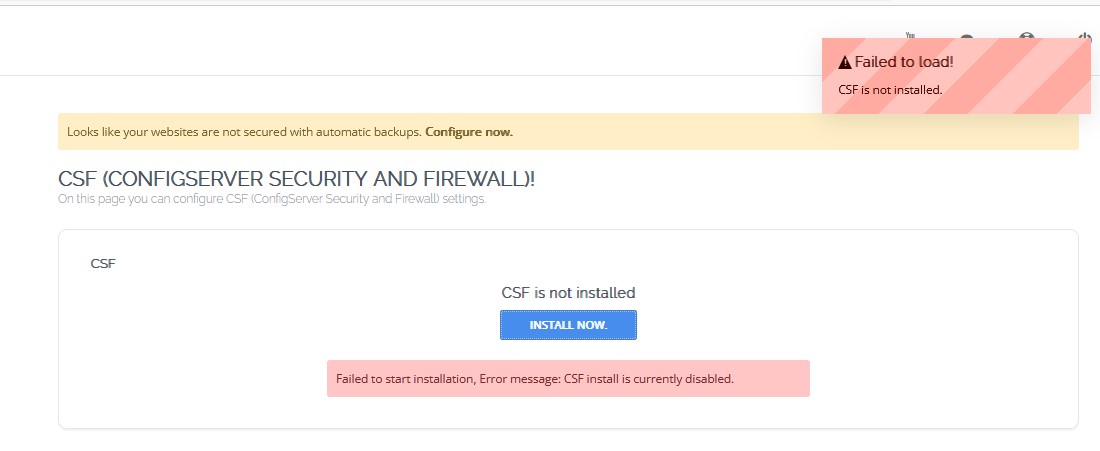
I recently updated CyberPanel, and everything was working fine before the update. However, after the update, I noticed that it now says CSF is not installed, and the firewall settings are hidden and inaccessible.

When I try to install CSF, I receive an error saying “Failed to load CSD” and “Failed to start installation, Error message: CSF install is currently disabled.”

Could you please guide me on how to resolve this issue? Additionally, I’m unable to locate the page after upgrading to the latest version.

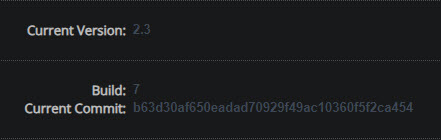
Current Version: 2.3
Build: 6

62 replies
Ho
Hostera #2

Hi, I happened to notice this, and I have the same problem. I was generally bothered by the 2.3.6 update , I was quite frustrated even though I eventually got everything sorted out.

CSF: Failed to start installation, Error message: CSF install is currently disabled.

Ma
Master3395 #3

2.3.6 is disabling CSF by default, because there are issues with it.

jc
jcjc #4

Pitty as it’s one of the best protections I’ve used over the years.
It’s still available for Cpanel. Which issues appear if it’s installed?

ri
richardevcom #5

@usmannasir Are there any plans for fixing the issues and bringing back CSF installation in future versions? Maybe there is a bug report on GitHub, and I can see what the errors are (I would gladly help to fix them).

This solution is far the best and would probably make some switch to another CP if it’s going to be discontinued.

[UPDATE}
If you have installed CSF on 2.3.5 and you upgrade to build 6, will it still work or will it also break CP?

Ma
Master3395 #6

If you upgrade to 2.3.6, it will not work.
So keep your install at 2.3.5 for now.

Ka
Kais #7

I did the upgrade. And today -. some da<ys later I get abuse report from my hoster.

Checking System I saw my CSF is “not installed” - thats a BIG SHIT

You can not roll out an update and disable THE FIREWALL! Its absolutely unprofessional!!!

ri
richardevcom #8

Yeah, it sucks - big time. Luckily only 10% of our servers had it, so we quickly migrated to another CP. I really hope this will be fixed soon. Or at least readable bug-report or reason behind disabling it is posted, so that some of us can manually downgrade or at least try to patch it.

Ka
Kais #10

If such a BUG report comes in that an update puts the entire security and firewall of an installation out of action, then it is not the right solution to change the update to simply uninstall the firewall without further inquiry. Then the right way is to block the update and not roll it out any further. Many users - like me - only installed it later when the BUG was already known. It is irresponsible to send these users to their doom!!!

Ka
Kais #11

I wonder if I could install CSF on my server manually. In fact, Cyberpanel is running on ubuntu20.04LTS. According to the CSF website this is supported (Ubuntu 18 to Ubuntu 20), has anyone tried this?

ri
richardevcom #12

I tried, but after downgrading CP, it still doesn’t work. There are some dependency issues. I’m still looking into it.

Ka
Kais #13

I have also made various attempts. My server is still running under Ubuntu 20.04LTS and so I thought I could install csf manually, because csf is supposed to be compatible up to Ubuntu 20.

Unfortunately, that didn’t work. So: OpenLitespeed still works perfectly and delivers all websites. Only the CyberPanel no longer works. I first thought it was an issue with port :8090 and then mapped it to port 8443 via Bind. The certificate is also delivered correctly there, but there is still an error. Now the question arises whether it is really due to the CSF, which has not been changed and is compatible with Ubuntu 20 - or whether something has been changed in CyberPanel so that it is no longer compatible (possibly libraries outside the Ubuntu version have been replaced).

ri
richardevcom #14

I’ve read something about package/dependency incompatibility on CSF side from @Master3395, but nothing more than that. It would help a lot if someone could outline specific issues CSF or new CP updates have, so others can try to find a workaround.

P.S. I recreated one VPS using Ubuntu 22.04 and CP 2.3.5 with CSF and it worked. Also made new VPS with Ubuntu 22.04 using OpenLitespeed + CSF (latest) and everything works like a charm. However, if I upgrade to 2.3.6 or later downgrade it back, everything breaks.

Ka
Kais #15

Thank you for your tests and reports. There must be a solution. Maybe you can contact the CSF developers. They say there is compatibility with Ubuntu.

I used my tests and upgraded my Ubuntu20.04LTS system with Cyberpanle to Ubuntu22.04LTS using a do-release upgrade. Everyone had advised against it and said it wouldn’t work. Well what can I say: It worked but I had to follow a few steps to get all components working again. Now I have Ubuntu22.04LTS with Cyberpanel 2.3.6 and broken CSF. I hope we find a solution soon. UFW is not the same as CSF

I’ve recently started using AI support to solve and isolate problems and I’m very happy with it. It’s much easier instead of reading endless documentation and analyzing log files (myself). The AI helps to narrow down errors quickly and specifically, which can then be rectified

ri
richardevcom #17

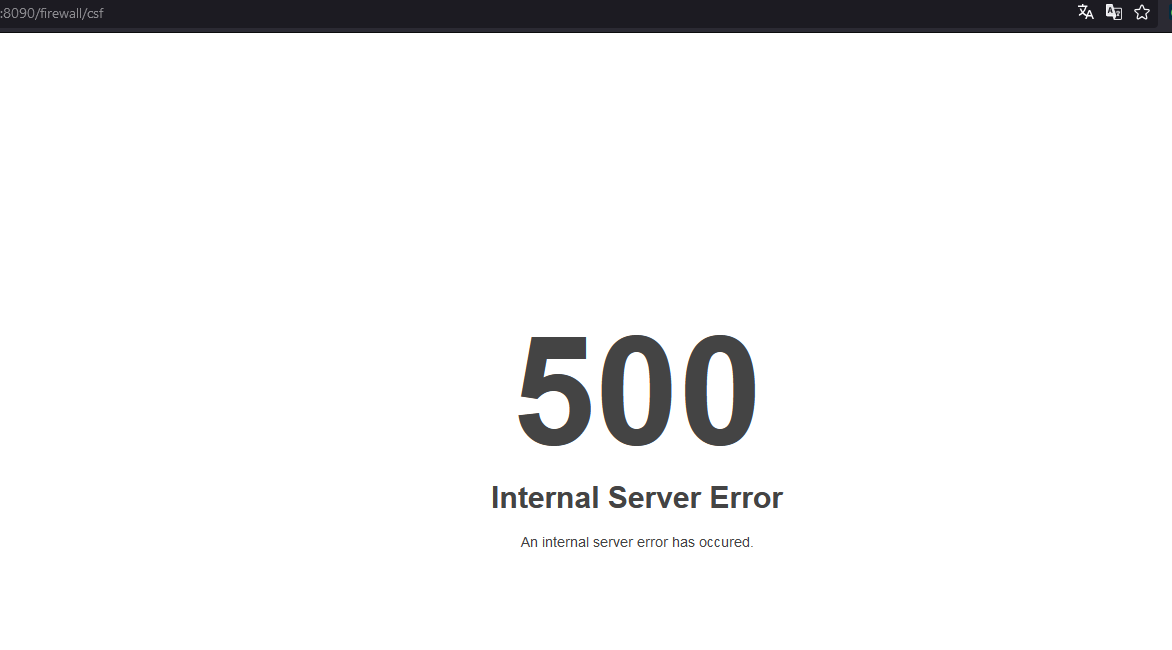
@sajetek_developer doesn’t work on Ubuntu 22.04 (still returns 500 error anywhere in :8090 CP dashboard). Services do work tho’. Your script - in theory - should also work.

SD
SaJeTek Developer #18

Then Ubuntu 22 might need additional step or needs a different commit.
Check logs to see what the error message is.

SD
SaJeTek Developer #20

Start by reinstalling requirements:

pip install -r /usr/local/CyberCP/requirments.txt --force-reinstall

Upgrade django and running Cyberpanel upgrade script to v2.3.5

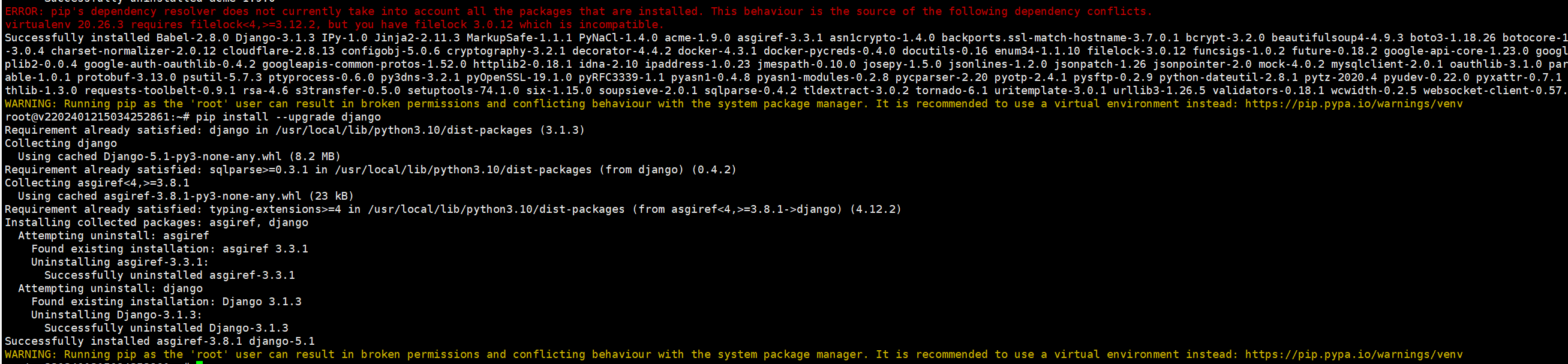
pip install --upgrade django
sh <(curl https://raw.githubusercontent.com/usmannasir/cyberpanel/stable/preUpgrade.sh || wget -O - https://raw.githubusercontent.com/usmannasir/cyberpanel/stable/preUpgrade.sh)

This should bring you back to a working panel without CSF
Then from there rerun the script and follow the instructions to restore your csf configs.

If you get any 500 errors, check the logs in /home/cyberpanel/stderr.log

dc
dcupertino #21

Thank you friend,

It helped me a lot, it solved my problem.

Ka
Kais #22

You are great. You have saved my system. Thank you so much!

What I just saw after using your rollback script is that CSF released a new version 5 days ago

Now I wonder if the problem has been fixed in it? Does anyone know?

Ka
Kais #24

I have different CyberPanel Server based obn Ubunto20.04LTS and Ubuntu22.04LTS

It seems your Rollback-Script only works on Ubuntu20.04LTS based installs of Cyberpanel. It dosen´t work ob Ubuntu22.04LTS based Cyberpanel machines. After the rollback the Error 500 is back

ri
richardevcom #25

Ok. So for Ubuntu 22.04 Cyberpanel v2.3.5 I’m getting 500 error.
I pinpointed the error:

Traceback (most recent call last):
  File "/usr/local/CyberCP/CyberCP/wsgi.py", line 16, in <module>
    application = get_wsgi_application()
  File "/usr/local/CyberCP/lib/python3.10/site-packages/django/core/wsgi.py", line 12, in get_wsgi_application
    django.setup(set_prefix=False)
  File "/usr/local/CyberCP/lib/python3.10/site-packages/django/__init__.py", line 19, in setup
    configure_logging(settings.LOGGING_CONFIG, settings.LOGGING)
  File "/usr/local/CyberCP/lib/python3.10/site-packages/django/conf/__init__.py", line 102, in __getattr__
    self._setup(name)
  File "/usr/local/CyberCP/lib/python3.10/site-packages/django/conf/__init__.py", line 89, in _setup
    self._wrapped = Settings(settings_module)
  File "/usr/local/CyberCP/lib/python3.10/site-packages/django/conf/__init__.py", line 217, in __init__
    mod = importlib.import_module(self.SETTINGS_MODULE)
  File "/usr/lib/python3.10/importlib/__init__.py", line 126, in import_module
    return _bootstrap._gcd_import(name[level:], package, level)
  File "<frozen importlib._bootstrap>", line 1050, in _gcd_import
  File "<frozen importlib._bootstrap>", line 1027, in _find_and_load
  File "<frozen importlib._bootstrap>", line 1006, in _find_and_load_unlocked
  File "<frozen importlib._bootstrap>", line 688, in _load_unlocked
  File "<frozen importlib._bootstrap_external>", line 883, in exec_module
  File "<frozen importlib._bootstrap>", line 241, in _call_with_frames_removed
  File "/usr/local/CyberCP/CyberCP/settings.py", line 14, in <module>
    from django.utils.translation import ugettext_lazy as _
ImportError: cannot import name 'ugettext_lazy' from 'django.utils.translation' (/usr/local/CyberCP/lib/python3.10/site-packages/django/utils/translation/__init__.py)
2024-09-03 20:01:22.569851 [UID:1001][1888163] packetLen < 0

ugettext_lazy is deprecated.

As stated before, this doesn’t seem so much of CSF issue as it is Django package version mismatch within CyberCP (control panel itself).

SD
SaJeTek Developer #26

I don’t think that’s an issue particular with Ubuntu 22.
I was checking yesterday with @dcupertino and he also got that issue on Almalinux 9 but was able to solve it.

Check to make sure django is on 3.1.3

python -m django --version

Run the following:

pip install --upgrade pip
pip install --upgrade packaging setuptools
pip install Django==3.1.3
pip install -r /usr/local/CyberCP/requirments.txt --force-reinstall
find /usr/local/CyberCP/ -type d -name __pycache__ -exec rm -r {} \+; service lscpd restart && service lsws restart; killall lsphp

After check to see if that fixes the panel. If not upgrade Django and upgrade Cyberpanel to 2.3.5

pip install --upgrade django
sh <(curl https://raw.githubusercontent.com/usmannasir/cyberpanel/stable/preUpgrade.sh || wget -O - https://raw.githubusercontent.com/usmannasir/cyberpanel/stable/preUpgrade.sh)

After the upgrade, you should be back up to 2.3.5 with No CSF.
Rerun my script and then follow the steps to uninstall and reinstall CSF then restore your CSF config backup.

ri
richardevcom #27

Double, triple-checked everything:

  1. Django is 3.1.3 version
  2. Rerun everything as you mentioned step by step
  3. Still the same 500 error (only this time packages exist and previous error dissipated)

Here is the error (that previously also occurred):

File "/usr/local/CyberCP/CyberCP/wsgi.py", line 17, in <module>
    application = get_wsgi_application()
  File "/usr/local/CyberCP/lib/python3.10/site-packages/django/core/wsgi.py", line 12, in get_wsgi_application
    django.setup(set_prefix=False)
  File "/usr/local/CyberCP/lib/python3.10/site-packages/django/__init__.py", line 24, in setup
    apps.populate(settings.INSTALLED_APPS)
  File "/usr/local/CyberCP/lib/python3.10/site-packages/django/apps/registry.py", line 83, in populate
    raise RuntimeError("populate() isn't reentrant")
RuntimeError: populate() isn't reentrant
2024-09-03 17:35:51.264906 [UID:1001][1929473] packetLen < 0

Basically what this issue means is that Django’s app registry is being populated more than once.
So this is a good news. Now for the sake of finding out what is the real reason for this - I changed in django/apps/registry.py:

raise RuntimeError("populate() isn't reentrant")

to

self.app_configs = {}

to allow Django continue loading.

Now 500 error disapeared and I tried to install CSF again and got this error during installation:

local variable 'cPort' referenced before assignment [404]Downloading CSF..

Checking out stderr.log i got that module signals is missing:

Traceback (most recent call last):
  File "/usr/local/CyberCP/CyberCP/wsgi.py", line 17, in <module>
    application = get_wsgi_application()
  File "/usr/local/CyberCP/lib/python3.10/site-packages/django/core/wsgi.py", line 12, in get_wsgi_application
    django.setup(set_prefix=False)
  File "/usr/local/CyberCP/lib/python3.10/site-packages/django/__init__.py", line 24, in setup
    apps.populate(settings.INSTALLED_APPS)
  File "/usr/local/CyberCP/lib/python3.10/site-packages/django/apps/registry.py", line 124, in populate
    app_config.ready()
  File "/usr/local/CyberCP/configservercsf/apps.py", line 10, in ready
    import signals
ModuleNotFoundError: No module named 'signals'
2024-09-03 17:52:20.291332 [UID:1001][1972596] packetLen < 0

Continuing investigating… Update coming soon…

[UPDATE]
So the issue lies within /usr/local/CyberCP/configservcsf/ as suspected.
I installed signals and after restart got this error:

During handling of the above exception, another exception occurred:

Traceback (most recent call last):
  File "/usr/local/CyberCP/lib/python3.10/site-packages/django/core/handlers/exception.py", line 55, in inner
    response = get_response(request)
  File "/usr/local/CyberCP/lib/python3.10/site-packages/django/utils/deprecation.py", line 134, in __call__
    response = response or self.get_response(request)
  File "/usr/local/CyberCP/lib/python3.10/site-packages/django/core/handlers/exception.py", line 57, in inner
    response = response_for_exception(request, exc)
  File "/usr/local/CyberCP/lib/python3.10/site-packages/django/core/handlers/exception.py", line 140, in response_for_exception
    response = handle_uncaught_exception(
  File "/usr/local/CyberCP/lib/python3.10/site-packages/django/core/handlers/exception.py", line 184, in handle_uncaught_exception
    callback = resolver.resolve_error_handler(500)
  File "/usr/local/CyberCP/lib/python3.10/site-packages/django/urls/resolvers.py", line 729, in resolve_error_handler
    callback = getattr(self.urlconf_module, "handler%s" % view_type, None)
  File "/usr/local/CyberCP/lib/python3.10/site-packages/django/utils/functional.py", line 57, in __get__
    res = instance.__dict__[self.name] = self.func(instance)
  File "/usr/local/CyberCP/lib/python3.10/site-packages/django/urls/resolvers.py", line 708, in urlconf_module
    return import_module(self.urlconf_name)
  File "/usr/lib/python3.10/importlib/__init__.py", line 126, in import_module
    return _bootstrap._gcd_import(name[level:], package, level)
  File "<frozen importlib._bootstrap>", line 1050, in _gcd_import
  File "<frozen importlib._bootstrap>", line 1027, in _find_and_load
  File "<frozen importlib._bootstrap>", line 1006, in _find_and_load_unlocked
  File "<frozen importlib._bootstrap>", line 688, in _load_unlocked
  File "<frozen importlib._bootstrap_external>", line 883, in exec_module
  File "<frozen importlib._bootstrap>", line 241, in _call_with_frames_removed
  File "/usr/local/CyberCP/CyberCP/urls.py", line 40, in <module>
    url(r'^configservercsf/',include('configservercsf.urls')),
NameError: name 'url' is not defined

During handling of the above exception, another exception occurred:

Traceback (most recent call last):
  File "/usr/local/CyberCP/lib/python3.10/site-packages/django/core/handlers/wsgi.py", line 124, in __call__
    response = self.get_response(request)
  File "/usr/local/CyberCP/lib/python3.10/site-packages/django/core/handlers/base.py", line 140, in get_response
    response = self._middleware_chain(request)
  File "/usr/local/CyberCP/lib/python3.10/site-packages/django/core/handlers/exception.py", line 57, in inner
    response = response_for_exception(request, exc)
  File "/usr/local/CyberCP/lib/python3.10/site-packages/django/core/handlers/exception.py", line 140, in response_for_exception
    response = handle_uncaught_exception(
  File "/usr/local/CyberCP/lib/python3.10/site-packages/django/core/handlers/exception.py", line 184, in handle_uncaught_exception
    callback = resolver.resolve_error_handler(500)
  File "/usr/local/CyberCP/lib/python3.10/site-packages/django/urls/resolvers.py", line 729, in resolve_error_handler
    callback = getattr(self.urlconf_module, "handler%s" % view_type, None)
  File "/usr/local/CyberCP/lib/python3.10/site-packages/django/utils/functional.py", line 57, in __get__
    res = instance.__dict__[self.name] = self.func(instance)
  File "/usr/local/CyberCP/lib/python3.10/site-packages/django/urls/resolvers.py", line 708, in urlconf_module
    return import_module(self.urlconf_name)
  File "/usr/lib/python3.10/importlib/__init__.py", line 126, in import_module
    return _bootstrap._gcd_import(name[level:], package, level)
  File "<frozen importlib._bootstrap>", line 1050, in _gcd_import
  File "<frozen importlib._bootstrap>", line 1027, in _find_and_load
  File "<frozen importlib._bootstrap>", line 1006, in _find_and_load_unlocked
  File "<frozen importlib._bootstrap>", line 688, in _load_unlocked
  File "<frozen importlib._bootstrap_external>", line 883, in exec_module
  File "<frozen importlib._bootstrap>", line 241, in _call_with_frames_removed
  File "/usr/local/CyberCP/CyberCP/urls.py", line 40, in <module>
    url(r'^configservercsf/',include('configservercsf.urls')),
NameError: name 'url' is not define

I suspect its configuration issue from CyberCP side. I’m not confident in messing around CyberCP and configservcsf urls.py atm, so I’ll take a break, look around and maybe continue once I figure out why CSF installation doesn’t provide correct URLs or why CyberCP doesn’t load csf correctly.

That’s it from me now. Hope somebody will have better luck debugging this.
Again, Thanks @sajetek_developer for your effort. :pray:

SD
SaJeTek Developer #28

Edit /usr/local/CyberCP/CyberCP/settings.py and remove the line that contains “configservcsf”
restart lscpd and that will fix the “RuntimeError: populate() isn’t reentrant” error

From there your panel should load

ri
richardevcom #29

Welp, yeah - getting same error:

  File "/usr/local/CyberCP/CyberCP/urls.py", line 40, in <module>
    url(r'^configservercsf/',include('configservercsf.urls')),
NameError: name 'url' is not defined

I tried to rerun everything also with /usr/local/CyberCP/bin/pip and /usr/local/CyberCP/bin/python but I get the same error.

SD
SaJeTek Developer #30

Please redownload the script as there was an update.
Thanks to @richardevcom for helping resolve the issue on Ubuntu 22

Ka
Kais #32

Hello, thank you very much for your help. With the latest version of your script I was able to successfully rollback Cyberpanel and reinstall CSF on my Ubuntu22.04LTS based systems.

Thank you very much !!!

Ka
Kais #33

I have another problem and I’m not sure if it’s related. In any case, my ImunifyAV is no longer working. I can still call it up and log in and also start a manual scan, but it scans NOTHING, as you can see from the fact that there is always a 0 in the “Total Objects Scanned”:

Even a new installation does not help.

I see this error in the system services. This aibolit-resident.socket probably has something to do with Imunify. Does anyone have an idea about this?

ri
richardevcom #34

Definitely not related. Please create another topic regarding this.

Mi
Micah #35

Hello everyone. CyberPanel v2.3.7 Released came out yesterday, has anyone already tried it, does it still have the problem with CSF?

su
subzero06 #36

Yes i tried, everything looked ok except for CSF, still not working. i had to revert back to 2.3.5

ri
richardevcom #37

CSF is discontinued as a feature for upcoming versions. No info from CP developers yet.

Mi
Micah #38

This is very sad. For me, this was a very powerful argument in favor. I was ready to give up a lot but not CSF.

SD
SaJeTek Developer #39

Good news, I think I might have found a fix.
I am running Cyberpanel 2.3.7 ALmalinux 8

I do not believe the fix was that easy.

Keep a zip backup of your /etc/csf the script will restore it for you.
The script install csf in Cyberpanel and makes a small fix which would have crashed the panel.

sh <(curl https://sajetekengineering.com/wp-content/uploads/cyberpanel/install_csf_cyberpanel.sh || wget -O - https://sajetekengineering.com/wp-content/uploads/cyberpanel/install_csf_cyberpanel.sh)

Enjoy CSF in the latest version of Cyberpanel.

N.B. Backup your csf before running CYberpanel Upgrade because it will be removed, then you will have to rerun the script to reinstall csf and restore your backups

SD
SaJeTek Developer #41

I don’t see any reason it would not but I haven’t tried it.
You can try it by backing up your csf, upgrading then running the script.

If it does not work, then you can uninstall csf or simply rerun the Cyberpanel Upgrade script to get back a working panel.
From there you have two options, one to use the rollback script or you can install csf generic.

If you want you can try it and if you have any issues pm me so we can debug it.

ri
richardevcom #42

Great. I’ll give it a try this week (more interested in Ubuntu 22.04)

SD
SaJeTek Developer #43

You can use Cyberpanel with the generic version of csf. This means no interface. This works fine for me as I’m familiar with the commands.

If you aren’t, then it’s easy to google and get familiar.

Instructions:

  • Backup /etc/csf
    zip -r /root/csf_new_backup.zip /etc/csf
  • Upgrade to the latest Cyberpanel:
sh <(curl https://raw.githubusercontent.com/usmannasir/cyberpanel/stable/preUpgrade.sh || wget -O - https://raw.githubusercontent.com/usmannasir/cyberpanel/stable/preUpgrade.sh)

  • Then run the script to install the generic version of csf:
sh <(curl https://sajetekengineering.com/wp-content/uploads/cyberpanel/install_csf_generic.sh || wget -O - https://sajetekengineering.com/wp-content/uploads/cyberpanel/install_csf_generic.sh)

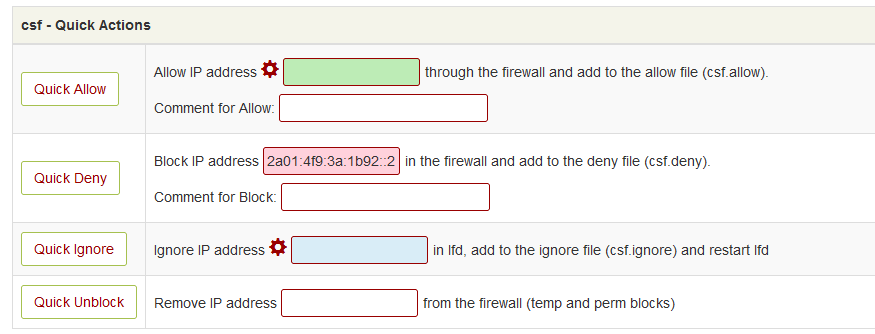
You can Access CSF from: https://yourdomaincom:8090/firewall/csf
From the interface, you will be able to do basic things like modify the ports, IP whitelist/blacklist but you will not be able to disable CSF from there as the APIs won’t work.
All other commands work from CLI

SD
SaJeTek Developer #44

Please rerun the script.
I have made some adjustments for it to work in Almalinux 9 which should also fix the issue in Ubuntu 22.

Anyone has Ubuntu 22 and can test let me know the results.

li
litespeedlover #45

Just seeing this myself.
Routinely I choose to wipe the server and reinstall Ubuntu and Cyberpanel because it works best for me.

Today I see why CSF is not working - surprised and didnt see an update or upcoming change notification. is there a way to be sent an email with upcoming changes like CSF?

I love the speed and utility of your work usmannasir

Today I re-installed Cyberpanel, it took 13 mins (dedicated ryzen 7700x CPU on NVMe drives) normallt it takes 5 mins. Something changed with install

My input - Cyberpanel users - please enter your thoughts about this here - Thank you

note my username = LiteSpeedLover, perhaps I could change it to cyberpanel

SD
SaJeTek Developer #46

There is no reason to reinstall Ubuntu and Cyberpanel.
If there is an issue in Cyberpanel, then running the Upgrade script after a fix has been made is sufficient to implement the fix.

The removal of CSF is due to Cyberpanel upgrading their platform and configserver still using old code. It is not the responsibility of usmannasir nor Cyberpanel to fix old code of another vendor. It also does not mean they they should not update the platform because of a 3rd party which does not keep up with technology.

There are many others “myself included” who try to help in whatever way we can to make additional positive submissions to the community, we have had some success in some workarounds. You can take a look on this thread for those work arounds.

To blame usmannasir is highly unfair as it’s not his fault that configserver does not work with DJango 4. Understanding why a decision was made is critical before making rash claims against anyone. I do think it could have been handled better because there were no backups done before removing csf configurations and they could have installed the generic version of csf which does not utilize the UI which caused the issue.

There is a fix currently that’s working and you are free to use it:

li
litespeedlover #47

That is for those who run their business on ALmalinux 8

I stick with the recommended Ubuntu 22

ma
maxwell #49

It worked on ubuntu 22.04. I am attaching the command output below. Thanks @sajetek_developer

root@vmi1288006:~# sh <(curl https://sajetekengineering.com/wp-content/uploads/cyberpanel/install_csf_generic.sh || wget -O - https://sajetekengineering.com/wp-content/uploads/cyberpanel/install_csf_generic.sh)
  % Total    % Received % Xferd  Average Speed   Time    Time     Time  Current
                                 Dload  Upload   Total   Spent    Left  Speed
100   631  100   631    0     0   1134      0 --:--:-- --:--:-- --:--:--  1134
-e
Enter Absolute path of your csf zip backup e.g. /root/csf.zip (We will automatically restore it)

--2024-09-30 18:36:31--  https://download.configserver.com/csf.tgz
Resolving download.configserver.com (download.configserver.com)... 94.130.90.175
Connecting to download.configserver.com (download.configserver.com)|94.130.90.175|:443... connected.
HTTP request sent, awaiting response... 200 OK
Length: 2283274 (2.2M) [application/x-gzip]
Saving to: ‘csf.tgz’

csf.tgz                                                                         100%[====================================================================================================================================================================================================>]   2.18M  --.-KB/s    in 0.1s

2024-09-30 18:36:31 (16.8 MB/s) - ‘csf.tgz’ saved [2283274/2283274]

Installing generic csf and lfd

Check we're running as root

mkdir: created directory '/etc/csf'
'install.txt' -> '/etc/csf/install.txt'
Checking Perl modules...
Configuration modified to use iptables-nft
Configuration modified to use ip6tables-nft
Configuration modified for Debian/Ubuntu/Gentoo settings /etc/csf/csf.conf
...Perl modules OK

mkdir: cannot create directory ‘/etc/csf’: File exists
mkdir: created directory '/var/lib/csf'
mkdir: created directory '/var/lib/csf/backup'
mkdir: created directory '/var/lib/csf/Geo'
mkdir: created directory '/var/lib/csf/ui'
mkdir: created directory '/var/lib/csf/stats'
mkdir: created directory '/var/lib/csf/lock'
mkdir: created directory '/var/lib/csf/webmin'
mkdir: created directory '/var/lib/csf/zone'
mkdir: created directory '/usr/local/csf'
mkdir: created directory '/usr/local/csf/bin'
mkdir: created directory '/usr/local/csf/lib'
mkdir: created directory '/usr/local/csf/tpl'
'csf.generic.conf' -> '/etc/csf/csf.conf'
'csf.generic.allow' -> '/etc/csf/csf.allow'
'csf.deny' -> '/etc/csf/./csf.deny'
'csf.redirect' -> '/etc/csf/./csf.redirect'
'csf.resellers' -> '/etc/csf/./csf.resellers'
'csf.dirwatch' -> '/etc/csf/./csf.dirwatch'
'csf.syslogs' -> '/etc/csf/./csf.syslogs'
'csf.logfiles' -> '/etc/csf/./csf.logfiles'
'csf.logignore' -> '/etc/csf/./csf.logignore'
'csf.blocklists' -> '/etc/csf/./csf.blocklists'
'csf.generic.ignore' -> '/etc/csf/csf.ignore'
'csf.generic.pignore' -> '/etc/csf/csf.pignore'
'csf.rignore' -> '/etc/csf/./csf.rignore'
'csf.fignore' -> '/etc/csf/./csf.fignore'
'csf.signore' -> '/etc/csf/./csf.signore'
'csf.suignore' -> '/etc/csf/./csf.suignore'
'csf.uidignore' -> '/etc/csf/./csf.uidignore'
'csf.mignore' -> '/etc/csf/./csf.mignore'
'csf.sips' -> '/etc/csf/./csf.sips'
'csf.dyndns' -> '/etc/csf/./csf.dyndns'
'csf.syslogusers' -> '/etc/csf/./csf.syslogusers'
'csf.smtpauth' -> '/etc/csf/./csf.smtpauth'
'csf.rblconf' -> '/etc/csf/./csf.rblconf'
'csf.cloudflare' -> '/etc/csf/./csf.cloudflare'
'alert.txt' -> '/usr/local/csf/tpl/./alert.txt'
'reselleralert.txt' -> '/usr/local/csf/tpl/./reselleralert.txt'
'logalert.txt' -> '/usr/local/csf/tpl/./logalert.txt'
'logfloodalert.txt' -> '/usr/local/csf/tpl/./logfloodalert.txt'
'syslogalert.txt' -> '/usr/local/csf/tpl/./syslogalert.txt'
'integrityalert.txt' -> '/usr/local/csf/tpl/./integrityalert.txt'
'exploitalert.txt' -> '/usr/local/csf/tpl/./exploitalert.txt'
'queuealert.txt' -> '/usr/local/csf/tpl/./queuealert.txt'
'modsecipdbalert.txt' -> '/usr/local/csf/tpl/./modsecipdbalert.txt'
'tracking.txt' -> '/usr/local/csf/tpl/./tracking.txt'
'connectiontracking.txt' -> '/usr/local/csf/tpl/./connectiontracking.txt'
'processtracking.txt' -> '/usr/local/csf/tpl/./processtracking.txt'
'accounttracking.txt' -> '/usr/local/csf/tpl/./accounttracking.txt'
'usertracking.txt' -> '/usr/local/csf/tpl/./usertracking.txt'
'sshalert.txt' -> '/usr/local/csf/tpl/./sshalert.txt'
'webminalert.txt' -> '/usr/local/csf/tpl/./webminalert.txt'
'sualert.txt' -> '/usr/local/csf/tpl/./sualert.txt'
'sudoalert.txt' -> '/usr/local/csf/tpl/./sudoalert.txt'
'consolealert.txt' -> '/usr/local/csf/tpl/./consolealert.txt'
'uialert.txt' -> '/usr/local/csf/tpl/./uialert.txt'
'cpanelalert.txt' -> '/usr/local/csf/tpl/./cpanelalert.txt'
'scriptalert.txt' -> '/usr/local/csf/tpl/./scriptalert.txt'
'relayalert.txt' -> '/usr/local/csf/tpl/./relayalert.txt'
'filealert.txt' -> '/usr/local/csf/tpl/./filealert.txt'
'watchalert.txt' -> '/usr/local/csf/tpl/./watchalert.txt'
'loadalert.txt' -> '/usr/local/csf/tpl/./loadalert.txt'
'resalert.txt' -> '/usr/local/csf/tpl/./resalert.txt'
'portscan.txt' -> '/usr/local/csf/tpl/./portscan.txt'
'uidscan.txt' -> '/usr/local/csf/tpl/./uidscan.txt'
'permblock.txt' -> '/usr/local/csf/tpl/./permblock.txt'
'netblock.txt' -> '/usr/local/csf/tpl/./netblock.txt'
'portknocking.txt' -> '/usr/local/csf/tpl/./portknocking.txt'
'forkbombalert.txt' -> '/usr/local/csf/tpl/./forkbombalert.txt'
'recaptcha.txt' -> '/usr/local/csf/tpl/./recaptcha.txt'
'apache.main.txt' -> '/usr/local/csf/tpl/./apache.main.txt'
'apache.http.txt' -> '/usr/local/csf/tpl/./apache.http.txt'
'apache.https.txt' -> '/usr/local/csf/tpl/./apache.https.txt'
'litespeed.main.txt' -> '/usr/local/csf/tpl/./litespeed.main.txt'
'litespeed.http.txt' -> '/usr/local/csf/tpl/./litespeed.http.txt'
'litespeed.https.txt' -> '/usr/local/csf/tpl/./litespeed.https.txt'
'x-arf.txt' -> '/usr/local/csf/tpl/./x-arf.txt'
'regex.custom.pm' -> '/usr/local/csf/bin/./regex.custom.pm'
'pt_deleted_action.pl' -> '/usr/local/csf/bin/./pt_deleted_action.pl'
'messenger' -> '/etc/csf/./messenger'
'messenger/en.php' -> '/etc/csf/./messenger/en.php'
'messenger/index.html' -> '/etc/csf/./messenger/index.html'
'messenger/index.php' -> '/etc/csf/./messenger/index.php'
'messenger/index.recaptcha.html' -> '/etc/csf/./messenger/index.recaptcha.html'
'messenger/index.recaptcha.php' -> '/etc/csf/./messenger/index.recaptcha.php'
'messenger/index.text' -> '/etc/csf/./messenger/index.text'
'ui' -> '/etc/csf/./ui'
'ui/images' -> '/etc/csf/./ui/images'
'ui/images/admin_icon.svg' -> '/etc/csf/./ui/images/admin_icon.svg'
'ui/images/bootstrap' -> '/etc/csf/./ui/images/bootstrap'
'ui/images/bootstrap/js' -> '/etc/csf/./ui/images/bootstrap/js'
'ui/images/bootstrap/js/bootstrap.min.js' -> '/etc/csf/./ui/images/bootstrap/js/bootstrap.min.js'
'ui/images/bootstrap/css' -> '/etc/csf/./ui/images/bootstrap/css'
'ui/images/bootstrap/css/bootstrap.min.css' -> '/etc/csf/./ui/images/bootstrap/css/bootstrap.min.css'
'ui/images/bootstrap/css/bootstrap.min.css.map' -> '/etc/csf/./ui/images/bootstrap/css/bootstrap.min.css.map'
'ui/images/bootstrap/fonts' -> '/etc/csf/./ui/images/bootstrap/fonts'
'ui/images/bootstrap/fonts/glyphicons-halflings-regular.eot' -> '/etc/csf/./ui/images/bootstrap/fonts/glyphicons-halflings-regular.eot'
'ui/images/bootstrap/fonts/glyphicons-halflings-regular.svg' -> '/etc/csf/./ui/images/bootstrap/fonts/glyphicons-halflings-regular.svg'
'ui/images/bootstrap/fonts/glyphicons-halflings-regular.ttf' -> '/etc/csf/./ui/images/bootstrap/fonts/glyphicons-halflings-regular.ttf'
'ui/images/bootstrap/fonts/glyphicons-halflings-regular.woff' -> '/etc/csf/./ui/images/bootstrap/fonts/glyphicons-halflings-regular.woff'
'ui/images/bootstrap/fonts/glyphicons-halflings-regular.woff2' -> '/etc/csf/./ui/images/bootstrap/fonts/glyphicons-halflings-regular.woff2'
'ui/images/bootstrap-chosen.css' -> '/etc/csf/./ui/images/bootstrap-chosen.css'
'ui/images/chosen.min.css' -> '/etc/csf/./ui/images/chosen.min.css'
'ui/images/chosen.min.js' -> '/etc/csf/./ui/images/chosen.min.js'
'ui/images/chosen-sprite@2x.png' -> '/etc/csf/./ui/images/chosen-sprite@2x.png'
'ui/images/chosen-sprite.png' -> '/etc/csf/./ui/images/chosen-sprite.png'
'ui/images/configserver.css' -> '/etc/csf/./ui/images/configserver.css'
'ui/images/csf-loader.gif' -> '/etc/csf/./ui/images/csf-loader.gif'
'ui/images/csf_small.png' -> '/etc/csf/./ui/images/csf_small.png'
'ui/images/csf.svg' -> '/etc/csf/./ui/images/csf.svg'
'ui/images/jquery.min.js' -> '/etc/csf/./ui/images/jquery.min.js'
'ui/images/LICENSE.txt' -> '/etc/csf/./ui/images/LICENSE.txt'
'ui/images/loader.gif' -> '/etc/csf/./ui/images/loader.gif'
'ui/images/reseller_icon.svg' -> '/etc/csf/./ui/images/reseller_icon.svg'
'ui/server.crt' -> '/etc/csf/./ui/server.crt'
'ui/server.key' -> '/etc/csf/./ui/server.key'
'ui/ui.allow' -> '/etc/csf/./ui/ui.allow'
'ui/ui.ban' -> '/etc/csf/./ui/ui.ban'
'csfcron.sh' -> '/etc/cron.d/csf-cron'
'lfdcron.sh' -> '/etc/cron.d/lfd-cron'
'csf.pl' -> '/usr/sbin/csf'
'lfd.pl' -> '/usr/sbin/lfd'
'/etc/csf/csf.pl' -> '/usr/sbin/csf'
'/etc/csf/lfd.pl' -> '/usr/sbin/lfd'
'/etc/csf/csftest.pl' -> '/usr/local/csf/bin/csftest.pl'
'/etc/csf/pt_deleted_action.pl' -> '/usr/local/csf/bin/pt_deleted_action.pl'
'/etc/csf/remove_apf_bfd.sh' -> '/usr/local/csf/bin/remove_apf_bfd.sh'
'/etc/csf/uninstall.sh' -> '/usr/local/csf/bin/uninstall.sh'
'/etc/csf/regex.custom.pm' -> '/usr/local/csf/bin/regex.custom.pm'
'/etc/csf/webmin' -> '/usr/local/csf/lib/webmin'
'/etc/csf/alerts' -> '/usr/local/csf/tpl'
mkdir: cannot create directory ‘webmin/csf/images’: File exists
mkdir: cannot create directory ‘ui/images’: File exists
mkdir: cannot create directory ‘da/images’: File exists
mkdir: cannot create directory ‘interworx/images’: File exists
'csf/LICENSE.txt' -> 'webmin/csf/images/LICENSE.txt'
'csf/admin_icon.svg' -> 'webmin/csf/images/admin_icon.svg'
'csf/bootstrap/css/bootstrap.min.css' -> 'webmin/csf/images/bootstrap/css/bootstrap.min.css'
'csf/bootstrap/css/bootstrap.min.css.map' -> 'webmin/csf/images/bootstrap/css/bootstrap.min.css.map'
'csf/bootstrap/fonts/glyphicons-halflings-regular.eot' -> 'webmin/csf/images/bootstrap/fonts/glyphicons-halflings-regular.eot'
'csf/bootstrap/fonts/glyphicons-halflings-regular.svg' -> 'webmin/csf/images/bootstrap/fonts/glyphicons-halflings-regular.svg'
'csf/bootstrap/fonts/glyphicons-halflings-regular.ttf' -> 'webmin/csf/images/bootstrap/fonts/glyphicons-halflings-regular.ttf'
'csf/bootstrap/fonts/glyphicons-halflings-regular.woff' -> 'webmin/csf/images/bootstrap/fonts/glyphicons-halflings-regular.woff'
'csf/bootstrap/fonts/glyphicons-halflings-regular.woff2' -> 'webmin/csf/images/bootstrap/fonts/glyphicons-halflings-regular.woff2'
'csf/bootstrap/js/bootstrap.min.js' -> 'webmin/csf/images/bootstrap/js/bootstrap.min.js'
'csf/bootstrap-chosen.css' -> 'webmin/csf/images/bootstrap-chosen.css'
'csf/chosen-sprite.png' -> 'webmin/csf/images/chosen-sprite.png'
'csf/chosen-sprite@2x.png' -> 'webmin/csf/images/chosen-sprite@2x.png'
'csf/chosen.min.css' -> 'webmin/csf/images/chosen.min.css'
'csf/chosen.min.js' -> 'webmin/csf/images/chosen.min.js'
'csf/configserver.css' -> 'webmin/csf/images/configserver.css'
'csf/csf-loader.gif' -> 'webmin/csf/images/csf-loader.gif'
'csf/csf.svg' -> 'webmin/csf/images/csf.svg'
'csf/csf_small.png' -> 'webmin/csf/images/csf_small.png'
'csf/jquery.min.js' -> 'webmin/csf/images/jquery.min.js'
'csf/loader.gif' -> 'webmin/csf/images/loader.gif'
'csf/reseller_icon.svg' -> 'webmin/csf/images/reseller_icon.svg'
'csf/LICENSE.txt' -> 'ui/images/LICENSE.txt'
'csf/admin_icon.svg' -> 'ui/images/admin_icon.svg'
'csf/bootstrap/css/bootstrap.min.css' -> 'ui/images/bootstrap/css/bootstrap.min.css'
'csf/bootstrap/css/bootstrap.min.css.map' -> 'ui/images/bootstrap/css/bootstrap.min.css.map'
'csf/bootstrap/fonts/glyphicons-halflings-regular.eot' -> 'ui/images/bootstrap/fonts/glyphicons-halflings-regular.eot'
'csf/bootstrap/fonts/glyphicons-halflings-regular.svg' -> 'ui/images/bootstrap/fonts/glyphicons-halflings-regular.svg'
'csf/bootstrap/fonts/glyphicons-halflings-regular.ttf' -> 'ui/images/bootstrap/fonts/glyphicons-halflings-regular.ttf'
'csf/bootstrap/fonts/glyphicons-halflings-regular.woff' -> 'ui/images/bootstrap/fonts/glyphicons-halflings-regular.woff'
'csf/bootstrap/fonts/glyphicons-halflings-regular.woff2' -> 'ui/images/bootstrap/fonts/glyphicons-halflings-regular.woff2'
'csf/bootstrap/js/bootstrap.min.js' -> 'ui/images/bootstrap/js/bootstrap.min.js'
'csf/bootstrap-chosen.css' -> 'ui/images/bootstrap-chosen.css'
'csf/chosen-sprite.png' -> 'ui/images/chosen-sprite.png'
'csf/chosen-sprite@2x.png' -> 'ui/images/chosen-sprite@2x.png'
'csf/chosen.min.css' -> 'ui/images/chosen.min.css'
'csf/chosen.min.js' -> 'ui/images/chosen.min.js'
'csf/configserver.css' -> 'ui/images/configserver.css'
'csf/csf-loader.gif' -> 'ui/images/csf-loader.gif'
'csf/csf.svg' -> 'ui/images/csf.svg'
'csf/csf_small.png' -> 'ui/images/csf_small.png'
'csf/jquery.min.js' -> 'ui/images/jquery.min.js'
'csf/loader.gif' -> 'ui/images/loader.gif'
'csf/reseller_icon.svg' -> 'ui/images/reseller_icon.svg'
'csf/LICENSE.txt' -> 'da/images/LICENSE.txt'
'csf/admin_icon.svg' -> 'da/images/admin_icon.svg'
'csf/bootstrap/css/bootstrap.min.css' -> 'da/images/bootstrap/css/bootstrap.min.css'
'csf/bootstrap/css/bootstrap.min.css.map' -> 'da/images/bootstrap/css/bootstrap.min.css.map'
'csf/bootstrap/fonts/glyphicons-halflings-regular.eot' -> 'da/images/bootstrap/fonts/glyphicons-halflings-regular.eot'
'csf/bootstrap/fonts/glyphicons-halflings-regular.svg' -> 'da/images/bootstrap/fonts/glyphicons-halflings-regular.svg'
'csf/bootstrap/fonts/glyphicons-halflings-regular.ttf' -> 'da/images/bootstrap/fonts/glyphicons-halflings-regular.ttf'
'csf/bootstrap/fonts/glyphicons-halflings-regular.woff' -> 'da/images/bootstrap/fonts/glyphicons-halflings-regular.woff'
'csf/bootstrap/fonts/glyphicons-halflings-regular.woff2' -> 'da/images/bootstrap/fonts/glyphicons-halflings-regular.woff2'
'csf/bootstrap/js/bootstrap.min.js' -> 'da/images/bootstrap/js/bootstrap.min.js'
'csf/bootstrap-chosen.css' -> 'da/images/bootstrap-chosen.css'
'csf/chosen-sprite.png' -> 'da/images/chosen-sprite.png'
'csf/chosen-sprite@2x.png' -> 'da/images/chosen-sprite@2x.png'
'csf/chosen.min.css' -> 'da/images/chosen.min.css'
'csf/chosen.min.js' -> 'da/images/chosen.min.js'
'csf/configserver.css' -> 'da/images/configserver.css'
'csf/csf-loader.gif' -> 'da/images/csf-loader.gif'
'csf/csf.svg' -> 'da/images/csf.svg'
'csf/csf_small.png' -> 'da/images/csf_small.png'
'csf/jquery.min.js' -> 'da/images/jquery.min.js'
'csf/loader.gif' -> 'da/images/loader.gif'
'csf/reseller_icon.svg' -> 'da/images/reseller_icon.svg'
'csf/LICENSE.txt' -> 'interworx/images/LICENSE.txt'
'csf/admin_icon.svg' -> 'interworx/images/admin_icon.svg'
'csf/bootstrap/css/bootstrap.min.css' -> 'interworx/images/bootstrap/css/bootstrap.min.css'
'csf/bootstrap/css/bootstrap.min.css.map' -> 'interworx/images/bootstrap/css/bootstrap.min.css.map'
'csf/bootstrap/fonts/glyphicons-halflings-regular.eot' -> 'interworx/images/bootstrap/fonts/glyphicons-halflings-regular.eot'
'csf/bootstrap/fonts/glyphicons-halflings-regular.svg' -> 'interworx/images/bootstrap/fonts/glyphicons-halflings-regular.svg'
'csf/bootstrap/fonts/glyphicons-halflings-regular.ttf' -> 'interworx/images/bootstrap/fonts/glyphicons-halflings-regular.ttf'
'csf/bootstrap/fonts/glyphicons-halflings-regular.woff' -> 'interworx/images/bootstrap/fonts/glyphicons-halflings-regular.woff'
'csf/bootstrap/fonts/glyphicons-halflings-regular.woff2' -> 'interworx/images/bootstrap/fonts/glyphicons-halflings-regular.woff2'
'csf/bootstrap/js/bootstrap.min.js' -> 'interworx/images/bootstrap/js/bootstrap.min.js'
'csf/bootstrap-chosen.css' -> 'interworx/images/bootstrap-chosen.css'
'csf/chosen-sprite.png' -> 'interworx/images/chosen-sprite.png'
'csf/chosen-sprite@2x.png' -> 'interworx/images/chosen-sprite@2x.png'
'csf/chosen.min.css' -> 'interworx/images/chosen.min.css'
'csf/chosen.min.js' -> 'interworx/images/chosen.min.js'
'csf/configserver.css' -> 'interworx/images/configserver.css'
'csf/csf-loader.gif' -> 'interworx/images/csf-loader.gif'
'csf/csf.svg' -> 'interworx/images/csf.svg'
'csf/csf_small.png' -> 'interworx/images/csf_small.png'
'csf/jquery.min.js' -> 'interworx/images/jquery.min.js'
'csf/loader.gif' -> 'interworx/images/loader.gif'
'csf/reseller_icon.svg' -> 'interworx/images/reseller_icon.svg'
'messenger/en.php' -> '/etc/csf/messenger/en.php'
'messenger/index.php' -> '/etc/csf/messenger/index.php'
'messenger/index.recaptcha.php' -> '/etc/csf/messenger/index.recaptcha.php'
'uninstall.generic.sh' -> '/usr/local/csf/bin/uninstall.sh'
'csftest.pl' -> '/usr/local/csf/bin/csftest.pl'
'remove_apf_bfd.sh' -> '/usr/local/csf/bin/remove_apf_bfd.sh'
'readme.txt' -> '/etc/csf/readme.txt'
'sanity.txt' -> '/usr/local/csf/lib/sanity.txt'
'csf.rbls' -> '/usr/local/csf/lib/csf.rbls'
'restricted.txt' -> '/usr/local/csf/lib/restricted.txt'
'changelog.txt' -> '/etc/csf/changelog.txt'
'downloadservers' -> '/etc/csf/downloadservers'
'install.txt' -> '/etc/csf/install.txt'
'version.txt' -> '/etc/csf/version.txt'
'license.txt' -> '/etc/csf/license.txt'
'webmin' -> '/usr/local/csf/lib/webmin'
'webmin/csf' -> '/usr/local/csf/lib/webmin/csf'
'webmin/csf/images' -> '/usr/local/csf/lib/webmin/csf/images'
'webmin/csf/images/admin_icon.svg' -> '/usr/local/csf/lib/webmin/csf/images/admin_icon.svg'
'webmin/csf/images/bootstrap' -> '/usr/local/csf/lib/webmin/csf/images/bootstrap'
'webmin/csf/images/bootstrap/js' -> '/usr/local/csf/lib/webmin/csf/images/bootstrap/js'
'webmin/csf/images/bootstrap/js/bootstrap.min.js' -> '/usr/local/csf/lib/webmin/csf/images/bootstrap/js/bootstrap.min.js'
'webmin/csf/images/bootstrap/css' -> '/usr/local/csf/lib/webmin/csf/images/bootstrap/css'
'webmin/csf/images/bootstrap/css/bootstrap.min.css' -> '/usr/local/csf/lib/webmin/csf/images/bootstrap/css/bootstrap.min.css'
'webmin/csf/images/bootstrap/css/bootstrap.min.css.map' -> '/usr/local/csf/lib/webmin/csf/images/bootstrap/css/bootstrap.min.css.map'
'webmin/csf/images/bootstrap/fonts' -> '/usr/local/csf/lib/webmin/csf/images/bootstrap/fonts'
'webmin/csf/images/bootstrap/fonts/glyphicons-halflings-regular.eot' -> '/usr/local/csf/lib/webmin/csf/images/bootstrap/fonts/glyphicons-halflings-regular.eot'
'webmin/csf/images/bootstrap/fonts/glyphicons-halflings-regular.svg' -> '/usr/local/csf/lib/webmin/csf/images/bootstrap/fonts/glyphicons-halflings-regular.svg'
'webmin/csf/images/bootstrap/fonts/glyphicons-halflings-regular.ttf' -> '/usr/local/csf/lib/webmin/csf/images/bootstrap/fonts/glyphicons-halflings-regular.ttf'
'webmin/csf/images/bootstrap/fonts/glyphicons-halflings-regular.woff' -> '/usr/local/csf/lib/webmin/csf/images/bootstrap/fonts/glyphicons-halflings-regular.woff'
'webmin/csf/images/bootstrap/fonts/glyphicons-halflings-regular.woff2' -> '/usr/local/csf/lib/webmin/csf/images/bootstrap/fonts/glyphicons-halflings-regular.woff2'
'webmin/csf/images/bootstrap-chosen.css' -> '/usr/local/csf/lib/webmin/csf/images/bootstrap-chosen.css'
'webmin/csf/images/chosen.min.css' -> '/usr/local/csf/lib/webmin/csf/images/chosen.min.css'
'webmin/csf/images/chosen.min.js' -> '/usr/local/csf/lib/webmin/csf/images/chosen.min.js'
'webmin/csf/images/chosen-sprite@2x.png' -> '/usr/local/csf/lib/webmin/csf/images/chosen-sprite@2x.png'
'webmin/csf/images/chosen-sprite.png' -> '/usr/local/csf/lib/webmin/csf/images/chosen-sprite.png'
'webmin/csf/images/configserver.css' -> '/usr/local/csf/lib/webmin/csf/images/configserver.css'
'webmin/csf/images/csf-loader.gif' -> '/usr/local/csf/lib/webmin/csf/images/csf-loader.gif'
'webmin/csf/images/csf_small.png' -> '/usr/local/csf/lib/webmin/csf/images/csf_small.png'
'webmin/csf/images/csf.svg' -> '/usr/local/csf/lib/webmin/csf/images/csf.svg'
'webmin/csf/images/jquery.min.js' -> '/usr/local/csf/lib/webmin/csf/images/jquery.min.js'
'webmin/csf/images/LICENSE.txt' -> '/usr/local/csf/lib/webmin/csf/images/LICENSE.txt'
'webmin/csf/images/loader.gif' -> '/usr/local/csf/lib/webmin/csf/images/loader.gif'
'webmin/csf/images/reseller_icon.svg' -> '/usr/local/csf/lib/webmin/csf/images/reseller_icon.svg'
'webmin/csf/index.cgi' -> '/usr/local/csf/lib/webmin/csf/index.cgi'
'webmin/csf/module.info' -> '/usr/local/csf/lib/webmin/csf/module.info'
'ConfigServer' -> '/usr/local/csf/lib/ConfigServer'
'ConfigServer/AbuseIP.pm' -> '/usr/local/csf/lib/ConfigServer/AbuseIP.pm'
'ConfigServer/CheckIP.pm' -> '/usr/local/csf/lib/ConfigServer/CheckIP.pm'
'ConfigServer/CloudFlare.pm' -> '/usr/local/csf/lib/ConfigServer/CloudFlare.pm'
'ConfigServer/Config.pm' -> '/usr/local/csf/lib/ConfigServer/Config.pm'
'ConfigServer/cseUI.pm' -> '/usr/local/csf/lib/ConfigServer/cseUI.pm'
'ConfigServer/DisplayResellerUI.pm' -> '/usr/local/csf/lib/ConfigServer/DisplayResellerUI.pm'
'ConfigServer/DisplayUI.pm' -> '/usr/local/csf/lib/ConfigServer/DisplayUI.pm'
'ConfigServer/GetEthDev.pm' -> '/usr/local/csf/lib/ConfigServer/GetEthDev.pm'
'ConfigServer/GetIPs.pm' -> '/usr/local/csf/lib/ConfigServer/GetIPs.pm'
'ConfigServer/KillSSH.pm' -> '/usr/local/csf/lib/ConfigServer/KillSSH.pm'
'ConfigServer/Logger.pm' -> '/usr/local/csf/lib/ConfigServer/Logger.pm'
'ConfigServer/LookUpIP.pm' -> '/usr/local/csf/lib/ConfigServer/LookUpIP.pm'
'ConfigServer/Messenger.pm' -> '/usr/local/csf/lib/ConfigServer/Messenger.pm'
'ConfigServer/Ports.pm' -> '/usr/local/csf/lib/ConfigServer/Ports.pm'
'ConfigServer/RBLCheck.pm' -> '/usr/local/csf/lib/ConfigServer/RBLCheck.pm'
'ConfigServer/RBLLookup.pm' -> '/usr/local/csf/lib/ConfigServer/RBLLookup.pm'
'ConfigServer/RegexMain.pm' -> '/usr/local/csf/lib/ConfigServer/RegexMain.pm'
'ConfigServer/Sanity.pm' -> '/usr/local/csf/lib/ConfigServer/Sanity.pm'
'ConfigServer/Sendmail.pm' -> '/usr/local/csf/lib/ConfigServer/Sendmail.pm'
'ConfigServer/ServerCheck.pm' -> '/usr/local/csf/lib/ConfigServer/ServerCheck.pm'
'ConfigServer/ServerStats.pm' -> '/usr/local/csf/lib/ConfigServer/ServerStats.pm'
'ConfigServer/Service.pm' -> '/usr/local/csf/lib/ConfigServer/Service.pm'
'ConfigServer/Slurp.pm' -> '/usr/local/csf/lib/ConfigServer/Slurp.pm'
'ConfigServer/URLGet.pm' -> '/usr/local/csf/lib/ConfigServer/URLGet.pm'
'Net' -> '/usr/local/csf/lib/Net'
'Net/CIDR' -> '/usr/local/csf/lib/Net/CIDR'
'Net/CIDR/Lite.pm' -> '/usr/local/csf/lib/Net/CIDR/Lite.pm'
'Net/IP.pm' -> '/usr/local/csf/lib/Net/IP.pm'
cp: cannot stat 'Geo': No such file or directory
'Crypt' -> '/usr/local/csf/lib/Crypt'
'Crypt/Blowfish_PP.pm' -> '/usr/local/csf/lib/Crypt/Blowfish_PP.pm'
'Crypt/CBC.pm' -> '/usr/local/csf/lib/Crypt/CBC.pm'
'HTTP' -> '/usr/local/csf/lib/HTTP'
'HTTP/Tiny.pm' -> '/usr/local/csf/lib/HTTP/Tiny.pm'
'JSON' -> '/usr/local/csf/lib/JSON'
'JSON/Tiny.pm' -> '/usr/local/csf/lib/JSON/Tiny.pm'
'version/version' -> '/usr/local/csf/lib/version'
'version/version/regex.pm' -> '/usr/local/csf/lib/version/regex.pm'
'version/version/vpp.pm' -> '/usr/local/csf/lib/version/vpp.pm'
'version/version.pm' -> '/usr/local/csf/lib/version.pm'
'csf.div' -> '/usr/local/csf/lib/csf.div'
'csfajaxtail.js' -> '/usr/local/csf/lib/csfajaxtail.js'
'ui/images/admin_icon.svg' -> '/etc/csf/ui/./images/admin_icon.svg'
'ui/images/bootstrap/js/bootstrap.min.js' -> '/etc/csf/ui/./images/bootstrap/js/bootstrap.min.js'
'ui/images/bootstrap/css/bootstrap.min.css' -> '/etc/csf/ui/./images/bootstrap/css/bootstrap.min.css'
'ui/images/bootstrap/css/bootstrap.min.css.map' -> '/etc/csf/ui/./images/bootstrap/css/bootstrap.min.css.map'
'ui/images/bootstrap/fonts/glyphicons-halflings-regular.eot' -> '/etc/csf/ui/./images/bootstrap/fonts/glyphicons-halflings-regular.eot'
'ui/images/bootstrap/fonts/glyphicons-halflings-regular.svg' -> '/etc/csf/ui/./images/bootstrap/fonts/glyphicons-halflings-regular.svg'
'ui/images/bootstrap/fonts/glyphicons-halflings-regular.ttf' -> '/etc/csf/ui/./images/bootstrap/fonts/glyphicons-halflings-regular.ttf'
'ui/images/bootstrap/fonts/glyphicons-halflings-regular.woff' -> '/etc/csf/ui/./images/bootstrap/fonts/glyphicons-halflings-regular.woff'
'ui/images/bootstrap/fonts/glyphicons-halflings-regular.woff2' -> '/etc/csf/ui/./images/bootstrap/fonts/glyphicons-halflings-regular.woff2'
'ui/images/bootstrap-chosen.css' -> '/etc/csf/ui/./images/bootstrap-chosen.css'
'ui/images/chosen.min.css' -> '/etc/csf/ui/./images/chosen.min.css'
'ui/images/chosen.min.js' -> '/etc/csf/ui/./images/chosen.min.js'
'ui/images/chosen-sprite@2x.png' -> '/etc/csf/ui/./images/chosen-sprite@2x.png'
'ui/images/chosen-sprite.png' -> '/etc/csf/ui/./images/chosen-sprite.png'
'ui/images/configserver.css' -> '/etc/csf/ui/./images/configserver.css'
'ui/images/csf-loader.gif' -> '/etc/csf/ui/./images/csf-loader.gif'
'ui/images/csf_small.png' -> '/etc/csf/ui/./images/csf_small.png'
'ui/images/csf.svg' -> '/etc/csf/ui/./images/csf.svg'
'ui/images/jquery.min.js' -> '/etc/csf/ui/./images/jquery.min.js'
'ui/images/LICENSE.txt' -> '/etc/csf/ui/./images/LICENSE.txt'
'ui/images/loader.gif' -> '/etc/csf/ui/./images/loader.gif'
'ui/images/reseller_icon.svg' -> '/etc/csf/ui/./images/reseller_icon.svg'
'profiles' -> '/usr/local/csf/profiles'
'profiles/block_all_perm.conf' -> '/usr/local/csf/profiles/block_all_perm.conf'
'profiles/block_all_temp.conf' -> '/usr/local/csf/profiles/block_all_temp.conf'
'profiles/disable_alerts.conf' -> '/usr/local/csf/profiles/disable_alerts.conf'
'profiles/protection_high.conf' -> '/usr/local/csf/profiles/protection_high.conf'
'profiles/protection_low.conf' -> '/usr/local/csf/profiles/protection_low.conf'
'profiles/protection_medium.conf' -> '/usr/local/csf/profiles/protection_medium.conf'
'csf.conf' -> '/usr/local/csf/profiles/reset_to_defaults.conf'
'lfd.logrotate' -> '/etc/logrotate.d/lfd'
chcon: failed to get security context of '/etc/logrotate.d': No data available
'csf.1.txt' -> '/usr/local/man/man1/csf.1'
'csf.help' -> '/usr/local/csf/lib/csf.help'
mode of '/usr/local/csf/bin/csftest.pl' changed from 0600 (rw-------) to 0700 (rwx------)
mode of '/usr/local/csf/bin/pt_deleted_action.pl' changed from 0600 (rw-------) to 0700 (rwx------)
mode of '/usr/local/csf/bin/remove_apf_bfd.sh' changed from 0600 (rw-------) to 0700 (rwx------)
mode of '/usr/local/csf/bin/uninstall.sh' changed from 0600 (rw-------) to 0700 (rwx------)
mode of '/usr/local/csf/bin/regex.custom.pm' changed from 0600 (rw-------) to 0700 (rwx------)
mode of '/etc/csf/csf.pl' retained as 0700 (rwx------)
mode of '/etc/csf/csftest.pl' retained as 0700 (rwx------)
mode of '/etc/csf/lfd.pl' retained as 0700 (rwx------)
mode of '/etc/csf/pt_deleted_action.pl' retained as 0700 (rwx------)
chmod: cannot access '/etc/csf/*.cgi': No such file or directory
failed to change mode of '/etc/csf/*.cgi' from 0700 (rwx------) to 0700 (rwx------)
mode of '/etc/csf/remove_apf_bfd.sh' retained as 0700 (rwx------)
mode of '/etc/csf/uninstall.sh' retained as 0700 (rwx------)
chmod: cannot access '/etc/csf/*.php': No such file or directory
failed to change mode of '/etc/csf/*.php' from 0700 (rwx------) to 0700 (rwx------)
chmod: cannot access '/etc/csf/*.py': No such file or directory
failed to change mode of '/etc/csf/*.py' from 0700 (rwx------) to 0700 (rwx------)
mode of '/etc/csf/webmin/csf/index.cgi' changed from 0600 (rw-------) to 0700 (rwx------)
mode of '/etc/cron.d/lfd-cron' changed from 0755 (rwxr-xr-x) to 0644 (rw-r--r--)
mode of '/etc/cron.d/csf-cron' changed from 0755 (rwxr-xr-x) to 0644 (rw-r--r--)
'csget.pl' -> '/etc/cron.daily/csget'
mode of 'auto.generic.pl' changed from 0755 (rwxr-xr-x) to 0700 (rwx------)
'/etc/csf/csf.conf' -> '/var/lib/csf/backup/1727714192_pre_v14_22_upgrade'

*** SSH port 1919 added to the TCP_IN port list


*** SSH port 1919 added to the TCP6_IN port list


TCP ports currently listening for incoming connections:
21,25,53,80,110,143,443,465,587,993,995,1919,7080,8090

UDP ports currently listening for incoming connections:
53,443,7080,36767,41433,42562,46237,48879,56020,60407

Note: The port details above are for information only, csf hasn't been auto-configured.

Don't forget to:
1. Configure the following options in the csf configuration to suite your server: TCP_*, UDP_*
2. Restart csf and lfd
3. Set TESTING to 0 once you're happy with the firewall, lfd will not run until you do so

Adding current SSH session IP address to the csf whitelist in csf.allow:
Adding 78.135.68.35 to csf.allow only while in TESTING mode (not iptables ACCEPT)
*WARNING* TESTING mode is enabled - do not forget to disable it in the configuration
'lfd.service' -> '/usr/lib/systemd/system/lfd.service'
'csf.service' -> '/usr/lib/systemd/system/csf.service'
Created symlink /etc/systemd/system/multi-user.target.wants/csf.service → /lib/systemd/system/csf.service.
Created symlink /etc/systemd/system/multi-user.target.wants/lfd.service → /lib/systemd/system/lfd.service.
Unit /etc/systemd/system/firewalld.service is masked, ignoring.
'/etc/csf/csfwebmin.tgz' -> '/usr/local/csf/csfwebmin.tgz'

Installation Completed

/dev/fd/63: 16: [[: not found

SD
SaJeTek Developer #50

That’s the generic version, you can install the Cyberpanel version with the UI.
Use the following link.

SD
SaJeTek Developer #51

Good news:

I’ve submitted my findings to Configserver who will provide an update which works with the latest version of Cyberpanel.

The reason a fix was not made by Configserver is because Cyberpanel could not provide them with the exact problem. However: A circular import is kind of hard to debug because the debug logs do not pinpoint the exact location of the issue so it takes time to manually dig around. The circular problem was the main problem, then there were other minor problems.

I’ve also submitted a fix for the menu which breaks on the Configserver UI page.
So in the near future, we should have a fully comprehensive CSF solution.

SD
SaJeTek Developer #52

usmannasir has added the fix to Cyberpanel so you can upgrade to the latest version and keep csf.
There is no need to run the script after upgrading.

li
litespeedlover #53

firewalld config was edited manually and now the GUI in cyberpanel is not working. as a result I am blocked when ever the firewall is on.

Question: How can I reset firewalld back to its detault as it was when Cyberpanel was installed?

Can I remove it completely? then install it?

Thank you

SD
SaJeTek Developer #54

You can disable firewalld if you are enabling csf.

systemctl stop firewalld
systemctl disable firewalld
li
litespeedlover #55

ok - that is not what I asked.

the GUI is not controlling the firewall because it was manually edited
How to reset it?

SD
SaJeTek Developer #56

That’s unrelated to this topic but:

You can remove the settings.

sudo systemctl stop firewalld
sudo rm -rf /etc/firewalld/*
sudo systemctl start firewalld
sudo systemctl status firewalld
SD
SaJeTek Developer #57

The latest Cyberpanel version has removed the ui for CSF.
In the meantime, until CSF brings out their update, if you would like to use the ui, then you will have to use this script after updating.

If you already have csf installed, then there is no need to backup and restore, the script will just update csf, add the ui and keep your settings.

Mi
Mick #58

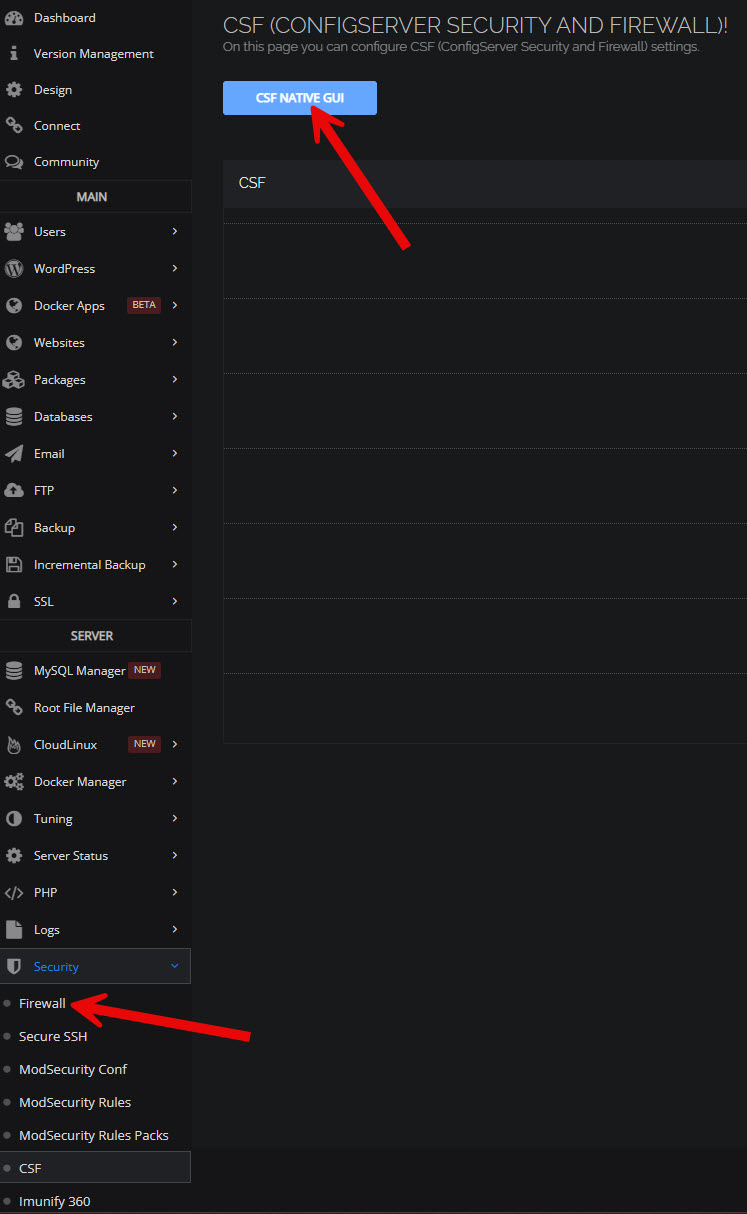
@sajetek_developer When trying to access the CSF GUI by clicking either of the links indicated it is taking me to the link https://mydomain.com:8090/configservercsf/ which returns a ‘Not Found’ error.

2024-10-09_12-56-39

Is this the problem you are describing?

Thank you.

Mi
Mick #60

Thank you for the confirmation - checking your script out now…

ri
richardevcom #61

FYI CyberPanel released an update where amongst other important fixes, CSF is supopsedly fixed as well. Has anyone upgraded to the latest stable version and can confirm it’s working now?

li
litespeedlover #62

Latest Commit: 81d501ea8fe4097df820eb54257b5d96b2f8b6bd

Still not working October 13, 2024

li
litespeedlover #63

CSF is working:

Latest commit: a1458230348e5d1aece6f80426912d7497bcfb3a

Go
Goran #64

Not all is functional, try do whitelist IP with the interface and save.

Sign in to reply