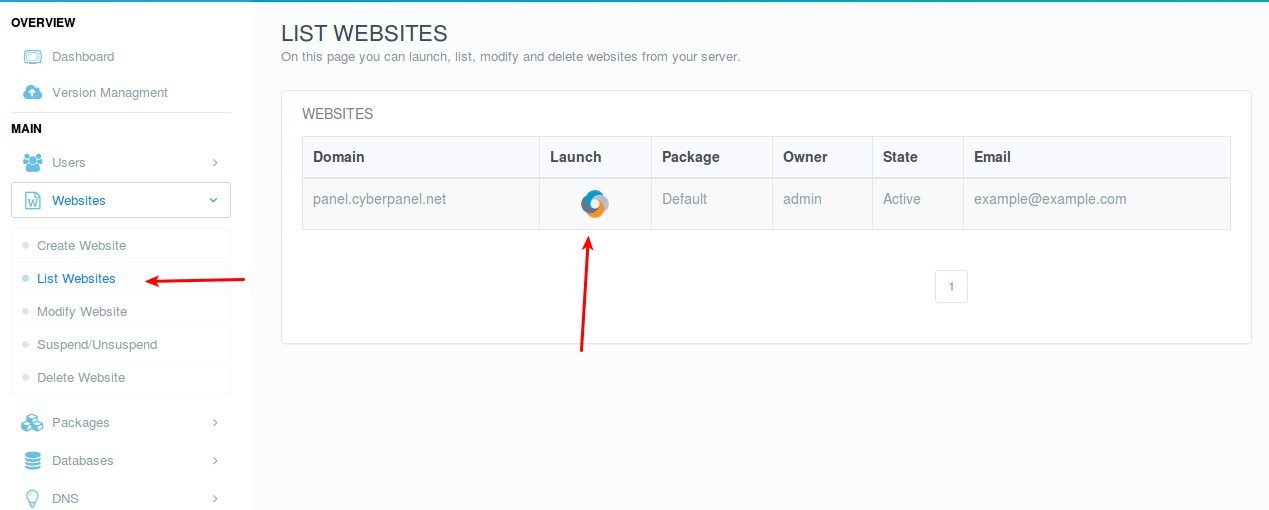
To create Domain Aliases you need to launch a website for which you need to create aliases:
Main > Websites > List Websites » Launch
Scroll Down to find Domain Alias
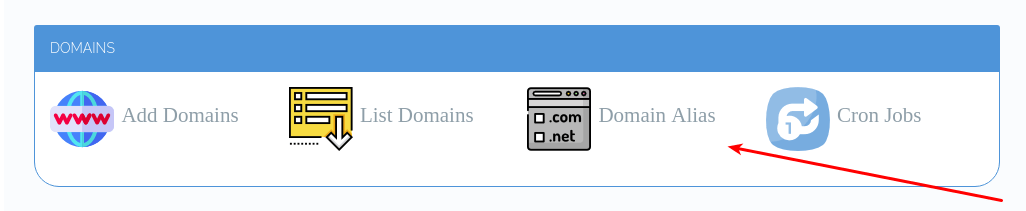
This will open the page, where you can create Domain Aliases.
To create Domain Aliases you need to launch a website for which you need to create aliases:
Main > Websites > List Websites » Launch
Scroll Down to find Domain Alias
This will open the page, where you can create Domain Aliases.
How to create a dynamic domain alias ?
The option for “Domain Alias” is not showing up 
I’m unsure if the issue is with the version set by my web host or if the directions are outdated.
Current Version:
2.3
Build:
4
Current Commit:
f337f895514e0f9eb5240976e09f18cca161cc14
update
so domain alias only shows up for the main domain (which is why it was missing from pages i was checking). kinda sucks that i can’t assign aliases to sub/child domains