Community

Closed Incremental backups is not working

KG
Kushal Ghosh #1

There is a problem in Restoring the remote incremental backups, if we are trying to restore any restore points for any of the websites, we aren’t unable to do this.

Steps to reproduce the error-
Step 1 – Login to Cyber panel dashboard
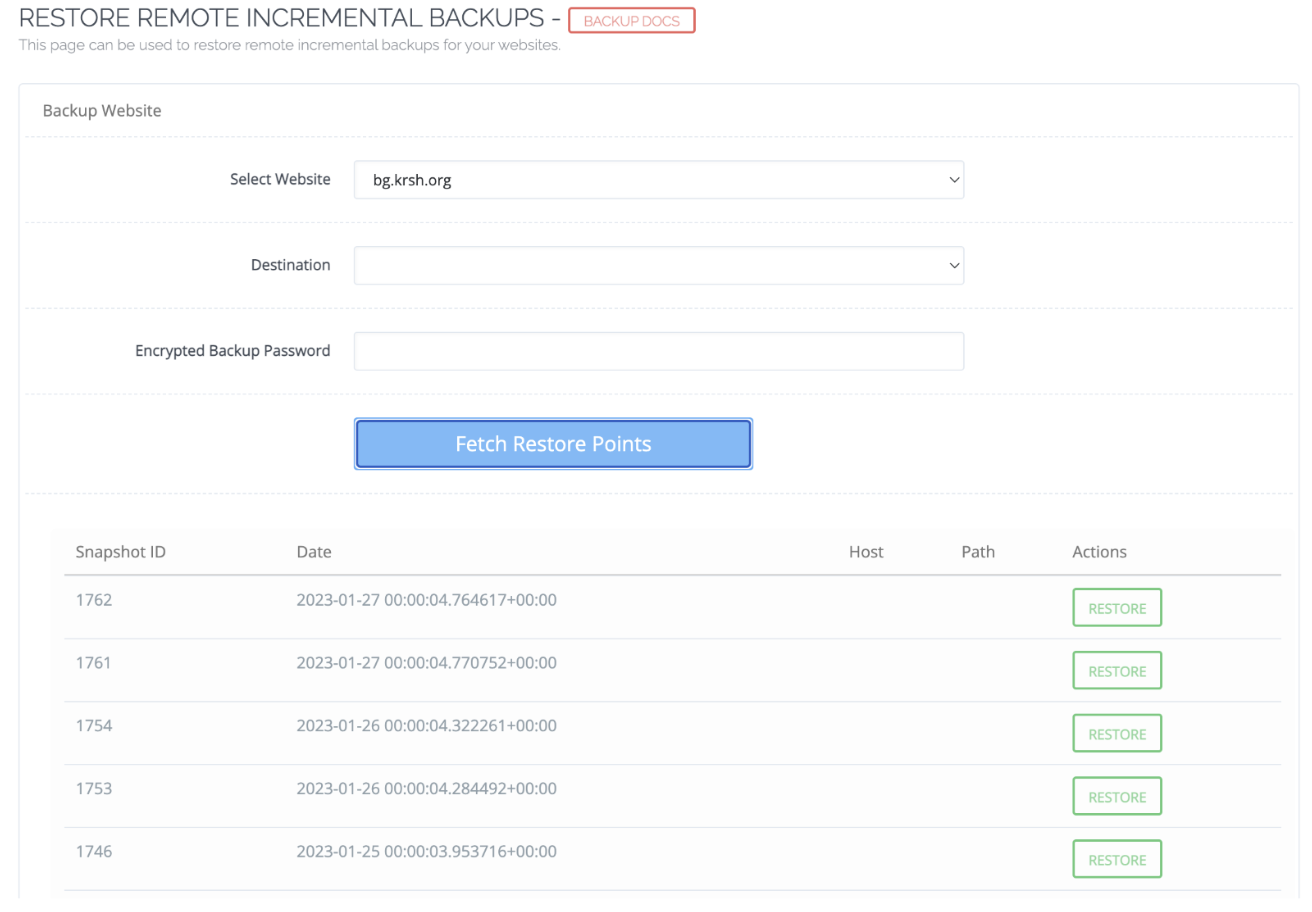
Step 2 – Go to Incremental Backup > Restore from Remote
Step 3 – Select the website without entering destination and encrypted password
Step 4 – Select any of the restore points to restore the website into that date

Note – This incremental backup is being saved on Amazon S3 bucket.
KG
Kushal Ghosh #2

Another Problem -
Steps to reproduce the error-
Step 1 – Login to Cyber panel dashboard
Step 2 – Go to Incremental Backup > Create/ Restore Backup
Step 3 – Select the website and enter the destination to AWS S3 and Select the backup content
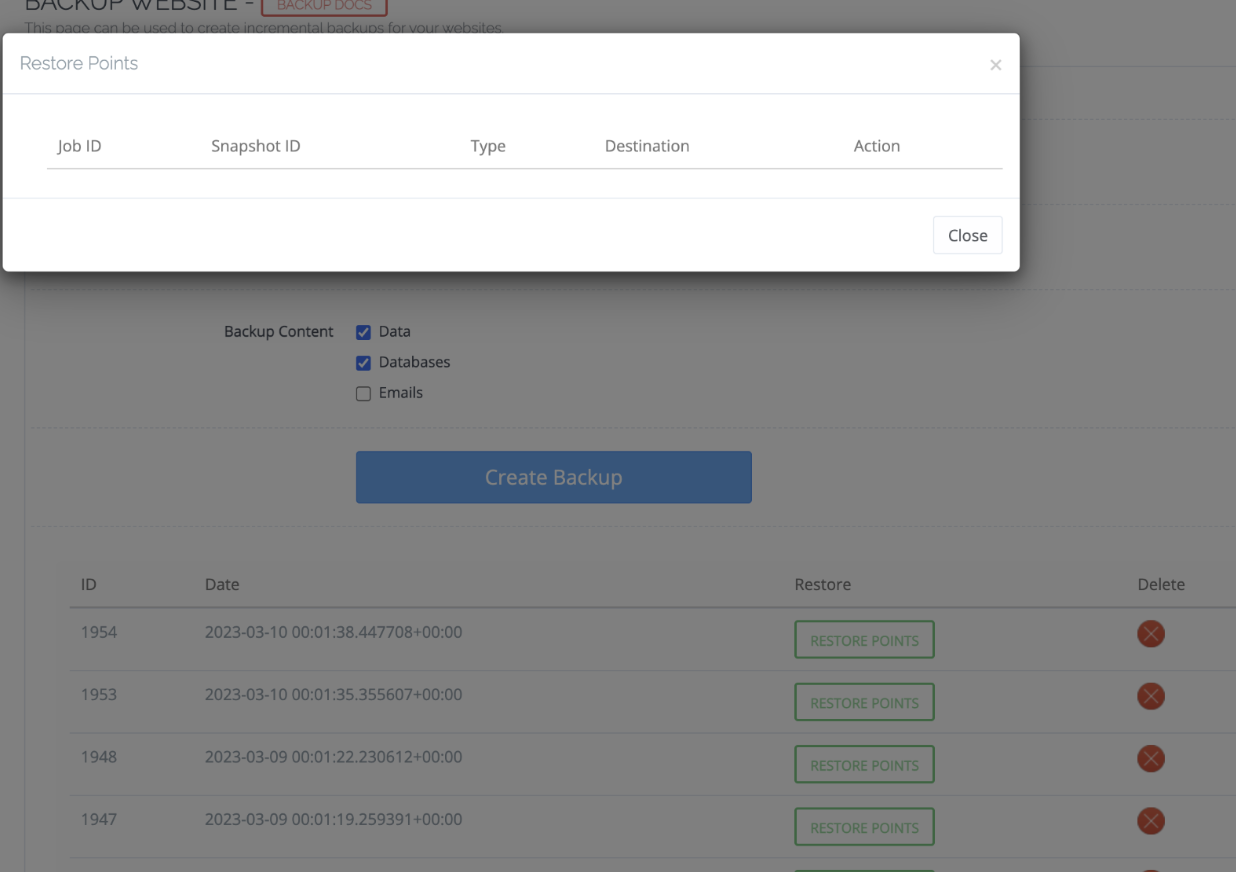
Step 4 – Select any of the restore points to restore the website into that date, here everything is blank in the popup

KG
Kushal Ghosh #3

If we try to start the backup process for the same then also we are getting error -
Steps to reproduce the error-
Step 1 – Login to Cyber panel dashboard
Step 2 – Go to Incremental Backup > Create/ Restore Backup
Step 3 – Select the website and enter the destination to AWS S3 and Select the backup content
Step 4 – Backup will initiate with error message
Note – if we are changing destination to local then this backup process will start

sh
shoaibkk #4

there is some development on going on it and soon you will get a great inc backup

KG
Kushal Ghosh #5

so is it a bug? because i am not able to restore the backup from AWS S3.
Is there any workaround possible for this to restore the backups as it is necessary for us?
Apart from this what will be the timeline by which we can expect this feature?

This topic is closed to new replies.