Community

How to add second IP and assign it to a website

Pr
Praetorian007 #1

Hi there.

This is my first post as I just switched from Plesk.
I love the CP everything runs OK, but cannot understand how and where should I add second IP and then assign it to specific domain and DB.

I have searched the entire forim, I tried editing the file where the panel IP is set, but that only changed the IP in my panel - the URL remained the same.

I saw few posts about IPPool and adding the IP, but the link to ippool is not working also.

Can someone share the correct way to add new IP and assigne it to site and db?

Thank you
Pr
Praetorian007 #3

HI @josephgodwinke Thak you for the responce.

saw that post, but dont understand if. In the part " 1. go into webadmin , on listener, add 2 more with 2nd IP (I don’t have multiple IP machine at moment, so in this case I will use an IPv6 to mimic second IP)"

its selecting some strange IP from the combo. my address is normal IP. 90.122.xxx.xxx. So, where do I put the second address?

I saw few msgs like this “I try to create a new listener following this tutorial, the only IP address from the drop down list is the main server IP. My 16 additional IP addresses haven’t been mapped to the server, apparently.”

Where should I map the new IP?

Thanks

jo
josephgodwinke #4

Go to WebAdmin console - https://SERVER_IP:7080/index.php#view/confMgr.php?m=sl and add a listener for 2nd IP


this is step 2 of that tutorial from there go on. if you have any other issues reach out here

Pr
Praetorian007 #5

Hi.

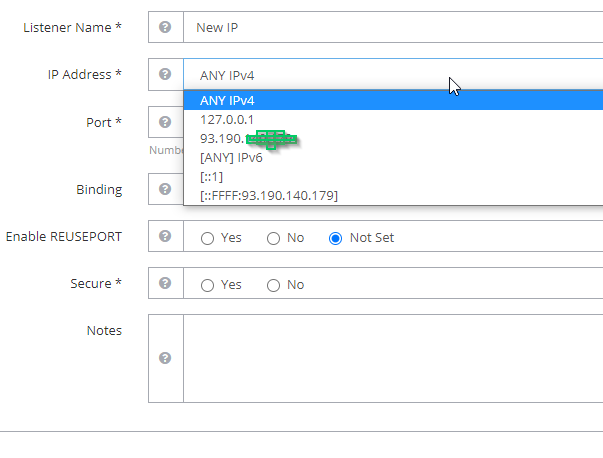
When I go there I only see my current IP and some other data. What should I select? Or should my new IP be shown?

image

jo
josephgodwinke #6

Check with your provider. It should appear on this list

If your machine has multiple IPs on different sub-networks, you can select a specific IP to only allow traffic from the corresponding sub-network.

Pr
Praetorian007 #7

HI @josephgodwinke

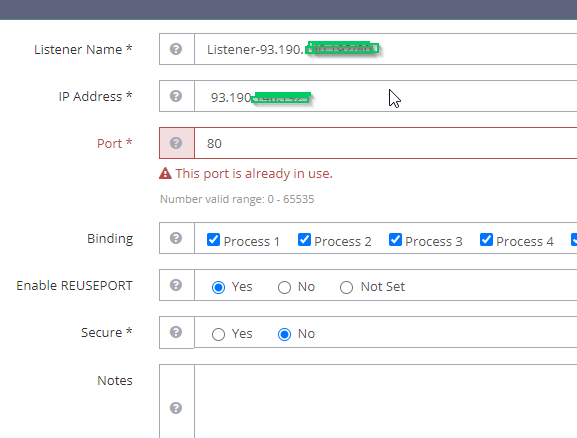
OK, added IP in Ubuntu. Now error for port 80. I saw other similar posts and no one gave solution

image

What I am doing wrong?

jo
josephgodwinke #8

Yes you need to select another port like 8080 etc stick on the lines of >8000 or >18000

Sign in to reply