WM
can you please guide me to the list of necessary/recommended PHP extensions I need to install/enable?
And also I would like to know the best config for the Redis & Opcache setting for hosting with 16GB
 Community
can you please guide me to the list of necessary/recommended PHP extensions I need to install/enable?
And also I would like to know the best config for the Redis & Opcache setting for hosting with 16GB
Hello @kafnoon Happy you are here
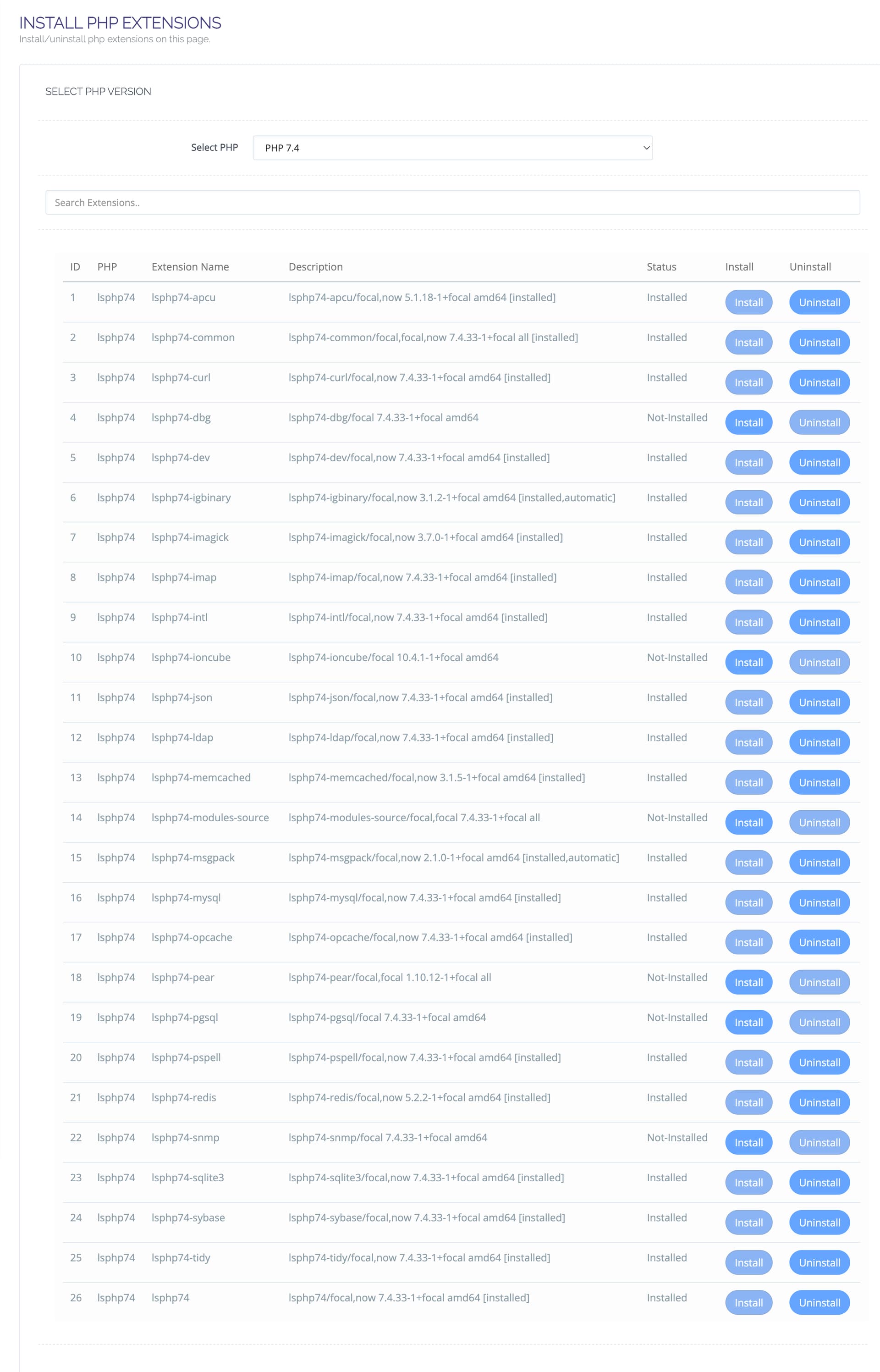
To install PHP Extensions
Go to https://SERVER_URL:8090/managephp/installExtensions
Select the PHP version you are using
For WordPress/WHMCS/Drupal/Mautic say for php 7.3 install the following
The versions would be different if you chose a different php
To install php extensions you do not see on that list:
To install ioncube loader for php 7.2 - 8.1
No buddy. Use what you need look at system requirements for the CMS or frameworks you use.
It is WordPress with LiteSpeed Cache. can you elaborate please!
Suggested modules for WordPress + LiteSpeed cache:
You can activate apcu for alternative cache plugins other than LSCACHE if they require
Install what you dont have from here PHP Extentions - #2 by josephgodwinke
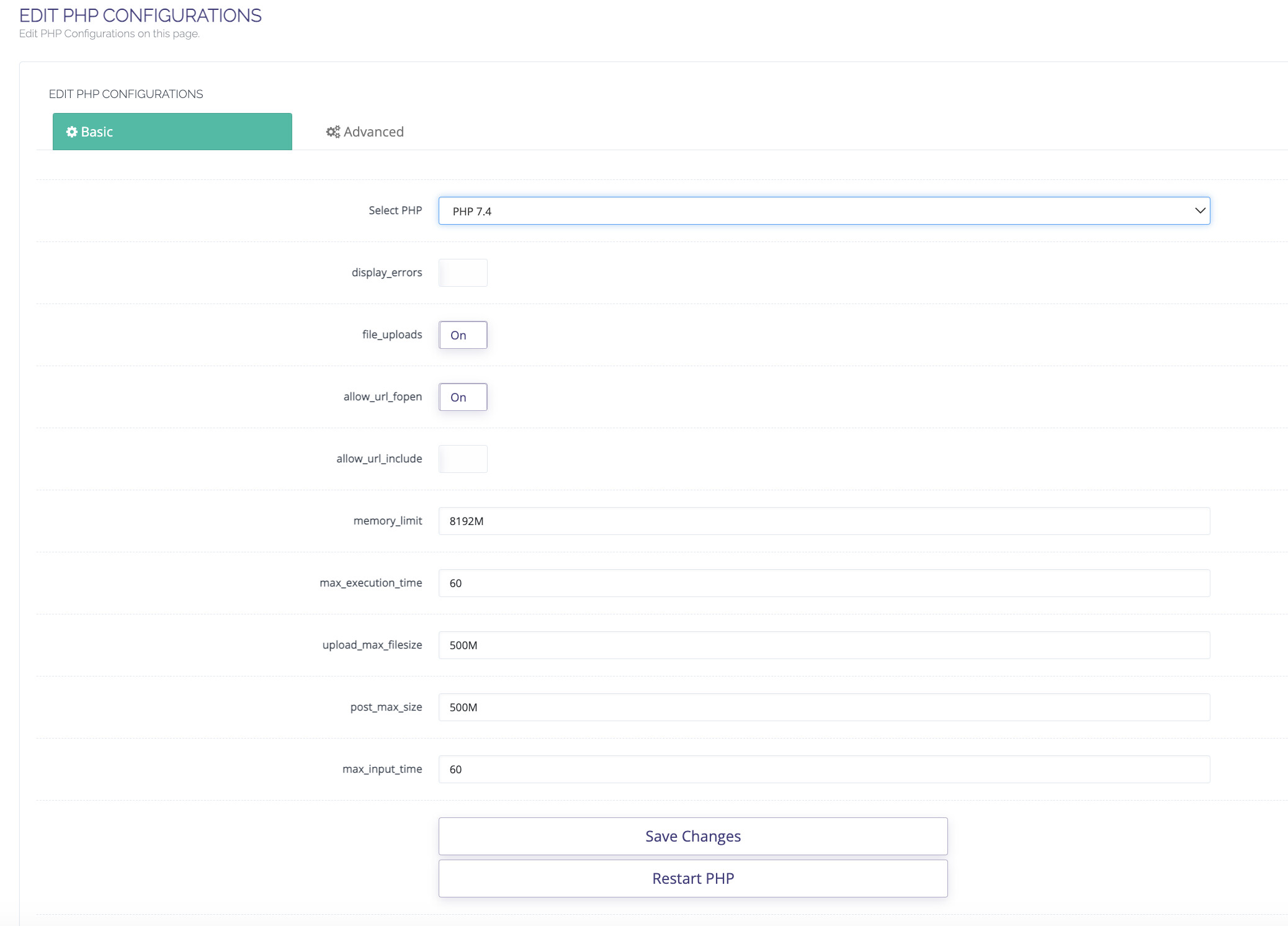
Single website that is perfect since memory limit is just a per script limit. This does not work like mysql where requests pile up to consume this limit i.e pool from that limit
Consider also increasing upload_max_filesize limit and post_max_size to allow uploading bigger files. Also increate max_execution time for bigger uploads the script will run for longer depending on your server bandwidth etc
Only if you need all these