CyberPanel Community

Closed[BUG] Cat: /home/cyberpanel: No such file or directory

ri
richardevcom #1

Hi there.

I was trying to create e-mail list for website by uploading .txt and .csv file containing multiple e-mail addresses to my websites base directory. So the path I used was /home/domain.com/public_html/emails-list.txt.

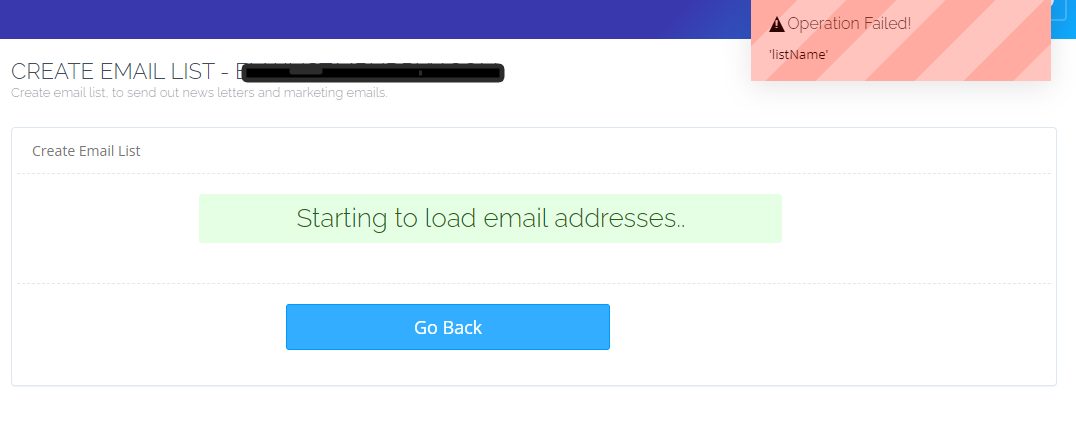
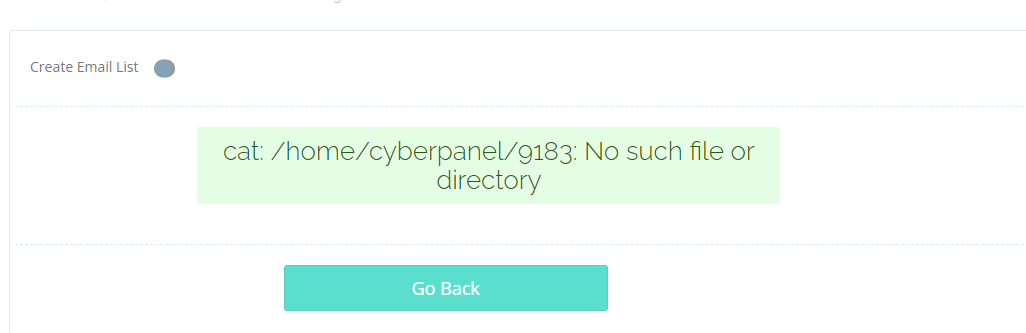
However when visiting “Create Email List” page in CyberPanel dashboard via https://domain.com:8443/emailMarketing/domain.com/emailLists and providing this path I get this error:

cat: /home/cyberpanel: No such file or directory

I triple checked that file exists, has correct permissions and is writable. There are no error logs, so it is really hard to pin-point where exactly CyberPanel crashes regarding this task.

Any idea how to fix this?

I’m using:

  • OS: Ubuntu 20.04 (latest updated & upgraded)
  • CyberPanel: 2.3 (latest)

UPDATE
Bug confirmed. Issue ticket here: [BUG] Cat: /home/cyberpanel: No such file or directory · Issue #988 · usmannasir/cyberpanel · GitHub

14 replies
jo
josephgodwinke #2

Welcome @richardevcom Happy you are here

Kindly post the following here:

  1. Run command touch /usr/local/CyberCP/debug try to access https://domain.com:8443/emailMarketing/domain.com/emailLists again and post the output of /home/cyberpanel/error-logs.txt . I consider you open these two side by side and tail /home/cyberpanel/error-logs.txt

  2. Let’s try and see if its a CyberPanel only error by allowing debugging in our settings file nano /usr/local/CyberCP/CyberCP/settings.py

CTRL+W search for DEBUG = False and change it to DEBUG = True

restart the service systemctl restart lscpd

try to access https://domain.com:8443/emailMarketing/domain.com/emailLists post screenshot of outcome. You should trun debug off by changing DEBUG flag to False

ri
richardevcom #3

Thank you @josephgodwinke.

  1. Yeah, I did touch /usr/local/CyberCP/debug already, but /home/cyberpanel/error-logs.txt is empty. I’ve searched all over the place for any error line. Nothing. :frowning:
  2. Same. No error can be tailed.

I wonder why /home/cyberpanel/2647 is not created too. Since they contain successfully created domain, website data, I’d like to mention, that I initally created domain with domain.com and later I transformed it to website.

ri
richardevcom #5

Take your time. Please mention/ping me if you can reproduce it (I suggest creating domain and then transfering it to website. Then try to create list. If that creates the error, then it’s for sure within /usr/local/CyberCP/emailMarketing/emailMarketing.py).

I can’t use quickfix since I can’t create ANY list because of this issue. :sweat_smile:

jo
josephgodwinke #6

This is exactly what I was going to do

jo
josephgodwinke #7

@richardevcom

You visited https://SERVER_DOMAIN:8090/websites/CreateNewDomain and created a child domain which on CyberP is not listed as a primary domain?

ri
richardevcom #8
  1. CP hostname and CP URL is https://domain.com:8090.
  2. I went to Domains via https://domain.com:8090/websites/CreateNewDomain, created domain.com.
  3. Then in https://domain.com:8090/websites/listChildDomains I transformed domain.com to website.
ri
richardevcom #11

Yeah. This is 100% a bug.

Looking closer to it, there is something missing for transformed domains/websites. Debugging for it also doesn’t work.

My train of thought is like this:

  1. CP just tries to log this event and then fails. There is no issue with reading list file. :sweat_smile: Ironic, i know.
  2. Since it can’t report this action/event, it breaks and doesn’t let to continue and crashes.
  3. My question is - what code line and in which file could be trying to cat /home/cyberpanel for non existing 9183 file? :thinking:
jo
josephgodwinke #13

If you understand python if you check the source this features imports a model that create a table website owner, listName, date created etc.

The 9183 is generated on the spot. Its a temporary path when composing email jobs from email list import

ri
richardevcom #14

Figured that its some kind of identification/log.
So it tries to read it, but it doesn’t exist. Probably due to whole transformation process. :thinking:

ri
richardevcom #15

I set-up brand new VPS with fresh CyberPanel and the same issue happens again!

Sign in to reply