fa
fayssal
#1
 Community
Hello @fayssal
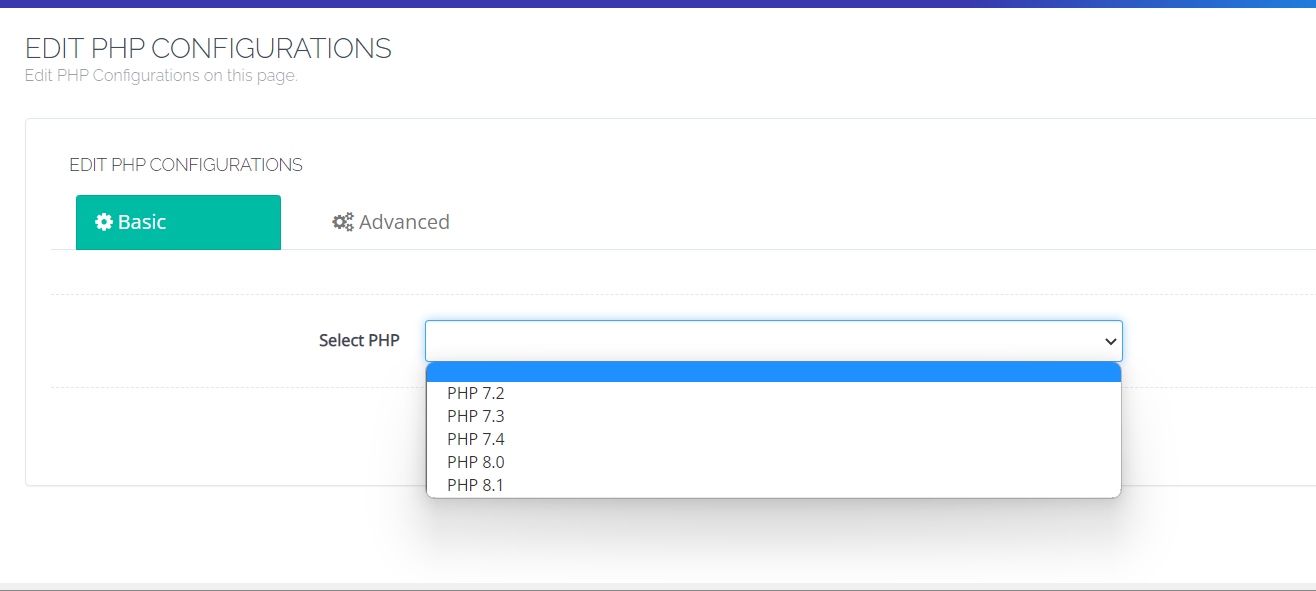
You have to use the method I gave you in a previous post How to use php version 8.2 - #2 by josephgodwinke
it doesn’t work with me. maybe have a problem in the steps.
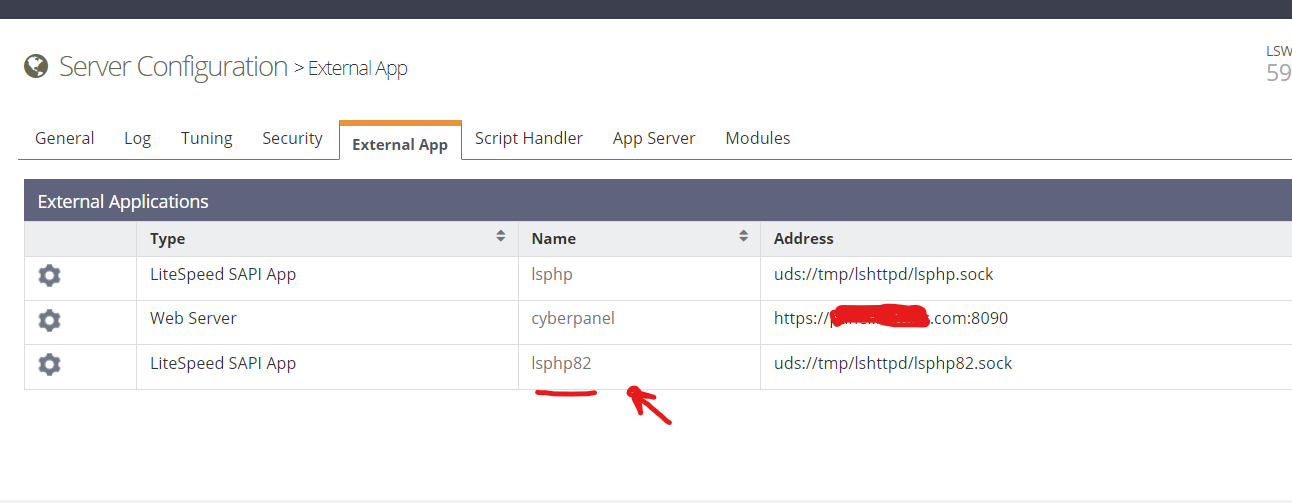
You need to add new SAPI App. On your right you should see a pencil icon that you can add the new lsphp version. Then restart lsws
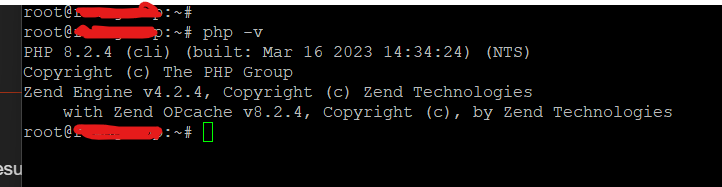
Can you access php8.2 on the terminal ?
are there commands to install directly in the terminal?
No I mean what is the result of
$ php -v
post here
Follow this guide see if it helps Default PHP Settings – OpenLiteSpeed
install menuly like using yum install ir apt install cmd
Please can you explain me how to do it step by step?
@shoaibkk he already installed php 8.2 in a previous topic he opened. He is unable to use it like advised here How to use php version not available on cyberpanel dashboard - #2 by josephgodwinke