yes!
- Configure the Admin user and password for the Web server in SSH
sudo /usr/local/lsws/admin/misc/admpass.sh
Please specify the user name of administrator.
This is the user name required to login the administration Web interface.

User name [admin]: <Enter the User name here>

Please specify the administrator's password.
This is the password required to login the administration Web interface.

Password:<Enter the password>
Retype password:<Re-enter the password>
Administrator's username/password is updated successfully!
- Start the OpenLiteSpeed server
sudo /etc/init.d/lsws start
-
Add a WebSocket Proxy to Your Virtual Host. Tutorial: Setting up WebSocket Proxies on OpenLiteSpeed – OpenLiteSpeed
The WebSocket Proxy tab is inside your virtual host settings (WebAdmin console > Virtual Hosts > your virtual host > WebSocket Proxy > Add).
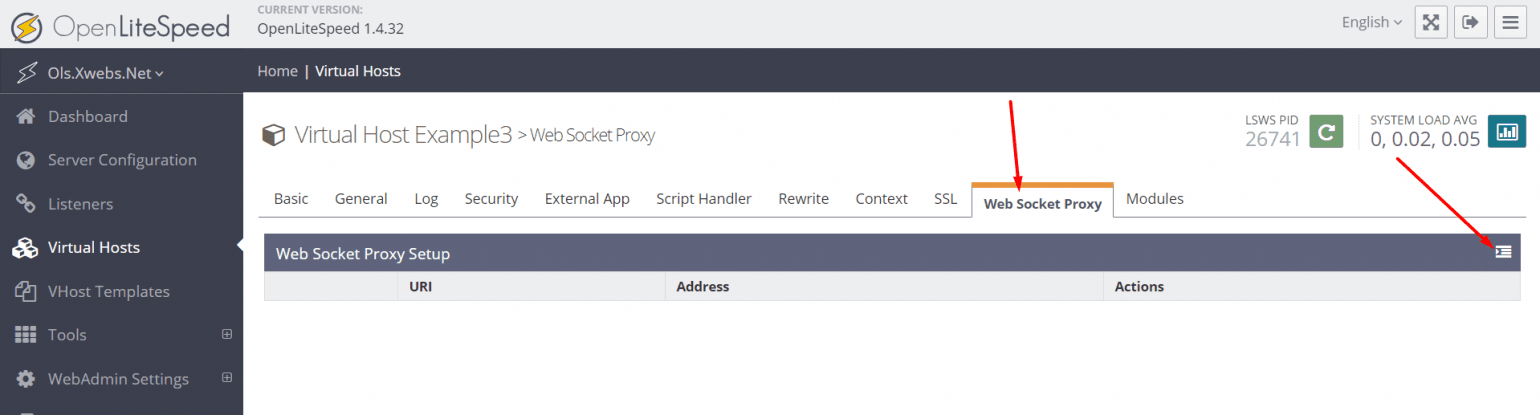
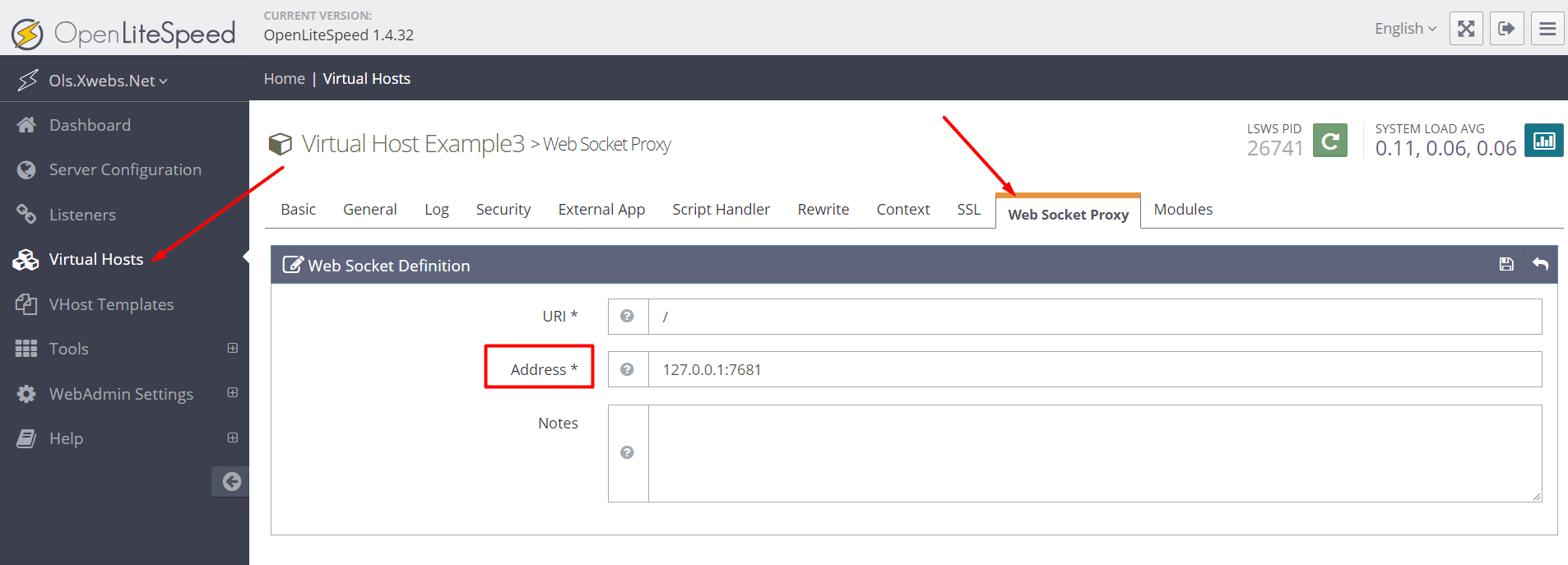
Enter the URI for your WebSocket application (relative to your virtual host’s domain) and the Address of the WebSocket backend.
The libwebsocket test page, “test.html”, has the WebSocket application URI set as ws://domain/, so I set my URI to /. By default, the libwebsocket server listens on 127.0.0.1:7681, so that’s my address value. You can configure your pages and backends to have the WebSocket application in a different URI and your backend at a different location.
Restart
with this, the server automatically redirected to the one using wss