CyberPanel Community

ClosedError 403 for subdomain

pi
pierre #1

Hi , i’ve got an error 403.html for my subdomains.
my main domain works very well, but not my subdomains.

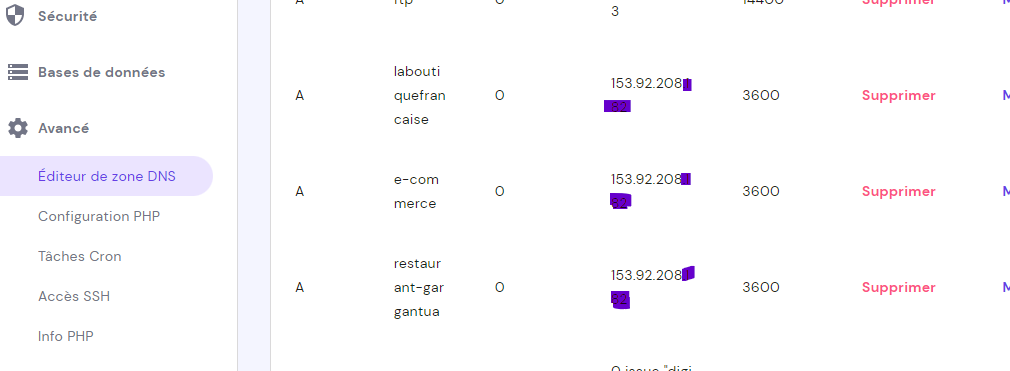
here you can see my DNS,
My SSL certificate are ok,
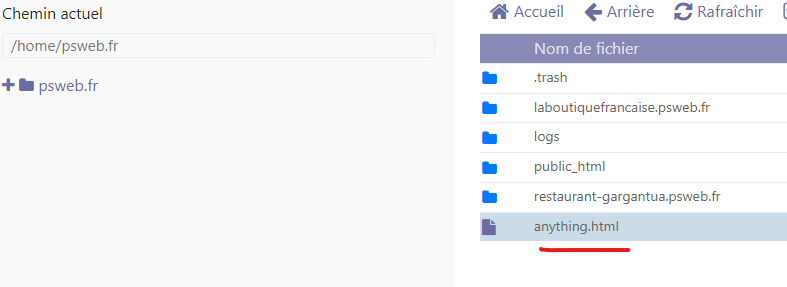
In my File Manager they are here:
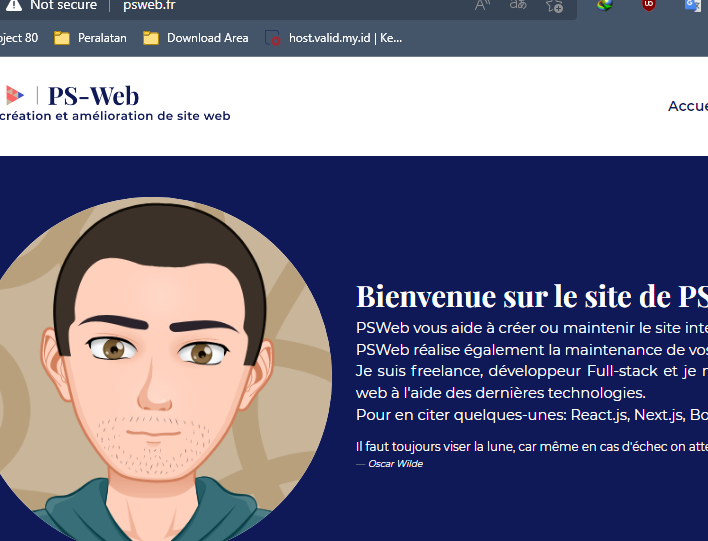
and when I’m connect to my my cyber panel my URL is not secure:
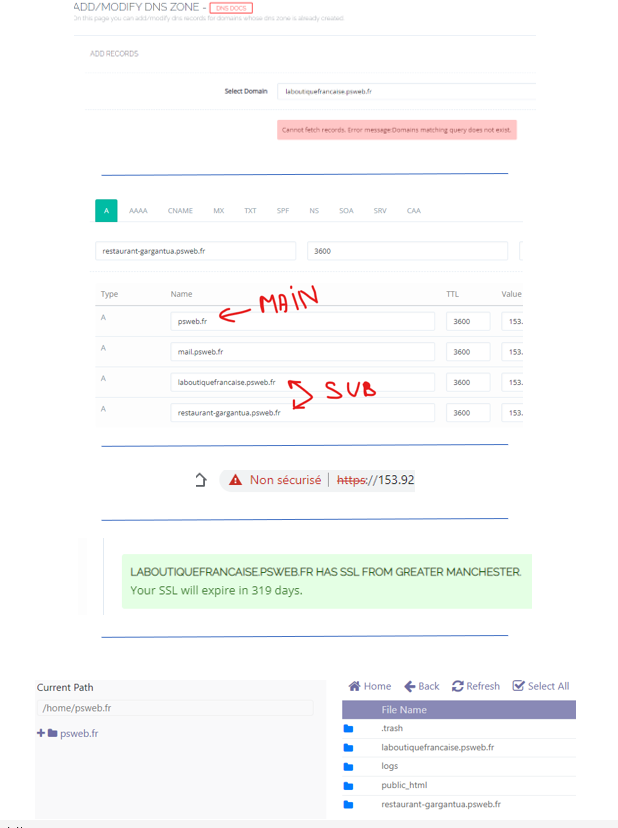
When I try to select directly a subdomain like “laboutiquefrancaise.psweb.fr
I’ve got this error:
Cannot fetch records. Error message:Domains matching query does not exist.

Someone can help me please ?

19 replies
ay
ayobpro #2

Did you install something on the subdomain? If not try create empty .htaccess on it.

pi
pierre #3

I’ve just subdomains, without htaccess. You think I need htaccess? But there are an index.html

ay
ayobpro #4

Try create empty .htaccess

MK
Mirza Khadnezar S [sick] #5

restart lws

what is your domain name ?
you want connect using ip or domain ?
if ip that will dificult to make https :smiley: and not cheap
if domain you should check dns etc etc

manage your subdomain from primary domain…

i have already reported this but it look developer want to keep that way…

pi
pierre #6

I’ve always the problem

pi
pierre #7

Thanks for your help…
When I restart my LWS I’ve the same problem.

ok for the other things.

anyway, these are not blocking things. However, error 403 is really important…

MK
Mirza Khadnezar S [sick] #8

try this

if you already can login to your panel…
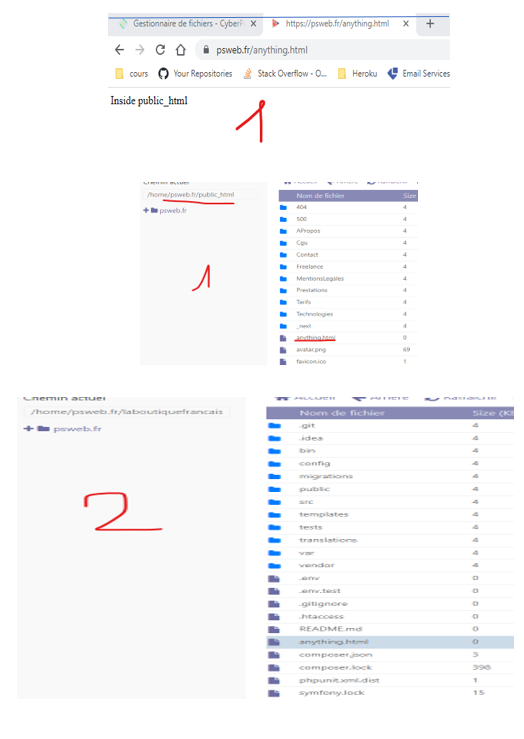
create file.html at public_html (main domain)
insert text “anything”
call the url https://domain/anything.html
and create same file (not copy)
at subdomain (cyberpanel language:domain)
insert text “anything”
call the url https://domain/anything.html

pi
pierre #11

I’ve got an .htaccess in this subdomains.
Before I’ve got a Vps, I had a share hosting and this subdomains was been ok…

MK
Mirza Khadnezar S [sick] #12

inside public_html pls
both… domain and sub domain

VPS is “fake server” you should maintenance by your self …
if shared hosting all maintained by owner of the shared hosting

pi
pierre #13

inside public_html pls
both… domain and sub domain

Yes I’ve did that but always an error 403

MK
Mirza Khadnezar S [sick] #14

base on your screenshoot… thefiles are outside the publichtml

tb
tbaldur #17

Hello,
have you tried to add the subdomain record at the dns manager instead?

Go to the same place where you pointed your domain to your vps, and add the A record there to see if it then works.

Or send me a message so i can try to help you by discord/anydesk if that doesn’t work.

Edit: Have you also tried using the button “Fix permissions” at the cyberpanel file explorer? Just to be sure.

pi
pierre #18

I don’t use cloudflare my VPS is in a server Hostinger.
And DNS in hostinger go to the good IP like you can see

pi
pierre #19

Like you can see DNS type A is to the good IP

MK
Mirza Khadnezar S [sick] #20

yes my mistakes… appologize…
i was working trace other domain :frowning:

yes they are…

have you do this (again)
clear your htaccess
create the html file
call from your browser

Sign in to reply