
CyberPanel Community

Closed2 - CyberPanel on SSL

RM
Rana Muhammad Usman Nasir #1
Note: If your domain is behind Cloudflare it will not work since CloudFlare blocks port 8090.

If you want to access CyberPanel on SSL you can do so by issuing Lets Encrypt SSL for hostname, before continuing further make sure you have created website with a domain you want to access CyberPanel as.

If you want to access CyberPanel on: https://panel.yourdomain.com:8090 , create an account with domain panel.yourdomain.com. While creating an account you can either check SSL or not, it is optional.

If domain still does not point to the server, again a self-signed SSL will be issued.


Setup SSL

Main > SSL > Hostname SSL
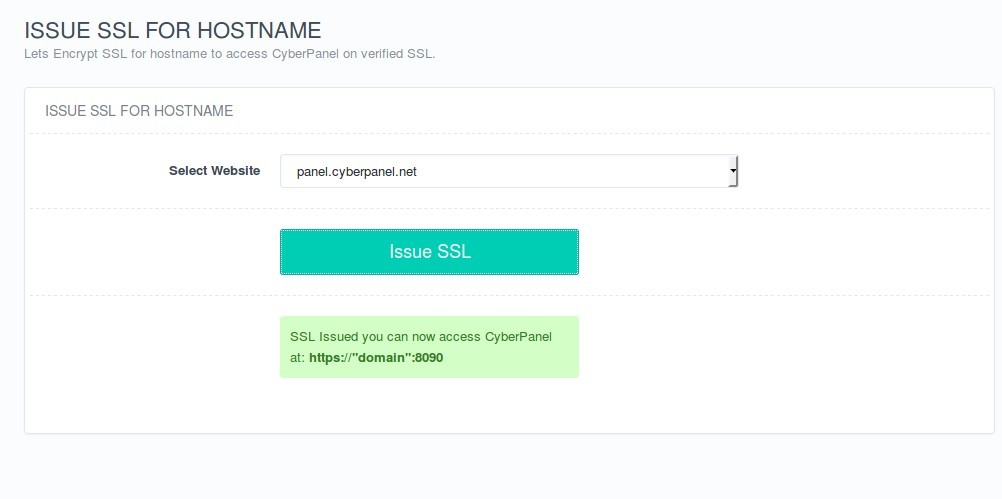
Select domain on which you want to access CyberPanel. Once issued, you can visit CyberPanel on https://yourdomain.com.

Note: If you also want to host websites on this domain, you can do so by simply using FTP or File manager, this operation will not affect that.
5 replies
Dr
Dreamer #3

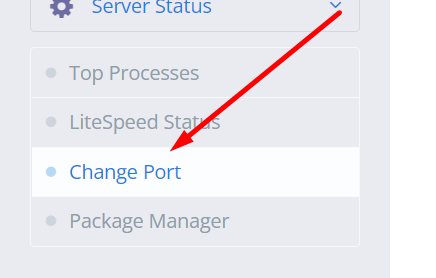
Change panel port to 8443 from cyberpanel settings

sh
shoaibkk #4

Before changing port from here
image
add the port first in firewall and then change here

ke
kevin #6

Im a little new to this as well, but i believe you would let that in your firewall / port forwarding on my security gateway. aslo check you dns records with your provider. I have my IP_ADDRESS of cyberpanel with port 8443 opened. I couldnt access port 8090 (locally worked fine) until i added it in port forward rules, same with 8443. Cyberpanel is now pointed to my domain so i can offer services.

Sign in to reply