CyberPanel Community

02 - Upgrading CyberPanel

RM
Rana Muhammad Usman Nasir #1

Upgrading CyberPanel

The following command can be used to upgrade to the latest version.

sh <(curl https://raw.githubusercontent.com/usmannasir/cyberpanel/stable/preUpgrade.sh || wget -O - https://raw.githubusercontent.com/usmannasir/cyberpanel/stable/preUpgrade.sh)

If using a sudo user rather than root, try this:

sudo su - -c "sh <(curl https://raw.githubusercontent.com/usmannasir/cyberpanel/stable/preUpgrade.sh || wget -O - https://raw.githubusercontent.com/usmannasir/cyberpanel/stable/preUpgrade.sh)"

Upgrading CyberPanel to a specific version

wget https://raw.githubusercontent.com/usmannasir/cyberpanel/<branch name>/cyberpanel_upgrade.sh
chmod +x cyberpanel_upgrade.sh
./cyberpanel_upgrade.sh

Replace with actual branch name from Github, branching schemes are described in our contribution docs.

During the installation process, you will be prompted to specify the version to which you wish to upgrade. Please enter the desired version in the following format: 2.3.3 for stable releases, or 2.3.4-dev for the development branch. Replace “version” with the specific version you intend to upgrade to.


Updates between official versions

Even when there hasn’t been a new version of CyberPanel officially released, there are always minor updates happening behind the scenes. In order to take advantage of these, you can upgrade CyberPanel at any time.

To see a list of updates, you can visit the CyberPanel github repo’s commit log: Commits · usmannasir/cyberpanel (github.com)

119 replies
te
techbus #2

Should the OS/OLS be upgraded before/after Upgrading CyberPanel or does the sh <(curl https://raw.githubusercontent.com/usmannasir/cyberpanel/stable/preUpgrade.sh || wget -O - https://raw.githubusercontent.com/usmannasir/cyberpanel/stable/preUpgrade.sh) command take care of everything?

NK
Nitesh Kunnath #3

Cyberpanel upgrade does take care of OLS update but not the OS updates automatically or via upgrade script. You will need to update your OS manually from SSH whenever you wish.

mi
micahstrong #4

Please kindly help me

After upgrading with the above command,

I got the following error

x86_64-linux-gnu-gcc -pthread -Wno-unused-result -Wsign-compare -DNDEBUG -g -fwrapv -O2 -Wall -g -fstack-protector-strong -Wformat -Werror=format-security -g -fwrapv -O2 -O0 -g3 -I. -I/usr/include/python3.8 -I. -I/usr/include/python3.8 -c -o main.o main.c
Cannot create temporary file in /tmp/: No space left on device
make: *** [: main.o] Aborted
cp: cannot stat ‘lswsgi’: No such file or directory
ln: failed to create symbolic link ‘/usr/sbin/ipset’: File exists
chown: cannot access ‘/usr/local/CyberCP/lib64’: No such file or directory
% Total % Received % Xferd Average Speed Time Time Time Current
Dload Upload Total Spent Left Speed
0 1247 0 0 0 0 0 0 --:–:-- 0:00:08 --:–:-- 0

now i have 503 ## Service Unavailable error.

what do I do

NK
Nitesh Kunnath #5

This is because your server has run out of space. Please check the server storage space left.

Ti
Tippy #6

Hello, I am trying to upgrade to 2.1 build 2 from 2.1 build 1 and I get this error

sudo sh <(curl https://raw.githubusercontent.com/usmannasir/cyberpanel/stable/preUpgrade.sh || wget -O - https://raw.githubusercontent.com/usmannasir/cyberpanel/stable/preUpgrade.sh)
sh: 0: Can’t open /dev/fd/63
% Total % Received % Xferd Average Speed Time Time Time Current
Dload Upload Total Spent Left Speed
0 0 0 0 0 0 0 0 --:–:-- --:–:-- --:–:-- 0ub100 396 100 396 0 0 1903 0 --:–:-- --:–:-- --:–:-- 1903
(23) Failed writing body

Any suggestions please?
Cyberpanel from AWS market place

NK
Nitesh Kunnath #7

First run this command

sudo su - 

And after this command, run the Cyberpanel upgrade command and this should work.

NK
Nitesh Kunnath #9

From where are you trying to execute this code?

You should login to server via SSH programs like Putty and run as root

to run as root, use this command

sudo su -

Then try the upgrade command mentioned here.

di
digidadyworld #10

Hi, right now im getting “this site cant be reached” error when i am trying to login my cyberpanel. and when i am trying to upgrade
Traceback (most recent call last):
File “upgrade.py”, line 2684, in
main()
File “upgrade.py”, line 2680, in main
Upgrade.upgrade(args.branch)
File “upgrade.py”, line 2591, in upgrade
Upgrade.applyLoginSystemMigrations()
File “upgrade.py”, line 693, in applyLoginSystemMigrations
import sleep
ModuleNotFoundError: No module named ‘sleep’

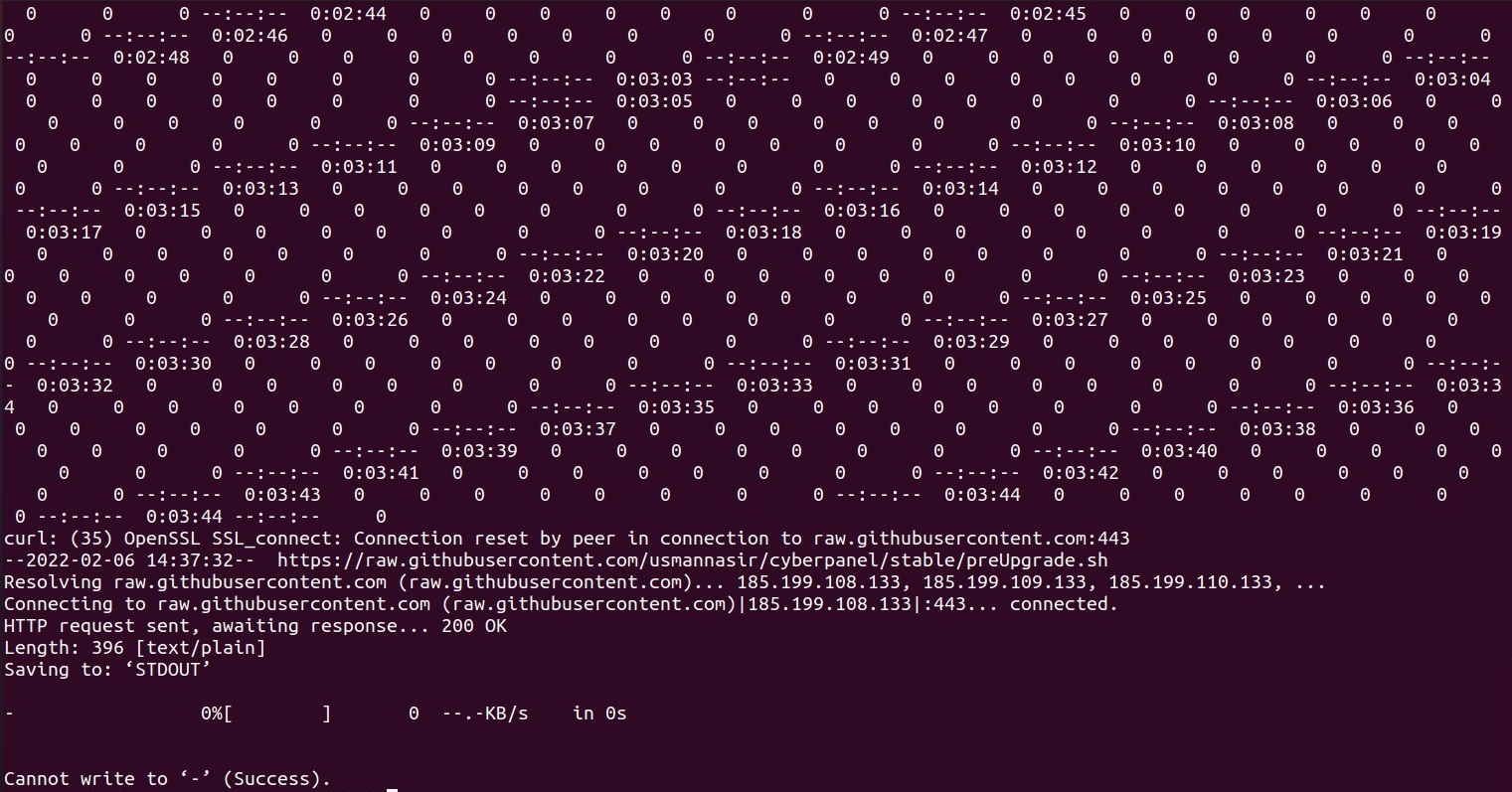
this error occurs.
what is the issue? why cant i upgrade it?

NK
Nitesh Kunnath #11

Please try again and take screenshot of the error

JH
Jason Houge #15

If you are using AWS EC2 to host CyberPanel here are the steps you need to take to upgrade CyberPanel and OLS:

00: Log into your terminal using the PEM key you set up when creating the EC2 instance. (do not use the terminal within cyberpanel)

01: apt-get --with-new-pkgs upgrade
02: apt-get update
03: wget https://raw.githubusercontent.com/litespeedtech/openlitespeed/master/dist/admin/misc/lsup.sh
04: sudo su
05: sh <(curl https://raw.githubusercontent.com/usmannasir/cyberpanel/stable/preUpgrade.sh || wget -O - https://raw.githubusercontent.com/usmannasir/cyberpanel/stable/preUpgrade.sh)
06: reboot instance and all changes take effect
07: reissue SSL for host

ma
mauamolat #16

How do we automate this upgrade script over crontab? Thanks

Ni
Nick #17

I am getting this error while trying to upgrade to 2.3.1, but my server has 50GB of space…

WatchDog for Pure-FTPd is gone , restarting...

WatchDog for Pure-FTPd has been started...
chown: cannot access '/usr/local/CyberCP/lib64': No such file or directory
  % Total    % Received % Xferd  Average Speed   Time    Time     Time  Current
                                 Dload  Upload   Total   Spent    Left  Speed
  0 14028    0     0    0     0      0      0 --:--:-- --:--:-- --:--:--     0
###################################################################
                CyberPanel Upgraded
###################################################################
root@vps:~#

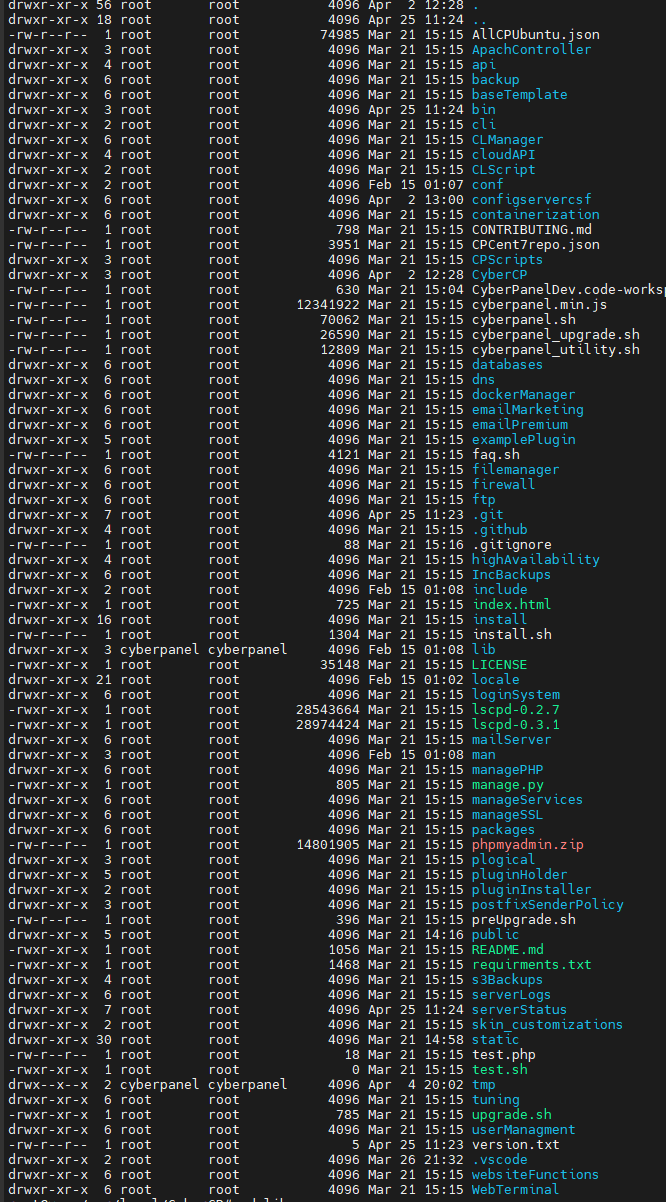
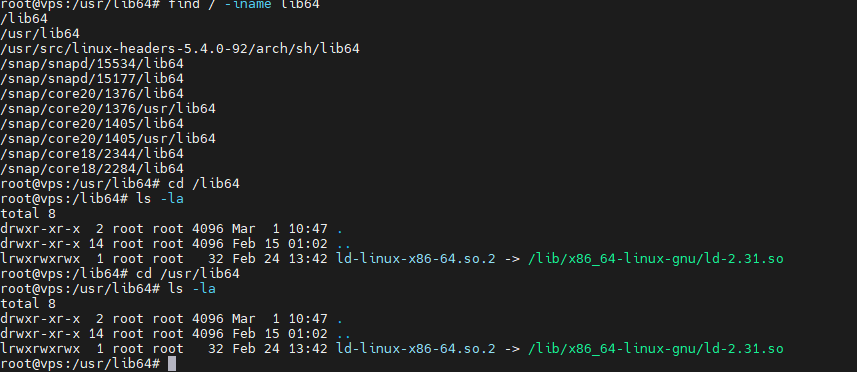
Here is what is in the /usr/local/CyberCP folder:

I also found lib64 in /lib64 and /usr/lib64, though they’re surely different than what CP is looking for.

What can I do to diagnose and fix this issue?

Ni
Nick #19

Thanks. So then what should I do to diagnose the fact that CyberPanel isn’t upgrading? I have run the upgrade script a few times, restarted the server etc… and it stays on 2.1.2

RM
Rana Muhammad Usman Nasir #20
cd /usr/local/CyberCP
git status

do you see any files that are not tracked by git? if so remove those files and run upgrade again. Otherwise please contact our support will upgrade free for you as you have given much to this community.

Ni
Nick #21

Thanks very much. No need for you guys to fix it for me! Also, if we can post the solution here, it will help others in the future.

Looks like everything is untracked… perhaps it happened when I was trying to develop the restic incremental backup stuff.

Is it safe to remove it all and upgrade again? Or run the CyberPanel Install script? Or uninstall CyberPanel and Reinstall? Something else?

RM
Rana Muhammad Usman Nasir #22

Well yes if you are doing dev on this server this could have caused the issue, you need to remove the untracked files for upgrade to work.

Ni
Nick #23

As you instructed, I removed the entire /usr/local/CyberCP folder, since every file/folder in that directory was untracked. But I got this error when I upgraded

Traceback (most recent call last):
  File "upgrade.py", line 15, in <module>
    from CyberCP import settings
ModuleNotFoundError: No module named 'CyberCP'
above command failed...
root@vps:/usr/local#

What do you recommend I do now?

RM
Rana Muhammad Usman Nasir #25

Not everything, honestly I don’t know why even the CyberCP folder shows untracked in your case. Because there is CyberCP/settings.py file which contained db logins for CyberPanel.

This can be fixed, but since you are using this server for dev I can not comment on what changed.

Ni
Nick #28

Ok, I think I’ve somewhat solved this now.

I deployed a new VPS with CP v2.3.1 and then made a tar.gz of the /usr/local/CyberCP folder and sent it to my other server with rclone sftp and extracted it.

At first, it didn’t work, but then I went into /usr/local/CyberCP/CyberCP/settings.py and updated the database password with what is found from cat /etc/cyberpanel/mysqlPassword and it loaded again.

I was missing some folders from the original install, namely these.

  • .vscode
  • configservercsf
  • CyberPanelDev.code-workspace
  • debug
  • static
  • tmp

Obviously the vscode ones and tmp are irrelevant. I restored configservercsf by uninstalling and reinstalling CSF. Looks like debug isn’t important.

What is /usr/local/CyberCP/static?

Are there any other CyberPanel config files that would be important to check? Database details, system users, etc…?

MG
Miguel Gonzalez #29

Hi! I am running two servers with Cyberpanel. One with Ubuntu which has been upgraded fine and another with Centos 7.9 and although shows as upgraded but I see this error under https://myserver:8090/base/versionManagment:

Note: Latest commit does not match, please upgrade.

Current Commit : Unknown option: -C usage: git [–version] [–help] [-c name=value] [–exec-path[=]] [–html-path] [–man-path] [–info-path] [-p|–paginate|–no-pager] [–no-replace-objects] [–bare] [–git-dir=] [–work-tree=] [–namespace=] []

Although it shows 2.3.1 version

RM
Rana Muhammad Usman Nasir #30

/usr/local/CyberCP/static contains static assets of CyberPanel like css and JavaScript files.

You are good to go.

RM
Rana Muhammad Usman Nasir #31

It seems on your Centos 7.9 you have old versions of git, can you upgrade the git versions of your server.

Zi
Zipelkopf #35

I want to say WELL DONE to the Cyberpanel team for the latest release 2.3.1

I run the upgrade a few times (CentOS) with no issues so far, but I was holding my fingers crossed :wink:

Just a few observations that might be helpful to others:

  1. The Cyberpanel upgrade will try to update also your OS somehow… so my advice is to spilt the task into two, especially to help out identifying if the problem is with the OS or Cyberpanel:
    A >> Run first a yum update -y to isolate the OS upgrades and make sure all is working prior the actual Cyberpanel upgrade, and make any necessary adjustments (for example I had to manually recompile some custom PHP extensions because also PHP may get updated)
    B >> Run the Cyberpanel upgrade as indicated at the beginning of this post.

  2. You may want to consider stopping any cron job or the lsws service if you have much activity going on… during the upgrade not everythign works in syntony, and at my first upgrade my server collapsed. I had to roll back the VM snapshot, then I stopped lsws just before upgrading and all went well. The upgrade will start lsws automatically once finished :slight_smile:

  3. @usmannasir I noticed that the upgrade resets the Rainloop Admin password to a random one. Perhaps this should be mentioned in the release notes. The new random password can be found in vi /usr/local/CyberCP/public/rainloop.php Then you can login in Rainloop as Admin and change it back to whatever you want.

Thanks for maintaining the panel secure and updated!!!

sp
splaquet #39

The solution provided by @nick.chomey worked better for me, but I’m still having issues upgrading.

I’m not sure if this is supposed to happen or not, but I’ve had these next issues for a LONG time.

first issue: the litespeed.repo ALWAYS reverts back to this problematic failovermethod=priority

Invalid configuration value: failovermethod=priority in /etc/yum.repos.d/litespeed.repo; Configuration: OptionBinding with id "failovermethod" does not exist
cloudlinux-x86_64-server-8                                                                                                                                                        35 MB/s |  16 MB     00:00    
CentOS Linux 8 - PowerTools                                                                                                                                                       17 kB/s | 8.1 kB     00:00    
Errors during downloading metadata for repository 'powertools-for-cyberpanel':
  - Status code: 404 for http://mirror.centos.org/$contentdir/8/PowerTools/x86_64/os/repodata/repomd.xml (IP: 67.219.144.58)
Error: Failed to download metadata for repo 'powertools-for-cyberpanel': Cannot download repomd.xml: Cannot download repodata/repomd.xml: All mirrors were tried

second issue: CentOS-PowerTools-CyberPanel.repo is always regenerated and continuously gives me errors

Errors during downloading metadata for repository 'powertools-for-cyberpanel':
  - Status code: 404 for http://mirror.centos.org/$contentdir/8/PowerTools/x86_64/os/repodata/repomd.xml (IP: 74.120.220.234)
Error: Failed to download metadata for repo 'powertools-for-cyberpanel': Cannot download repomd.xml: Cannot download repodata/repomd.xml: All mirrors were tried
This system is receiving updates from CloudLinux Network server.
CentOS Linux 8 - PowerTools                                                                                                                                                      8.0 kB/s | 8.1 kB     00:01    
Errors during downloading metadata for repository 'powertools-for-cyberpanel':
  - Status code: 404 for http://mirror.centos.org/$contentdir/8/PowerTools/x86_64/os/repodata/repomd.xml (IP: 208.76.253.18)
Error: Failed to download metadata for repo 'powertools-for-cyberpanel': Cannot download repomd.xml: Cannot download repodata/repomd.xml: All mirrors were tried
This system is receiving updates from CloudLinux Network server.
CentOS Linux 8 - PowerTools                                                                                                                                                       19 kB/s | 8.1 kB     00:00    
Errors during downloading metadata for repository 'powertools-for-cyberpanel':
  - Status code: 404 for http://mirror.centos.org/$contentdir/8/PowerTools/x86_64/os/repodata/repomd.xml (IP: 67.219.144.58)
Error: Failed to download metadata for repo 'powertools-for-cyberpanel': Cannot download repomd.xml: Cannot download repodata/repomd.xml: All mirrors were tried
This system is receiving updates from CloudLinux Network server.
CentOS Linux 8 - PowerTools                                                                                                                                                       12 kB/s | 8.1 kB     00:00    
Errors during downloading metadata for repository 'powertools-for-cyberpanel':
  - Status code: 404 for http://mirror.centos.org/$contentdir/8/PowerTools/x86_64/os/repodata/repomd.xml (IP: 198.15.72.18)
Error: Failed to download metadata for repo 'powertools-for-cyberpanel': Cannot download repomd.xml: Cannot download repodata/repomd.xml: All mirrors were tried
This system is receiving updates from CloudLinux Network server.
CentOS Linux 8 - PowerTools                                                                                                                                                       15 kB/s | 8.1 kB     00:00    
Errors during downloading metadata for repository 'powertools-for-cyberpanel':
  - Status code: 404 for http://mirror.centos.org/$contentdir/8/PowerTools/x86_64/os/repodata/repomd.xml (IP: 74.120.220.234)
Error: Failed to download metadata for repo 'powertools-for-cyberpanel': Cannot download repomd.xml: Cannot download repodata/repomd.xml: All mirrors were tried 

so, in the end, no matter what I’ve tried, I’m still seeing the same results in the CyberPanel GUI interface.

while most of the install lines seem to be referencing success, these git checkout lines always fail on me.

[05.18.2022_08-37-13] #########################################################################
[05.18.2022_08-37-13] git config --global user.email "support@cyberpanel.net" successful.
[05.18.2022_08-37-13] #########################################################################

[05.18.2022_08-37-13] #########################################################################
[05.18.2022_08-37-13] git config --global user.name "CyberPanel" successful.
[05.18.2022_08-37-13] #########################################################################

[05.18.2022_08-37-13] #########################################################################
[05.18.2022_08-37-13] git fetch successful.
[05.18.2022_08-37-13] #########################################################################
Saved working directory and index state WIP on v2.1.1: 8c0ce5ea Merge pull request #638 from joer80/v2.1.1

[05.18.2022_08-37-13] #########################################################################
[05.18.2022_08-37-13] git stash successful.
[05.18.2022_08-37-13] #########################################################################
error: The following untracked working tree files would be overwritten by checkout:
	install/filesPermsUtilities.py
	plogical/filesPermsUtilities.py
Please move or remove them before you switch branches.
Aborting

[05.18.2022_08-37-13] #########################################################################
[05.18.2022_08-37-13] git checkout v2.3.1 failed, trying again, try number: 1
[05.18.2022_08-37-13] #########################################################################
error: The following untracked working tree files would be overwritten by checkout:
	install/filesPermsUtilities.py
	plogical/filesPermsUtilities.py
Please move or remove them before you switch branches.
Aborting

[05.18.2022_08-37-13] #########################################################################
[05.18.2022_08-37-13] git checkout v2.3.1 failed, trying again, try number: 2
[05.18.2022_08-37-13] #########################################################################
error: The following untracked working tree files would be overwritten by checkout:
	install/filesPermsUtilities.py
	plogical/filesPermsUtilities.py
Please move or remove them before you switch branches.
Aborting

[05.18.2022_08-37-13] #########################################################################
[05.18.2022_08-37-13] git checkout v2.3.1 failed, trying again, try number: 3
[05.18.2022_08-37-13] #########################################################################

[05.18.2022_08-37-13] #########################################################################
[05.18.2022_08-37-13] git checkout v2.3.1 failed.
[05.18.2022_08-37-13] #########################################################################

What am I doing wrong and how can I fix this, properly updating my CyberPanel install?

I’ve (albeit incorrectly) fixed the first two issues with these next steps… but, still unable to update.

updated file content failovermethod=priority with #failovermethod=priority
chattr +i /etc/yum.repos.d/CentOS-PowerTools-CyberPanel.repo

emptied file contents and…
chattr +i /etc/yum.repos.d/litespeed.repo

Ni
Nick #43

@splaquet i would create a new vps server and install everything fresh… Things seem to be very corrupted

CS
Chukwuemeka Stephen Michael #44

lolz, thanks men, it really did change my rainloop password even without i noticing it, thanks a lot for that

ji
jishnu #45

I’m getting this message after running this . what can i do

Note: Latest commit does not match, please upgrade.

CyberPanel
Current Version : 2.3
Build : 2Current Commit : Unknown option: -C usage: git [–version] [–help] [-c name=value] [–exec-path[=]] [–html-path] [–man-path] [–info-path] [-p|–paginate|–no-pager] [–no-replace-objects] [–bare] [–git-dir=] [–work-tree=] [–namespace=] []
Latest Version : 2.3
Latest Build : 2Latest Commit : 6e28128f640a114af26731efb4bda53689b91d64

hi
hics #48

Current Version :2.3

Build :2

Current Commit :
Unknown option: -C usage: git [–version] [–help] [-c name=value] [–exec-path[=]] [–html-path] [–man-path] [–info-path] [-p|–paginate|–no-pager] [–no-replace-objects] [–bare] [–git-dir=] [–work-tree=] [–namespace=] []

How can I solve this issue?

me
med #49

import sleep
ModuleNotFoundError: No module named ‘sleep’
above command failed…

HF
Harry F #50

I’m encountering this user interaction required on upgrade:

Configuration file '/etc/cloud/cloud.cfg'
 ==> Modified (by you or by a script) since installation.
 ==> Package distributor has shipped an updated version.
   What would you like to do about it ?  Your options are:
    Y or I  : install the package maintainer's version
    N or O  : keep your currently-installed version
      D     : show the differences between the versions
      Z     : start a shell to examine the situation
 The default action is to keep your current version.
*** cloud.cfg (Y/I/N/O/D/Z) [default=N] ? N

I chose N and the upgrade then succeeded.

I believe user interaction is not expected; during the upgrade, and during the wait on interaction response, the server was unavailable.

ks
khurram shahzad #51

hi after update cyberpanel. I do not access my cyberpanel dashboard . typing https://my server IP address:8090/ not open cyberpanel dashboard open phpmyadmin please help me

Capture

ks
khurram shahzad #53

working working working i love you

Dr
Dreamer #57

Very first take server snapshot if something go wrong.

ms
mshastchi #58

I have upgraded ubuntu to 22.04 (silly mistake!). Cyberpanel gives 503 error. When I run upgrade command it says:

"Unable to detect your system…

CyberPanel is supported on x86_64 based Ubuntu 18.04, Ubuntu 20.04, Ubuntu 20.10, Ubuntu 22.04, CentOS 7, CentOS 8, AlmaLinux 8, RockyLinux 8, CloudLinux 7, CloudLinux 8, openEuler 20.03, openEuler 22.03…"

Funny thing is Ubuntu 22.04 is in the list of supported OS!

EJ
Esko Junnila #59

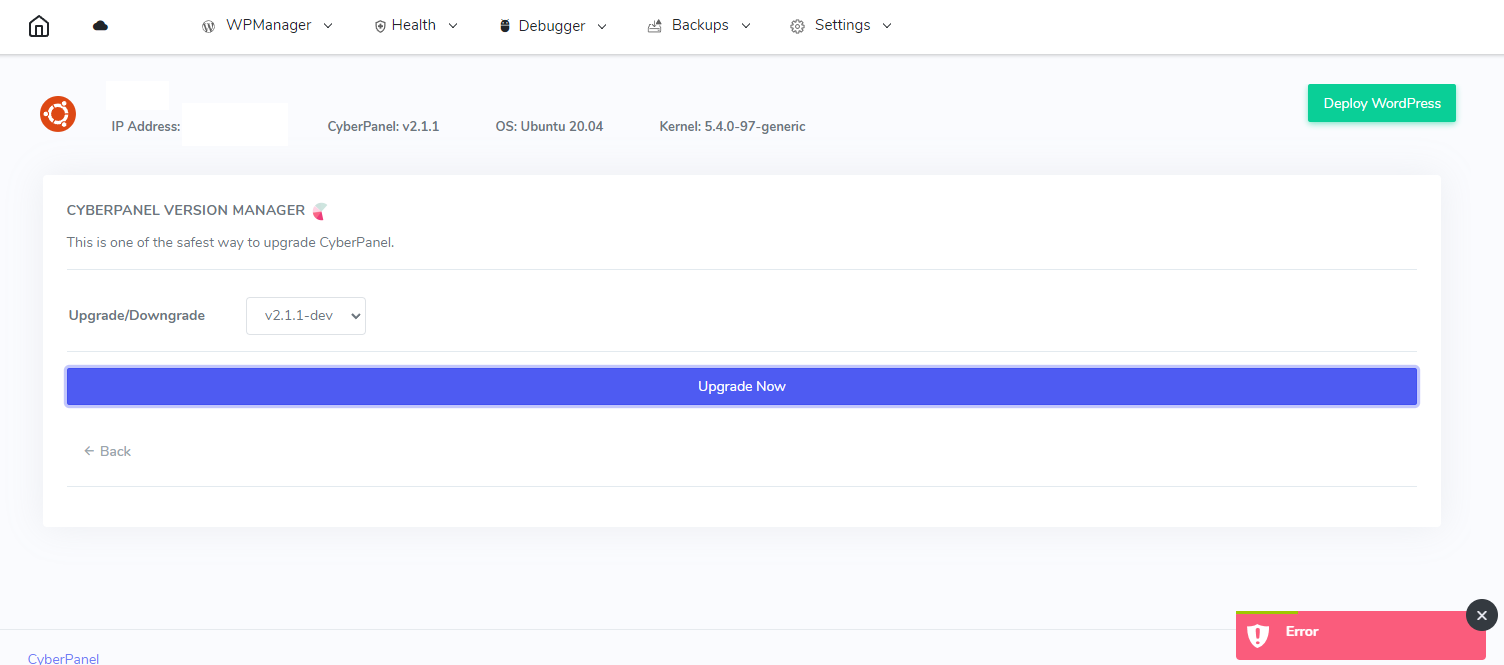
Tried to upgrade today to latest and it got stuck on this:

Should I just force close it or what should I do?

not my first time to update cyberpanel and I check updates regularly. First time update script got stuck.

error:
sed: can’t read /usr/local/lsws/conf/httpd.conf: No such file or directory
sed: -e expression #1, char 89: unterminated `s’ command

sed: -e expression #1, char 89: unterminated `s’ command

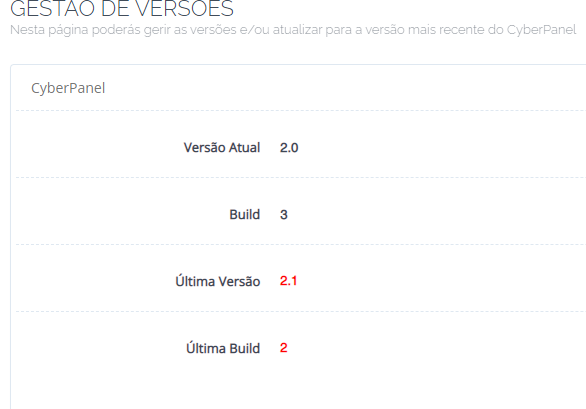
Version management says it is now latest version:

EJ
Esko Junnila #60

ctrl + c did the trick, and upgrade continued to the end

LM
Luciano Milani #61

[09.05.2022_21-02-41] #########################################################################

[09.05.2022_21-02-41] /root/.acme.sh/acme.sh --upgrade --auto-upgrade successful.

[09.05.2022_21-02-41] #########################################################################

[Mon 05 Sep 2022 09:02:41 PM UTC] Changed default CA to: https://acme-v02.api.letsencrypt.org/directory

[09.05.2022_21-02-41] #########################################################################

[09.05.2022_21-02-41] /root/.acme.sh/acme.sh --set-default-ca --server letsencrypt successful.

[09.05.2022_21-02-41] #########################################################################

sed: can’t read /usr/local/lsws/conf/httpd.conf: No such file or directory
sed: -e expression #1, char 89: unterminated s' command sed: -e expression #1, char 89: unterminated s’ command
sed: -e expression #1, char 89: unterminated `s’ command

EJ
Esko Junnila #63

Ctrl + C and then my upgrade continued to the end. I thin Ctrl + C closes that task, but script continues.

LM
Luciano Milani #65

Ok work but not a good or real resolution

EJ
Esko Junnila #66

no it is not. But that way you can finish upgrade until devs fix upgrade script.

Dr
Dreamer #68

For below error use command rm /etc/sysconfig/imunify360/integration.conf and run update again.

09.15.2022_07-44-49] #########################################################################

[09.15.2022_07-44-49] /root/.acme.sh/acme.sh --upgrade --auto-upgrade successful.

[09.15.2022_07-44-49] #########################################################################

[Thu 15 Sep 2022 07:44:49 AM UTC] Changed default CA to: https://acme-v02.api.letsencrypt.org/directory

[09.15.2022_07-44-49] #########################################################################

[09.15.2022_07-44-49] /root/.acme.sh/acme.sh --set-default-ca --server letsencrypt successful.

[09.15.2022_07-44-49] #########################################################################

[09.15.2022_07-44-49] #########################################################################

[09.15.2022_07-44-49] sed -i ‘/CyberCP/d’ /etc/crontab successful.

[09.15.2022_07-44-49] #########################################################################

sed: -e expression #1, char 89: unterminated s' command sed: -e expression #1, char 89: unterminated s’ command

[09.15.2022_07-44-49] #########################################################################

[09.15.2022_07-44-49] find /usr/local/lsws/conf/vhosts/ -type f -name ‘vhost.conf’ -exec sed -i “s/.CustomLog./ LogFormat ‘%h %l %u %t “%r” %>s %b “%{Referer}i” “%{User-Agent}i”’ combined
&/g” {} ; successful.

[09.15.2022_07-44-49] #########################################################################

sp
splaquet #69

@nick.chomey … as it would turn out, it was /usr/bin/pip* soft links, linking to CloudLinux pip & python files. reinstalling a few python packages was certainly a lot easier than spinning up a new VPS! :stuck_out_tongue_closed_eyes:

it looks as though I was finally able to update CyberPanel, although I still have a few things that need fixing.

ke
kennysvg #70

After upgrading cyberpanel today, stuck here with lscpd unable to start.

Starting LSCPD Daemon…
./lscpd: /lib64/libc.so.6: version `GLIBC_2.25’ not found (required by ./lscpd)
[ERROR] Failed to start lscpd!

This is on CentOS 7.9-2009.

So I tried rolling back to CP 2.3.1 and now hostname:8090 goes to phpmyadmin login instead of CP login page. Have no idea what’s going on…

me
meksONE #71

Hi all! lurking for ages, posting first time :slight_smile:

I’m stuck on this message after an upgrade of CyberPanel from 2.3.1 to 2.3.2 on Ubuntu 20.04 (on GCP).

/usr/local/cyberpanel_upgrade.sh: line 604: /usr/local/CyberCP/bin/activate: No such file or directory

…and in effect, in that folder i’ve found only one folder named “pycache” and nothing else.

Any ideas?
Thanks for any advice!

Ha
Haroonkhan #73

I am using VPS cyber panel, and for the last few days I am facing an HTTPS error “Your connection is not private” I installed really SSL plugging and also issue SSL from the VPS panel, but the problem still exists, then I contact hostinger the says “self-signed SSL” but I don’t know how to self-signed SSL certificate please advice

Pr
Prestige #74

Are these necessary updates? If I don’t update CyberPanel, what will happen?

AA
Amin Aenurahman #75

not necessary, but sometimes needed for security updates or just using new feature

Lu
LuigiMdg #78

Same error on Centos 7

AH
Abdul Haseeb #79

image

fine here . current commit match with latest , means that you have latest version.

Lu
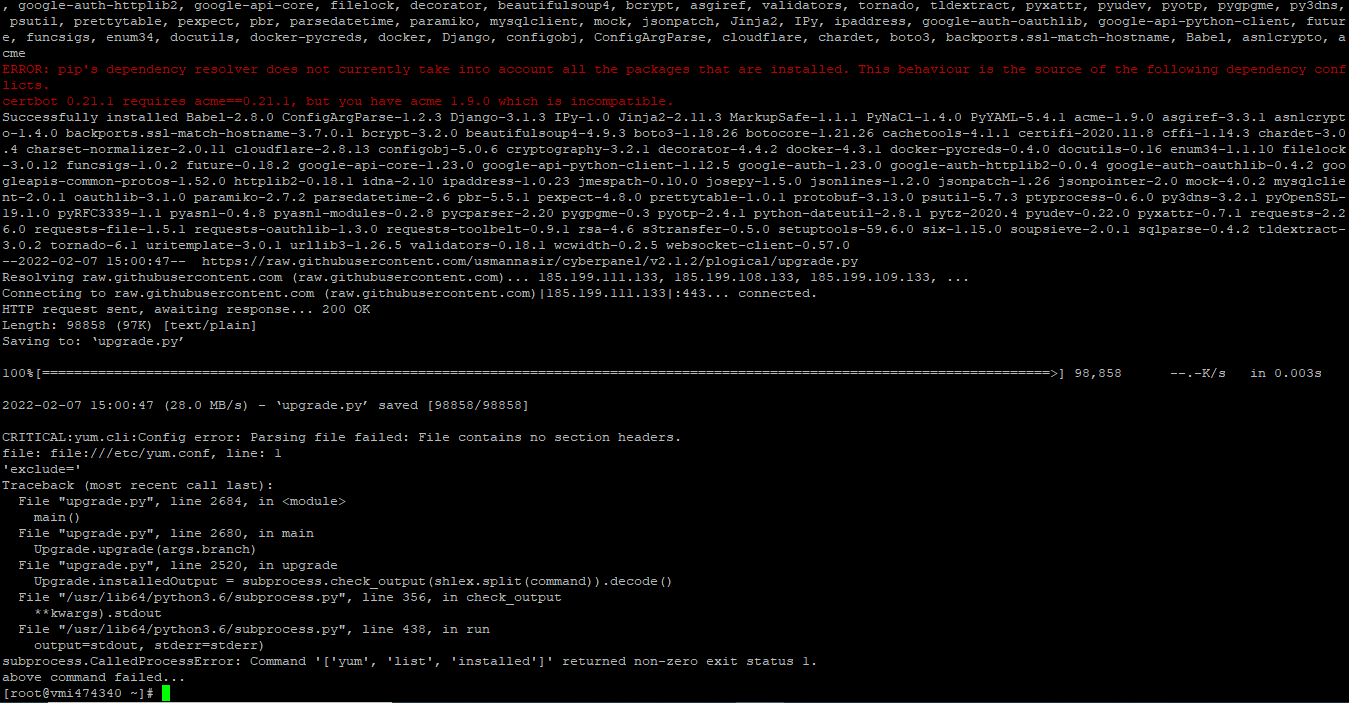
Lucas #80

I’m trying to update CyberPanel and the command is the same as given here:
See the errors that occur at the end of the print!!

Lu
Lucas #82

After giving this error mentioned above, not even a simple update command works anymore… I don’t understand that…

I can’t update and in the end it gives me other problems…

Anyone can help ?

Please.

xm
xmedia #83

What kind of downtime can we expect when upgraden/updating? Is there any downtime at all for the client websites?

Ec
EcomNextGen #85

The upgrade can break all my site if it fail ?

sg
sgerner #87

I’ve tried upgrading to stable, v2.3.2 and v2.3.4-beta, but I keep getting the error below. Our CyberPanel is all the way back on v1.8.3 (not sure if that is a problem jumping forward so many versions).

Traceback (most recent call last):
  File "upgrade.py", line 2924, in <module>
    main()
  File "upgrade.py", line 2920, in main
    Upgrade.upgrade(args.branch)
  File "upgrade.py", line 2828, in upgrade
    Upgrade.UpdateConfigOfCustomACL()
  File "upgrade.py", line 2726, in UpdateConfigOfCustomACL
    django.setup()
  File "/usr/local/CyberPanel/lib/python3.6/site-packages/django/__init__.py", line 24, in setup
    apps.populate(settings.INSTALLED_APPS)
  File "/usr/local/CyberPanel/lib/python3.6/site-packages/django/apps/registry.py", line 114, in populate
    app_config.import_models()
  File "/usr/local/CyberPanel/lib/python3.6/site-packages/django/apps/config.py", line 211, in import_models
    self.models_module = import_module(models_module_name)
  File "/usr/local/CyberPanel/lib/python3.6/importlib/__init__.py", line 126, in import_module
    return _bootstrap._gcd_import(name[level:], package, level)
  File "<frozen importlib._bootstrap>", line 994, in _gcd_import
  File "<frozen importlib._bootstrap>", line 971, in _find_and_load
  File "<frozen importlib._bootstrap>", line 955, in _find_and_load_unlocked
  File "<frozen importlib._bootstrap>", line 665, in _load_unlocked
  File "<frozen importlib._bootstrap_external>", line 678, in exec_module
  File "<frozen importlib._bootstrap>", line 219, in _call_with_frames_removed
  File "/usr/local/CyberCP/loginSystem/models.py", line 75, in <module>
    class Administrator(models.Model):
  File "/usr/local/CyberCP/loginSystem/models.py", line 87, in Administrator
    acl = models.ForeignKey(ACL, default=1)
TypeError: __init__() missing 1 required positional argument: 'on_delete'
above command failed...
cm
cyber_me #88

Hi Usmannasir.
I currently have cyberpanel 2.3 (stable) installed.
I would like to upgrade to v2.3.4-dev due to the problems highlighted with regard to certificates.
Are there any contraindications to this?
If there are no problems, what should be the commands to upgrade?
Thanks for your help

kh
khamiss #90

hi, I tried to upgrade to the latest but I am getting this error !!!: “Please input a valid format version number.”

==============================================

sh <(curl https://raw.githubusercontent.com/usmannasir/cyberpanel/stable/preUpgrade.sh || wget -O - https://raw.githubusercontent.com/usmannasir/cyberpanel/stable/preUpgrade.sh)
% Total % Received % Xferd Average Speed Time Time Time Current
Dload Upload Total Spent Left Speed
100 396 100 396 0 0 2506 0 --:–:-- --:–:-- --:–:-- 2506

Fetching latest data from CyberPanel server…

This may take few seconds…

Checking root privileges…

You are running as root…

Checking server location…

System: AlmaLinux 8 detected…

Press the Enter key to continue with latest version, or enter specific version such as: 1.9.4 , 1.9.5 …etc

If nothing is input in 10 seconds, script will proceed with the latest stable version.

Please press the Enter key or specify a version number, or wait for 10 seconds:

Please input a valid format version number.

di
digidadyworld #91

i am getting the same eror, what steps did you take to resolve the issue?

CL
Calvyn Lee #92

My cyberpanel Current Version 2.0 Build 3

Hosted in Centos 7, I wish to upgrade to latest version.

When I follow the instruction to upgrade:

sh <(curl https://raw.githubusercontent.com/.../stable/preUpgrade.sh || wget -O - https://raw.githubusercontent.com/.../stable/preUpgrade.sh)

it stop halfway and I see this error:

WARNING: Running pip install with root privileges is generally not a good idea. Try pip3.6 install --user instead.

after that I follow again the instruction:

#pip3.6 install --user

it shows:

WARNING: Running pip install with root privileges is generally not a good idea. Try pip3.6 install --user instead.

You must give at least one requirement to install (see “pip help install”)

anyone experience this and able to share me some direction?
I see some say disable IPv6, I disable it via my VPS control panel, but still the same.

If I ignore the msg, the process just stop at this stage:

Collecting botocore==1.21.26
Downloading botocore-1.21.26-py3-none-any.whl (7.8 MB)
|██████▋ | 1.6 MB 22.5 MB/s eta 0:00Connection closed

Any suggestion what my next step?

Mv
Mike van Eckendonk #94

Create a bash file example update.sh

#!/bin/bash
sh <(curl https://raw.githubusercontent.com/usmannasir/cyberpanel/stable/preUpgrade.sh || wget -O - https://raw.githubusercontent.com/usmannasir/cyberpanel/stable/preUpgrade.sh)

And let it run in a crontab at a time interval you want.

NL
Nam Le #95

I got this error when I try to upgrade to the lasted version.
Can anyone help?
Could not find platform independent libraries
Could not find platform dependent libraries <exec_prefix>
Consider setting $PYTHONHOME to [:<exec_prefix>]
Python path configuration:
PYTHONHOME = (not set)
PYTHONPATH = (not set)
program name = ‘/usr/local/CyberCP/bin/python3’
isolated = 0
environment = 1
user site = 1
import site = 1
sys._base_executable = ‘/usr/local/CyberCP/bin/python3’
sys.base_prefix = ‘/usr’
sys.base_exec_prefix = ‘/usr’
sys.executable = ‘/usr/local/CyberCP/bin/python3’
sys.prefix = ‘/usr’
sys.exec_prefix = ‘/usr’
sys.path = [
‘/usr/lib/python38.zip’,
‘/usr/lib/python3.8’,
‘/usr/lib/lib-dynload’,
]
Fatal Python error: init_fs_encoding: failed to get the Python codec of the filesystem encoding
Python runtime state: core initialized
ModuleNotFoundError: No module named ‘encodings’

Current thread 0x00007f36f7155740 (most recent call first):

above command failed…

uz
uzairjhandeer #96

please fix this i cant upgrade the cyberpanel ubuntu 22

‘int’ object has no attribute ‘execute’
Traceback (most recent call last):
File “/root/cyberpanel_upgrade_tmp/upgrade.py”, line 842, in applyLoginSystemMigrations
cursor.execute(“UPDATE loginSystem_acl SET config = ‘%s’ where name = ‘admin’” % (Upgrade.AdminACL))
AttributeError: ‘int’ object has no attribute ‘execute’

During handling of the above exception, another exception occurred:

Traceback (most recent call last):
File “/root/cyberpanel_upgrade_tmp/upgrade.py”, line 3072, in
main()
File “/root/cyberpanel_upgrade_tmp/upgrade.py”, line 3068, in main
Upgrade.upgrade(args.branch)
File “/root/cyberpanel_upgrade_tmp/upgrade.py”, line 2976, in upgrade
Upgrade.applyLoginSystemMigrations()
File “/root/cyberpanel_upgrade_tmp/upgrade.py”, line 845, in applyLoginSystemMigrations
import sleep
ModuleNotFoundError: No module named ‘sleep’
above command failed…

yt
ytcele #97

You can create an alias to simplify the upgrading/update CyberPanel command. Aliases in Linux allow you to create shortcuts for long or complex commands, making them easier to remember and execute. In this case, you can add an alias in your shell configuration file, such as .bashrc or .zshrc, depending on your environment.

Here’s how to do it for a Bash shell, which is common on many Linux systems. Open your .bashrc file in a text editor:

nano ~/.bashrc

Then, add a line at the end of the file to create your alias. For example, you could name it update_cyberpanel :

alias update_cyberpanel="sh <(curl https://raw.githubusercontent.com/usmannasir/cyberpanel/stable/preUpgrade.sh || wget -O - https://raw.githubusercontent.com/usmannasir/cyberpanel/stable/preUpgrade.sh)"

Save and close the file. Next, for the changes to take effect, reload your .bashrc by running:

source ~/.bashrc

Now, instead of typing the entire command, you can simply type update_cyberpanel in your terminal to execute the CyberPanel update script.

Please note that this alias will be available only for your current user and only in shell sessions that load the .bashrc file.

image
:white_check_mark:

Da
Daniel #99

Hello, I just upgrade to:

Cyberpanel: 2.3
Build: 5
Current Commit: ef026d0ffabec88133a1f672519ba20a8df5e2ed

I have used:

sh <(curl https://raw.githubusercontent.com/usmannasir/cyberpanel/stable/preUpgrade.sh || wget -O - https://raw.githubusercontent.com/usmannasir/cyberpanel/stable/preUpgrade.sh)

My Server is Ubuntu 22.04

But OLS has not been upgraded, into OLS panel I still see:

CURRENT VERSION: OpenLiteSpeed 1.7.19 [New Release: 1.8.1]

How I can proceed?
Thank you for your time.

ZB
Zane Bernard #101

1.7.19 is the latest “stable” release. Be patient, once 1.8.1 becomes stable Cyberpanel will upgrade it automatically.

Da
Daniel #102

Thanks a lot! have a great day!

A
A #103

Any way to automate the update process?

Ma
Master3395 #104

I don’t recommend automating the upgrade, because there are many minor updates, so you should only update when you want, and have a backup ready, in case you need to revert to a working version.

CX
Christos Xanthou #105

Good evening, I am facing an issue with the upgrade of CyberPanel. For some reason, it does not allow me to upgrade, and I don’t know why. I have been using the same command for a long time, and after that, I always did a restart.

root@vmi :~# sudo su - -c "sh <(curl https://raw.githubusercontent.com/usmannasir/cyberpanel/stable/preUpgrade.sh || wget -O - https://raw.githubusercontent.com/usmannasir/cyberpanel/stable/preUpgrade.sh)"


Enjoy your accelerated Internet by CyberPanel.

  % Total    % Received % Xferd  Average Speed   Time    Time     Time  Current
                                 Dload  Upload   Total   Spent    Left  Speed
100   396  100   396    0     0   2212      0 --:--:-- --:--:-- --:--:--  2212

Fetching latest data from CyberPanel server...

This may take few seconds...

Checking root privileges...

You are running as root...

Checking server location...

System: Ubuntu 20 detected...


Press the Enter key to continue with latest version, or enter specific version such as: 1.9.4 , 1.9.5 ...etc

If nothing is input in 10 seconds, script will proceed with the latest stable version.

Please press the Enter key or specify a version number, or wait for 10 seconds:
Branch name set to v2.3.5
Hit:1 http://asi-fs-d.contabo.net/ubuntu focal InRelease
Hit:2 http://asi-fs-d.contabo.net/ubuntu focal-updates InRelease
Hit:3 http://asi-fs-d.contabo.net/ubuntu focal-backports InRelease
Hit:4 http://security.ubuntu.com/ubuntu focal-security InRelease
Get:6 https://dlm.mariadb.com/repo/mariadb-server/10.10/repo/ubuntu focal InRelease [7,767 B]
Hit:7 http://ppa.launchpad.net/ondrej/php/ubuntu focal InRelease
Get:8 https://dlm.mariadb.com/repo/maxscale/latest/apt focal InRelease [9,338 B]
Hit:9 https://repo.imunify360.cloudlinux.com/imunify360/ubuntu/20.04 focal InRelease
Hit:5 https://downloads.mariadb.com/Tools/ubuntu focal InRelease
Ign:10 http://rpms.litespeedtech.com/debian focal InRelease
Get:11 https://download.imunify360.com/ubuntu/20.04/slot-1 focal InRelease [1,138 B]
Get:12 https://download.imunify360.com/ubuntu/20.04/slot-2 focal InRelease [1,150 B]
Hit:13 https://download.imunify360.com/ubuntu/20.04/slot-3 focal InRelease
Hit:14 http://rpms.litespeedtech.com/debian focal Release
Get:15 https://download.imunify360.com/ubuntu/20.04/slot-4 focal InRelease [1,138 B]
Get:16 https://download.imunify360.com/ubuntu/20.04/slot-5 focal InRelease [1,138 B]
Hit:17 https://download.imunify360.com/ubuntu/20.04/slot-6 focal InRelease
Get:18 https://download.imunify360.com/ubuntu/20.04/slot-7 focal InRelease [1,138 B]
Get:19 https://download.imunify360.com/ubuntu/20.04/slot-8 focal InRelease [1,138 B]
Fetched 23.9 kB in 2s (13.6 kB/s)
Reading package lists... Done
Building dependency tree
Reading state information... Done
All packages are up to date.
Reading package lists... Done
Building dependency tree
Reading state information... Done
Calculating upgrade... Done
0 upgraded, 0 newly installed, 0 to remove and 0 not upgraded.
Reading package lists... Done
Building dependency tree
Reading state information... Done
htop is already the newest version (2.2.0-2build1).
libattr1 is already the newest version (1:2.4.48-5).
libattr1-dev is already the newest version (1:2.4.48-5).
libpsl-dev is already the newest version (0.21.0-1ubuntu1).
librtmp-dev is already the newest version (2.4+20151223.gitfa8646d.1-2build1).
telnet is already the newest version (0.17-41.2build1).
git is already the newest version (1:2.25.1-1ubuntu3.13).
libcomerr2 is already the newest version (1.45.5-2ubuntu1.1).
libcurl4-gnutls-dev is already the newest version (7.68.0-1ubuntu2.23).
libgcrypt20-dev is already the newest version (1.8.5-5ubuntu1.1).
libgnutls28-dev is already the newest version (3.6.13-2ubuntu1.11).
libgpgme-dev is already the newest version (1.13.1-7ubuntu2.2).
libgssapi-krb5-2 is already the newest version (1.17-6ubuntu4.4).
libk5crypto3 is already the newest version (1.17-6ubuntu4.4).
libkrb5-dev is already the newest version (1.17-6ubuntu4.4).
libldap2-dev is already the newest version (2.4.49+dfsg-2ubuntu1.10).
liblzma-dev is already the newest version (5.2.4-1ubuntu1.1).
libnghttp2-dev is already the newest version (1.40.0-1ubuntu0.3).
libssl-dev is already the newest version (1.1.1f-1ubuntu2.23).
nettle-dev is already the newest version (3.5.1+really3.5.1-2ubuntu0.2).
dnsutils is already the newest version (1:9.18.28-0ubuntu0.20.04.1).
nghttp2 is already the newest version (1.40.0-1ubuntu0.3).
virtualenv is already the newest version (20.0.17-1ubuntu0.4).
idn2 is already the newest version (2.3.0-1+ubuntu20.04.1+deb.sury.org+2).
libidn2-0-dev is already the newest version (2.3.0-1+ubuntu20.04.1+deb.sury.org+2).
libidn2-dev is already the newest version (2.3.0-1+ubuntu20.04.1+deb.sury.org+2).
Some packages could not be installed. This may mean that you have
requested an impossible situation or if you are using the unstable
distribution that some required packages have not yet been created
or been moved out of Incoming.
The following information may help to resolve the situation:

The following packages have unmet dependencies:
 libmariadbclient-dev : Depends: libmariadb-dev (= 1:10.3.39-0ubuntu0.20.04.2) but it is not going to be installed
E: Unable to correct problems, you have held broken packages.
Reading package lists... Done
Building dependency tree
Reading state information... Done
python3-pip is already the newest version (20.0.2-5ubuntu1.10).
0 upgraded, 0 newly installed, 0 to remove and 0 not upgraded.
Reading package lists... Done
Building dependency tree
Reading state information... Done
libffi-dev is already the newest version (3.3-4).
python3-dev is already the newest version (3.8.2-0ubuntu2).
build-essential is already the newest version (12.8ubuntu1.1).
libssl-dev is already the newest version (1.1.1f-1ubuntu2.23).
0 upgraded, 0 newly installed, 0 to remove and 0 not upgraded.
Reading package lists... Done
Building dependency tree
Reading state information... Done
python3-venv is already the newest version (3.8.2-0ubuntu2).
0 upgraded, 0 newly installed, 0 to remove and 0 not upgraded.
Hit:1 http://asi-fs-d.contabo.net/ubuntu focal InRelease
Hit:2 http://asi-fs-d.contabo.net/ubuntu focal-updates InRelease
Hit:3 http://asi-fs-d.contabo.net/ubuntu focal-backports InRelease
Hit:4 http://security.ubuntu.com/ubuntu focal-security InRelease
Hit:5 http://ppa.launchpad.net/ondrej/php/ubuntu focal InRelease
Get:7 https://dlm.mariadb.com/repo/mariadb-server/10.10/repo/ubuntu focal InRelease [7,767 B]
Get:8 https://dlm.mariadb.com/repo/maxscale/latest/apt focal InRelease [9,338 B]
Hit:9 https://repo.imunify360.cloudlinux.com/imunify360/ubuntu/20.04 focal InRelease
Hit:6 https://downloads.mariadb.com/Tools/ubuntu focal InRelease
Ign:10 http://rpms.litespeedtech.com/debian focal InRelease
Get:11 https://download.imunify360.com/ubuntu/20.04/slot-1 focal InRelease [1,138 B]
Get:12 https://download.imunify360.com/ubuntu/20.04/slot-2 focal InRelease [1,150 B]
Hit:13 http://rpms.litespeedtech.com/debian focal Release
Hit:14 https://download.imunify360.com/ubuntu/20.04/slot-3 focal InRelease
Get:15 https://download.imunify360.com/ubuntu/20.04/slot-4 focal InRelease [1,138 B]
Get:16 https://download.imunify360.com/ubuntu/20.04/slot-5 focal InRelease [1,138 B]
Hit:17 https://download.imunify360.com/ubuntu/20.04/slot-6 focal InRelease
Get:18 https://download.imunify360.com/ubuntu/20.04/slot-7 focal InRelease [1,138 B]
Get:19 https://download.imunify360.com/ubuntu/20.04/slot-8 focal InRelease [1,138 B]
Fetched 23.9 kB in 2s (13.1 kB/s)
Reading package lists... Done
Building dependency tree
Reading state information... Done
All packages are up to date.
Reading package lists... Done
Building dependency tree
Reading state information... Done
Calculating upgrade... Done
Get more security updates through Ubuntu Pro with 'esm-apps' enabled:
  libmagickcore-6.q16-6-extra libopenexr-dev libmagickwand-6.q16-6
  libmagickwand-6-headers redis libmagickcore-6-headers redis-tools
  libmagickcore-6-arch-config libmagickwand-6.q16-dev libopenexr24
  libmagickcore-6.q16-6 libmagickwand-dev redis-server traceroute
  libmagickcore-6.q16-dev imagemagick-6-common
Learn more about Ubuntu Pro at https://ubuntu.com/pro
0 upgraded, 0 newly installed, 0 to remove and 0 not upgraded.
Requirement already satisfied: virtualenv in /usr/local/lib/python3.8/dist-packages (20.26.3)
Requirement already satisfied: distlib<1,>=0.3.7 in /usr/local/lib/python3.8/dist-packages (from virtualenv) (0.3.8)
Requirement already satisfied: filelock<4,>=3.12.2 in /usr/local/lib/python3.8/dist-packages (from virtualenv) (3.15.4)
Requirement already satisfied: platformdirs<5,>=3.9.1 in /usr/local/lib/python3.8/dist-packages (from virtualenv) (4.2.2)
WARNING: Running pip as the 'root' user can result in broken permissions and conflicting behaviour with the system package manager, possibly rendering your system unusable.It is recommended to use a virtual environment instead: https://pip.pypa.io/warnings/venv. Use the --root-user-action option if you know what you are doing and want to suppress this warning.

[notice] A new release of pip is available: 24.1 -> 24.2
[notice] To update, run: python3 -m pip install --upgrade pip

Nothing found, need fresh setup...

AttributeError: module 'virtualenv.create.via_global_ref.builtin.cpython.mac_os' has no attribute 'CPython2macOsFramework'
above command failed...

ty
tyrannosaurhex #106

Did you manage to resolve this? I am getting the exact same error.

Requirement already up-to-date: virtualenv in /usr/local/lib/python3.8/dist-packages (20.26.3)
Requirement already satisfied, skipping upgrade: filelock<4,>=3.12.2 in /usr/local/lib/python3.8/dist-packages (from virtualenv) (3.15.4)
Requirement already satisfied, skipping upgrade: distlib<1,>=0.3.7 in /usr/local/lib/python3.8/dist-packages (from virtualenv) (0.3.8)
Requirement already satisfied, skipping upgrade: platformdirs<5,>=3.9.1 in /usr/local/lib/python3.8/dist-packages (from virtualenv) (4.2.2)

Nothing found, need fresh setup...

AttributeError: module 'virtualenv.create.via_global_ref.builtin.cpython.mac_os' has no attribute 'CPython2macOsFramework'
above command failed...
Ar
Arnas #108

I get this error when I do upgrade via SSH:

Building wheels for collected packages: cffi
  Building wheel for cffi (setup.py) ... error
  error: subprocess-exited-with-error

  × python setup.py bdist_wheel did not run successfully.
  │ exit code: 1
  ╰─> [70 lines of output]
      running bdist_wheel
      running build
      running build_py
      creating build
      creating build/lib.linux-x86_64-cpython-310
      creating build/lib.linux-x86_64-cpython-310/cffi
      copying cffi/model.py -> build/lib.linux-x86_64-cpython-310/cffi
      copying cffi/commontypes.py -> build/lib.linux-x86_64-cpython-310/cffi
      copying cffi/api.py -> build/lib.linux-x86_64-cpython-310/cffi
      copying cffi/backend_ctypes.py -> build/lib.linux-x86_64-cpython-310/cffi
      copying cffi/vengine_cpy.py -> build/lib.linux-x86_64-cpython-310/cffi
      copying cffi/verifier.py -> build/lib.linux-x86_64-cpython-310/cffi
      copying cffi/error.py -> build/lib.linux-x86_64-cpython-310/cffi
      copying cffi/recompiler.py -> build/lib.linux-x86_64-cpython-310/cffi
      copying cffi/pkgconfig.py -> build/lib.linux-x86_64-cpython-310/cffi
      copying cffi/vengine_gen.py -> build/lib.linux-x86_64-cpython-310/cffi
      copying cffi/cparser.py -> build/lib.linux-x86_64-cpython-310/cffi
      copying cffi/setuptools_ext.py -> build/lib.linux-x86_64-cpython-310/cffi
      copying cffi/__init__.py -> build/lib.linux-x86_64-cpython-310/cffi
      copying cffi/lock.py -> build/lib.linux-x86_64-cpython-310/cffi
      copying cffi/cffi_opcode.py -> build/lib.linux-x86_64-cpython-310/cffi
      copying cffi/ffiplatform.py -> build/lib.linux-x86_64-cpython-310/cffi
      copying cffi/_cffi_include.h -> build/lib.linux-x86_64-cpython-310/cffi
      copying cffi/parse_c_type.h -> build/lib.linux-x86_64-cpython-310/cffi
      copying cffi/_embedding.h -> build/lib.linux-x86_64-cpython-310/cffi
      copying cffi/_cffi_errors.h -> build/lib.linux-x86_64-cpython-310/cffi
      running build_ext
      building '_cffi_backend' extension
      creating build/temp.linux-x86_64-cpython-310
      creating build/temp.linux-x86_64-cpython-310/c
      x86_64-linux-gnu-gcc -Wno-unused-result -Wsign-compare -DNDEBUG -g -fwrapv -O2 -Wall -g -fstack-protector-strong -Wformat -Werror=format-security -g -fwrapv -O2 -fPIC -DUSE__THREAD -DHAVE_SYNC_SYNCHRONIZE -I/usr/local/CyberPanelTemp/include -I/usr/include/python3.10 -c c/_cffi_backend.c -o build/temp.linux-x86_64-cpython-310/c/_cffi_backend.o
      c/_cffi_backend.c: In function ‘ctypedescr_dealloc’:
      c/_cffi_backend.c:405:23: error: lvalue required as left operand of assignment
        405 |         Py_REFCNT(ct) = 43;
            |                       ^
      c/_cffi_backend.c:408:23: error: lvalue required as left operand of assignment
        408 |         Py_REFCNT(ct) = 0;
            |                       ^
      c/_cffi_backend.c: In function ‘prepare_callback_info_tuple’:
      c/_cffi_backend.c:5987:5: warning: ‘PyEval_InitThreads’ is deprecated [-Wdeprecated-declarations]
       5987 |     PyEval_InitThreads();
            |     ^~~~~~~~~~~~~~~~~~
      In file included from /usr/include/python3.10/Python.h:130,
                       from c/_cffi_backend.c:2:
      /usr/include/python3.10/ceval.h:122:37: note: declared here
        122 | Py_DEPRECATED(3.9) PyAPI_FUNC(void) PyEval_InitThreads(void);
            |                                     ^~~~~~~~~~~~~~~~~~
      c/_cffi_backend.c: In function ‘b_callback’:
      c/_cffi_backend.c:6042:5: warning: ‘ffi_prep_closure’ is deprecated: use ffi_prep_closure_loc instead [-Wdeprecated-declarations]
       6042 |     if (ffi_prep_closure(closure, &cif_descr->cif,
            |     ^~
      In file included from c/_cffi_backend.c:15:
      /usr/include/x86_64-linux-gnu/ffi.h:347:1: note: declared here
        347 | ffi_prep_closure (ffi_closure*,
            | ^~~~~~~~~~~~~~~~
      In file included from c/cffi1_module.c:20,
                       from c/_cffi_backend.c:7552:
      c/call_python.c: In function ‘_get_interpstate_dict’:
      c/call_python.c:20:30: error: invalid use of incomplete typedef ‘PyInterpreterState’ {aka ‘struct _is’}
         20 |     builtins = tstate->interp->builtins;
            |                              ^~
      c/call_python.c: In function ‘_update_cache_to_call_python’:
      c/call_python.c:160:39: error: invalid use of incomplete typedef ‘PyInterpreterState’ {aka ‘struct _is’}
        160 |     new1 = PyThreadState_GET()->interp->modules;
            |                                       ^~
      c/call_python.c: In function ‘cffi_call_python’:
      c/call_python.c:249:63: error: invalid use of incomplete typedef ‘PyInterpreterState’ {aka ‘struct _is’}
        249 |         if (externpy->reserved1 != PyThreadState_GET()->interp->modules) {
            |                                                               ^~
      error: command '/usr/bin/x86_64-linux-gnu-gcc' failed with exit code 1
      [end of output]

  note: This error originates from a subprocess, and is likely not a problem with pip.
  ERROR: Failed building wheel for cffi
  Running setup.py clean for cffi
Failed to build cffi
ERROR: ERROR: Failed to build installable wheels for some pyproject.toml based projects (cffi)
NW
Nathan Waelkens #109

Me too. Same error.

I’m upgrading on Ubuntu 20 from 2.3 Build: 5
Current Commit: 874cdfdc56e94f19f779db337e2d2404de63b486

Ar
Arnas #110

I tried on 4 different servers and same error, it’s MAJOR BUG !

Ubuntu 20.04 and Ubuntu 22.04 tested.

Se
Sean #113

I get this error when trying to update:

error: [Errno 13] Permission denied: ‘/tmp/pip-build-2lkjlu0v/pynacl/src/libsodium/configure’

Command “/usr/bin/python3.6 -u -c “import setuptools, tokenize;file=‘/tmp/pip-build-2lkjlu0v/pynacl/setup.py’;f=getattr(tokenize, ‘open’, open)(file);code=f.read().replace(‘\r\n’, ‘\n’);f.close();exec(compile(code, file, ‘exec’))” install --record /tmp/pip-m9zguxfy-record/install-record.txt --single-version-externally-managed --compile” failed with error code 1 in /tmp/pip-build-2lkjlu0v/pynacl/
above command failed…

Ar
Arnas #114

I can confirm, it is fixed for me as well, thanks.

We
Weck #115

How to fix this?
Without this fix I can not upgrade to fix a security issue of cyberpanel.

Collecting cloudflare==2.8.13 (from -r /usr/local/requirments.txt (line 5))
  Using cached cloudflare-2.8.13.tar.gz (65 kB)
  Preparing metadata (setup.py) ... error
  error: subprocess-exited-with-error
  
  × python setup.py egg_info did not run successfully.
  │ exit code: 1
  ╰─> [45 lines of output]
      running egg_info
      creating /tmp/pip-pip-egg-info-659cu9_l/cloudflare.egg-info
      writing /tmp/pip-pip-egg-info-659cu9_l/cloudflare.egg-info/PKG-INFO
      writing dependency_links to /tmp/pip-pip-egg-info-659cu9_l/cloudflare.egg-info/dependency_links.txt
      writing entry points to /tmp/pip-pip-egg-info-659cu9_l/cloudflare.egg-info/entry_points.txt
      writing requirements to /tmp/pip-pip-egg-info-659cu9_l/cloudflare.egg-info/requires.txt
      writing top-level names to /tmp/pip-pip-egg-info-659cu9_l/cloudflare.egg-info/top_level.txt
      writing manifest file '/tmp/pip-pip-egg-info-659cu9_l/cloudflare.egg-info/SOURCES.txt'
      reading manifest file '/tmp/pip-pip-egg-info-659cu9_l/cloudflare.egg-info/SOURCES.txt'
      reading manifest template 'MANIFEST.in'
      adding license file 'LICENSE'
      Traceback (most recent call last):
        File "<string>", line 2, in <module>
        File "<pip-setuptools-caller>", line 34, in <module>
        File "/tmp/pip-install-98zr7uwv/cloudflare_a9368bed35c441ca856bb09dfa544b70/setup.py", line 60, in <module>
          main()
        File "/tmp/pip-install-98zr7uwv/cloudflare_a9368bed35c441ca856bb09dfa544b70/setup.py", line 18, in main
          setup(
        File "/usr/local/CyberPanel/lib/python3.10/site-packages/setuptools/__init__.py", line 117, in setup
          return distutils.core.setup(**attrs)
        File "/usr/local/CyberPanel/lib/python3.10/site-packages/setuptools/_distutils/core.py", line 183, in setup
          return run_commands(dist)
        File "/usr/local/CyberPanel/lib/python3.10/site-packages/setuptools/_distutils/core.py", line 199, in run_commands
          dist.run_commands()
        File "/usr/local/CyberPanel/lib/python3.10/site-packages/setuptools/_distutils/dist.py", line 954, in run_commands
          self.run_command(cmd)
        File "/usr/local/CyberPanel/lib/python3.10/site-packages/setuptools/dist.py", line 991, in run_command
          super().run_command(command)
        File "/usr/local/CyberPanel/lib/python3.10/site-packages/setuptools/_distutils/dist.py", line 973, in run_command
          cmd_obj.run()
        File "/usr/local/CyberPanel/lib/python3.10/site-packages/setuptools/command/egg_info.py", line 315, in run
          self.find_sources()
        File "/usr/local/CyberPanel/lib/python3.10/site-packages/setuptools/command/egg_info.py", line 323, in find_sources
          mm.run()
        File "/usr/local/CyberPanel/lib/python3.10/site-packages/setuptools/command/egg_info.py", line 549, in run
          self.prune_file_list()
        File "/usr/local/CyberPanel/lib/python3.10/site-packages/setuptools/command/sdist.py", line 161, in prune_file_list
          super().prune_file_list()
        File "/usr/local/CyberPanel/lib/python3.10/site-packages/setuptools/_distutils/command/sdist.py", line 380, in prune_file_list
          base_dir = self.distribution.get_fullname()
        File "/usr/local/CyberPanel/lib/python3.10/site-packages/setuptools/_core_metadata.py", line 267, in get_fullname
          return _distribution_fullname(self.get_name(), self.get_version())
        File "/usr/local/CyberPanel/lib/python3.10/site-packages/setuptools/_core_metadata.py", line 285, in _distribution_fullname
          canonicalize_version(version, strip_trailing_zero=False),
      TypeError: canonicalize_version() got an unexpected keyword argument 'strip_trailing_zero'
      [end of output]
EJ
Esko Junnila #116

I got same error:

2024-10-29 10:05:35 (146 MB/s) - ‘/usr/local/requirments.txt’ saved [613/613]

Collecting bcrypt==4.2.0 (from -r /usr/local/requirments.txt (line 1))
  Using cached bcrypt-4.2.0-cp39-abi3-manylinux_2_28_x86_64.whl.metadata (9.6 kB)
Collecting beautifulsoup4==4.12.3 (from -r /usr/local/requirments.txt (line 2))
  Using cached beautifulsoup4-4.12.3-py3-none-any.whl.metadata (3.8 kB)
Collecting boto3==1.34.153 (from -r /usr/local/requirments.txt (line 3))
  Using cached boto3-1.34.153-py3-none-any.whl.metadata (6.6 kB)
Collecting botocore==1.34.153 (from -r /usr/local/requirments.txt (line 4))
  Using cached botocore-1.34.153-py3-none-any.whl.metadata (5.7 kB)
Collecting cloudflare==2.8.13 (from -r /usr/local/requirments.txt (line 5))
  Using cached cloudflare-2.8.13.tar.gz (65 kB)
  Preparing metadata (setup.py) ... error
  error: subprocess-exited-with-error

  × python setup.py egg_info did not run successfully.
  │ exit code: 1
  ╰─> [45 lines of output]
      running egg_info
      creating /tmp/pip-pip-egg-info-v54eep3t/cloudflare.egg-info
      writing /tmp/pip-pip-egg-info-v54eep3t/cloudflare.egg-info/PKG-INFO
      writing dependency_links to /tmp/pip-pip-egg-info-v54eep3t/cloudflare.egg-info/dependency_links.txt
      writing entry points to /tmp/pip-pip-egg-info-v54eep3t/cloudflare.egg-info/entry_points.txt
      writing requirements to /tmp/pip-pip-egg-info-v54eep3t/cloudflare.egg-info/requires.txt
      writing top-level names to /tmp/pip-pip-egg-info-v54eep3t/cloudflare.egg-info/top_level.txt
      writing manifest file '/tmp/pip-pip-egg-info-v54eep3t/cloudflare.egg-info/SOURCES.txt'
      reading manifest file '/tmp/pip-pip-egg-info-v54eep3t/cloudflare.egg-info/SOURCES.txt'
      reading manifest template 'MANIFEST.in'
      adding license file 'LICENSE'
      Traceback (most recent call last):
        File "<string>", line 2, in <module>
        File "<pip-setuptools-caller>", line 34, in <module>
        File "/tmp/pip-install-octo9jne/cloudflare_a5c80bdc39f8421e81c9fbf1eafa340c/setup.py", line 60, in <module>
          main()
        File "/tmp/pip-install-octo9jne/cloudflare_a5c80bdc39f8421e81c9fbf1eafa340c/setup.py", line 18, in main
          setup(
        File "/usr/local/CyberPanel/lib/python3.10/site-packages/setuptools/__init__.py", line 117, in setup
          return distutils.core.setup(**attrs)
        File "/usr/local/CyberPanel/lib/python3.10/site-packages/setuptools/_distutils/core.py", line 183, in setup
          return run_commands(dist)
        File "/usr/local/CyberPanel/lib/python3.10/site-packages/setuptools/_distutils/core.py", line 199, in run_commands
          dist.run_commands()
        File "/usr/local/CyberPanel/lib/python3.10/site-packages/setuptools/_distutils/dist.py", line 954, in run_commands
          self.run_command(cmd)
        File "/usr/local/CyberPanel/lib/python3.10/site-packages/setuptools/dist.py", line 991, in run_command
          super().run_command(command)
        File "/usr/local/CyberPanel/lib/python3.10/site-packages/setuptools/_distutils/dist.py", line 973, in run_command
          cmd_obj.run()
        File "/usr/local/CyberPanel/lib/python3.10/site-packages/setuptools/command/egg_info.py", line 315, in run
          self.find_sources()
        File "/usr/local/CyberPanel/lib/python3.10/site-packages/setuptools/command/egg_info.py", line 323, in find_sources
          mm.run()
        File "/usr/local/CyberPanel/lib/python3.10/site-packages/setuptools/command/egg_info.py", line 549, in run
          self.prune_file_list()
        File "/usr/local/CyberPanel/lib/python3.10/site-packages/setuptools/command/sdist.py", line 161, in prune_file_list
          super().prune_file_list()
        File "/usr/local/CyberPanel/lib/python3.10/site-packages/setuptools/_distutils/command/sdist.py", line 380, in prune_file_list
          base_dir = self.distribution.get_fullname()
        File "/usr/local/CyberPanel/lib/python3.10/site-packages/setuptools/_core_metadata.py", line 267, in get_fullname
          return _distribution_fullname(self.get_name(), self.get_version())
        File "/usr/local/CyberPanel/lib/python3.10/site-packages/setuptools/_core_metadata.py", line 285, in _distribution_fullname
          canonicalize_version(version, strip_trailing_zero=False),
      TypeError: canonicalize_version() got an unexpected keyword argument 'strip_trailing_zero'
      [end of output]

  note: This error originates from a subprocess, and is likely not a problem with pip.
error: metadata-generation-failed

× Encountered error while generating package metadata.
╰─> See above for output.

note: This is an issue with the package mentioned above, not pip.
hint: See above for details.
above command failed...

Ubuntu 22.04

LT
Luveedu Team #118

Hello everyone.

What’s Going on?


My 40+ servers 100% cpu usage. 500+ websites down. Now I am feeling very very very great :slightly_smiling_face:

Did anyone get any resolution?

Thank You.

mo
morphinestyle #119

Same error here!!!
Please solve!

 × python setup.py egg_info did not run successfully.
  │ exit code: 1
  ╰─> [45 lines of output]
      running egg_info
      creating /tmp/pip-pip-egg-info-j0fzk0_8/cloudflare.egg-info
      writing /tmp/pip-pip-egg-info-j0fzk0_8/cloudflare.egg-info/PKG-INFO
      writing dependency_links to /tmp/pip-pip-egg-info-j0fzk0_8/cloudflare.egg-info/dependency_links.txt
      writing entry points to /tmp/pip-pip-egg-info-j0fzk0_8/cloudflare.egg-info/entry_points.txt
      writing requirements to /tmp/pip-pip-egg-info-j0fzk0_8/cloudflare.egg-info/requires.txt
      writing top-level names to /tmp/pip-pip-egg-info-j0fzk0_8/cloudflare.egg-info/top_level.txt
      writing manifest file '/tmp/pip-pip-egg-info-j0fzk0_8/cloudflare.egg-info/SOURCES.txt'
      reading manifest file '/tmp/pip-pip-egg-info-j0fzk0_8/cloudflare.egg-info/SOURCES.txt'
      reading manifest template 'MANIFEST.in'
      adding license file 'LICENSE'
      Traceback (most recent call last):
        File "<string>", line 2, in <module>
        File "<pip-setuptools-caller>", line 34, in <module>
        File "/tmp/pip-install-78hc4hae/cloudflare_7a1cdaf7f65f4308866a81eeb5125b47/setup.py", line 60, in <module>
          main()
        File "/tmp/pip-install-78hc4hae/cloudflare_7a1cdaf7f65f4308866a81eeb5125b47/setup.py", line 18, in main
          setup(
        File "/usr/local/CyberPanel/lib/python3.10/site-packages/setuptools/__init__.py", line 117, in setup
          return distutils.core.setup(**attrs)
        File "/usr/local/CyberPanel/lib/python3.10/site-packages/setuptools/_distutils/core.py", line 183, in setup
          return run_commands(dist)
        File "/usr/local/CyberPanel/lib/python3.10/site-packages/setuptools/_distutils/core.py", line 199, in run_commands
          dist.run_commands()
        File "/usr/local/CyberPanel/lib/python3.10/site-packages/setuptools/_distutils/dist.py", line 954, in run_commands
          self.run_command(cmd)
        File "/usr/local/CyberPanel/lib/python3.10/site-packages/setuptools/dist.py", line 991, in run_command
          super().run_command(command)
        File "/usr/local/CyberPanel/lib/python3.10/site-packages/setuptools/_distutils/dist.py", line 973, in run_command
          cmd_obj.run()
        File "/usr/local/CyberPanel/lib/python3.10/site-packages/setuptools/command/egg_info.py", line 315, in run
          self.find_sources()
        File "/usr/local/CyberPanel/lib/python3.10/site-packages/setuptools/command/egg_info.py", line 323, in find_sources
          mm.run()
        File "/usr/local/CyberPanel/lib/python3.10/site-packages/setuptools/command/egg_info.py", line 549, in run
          self.prune_file_list()
        File "/usr/local/CyberPanel/lib/python3.10/site-packages/setuptools/command/sdist.py", line 161, in prune_file_list
          super().prune_file_list()
        File "/usr/local/CyberPanel/lib/python3.10/site-packages/setuptools/_distutils/command/sdist.py", line 380, in prune_file_list
          base_dir = self.distribution.get_fullname()
        File "/usr/local/CyberPanel/lib/python3.10/site-packages/setuptools/_core_metadata.py", line 267, in get_fullname
          return _distribution_fullname(self.get_name(), self.get_version())
        File "/usr/local/CyberPanel/lib/python3.10/site-packages/setuptools/_core_metadata.py", line 285, in _distribution_fullname
          canonicalize_version(version, strip_trailing_zero=False),
      TypeError: canonicalize_version() got an unexpected keyword argument 'strip_trailing_zero'
      [end of output]

Gi
Giannis #120

I am having the same problem,
I am not able to upgrade from v 2.3.5 to 2.38
Error is
adding license file ‘LICENSE’
Traceback (most recent call last):
File “”, line 2, in
File “”, line 34, in
File “/tmp/pip-install-0baityug/cloudflare_1c0409e9128b48298dbaef31c94b5d2f/setup.py”, line 60, in
main()
File “/tmp/pip-install-0baityug/cloudflare_1c0409e9128b48298dbaef31c94b5d2f/setup.py”, line 18, in main
setup(
File “/usr/local/CyberPanel/lib/python3.10/site-packages/setuptools/init.py”, line 117, in setup
return distutils.core.setup(**attrs)
File “/usr/local/CyberPanel/lib/python3.10/site-packages/setuptools/_distutils/core.py”, line 183, in setup
return run_commands(dist)
File “/usr/local/CyberPanel/lib/python3.10/site-packages/setuptools/_distutils/core.py”, line 199, in run_commands
dist.run_commands()
File “/usr/local/CyberPanel/lib/python3.10/site-packages/setuptools/_distutils/dist.py”, line 954, in run_commands
self.run_command(cmd)
File “/usr/local/CyberPanel/lib/python3.10/site-packages/setuptools/dist.py”, line 991, in run_command
super().run_command(command)
File “/usr/local/CyberPanel/lib/python3.10/site-packages/setuptools/_distutils/dist.py”, line 973, in run_command
cmd_obj.run()
File “/usr/local/CyberPanel/lib/python3.10/site-packages/setuptools/command/egg_info.py”, line 315, in run
self.find_sources()
File “/usr/local/CyberPanel/lib/python3.10/site-packages/setuptools/command/egg_info.py”, line 323, in find_sources
mm.run()
File “/usr/local/CyberPanel/lib/python3.10/site-packages/setuptools/command/egg_info.py”, line 549, in run
self.prune_file_list()
File “/usr/local/CyberPanel/lib/python3.10/site-packages/setuptools/command/sdist.py”, line 161, in prune_file_list
super().prune_file_list()
File “/usr/local/CyberPanel/lib/python3.10/site-packages/setuptools/_distutils/command/sdist.py”, line 380, in prune_file_list
base_dir = self.distribution.get_fullname()
File “/usr/local/CyberPanel/lib/python3.10/site-packages/setuptools/_core_metadata.py”, line 267, in get_fullname
return _distribution_fullname(self.get_name(), self.get_version())
File “/usr/local/CyberPanel/lib/python3.10/site-packages/setuptools/_core_metadata.py”, line 285, in _distribution_fullname
canonicalize_version(version, strip_trailing_zero=False),
TypeError: canonicalize_version() got an unexpected keyword argument ‘strip_trailing_zero’
[end of output]

note: This error originates from a subprocess, and is likely not a problem with pip.
error: metadata-generation-failed

× Encountered error while generating package metadata.
╰─> See above for output.

note: This is an issue with the package mentioned above, not pip.
hint: See above for details.
above command failed…

Can you please provide some help?

Thank you

NW
Nathan Waelkens #123

Do you know more? Server also down here, no access to SSH and high cpu usage (100%). I wasn’t updating though.

LT
Luveedu Team #124

Hello

You can check this: [URGENT] Cyberpanel ERROR 404 - #14 by usmannasir


I have recovered around 10-20 servers. But 20 more servers, The SSH Port is closed!

and Hetzner is the worst server team. I lost the complete access they said they have rescue mode but this thing got so many errors.

I am getting this error in chroot /mnt

/bin/bash: /lib64/ld-linux-x86-64.so.2: version GLIBC_2.35' not found (required by /lib/x86_64-linux-gnu/libc.so.6)

They said, they only provide network access issues or hardware issues. I am trying to take a backup and restore them to somewhere else. If you know a good one you guys can suggest me.

Thank You.

EJ
Esko Junnila #125

I resolved this error by installing cloudflare manually (python -m pip install --use-deprecated=legacy-resolver cloudflare==2.8.13), but then I get error with cffi package, and that I cannot install manually:

# pip install --only-binary :all: cffi==1.14.3
ERROR: Could not find a version that satisfies the requirement cffi==1.14.3 (from versions: 1.15.0rc1, 1.15.0rc2, 1.15.0, 1.15.1, 1.16.0rc1, 1.16.0rc2, 1.16.0, 1.17.0rc1, 1.17.0, 1.17.1)
ERROR: No matching distribution found for cffi==1.14.3

@usmannasir can you check this? ubuntu 22.04

GA
Girish Alpha #126

What worked for me was switching to the root user by running sudo su. For some reason, certain packages just weren’t installing properly without being in root, likely due to permission issues or some environment-specific conflicts. Once I was in as root, I tried installing the package directly, like this:

pip install cloudflare==2.8.13

This actually installed just fine. But in case anyone else still runs into issues or gets dependency errors, you could try using the legacy resolver.

pip install --use-deprecated=legacy-resolver cloudflare==2.8.13

Going through these steps solved the problem for me, so if you’re hitting similar issues, try going to root and install it manually for the failed packages due to which the update is being stopped. Hope this helps!

Ал
Александр #127

root@djeneriki:~# sudo su pip install cloudflare==2.8.13
su: user pip does not exist
root@djeneriki:~# sudo su pip install --use-deprecated=legacy-resolver cloudflare==2.8.13
su: unrecognized option ‘–use-deprecated=legacy-resolver’
Try ‘su --help’ for more information.
root@djeneriki:~# pip install --use-deprecated=legacy-resolver cloudflare==2.8.1

Ke
Kenan #129

Vultr has warned me about the issue. I have used these codes on cyberpanel page Exou has shared in order to fix the permission error and ubuntu sub process errors during metadata generation.

Then I tried to upgrade using this below without specifying a version:

sh <(curl https://raw.githubusercontent.com/usmannasir/cyberpanel/stable/preUpgrade.sh || wget -O - https://raw.githubusercontent.com/usmannasir/cyberpanel/stable/preUpgrade.sh)

I see lots of this this line below. After the update is over the panel is the same. 2.3.

WARNING: Running pip as the 'root' user can result in broken permissions and conflicting behaviour with the system package manager, possibly rendering your system unusable.It is recommended to use a virtual environment instead: https://pip.pypa.io/warnings/venv. Use the --root-user-action option if you know what you are doing and want to suppress this warning.

When I start to update to specific version, terminal is trying to download something and it stops in there.

Any solution?

mo
morphinestyle #130

I solved with this:

sudo pip install packaging==22

and launch update again

2F
2FED #131

That helped me too update. Thank you.

sn
saeed nemati #132

hello
I having problem with the below command when upgrading to the latest version of CyberPanel.
I using root user.
please help me

upgrade command:

sh <(curl https://raw.githubusercontent.com/usmannasir/cyberpanel/stable/preUpgrade.sh || wget -O - https://raw.githubusercontent.com/usmannasir/cyberpanel/stable/preUpgrade.sh)

problem during upgrade:

Using cached https://files.pythonhosted.org/packages/6c/be/4e32d02bf08b8f76bf6e59f2a531690c1e4264530404501f3489ca975d9a/protobuf-4.21.0-py2.py3-none-any.whl
protobuf requires Python ‘>=3.7’ but the running Python is 3.6.8
above command failed…
[root@srv ~]#

pr
probowie #133

I have been using cyberpanel_utility to do all my upgrading tasks. Which method is the preferred method to upgrade?

Ma
Master3395 #134

To upgrade from 2.3.6 and 2.3.7 up to the current latest 2.3.8 it would be best to do it this way in SSH:

wget https://raw.githubusercontent.com/usmannasir/cyberpanel/v2.3.8/cyberpanel_upgrade.sh
chmod +x cyberpanel_upgrade.sh
./cyberpanel_upgrade.sh
bo
boldaslovebobby #137

Who do we let know that the latest version of Cyberpanel is broken?

EJ
Esko Junnila #138

I got big problem with mailscanner it had missing files after update:
/usr/local/CyberCP/public/mailwatch/MailScanner_perl_scripts/SQLBlackWhiteList.pm
/usr/local/CyberCP/public/mailwatch/MailScanner_perl_scripts/MailWatch.pm
/usr/local/CyberCP/public/mailwatch/MailScanner_perl_scripts/SQLSpamSettings.pm

So checkout your mailscanner if you are using it. I had to release over 8000messages from quarantine.

MailScanner UI is not working from cyberpanel, just tells me to install it.

CSF native GUI is not working after latest update. And everytime I update cyberpanel my CSF configs are reseted to default.

Sign in to reply