
CyberPanel Community

rDNS stops the wizard even though rDns is set up correcly

Ma
Marvin #1

On a fresh install of CyberPanel I was trying to setup using the wizard the only problem I am having is that even though rDNS is setup for the host, CyberPanel says it isn’t and fails to complete. I have tried several times to reinstall OS then Cyberpanel with the same results. I can/have worked around this and have a working email and WordPress but would appreciate it if someone could enlighten me as to what I am doing wrong. My preference would be to have this wizard go away in my dashboard and I always feel better about installing something they way the develpoers intended.
Thanks
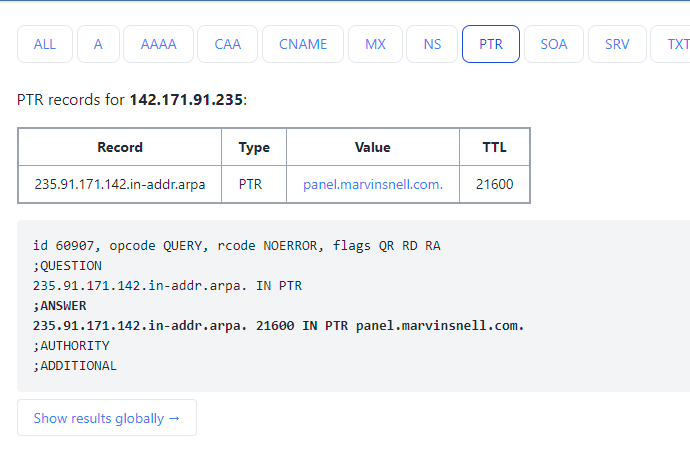
rDNS

6 replies
Ma
Marvin #2

Guess this isn’t the forum to get help

sh
shoaibkk #3

sometime rdns are not get recognized due to propagation you can click ignore rdns and continue

Se
Serververse #4

That’s Not the Resolution, We Need to Use this Feature, We’re using Version v2.4.4 & Still there are Issues with this rDNS.

ZI
ZILZAL #5

the issue is there hardcoded dns servers to be fetched from this address :
https:// cyberpanel. net / dnsServers.txt to check for the PTR ,
something like:
https:// dns. cyberpanel. net/index.php?ip=
https:// dns1 .cyberpanel .net/index.php?ip=

the problem is these APIs are not working at all , that’s why its always failing ,
i don’t know if the developers know about this or not!

ar
arevenco #7

Same issue here. Has anyone found a solution?

Sign in to reply