Al
Alin
#1
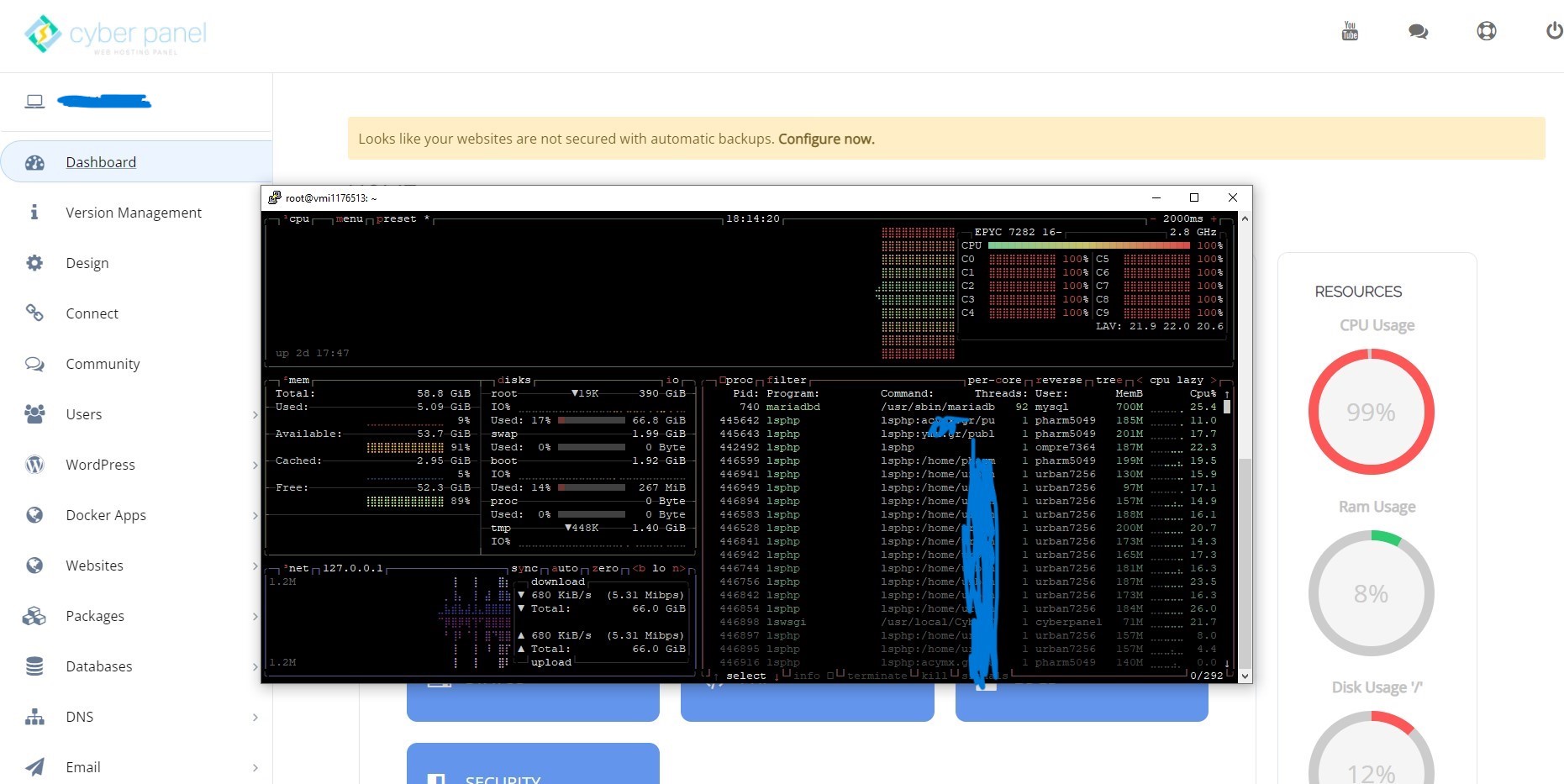
For several days, my cpu has been used to the maximum.
I want to mention that I have not made any changes to my wordpress sites in the last 4-5 months.
Vps 4 core - 8gb ram and ubuntu 22.04
 Community
For several days, my cpu has been used to the maximum.
I want to mention that I have not made any changes to my wordpress sites in the last 4-5 months.
Vps 4 core - 8gb ram and ubuntu 22.04
where dns are managed?
it can be an attack on your site if you have Cloudflare we can enable it under attack mode for some time.
0 attack, i have cloudflare.
I ordered another vps, reinstalled from 0 cyberpanel and moved a single domain there and it seems that everything was running very well and without problems, then I moved all the domains to the new vps (with the same configuration) and everything went well. When I have time I will also reinstall the main vps, I will move the websites back to see if the problem persists.
@ I think the problem is with php …
can i get your server access please open a ticket at platform and let me check
I did a reinstall of the ubuntu system and the cyberpanel from 0. At the moment everything is running fine.
In my case, it was an issue with the VPS server.
Specifically, I have the Contabo XL VPS. When I spoke to support, they made some improvements, and since then everything has been fine.
The problem for me is with the wordpress theme.
There are 400+ people on the website and the website is running ok. If I access wp-admin and try to add something, the cpu rises to 100% . My wordpress site is with movies, I try to add/modify movies in the morning when there are less than 100 people on, then it runs ok.
The problem is also with lsphp, I moved everything to vestacp through nginx, uninstalled litespeed, and the problem disappeared, I think my wordpress theme is not 100% compatible.