
CyberPanel Community

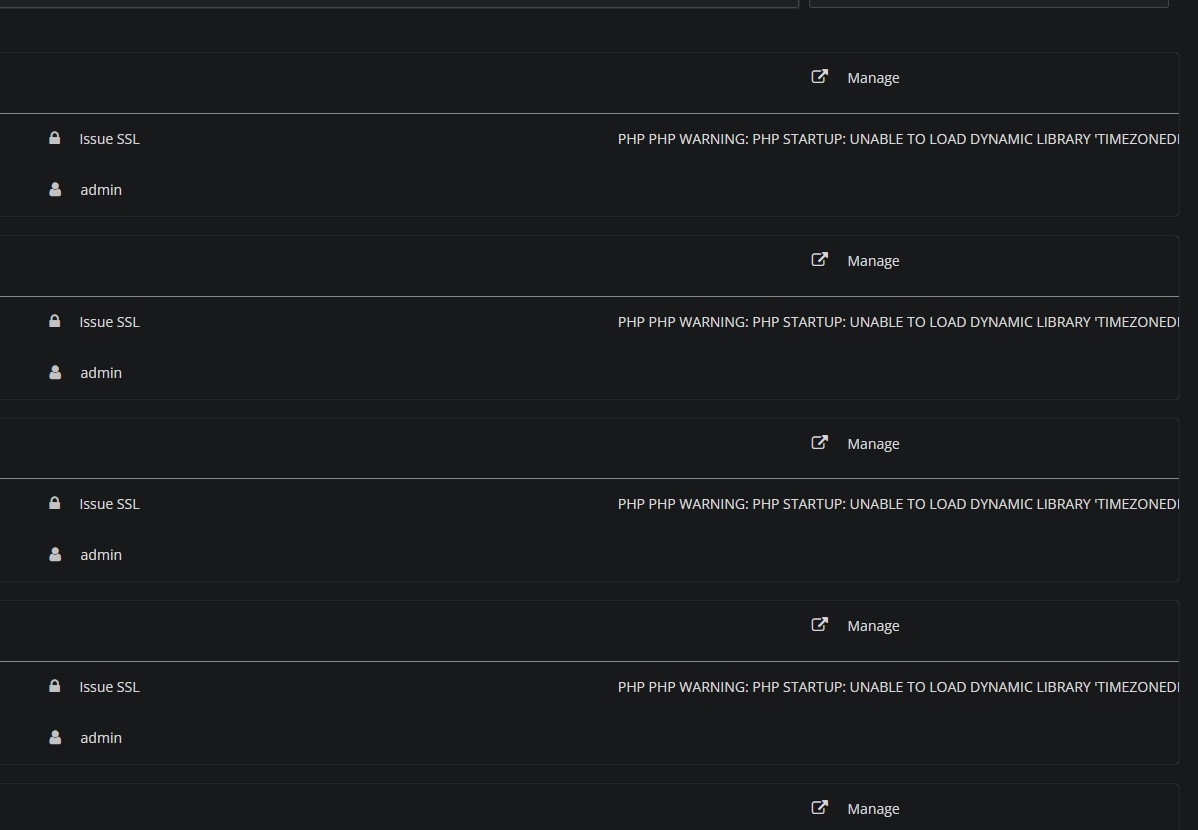
Closed'TIMEZONEDB.SO' error

lo
lobsterKing #1


PHP PHP WARNING: PHP STARTUP: UNABLE TO LOAD DYNAMIC LIBRARY ‘TIMEZONEDB.SO’ (TRIED: /USR/LOCAL/LSWS/LSPHP80/LIB/PHP/20200930/TIMEZONEDB.SO (/USR/LOCAL/LSWS/LSPHP80/LIB/PHP/20200930/TIMEZONEDB.SO: CANNOT OPEN SHARED OBJECT FILE: NO SUCH FILE OR DIRECTORY), /USR/LOCAL/LSWS/LSPHP80/LIB/PHP/20200930/TIMEZONEDB.SO.SO (/USR/LOCAL/LSWS/LSPHP80/LIB/PHP/20200930/TIMEZONEDB.SO.SO: CANNOT OPEN SHARED OBJECT FILE: NO SUCH FILE OR DIRECTORY)) IN UNKNOWN ON LINE 0 8.0.30
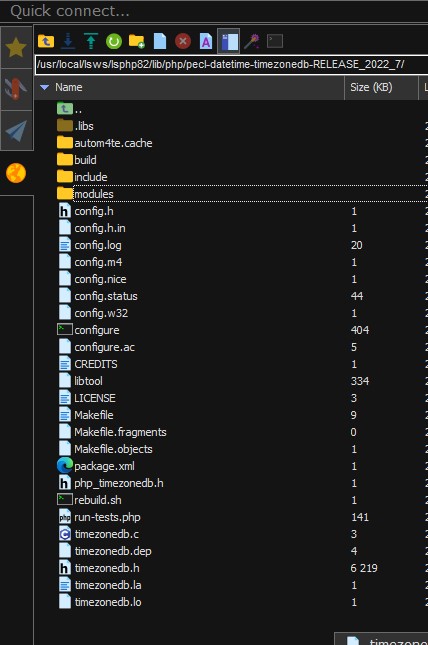
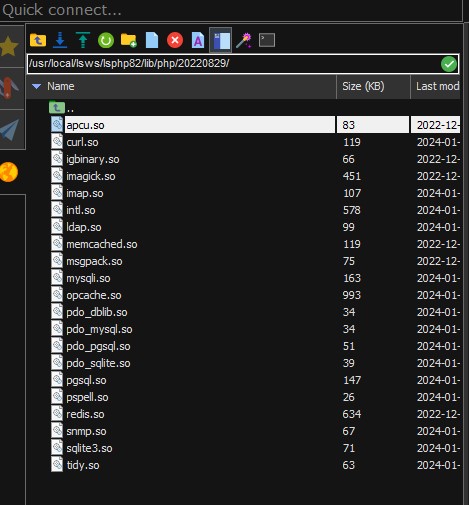

from error msg : 20200930
from ssh : /pecl-datetime-timezonedb-RELEASE_2022_7/
from ssh2 : /usr/local/lsws/lsphp82/lib/php/20220829/

Dear CyberPanel developers,

Thank you very much for developing CyberPanel. I am a non-developer and I have been using it very well.

A few days ago, after updating CyberPanel, I suddenly started getting a “timezone.so” error in the website list in the CyberPanel admin website. I followed the instructions in the following link, but it didn’t work.

[Openlite speed + Ubuntu20.04]

https://community.cyberpanel.net/t/unable-to-load-dynamic-library-timezonedb-so/38916/6

https://github.com/josephgodwinkimani/cyberpanel/wiki/How-to-install-any-PHP-modules-using-PEAR-Package-Manager#for-manual-installation-from-the-source-code

What steps should I take to resolve this issue?

4 replies
RM
Rana Muhammad Usman Nasir #2

Can you give me output of

/usr/local/lsws/lsphp80/bin/php -v | awk '/^PHP/ {print $2}'

and then output of

/usr/local/lsws/lsphp80/bin/php -v 2>/dev/null | awk '/^PHP/ {print $2}'

lo
lobsterKing #3

Thanks, usmannasir !!

  1. /usr/local/lsws/lsphp80/bin/php -v | awk ‘/^PHP/ {print $2}’
PHP Warning:  PHP Startup: Unable to load dynamic library 'timezonedb.so' (tried: /usr/local/lsws/lsphp80/lib/php/20200930/timezonedb.so (/usr/local/lsws/lsphp80/lib/php/20200930/timezonedb.so: cannot open shared object file: No such file or directory), /usr/local/lsws/lsphp80/lib/php/20200930/timezonedb.so.so (/usr/local/lsws/lsphp80/lib/php/20200930/timezonedb.so.so: cannot open shared object file: No such file or directory)) in Unknown on line 0
8.0.30
  1. /usr/local/lsws/lsphp80/bin/php -v 2>/dev/null | awk ‘/^PHP/ {print $2}’

  2. I don`t know why but

root@mysite:~/pecl-datetime-timezonedb-RELEASE_2022_7# make install
Installing shared extensions:     /usr/lib/php/20230831/
root@mysite:~/pecl-datetime-timezonedb-RELEASE_2022_7# ^C
root@mysite:~/pecl-datetime-timezonedb-RELEASE_2022_7# cd /usr/lib/php/20230831/
root@mysite:/usr/lib/php/20230831# ls
build        ffi.so       intl.so       pdo.so        sockets.so     xmlreader.so
calendar.so  fileinfo.so  mbstring.so   phar.so       sysvmsg.so     xml.so
ctype.so     ftp.so       mysqli.so     posix.so      sysvsem.so     xmlwriter.so
curl.so      gd.so        mysqlnd.so    readline.so   sysvshm.so     xsl.so
dom.so       gettext.so   opcache.so    shmop.so      timezonedb.so  zip.so
exif.so      iconv.so     pdo_mysql.so  simplexml.so  tokenizer.so

There`s no timezonedb.so at ls /usr/local/lsws/lsphp81/lib/php/20210902/
but /usr/lib/php/20230831/

My hosting is a Korean VPS hosting that only allows Ubuntu 20.04. They also do not allow kernel modifications. When I initially installed CyberPanel, the “timezonedb.so” issue was not displayed in the WEBSITE LIST. However, after updating CyberPanel, the message started to appear.

RM
Rana Muhammad Usman Nasir #4

OK, there was a minor issue on code side. Which I’ve resolved now, I will push the changes soon.

Right now you need not worry about this, it is just a warning.

You can continue to use CyberPanel.

Sign in to reply