CyberPanel Community

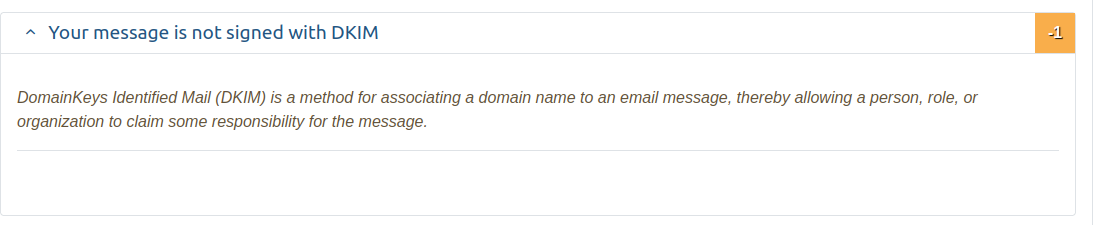
Message not signed with DKIM

Dv
DvLord #1

No matter what I do, mail-tester never reports that my message is DKIM signed. And my mails don’t deliver to Gmail at all. I’ve even deleted and re-added the website but still no joy. Someone help me please.

44 replies
Dv
DvLord #3

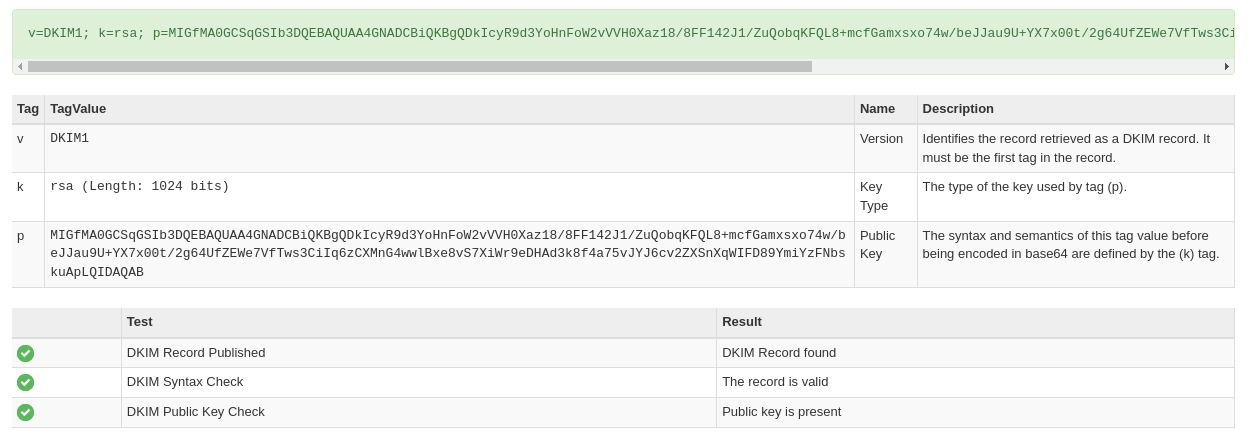
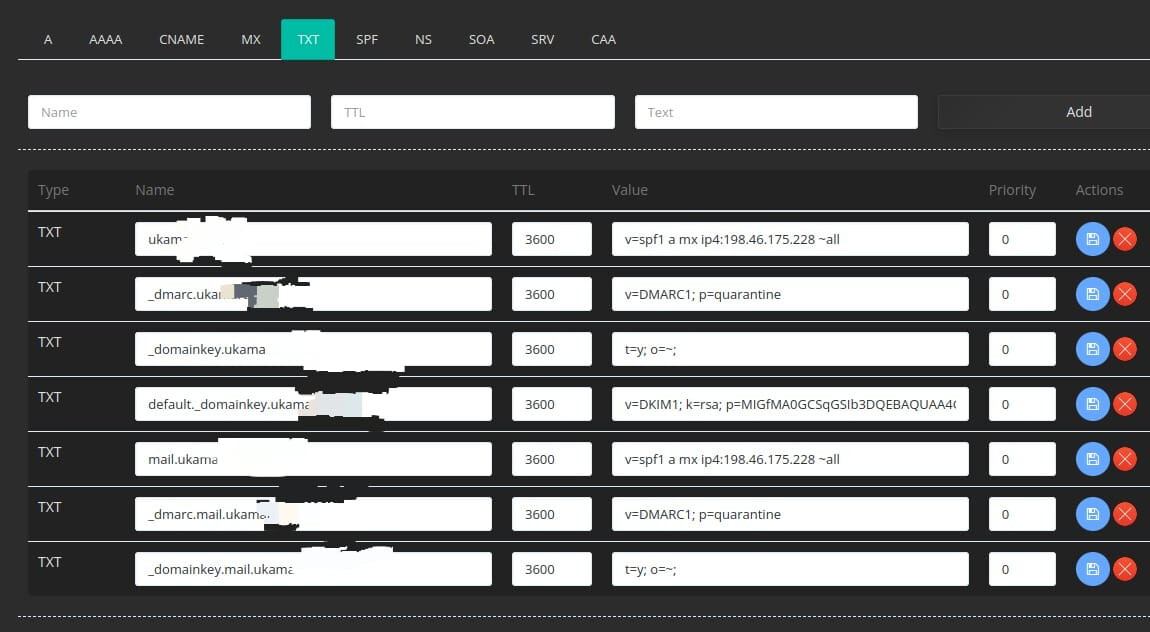
I manage on Cyberpanel. And I think my settings are correct according to Mxtoolbox. I just don’t know why my emails are not DKIM signed.

RM
Rana Muhammad Usman Nasir #9

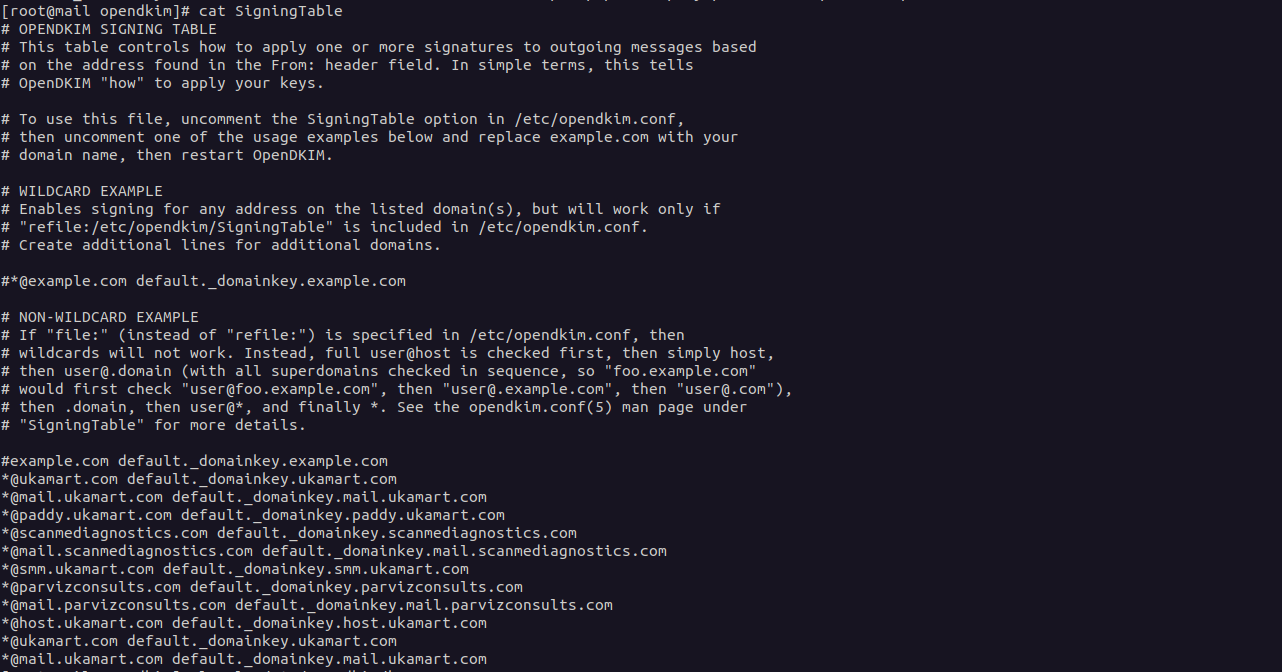
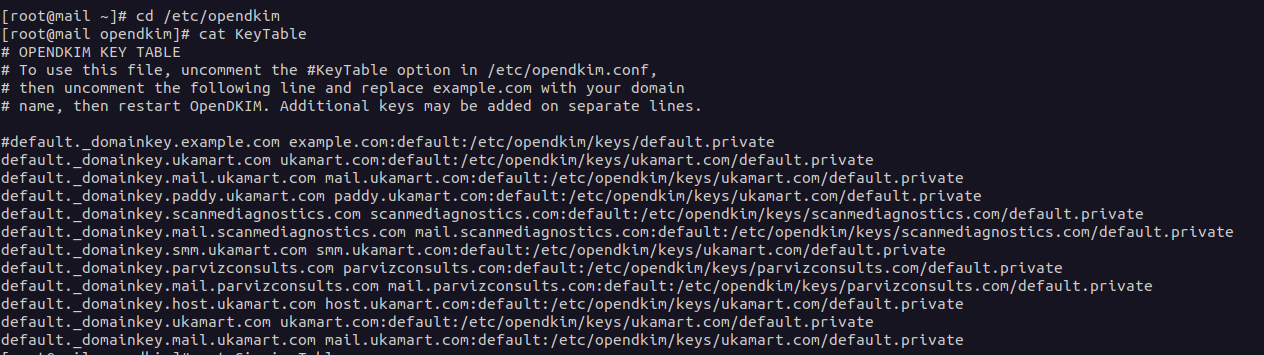
Give me output of these 2 (frist go to cd /etc/opendkim)

cat KeyTable
cat SigningTable

then what do you have in ls -la /etc/opendkim/keys

Also output of opendkim -n

RM
Rana Muhammad Usman Nasir #11

Go on command line and run

journalctl -f | grep opendkim

Then send email from snappy mail, do you get an output like

root@cyberpanel:~# journalctl -f | grep dkim
Jan 10 10:49:17 cyberpanel.net opendkim[579]: 3447740AAD: DKIM-Signature field added (s=default, d=wpmautic.net)

?

RM
Rana Muhammad Usman Nasir #13

It means messages are not being signed…

What if you do same procedure with

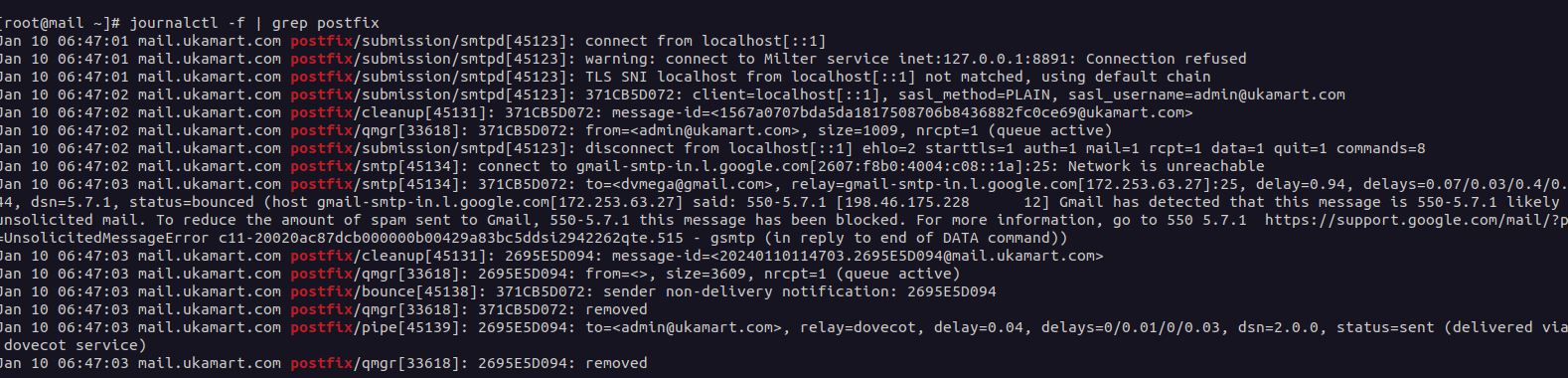
journalctl -f | grep postfix
RM
Rana Muhammad Usman Nasir #15

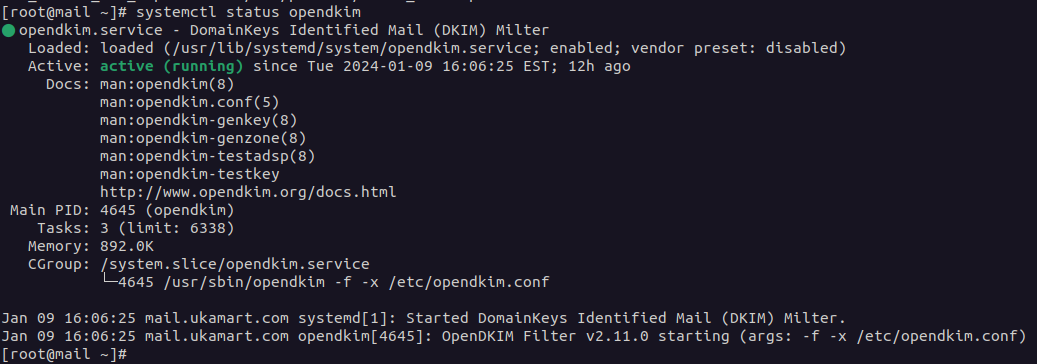
I see, it seems that connection to opendkim milter is being refused as you can see on second line.

what is content of /etc/opendkim.conf ?

Also check if any process using port 8891 ?

Dv
DvLord #16

how can I check any process using 8891?

RM
Rana Muhammad Usman Nasir #18
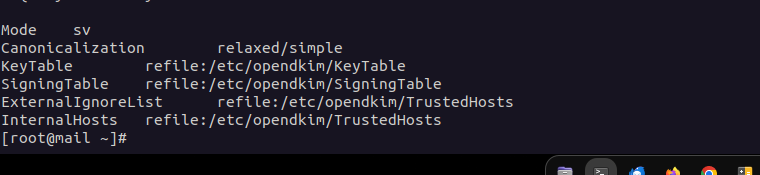
Syslog			yes
SyslogSuccess		yes

Canonicalization	relaxed/simple
OversignHeaders		From


UserID			opendkim
UMask			007

Socket  inet:8891@localhost

PidFile			/run/opendkim/opendkim.pid


TrustAnchorFile		/usr/share/dns/root.key

Mode	sv
Canonicalization	relaxed/simple
KeyTable	refile:/etc/opendkim/KeyTable
SigningTable	refile:/etc/opendkim/SigningTable
ExternalIgnoreList	refile:/etc/opendkim/TrustedHosts
InternalHosts	refile:/etc/opendkim/TrustedHosts

Make the file look like this then restart opendkim systemctl restart opendkim also restart postfix, then check.

Dv
DvLord #19

I did as you asked me to, but somehow email delivered to Gmail spam, mail-tester also reported DKIM isn’t signed yet, also I get this on my terminal

Dv
DvLord #21

Okay. Thanks

EK
Emin Kokalari #24

@shoaibkk i tried again with DKIM records but as the OP says, it is not working on my end too.

EK
Emin Kokalari #25

In difference from the original OP I manage the DNS from cloudflare and not from Cyber Panel

For me also journalctl -f | grep opendkim didn’t report anything after sending mail from snappymail.

But in my case the output of journalctl -f | grep postfix didn’t report any warning about opendkim milter refused.

EK
Emin Kokalari #27

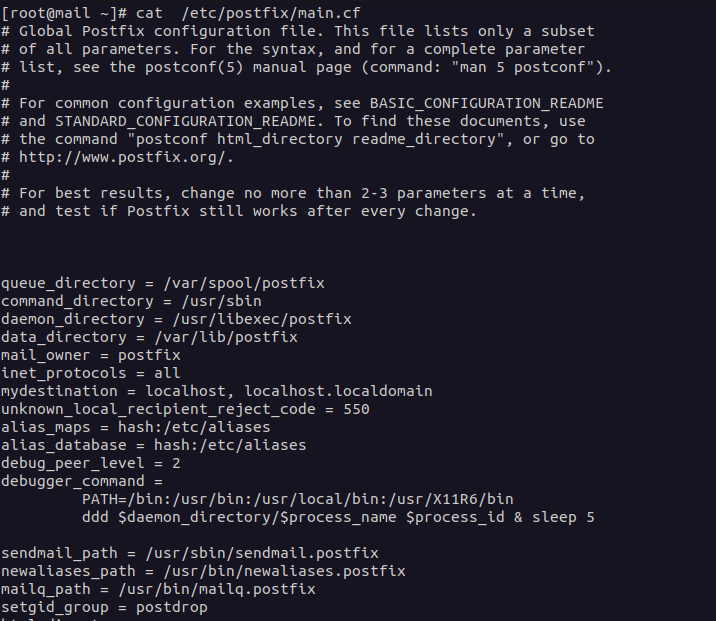
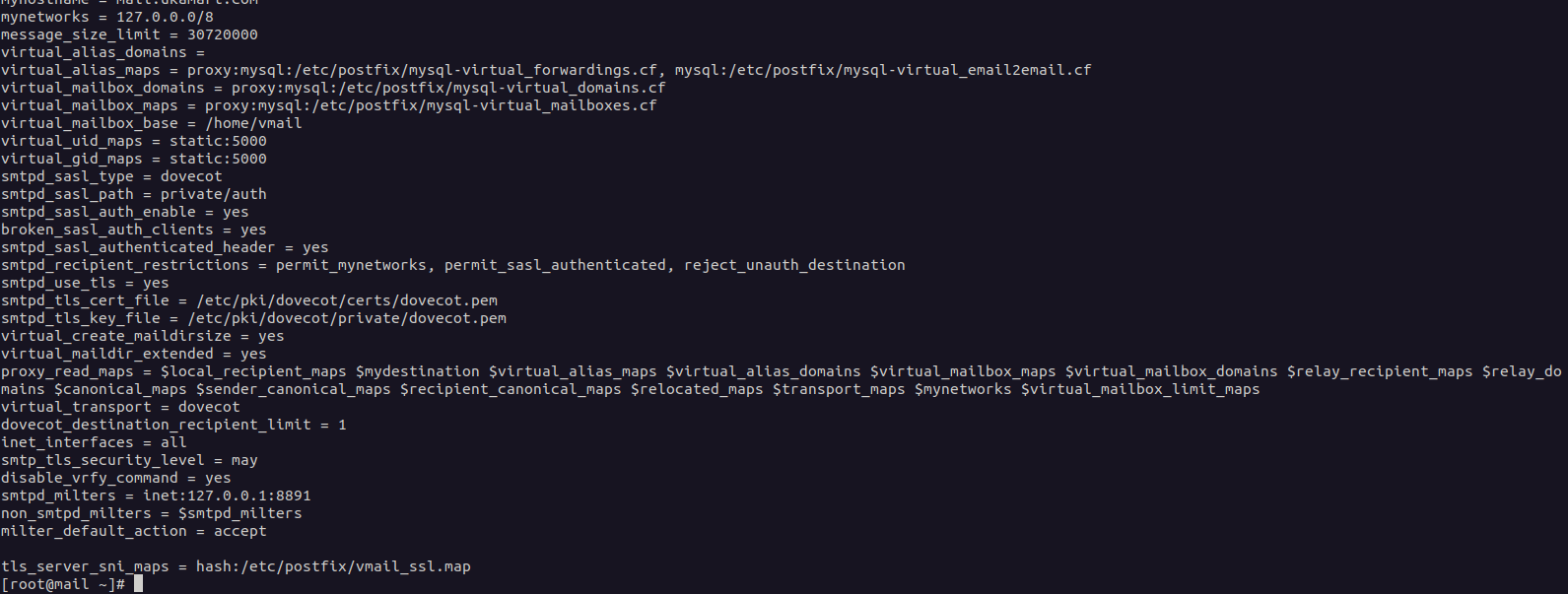
root@EAKTEAM-PRIVATE-SERVER:~# cat /etc/postfix/main.cf

Global Postfix configuration file. This file lists only a subset

of all parameters. For the syntax, and for a complete parameter

list, see the postconf(5) manual page (command: “man 5 postconf”).

For common configuration examples, see BASIC_CONFIGURATION_README

and STANDARD_CONFIGURATION_README. To find these documents, use

the command “postconf html_directory readme_directory”, or go to

http://www.postfix.org/.

For best results, change no more than 2-3 parameters at a time,

and test if Postfix still works after every change.

queue_directory = /var/spool/postfix
command_directory = /usr/sbin
daemon_directory = /usr/lib/postfix/sbin
data_directory = /var/lib/postfix
mail_owner = postfix
inet_protocols = ipv4
mydestination = localhost, localhost.localdomain
unknown_local_recipient_reject_code = 550
alias_maps = hash:/etc/aliases
alias_database = hash:/etc/aliases
debug_peer_level = 2
debugger_command =
PATH=/bin:/usr/bin:/usr/local/bin:/usr/X11R6/bin
ddd $daemon_directory/$process_name $process_id & sleep 5

sendmail_path = /usr/sbin/sendmail.postfix
newaliases_path = /usr/bin/newaliases.postfix
mailq_path = /usr/bin/mailq.postfix
setgid_group = postdrop
html_directory = no
manpage_directory = /usr/share/man
sample_directory = /usr/share/doc/postfix-2.10.1/samples
readme_directory = /usr/share/doc/postfix-2.10.1/README_FILES

myhostname = eakteam.com
mynetworks = 127.0.0.0/8
message_size_limit = 30720000
virtual_alias_domains =
virtual_alias_maps = proxy:mysql:/etc/postfix/mysql-virtual_forwardings.cf, mysql:/etc/postfix/mysql-virtual_email2email.cf
virtual_mailbox_domains = proxy:mysql:/etc/postfix/mysql-virtual_domains.cf
virtual_mailbox_maps = proxy:mysql:/etc/postfix/mysql-virtual_mailboxes.cf
virtual_mailbox_base = /home/vmail
virtual_uid_maps = static:5000
virtual_gid_maps = static:5000
smtpd_sasl_type = dovecot
smtpd_sasl_path = private/auth
smtpd_sasl_auth_enable = yes
broken_sasl_auth_clients = yes
smtpd_sasl_authenticated_header = yes
smtpd_recipient_restrictions = permit_mynetworks, permit_sasl_authenticated, reject_unauth_destination
smtpd_use_tls = yes
smtpd_tls_cert_file = /etc/pki/dovecot/certs/dovecot.pem
smtpd_tls_key_file = /etc/pki/dovecot/private/dovecot.pem
virtual_create_maildirsize = yes
virtual_maildir_extended = yes
proxy_read_maps = $local_recipient_maps $mydestination $virtual_alias_maps $virtual_alias_domains $virtual_mailbox_maps $virtual_mailbox_domains $relay_recipient_maps $relay_domains $canonical_maps $sender_canonical_maps $recipient_canonical_maps $relocated_maps $transport_maps $mynetworks $virtual_mailbox_limit_maps
virtual_transport = dovecot
dovecot_destination_recipient_limit = 1
inet_interfaces = all
smtp_tls_security_level = may
disable_vrfy_command = yes
smtpd_milters = inet:127.0.0.1:8891
non_smtpd_milters = $smtpd_milters
milter_default_action = accept

tls_server_sni_maps = hash:/etc/postfix/vmail_ssl.map
header_checks = regexp:/etc/postfix/header_checks

smtpd_milters=inet:127.0.0.1:11332
non_smtpd_milters=inet:127.0.0.1:11332

Dv
DvLord #29

Not yet. Still searching for a solution

EK
Emin Kokalari #31

@usmannasir , @lesupremo after removing both lines as below the email is successfully signed with DKIM!
But what is causing that? Why it is working OK when removing below lines?

#smtpd_milters=inet:127.0.0.1:11332
#non_smtpd_milters=inet:127.0.0.1:11332

Dv
DvLord #32

Congrats. What is your server setup: Ubuntu/Almalinux? What version?

EK
Emin Kokalari #33

My server is Ubuntu 22.04.3 LTS. Anyway i don’t think that this is the right way to solve that but for the moment as a workaround is OK. Waiting from @usmannasir to see how we can deal with that issue without removing MILTER.

Dv
DvLord #34

I’m surprised Ubuntu 22.04 even works for you. I always have to first install Inetd before Cyberpanel if I really want my emails to work. Because of these hassles, I settled with Almalinux. It’s annoying I’m now facing DKIM problems after all.

EK
Emin Kokalari #35

I have been using ubuntu always. Not only with Cyber Panel but also webmin/virtualmin, directadmin etc. I am very happy with Ubuntu and for me has been much stable always.

Dv
DvLord #36

Alright. :+1:

RM
Rana Muhammad Usman Nasir #37

I think RSPAMD is causing problem with DKIM. I will create an internal task for myself to debug this.

Right now working on another issue, meanwhile if you find anything, do share.

RM
Rana Muhammad Usman Nasir #38

I found the solution to RSPAMD problem, first disable dkim skining in rspamd

nano /etc/rspamd/local.d/dkim_signing.conf

add following in this file

enabled = false;

then run following on cli

systemctl restart rspamd.service

Then open your postfix conf

nano /etc/postfix/main.cf

You will see something like at the very end of your postfix conf.

smtpd_milters = inet:127.0.0.1:8891
non_smtpd_milters = $smtpd_milters
milter_default_action = accept

tls_server_sni_maps = hash:/etc/postfix/vmail_ssl.map

smtpd_milters = inet:127.0.0.1:11332
non_smtpd_milters = inet:127.0.0.1:11332

Convert it to

non_smtpd_milters = inet:127.0.0.1:8891, inet:127.0.0.1:11332
milter_default_action = accept

Then restart postfix

systemctl restart postfix

Basically you should only have one instance of smtpd_milters and non_smtpd_milters. You can combine them into a single entry as I’ve done above.

Note: I will resolve this at code-level with next release.

Dv
DvLord #39

Thanks for this. Do you think it will solve my problem too?[quote=“usmannasir, post:38, topic:50594, full:true”]
I found the solution to RSPAMD problem, first disable dkim skining in rspamd

nano /etc/rspamd/local.d/dkim_signing.conf

add following in this file

enabled = false;

then run following on cli

systemctl restart rspamd.service

Then open your postfix conf

nano /etc/postfix/main.cf

You will see something like at the very end of your postfix conf.

smtpd_milters = inet:127.0.0.1:8891
non_smtpd_milters = $smtpd_milters
milter_default_action = accept

tls_server_sni_maps = hash:/etc/postfix/vmail_ssl.map

smtpd_milters = inet:127.0.0.1:11332
non_smtpd_milters = inet:127.0.0.1:11332

Convert it to

non_smtpd_milters = inet:127.0.0.1:8891, inet:127.0.0.1:11332
milter_default_action = accept

Then restart postfix

systemctl restart postfix

Basically you should only have one instance of smtpd_milters and non_smtpd_milters. You can combine them into a single entry as I’ve done above.

Note: I will resolve this at code-level with next release.
[/quote]

Dv
DvLord #41

ouch!
Okay

EK
Emin Kokalari #42

So i should convert all all this

smtpd_milters = inet:127.0.0.1:8891
non_smtpd_milters = $smtpd_milters
milter_default_action = accept

tls_server_sni_maps = hash:/etc/postfix/vmail_ssl.map

smtpd_milters = inet:127.0.0.1:11332
non_smtpd_milters = inet:127.0.0.1:11332

to this

non_smtpd_milters = inet:127.0.0.1:8891, inet:127.0.0.1:11332
milter_default_action = accept

or just the second and third line in the first thing?

EK
Emin Kokalari #43

If i do this the email still not signed by DKIM

smtpd_milters = inet:127.0.0.1:8891
non_smtpd_milters = inet:127.0.0.1:8891, inet:127.0.0.1:11332
milter_default_action = accept

tls_server_sni_maps = hash:/etc/postfix/vmail_ssl.map

smtpd_milters = inet:127.0.0.1:11332
non_smtpd_milters = inet:127.0.0.1:8891, inet:127.0.0.1:11332

But if i do this emails are successully signed. But in the second option which is working milter is still activated?

smtpd_milters = inet:127.0.0.1:8891
non_smtpd_milters = inet:127.0.0.1:8891, inet:127.0.0.1:11332
milter_default_action = accept

tls_server_sni_maps = hash:/etc/postfix/vmail_ssl.map

#smtpd_milters = inet:127.0.0.1:11332
#non_smtpd_milters = inet:127.0.0.1:8891, inet:127.0.0.1:11332

RM
Rana Muhammad Usman Nasir #44

It should look like this

tls_server_sni_maps = hash:/etc/postfix/vmail_ssl.map

### Please do not edit this line, editing this line could break configurations
smtpd_milters = inet:127.0.0.1:8891, inet:127.0.0.1:11332
non_smtpd_milters = $smtpd_milters
milter_default_action = accept

Also disable dkim_signing in rspamd as i mentioned above.

Ar
Arnold #45

Hello @usmannasir @eakteam , i have tried all the recommended solutions outlined here. still didn’t fix the DKIM problem, and emails going to spam on yahoo, AOL and the likes i could use your assistance

KS
Kawan Soares #46

This solved the problem for me, thanks!

Sign in to reply