MA
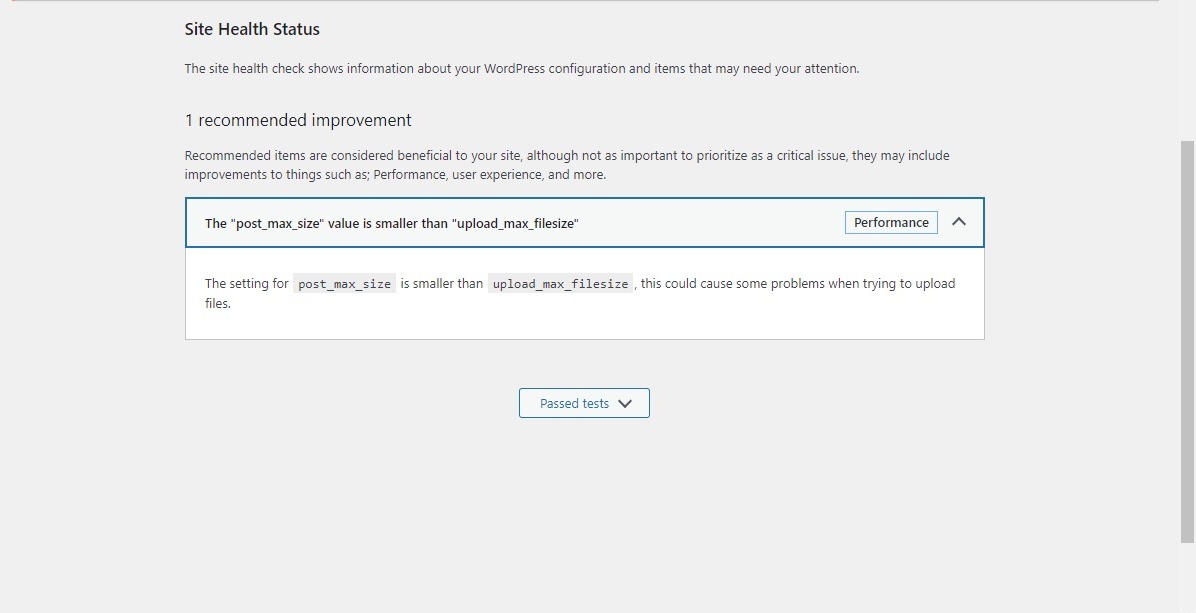
WordPress: The "post_max_size" value is smaller than "upload_max_filesize"
MA
hi every one
jo
Hello @MalikAamirAli
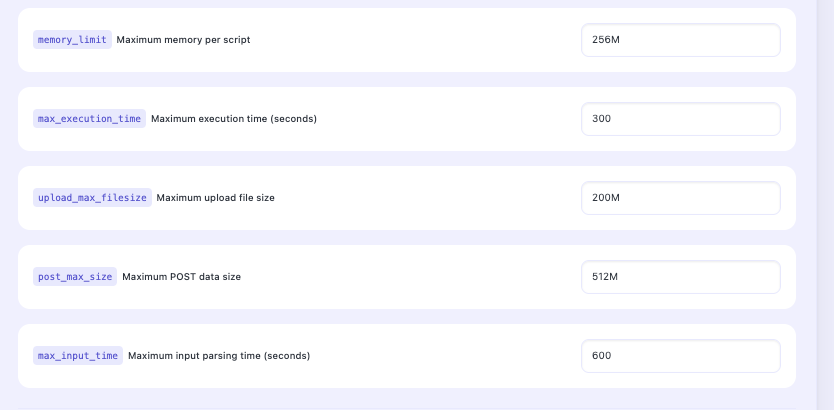
Have you tried to change the settings for the respective php version here https://SERVER_URL:8090/managephp/editPHPConfigs
MA
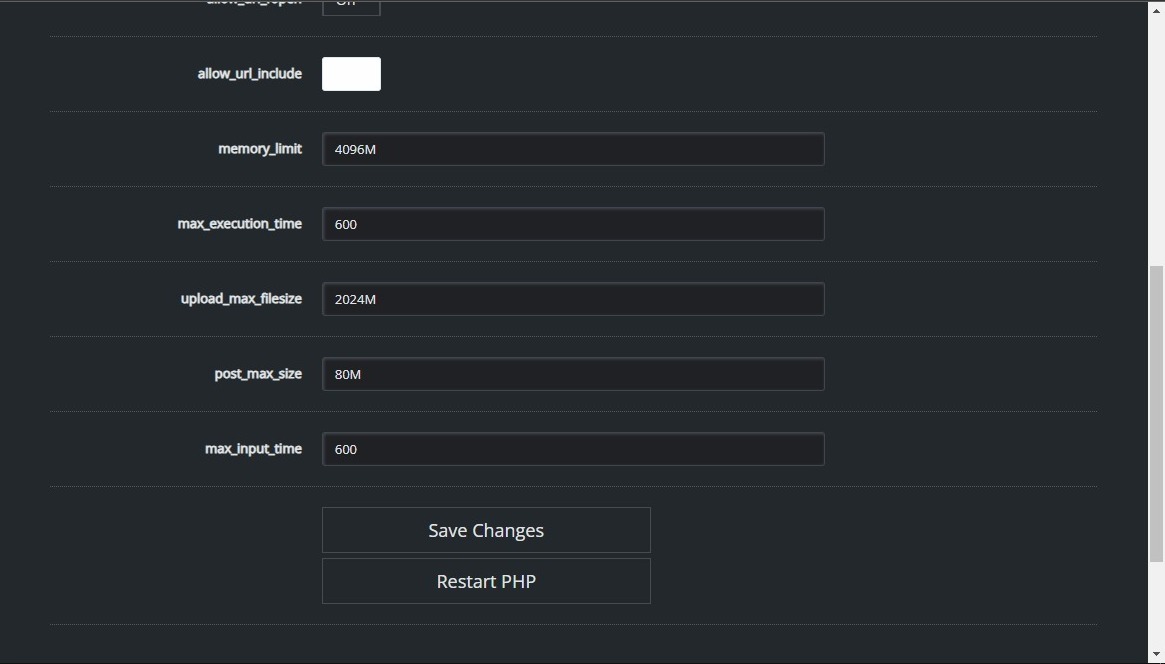
jo
Restart PHP and your web server for the changes to take effect
MA
after same
Restart PHP and your web server for the changes to take effect still same issue
after use this comment line
sudo nano /etc/php/8.1/fpm/php.ini
add
upload_max_filesize = 32M
post_max_size = 24M
save
sudo service php8.1-fpm restart
sudo service apache2 restart
still same issue
MA
php.ini
showing
post_max_size = 8M
upload_max_filesize = 128M
showing data in php ini
after
sudo nano /etc/php/8.1/fpm/php.ini
GNU nano 6.2 data shwoing
post_max_size = 8M
upload_max_filesize = 128M
jo
Seems you dont udnerstand the issue you are facing. The value of upload_max_filesize cannot be higher or bigger or larger than post_max_size directive.
Basically the maximum size of all POST body data cannot be smaller than the maximum size of individual file uploads.
MA
Dear Josephgodwinke
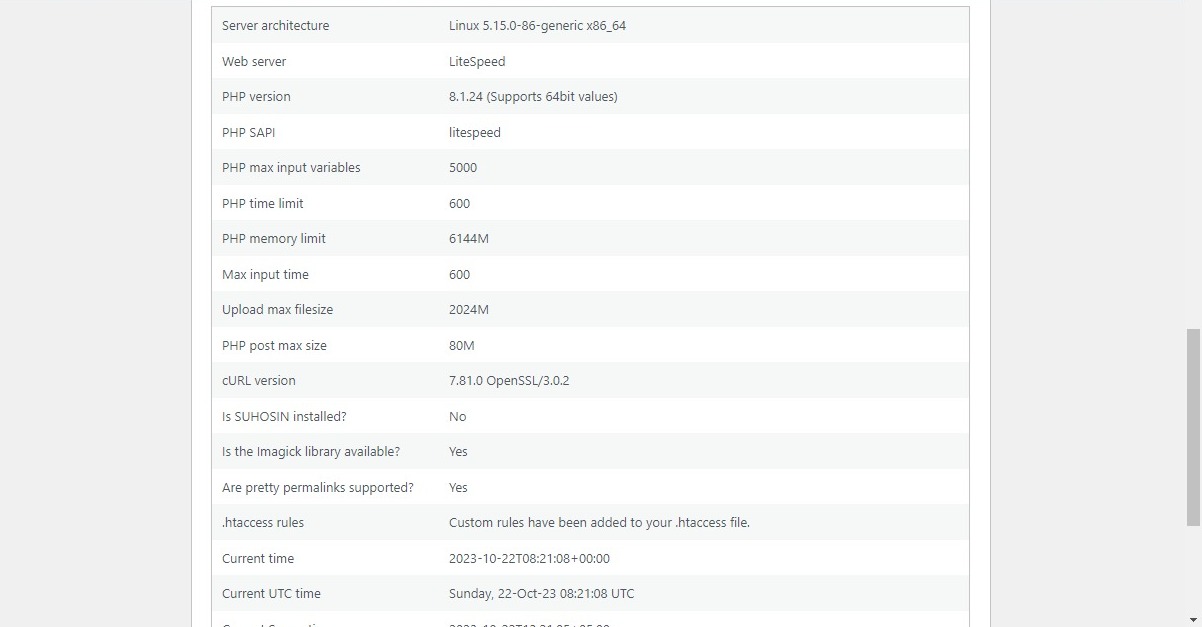
fill time shoiwng data in php ini
post_max_size = 8M
upload_max_filesize = 128M
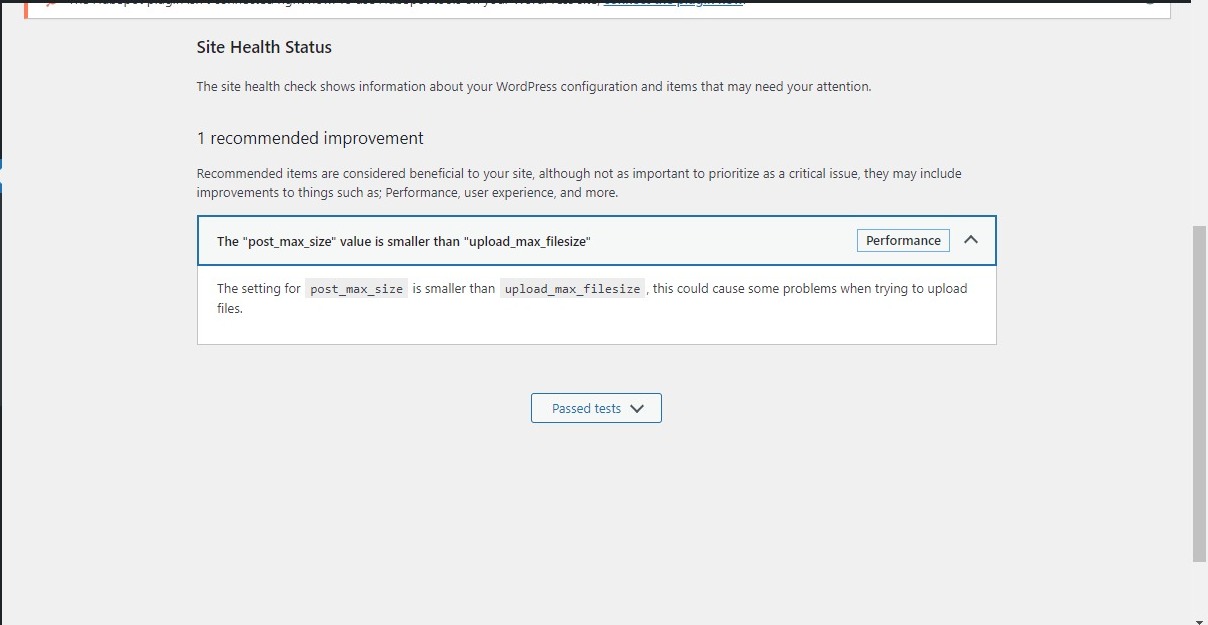
but wordpress still error showing
Site Health
The setting for post_max_size is smaller than upload_max_filesize , this could cause some problems when trying to upload files.
how can fix tell me
jo
josephgodwinke
#10
Based on the guidelines I shared please change the directives for your preferred php version The "post_max_size" value is smaller than "upload_max_filesize" - #3 by josephgodwinke as follows:
upload_max_filesize = 100M
post_max_size = 120M
This allow maximum size of individual file uploads to 100MB per file and maximum size of all POST body data to 120MB.
Make sure to restart PHP after changing them.
Ensure your website is consuming this specific PHP version.
de
demelos
#11