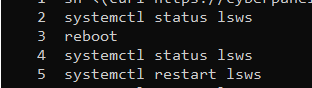
I have tried to install Cyberpanel numerous times, and on several different machines, and always get the same issue.
I am trying to install onto a fresh install of Ubuntu 22. I want to install it inside and LXD container, but I have tried Cyberpanel inside LXD container, and on bare-metal Ubuntu installation, and get the same problem.
Before installing Cyberpanel, i take the following steps:
- set static ip address with netplan
- apt updade && apt upgrade
After the cyberpanel script completes, I can access https://my_ip_addr:8090 as soon as the install is complete, but once the server is rebooted, litespeed cannot restart. There are no mentions of why in the journalctl nor the install log.
It just says “Job for lscpd.service canceled.”
I am not familiar with Litespeed, and have previously always used nginx or apache … is there some other sequence I need to follow to restart litespeed other than “systemctl restart lscpd” or " systemctl restart lsws" ?
I have also tried to Manually set up virtualevn, with these commands:
source /usr/local/CyberCP/bin/activate
pip install --ignore-installed -r /usr/local/CyberCP/requirments.txt
deactivate
virtualenv --system-site-packages /usr/local/CyberCP
systemctl restart lscpd
but the problem persists.
Has anyone else encountered this problem?