AD
Amirul Dev
#1
 Community
Did you check trash folder in file manager?
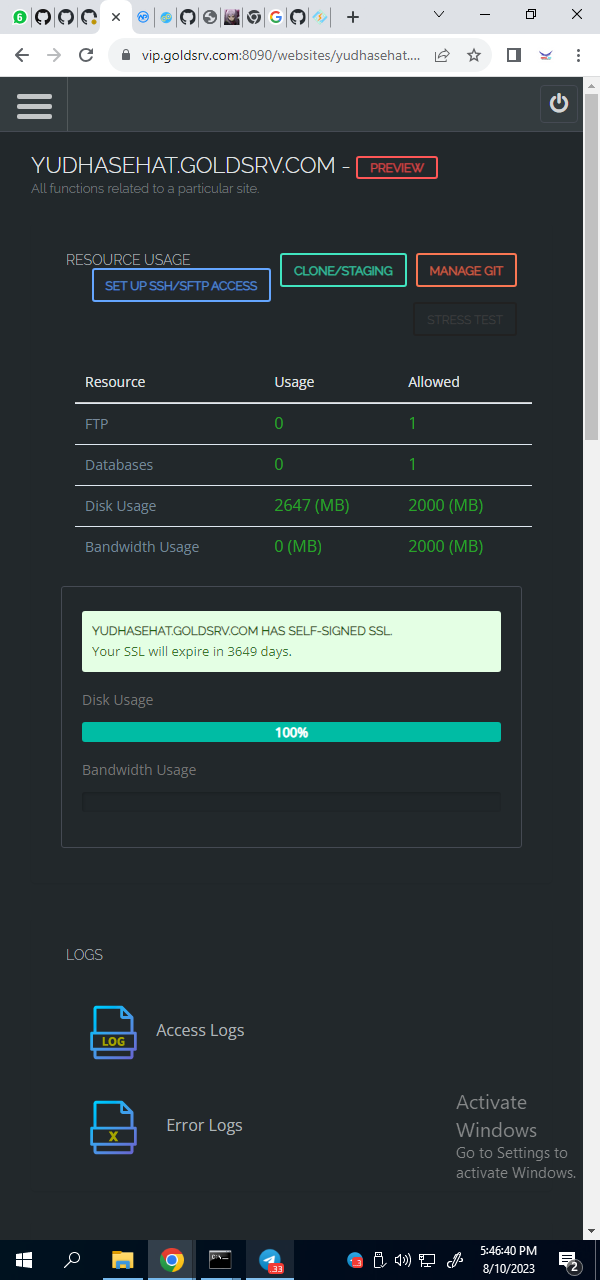
I’ve checked that all the contents are clean. but it still says full there
Hello @amiruldev
https://SERVER_URL:7080/index.php#view/confMgr.php?m=serv&p=log and setup Keep Days which specifies how many days the access log file will be kept on disk, Compress Archive allow compressing rotated log files in order to save disk space. Also reduce the rolling size of Access log
I cleared /tmp folder and I can’t load the dashboard anymore
rm -rf /tmp/*
What is the error you are getting on your browser ?
Tye panel dashboard was down but when I restarted the server everything was fine again.
Just a little tip and hint:
To find where large files or directories are located, I like to use the “ncdu” command
It analyzes the entire hard disk and lists where the biggest space wasters are.
Simply install:
apt-get install ncdu
Usage:
ncdu / (for scanning from root / downwards)