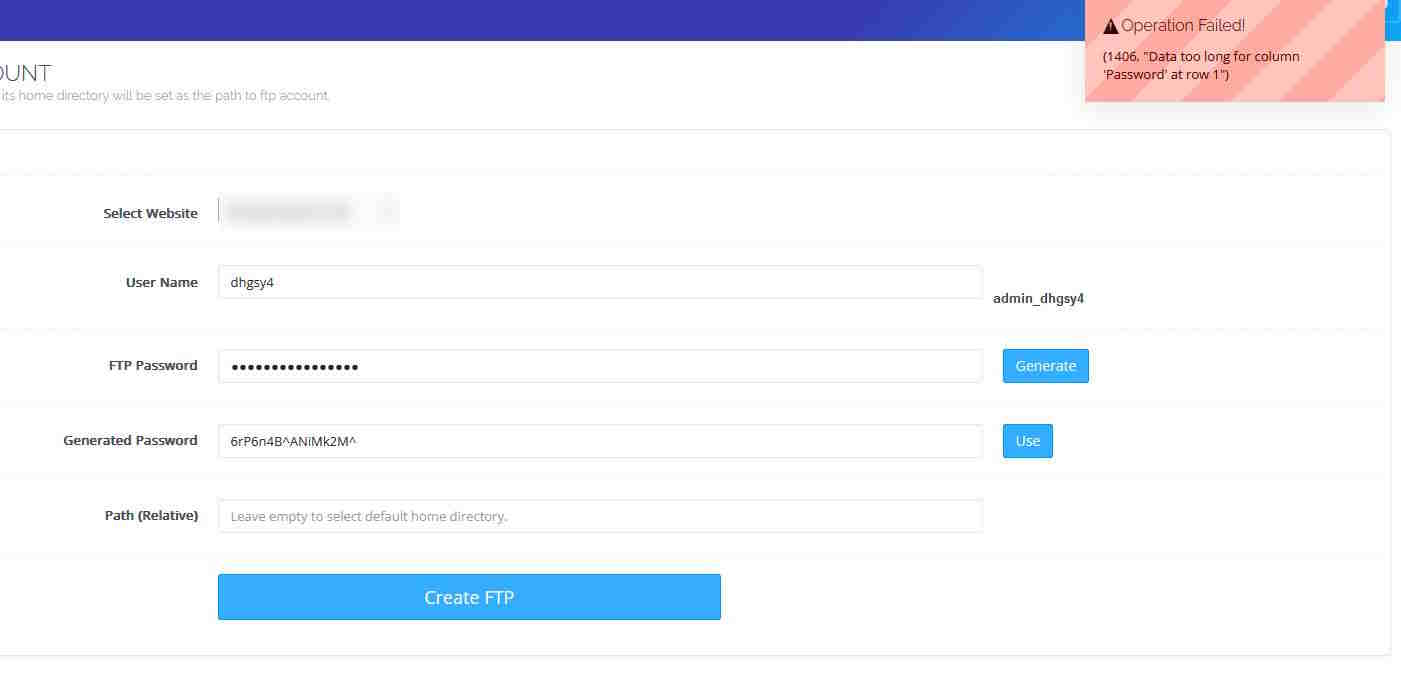
WARNING: I am not responsible if this breaks your system beyond recovery. Please backup your entire server before attempting this update.
OS: Ubuntu 20.04 LTS
Short Answer:
Upgrading ubuntu from 20.04 LTS to 22.04.2 LTS solved this issue for me.
Long Answer,
Upgrading Ubuntu broke my CyberPanel installation and I couldn’t access the admin panel via my public domain nor local IP, BUT all my domains were working just fine. OpenLiteSpeed and Database were also working fine.
HOW I SOLVED THIS ISSUE
- Upgrade Ubuntu
          # sudo apt install update-manager-core
          # sudo do-release-upgrade -d
- When prompted about obsolete packges, I selected [y] YES
          Searching for obsolete software
          Reading state information... Done

          Remove obsolete packages?


          41 packages are going to be removed.

          Continue [yN]  Details [d]
-
After completion, I restarted the server. When I tried to access CyberPanel, I would get a 503 Error or nothing at all until it timed out.
-
I ran the CyberPanel upgrade script in attempt to fix potential broken packages that were necessary for CyberPanel to work but the OS might have removed in step #2 above.
# sh <(curl https://raw.githubusercontent.com/usmannasir/cyberpanel/stable/preUpgrade.sh || wget -O - https://raw.githubusercontent.com/usmannasir/cyberpanel/stable/preUpgrade.sh)
- This threw a error relating to python.
Could not find platform independent libraries <prefix>
Could not find platform dependent libraries <exec_prefix>
Consider setting $PYTHONHOME to <prefix>[:<exec_prefix>]
Python path configuration:
  PYTHONHOME = (not set)
  PYTHONPATH = (not set)
  program name = 'python3'
  isolated = 0
  environment = 1
  user site = 1
  import site = 1
  sys._base_executable = '/usr/bin/python3'
  sys.base_prefix = '/usr'
  sys.base_exec_prefix = '/usr'
  sys.executable = '/usr/bin/python3'
  sys.prefix = '/usr'
  sys.exec_prefix = '/usr'
  sys.path = [
    '/usr/lib/python38.zip',
    '/usr/lib/python3.8',
    '/usr/lib/lib-dynload',
  ]
Fatal Python error: init_fs_encoding: failed to get the Python codec of the filesystem encoding
Python runtime state: core initialized
ModuleNotFoundError: No module named 'encodings'
- I purged python, which broke my system even more.
          # sudo apt purge python*

          # whereis python3

          # sudo rm /usr/bin/python3 -r
          # sudo rm /usr/lib/python3 -r
          # sudo rm /etc/python3 -r
          # sudo rm /usr/share/python3 -r
          # sudo rm /usr/share/man/man1/python3.1.gz

          # sudo rm /usr/lib/python38.zip
          # sudo rm /usr/lib/python3.8
          # sudo rm /usr/lib/lib-dynload -r
- Then I reinstalled python. I purposely chose 3.8 because that was the version I believe CyberPanel was using before. I did try using the latest python (3.10) but that was not helping at all.
#sudo apt install python3.8 python3.8-dev
- Finally I ran the CyberPanel Upgrade script in #4 above again and it completed successfully.(I did get errors of bad packages during the process but I removed them via “apt remove package-name -y” and repeat this step until it was successful.)
No Restart required after step #8. I was able to access CyberPanel again and create a new FTP account for my domains/websites.
WARNING: I am not responsible if this breaks your system beyond recovery. Please backup your entire server before attempting this update.