a1
a159cm
#1
 Community
Hello @a159cm Happy you are here
Check you /wp-content/uploads check if you have remnants from backup plugins and image optimizers. Do you have folders you dont know which plugin created under /wp-content/
OR
Using ssh terminal check the size of files under /home/mywordpress.com/public_html/wp-content/
# list all files bigger than 100mb
find / -size +100M -ls
/wp-content/uploadseverything is fine.
Check if you have remnants of other files in public_html that you do not need
There’s definitely nothing
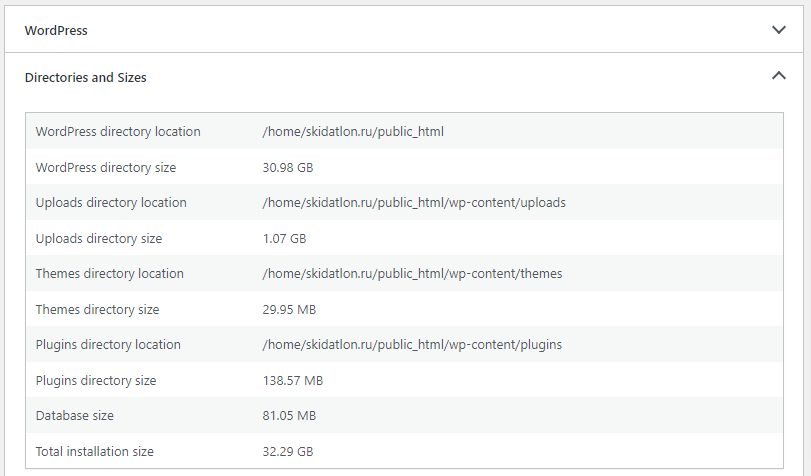
What is your issue exactly ? Your website is >30gb
its real size is 1.5 GB. these 30 GB are half of my server, when 100% of the disk is full. the server issues a 500 error on all sites
It surely will. The 100% disk usage can be cache files accumulating or backup files. You need to delete those.
there are no backups, the find, du, df commands do not show anything
Are you running LSCACHE plugin for wordpress ?
yes, i’m using LSCACHE
Disable the crawler feature - Crawler | Screen-by-Screen | LSCache for WordPress | LiteSpeed Documentation and purge all cache
cleared the cache, the space is free, thanks for the help
This topic is closed to new replies.