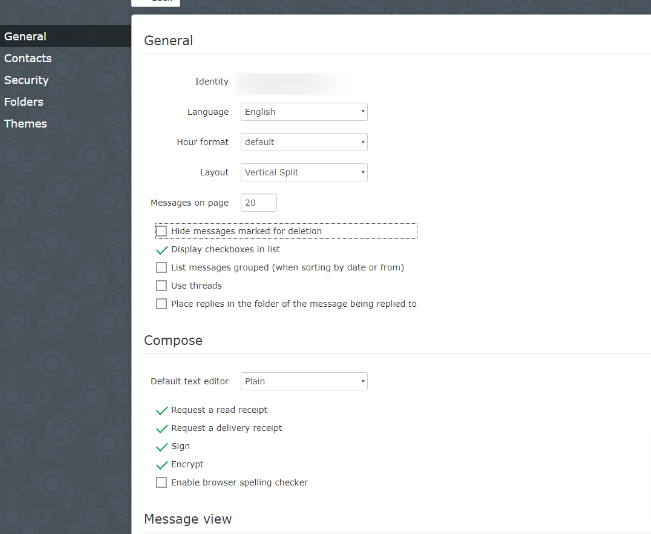
After updating snappymail, we are no longer able to receive emails
2.15.3
What to do?

After updating snappymail, we are no longer able to receive emails
2.15.3
What to do?
Hello @marcelodelta
This is a vague question.
Kindly give more information - what you did, what errors you see (screenshots, error logs), what you have tried to fix your issue, what you think might be the causing the issue
The email arrives, in mailscanner but it doesn’t show in snappymail.
This happened after I updated to the latest version.
I unchecked.
I tried to send an email from gmail to this server and it’s still not showing in snappymail.
Do you have lastest commit of cyberpanel ? Have you tried to run the upgrade script
does not show new messages after update.
Can you enable logging and tell me which errors get logged there when you try to send an email to your server FAQ · the-djmaze/snappymail Wiki · GitHub
Post screenshots or better copy paste the logs here in Preformatted text
The problem is not with sending.
We are able to send emails.
The problem is in the received emails. They are not showing in the inbox.
He understands ?
Yes thats why am telling you to send that cyberpanel server an email from say gmail/yahoo etc
Log file
Check you config file /usr/local/lscp/cyberpanel/rainloop/data/_data_/_default_/configs/application.ini and turn off ssl verify
[ssl]
; Require verification of SSL certificate used.
verify_certificate = Off
[ssl]
; Require verification of SSL certificate used.
verify_certificate = Off
; Allow self-signed certificates. Requires verify_certificate.
allow_self_signed = On
; /docs/man1.1.1/man3/SSL_CTX_set_security_level.html
security_level = 1
; Location of Certificate Authority file on local filesystem (/etc/ssl/certs/ca-certificates.crt)
cafile = “”
; capath must be a correctly hashed certificate directory. (/etc/ssl/certs/)
capath = “”
; Location of client certificate file (pem format with private key) on local filesystem
local_cert = “”
; This can help mitigate the CRIME attack vector.
disable_compression = On
Just a silly question are your DNS records configured correctly?
Yes they are. Receiving emails worked normally before the snappymail update.
How to go back to the previous version?
We have a lot of demand for domains without working the email.
gmail server response
FAILED_PRECONDITION: connect error (113): No route to host]
our port 25 is blocked, will it, when we update to new version. Did the server switch back to using port 25?
We can’t leave it on port 25. Too much spam
Check snappymail admin → Domains when you test SMTP/IMAP settings with port 587 do you get green results ?
Updated again to newer version. this is shown.
define(‘APP_DATA_FOLDER_PATH’, ‘/usr/local/lscp/cyberpanel/rainloop/data/’);
At this rate I believe the only way forward is to just remove that installation of snappymail by renaming the folders here
$ mv /usr/local/lscp/cyberpanel/rainloop /usr/local/lscp/cyberpanel/rainloop_old
$ mv /usr/local/CyberCP/public/snappymail /usr/local/CyberCP/public/snappymail_old
Now run the upgrade script - this will wget the version 2.18.6. It usually removes the old files and installs the new upgrade however just to be sure rename all those folders. See if issue goes away,
I meant this cyberpanel offficial script 02 - Upgrading CyberPanel now you will have to rename all the folders you have setup with the script you just ran
I’ll leave it like that and I’ll try to update
I did the update.
Unsuccessfully
The folders have been restored, but we are still unable to receive emails.
I’m getting worried. I am very grateful for the attention that is with us.
We need to resolve why we are not receiving email
You cannot receive or you do not see any emails in your mailbox via snappymail ?
Do you see any email queue (deferred or otherwise unsuccessfully received) ?
Have you tried to pull your emails using a pc client such as Outlook.
Did you change anything in your postfix configurations ?
1 - I used pop3 and it pulled only the existing emails and the new ones don’t show either.
2 - I didn’t change anything in postfix
A mystery to solve.
I tried to send an email from gmail.
I don’t understand gmail returned this message.
[dominio.com.br. 99.99.999.999: FAILED_PRECONDITION: connect error (113): No route to host] [mail.dominio.com.br. 99.99.999.999: FAILED_PRECONDITION: connect error (113): No route to host]
I opened port 25 and emails started working again.
However, we cannot leave port 25 open, as it is vulnerable.
How can we use another receiving port?
These are service related issues. Do you have ports open for smtp/smtps ?
Run
# is my firewall ? 25/587
$ iptables -nL | grep 25
# can we ping this port 25/587
$ ss -lntu | grep ':25' || telnet mail.mailserver.com 25How can I make it available only smtps
root@vmi:~# iptables -nL | grep 25
ACCEPT tcp – 0.0.0.0/0 0.0.0.0/0 tcp dpt:25 ctstate NEW,UNTRACKED
root@vmi:~# ss -lntu | grep ‘:25’ || telnet mail.mailserver.com.br 25
tcp LISTEN 0 100 0.0.0.0:25 0.0.0.0:*
tcp LISTEN 0 100 [::]:25 [::]:*
root@vmi:~# iptables -nL | grep 587
ACCEPT tcp – 0.0.0.0/0 0.0.0.0/0 tcp dpt:587 ctstate NEW,UNTRACKED
root@vmi:~# ss -lntu | grep ‘:587’ || telnet mail.mailserver.com.br 587
tcp LISTEN 0 100 0.0.0.0:587 0.0.0.0:*
tcp LISTEN 0 100 [::]:587 [::]:*
root@vmi:~#
Are you using AWS or GCP? What this working before ?
You can disable port 25 using firewalld. To use 587/smtps go to snappymail admin and on left sidebar choose domains. select * and change smtps port
Its. work
Thank you very much for your attention. I am very grateful for the support. So our community goes further.
It is fine.
Do I need to change anything in postfix regarding port 25 to 587?
No you dont need to change anything there. Still having issues ?