
NC
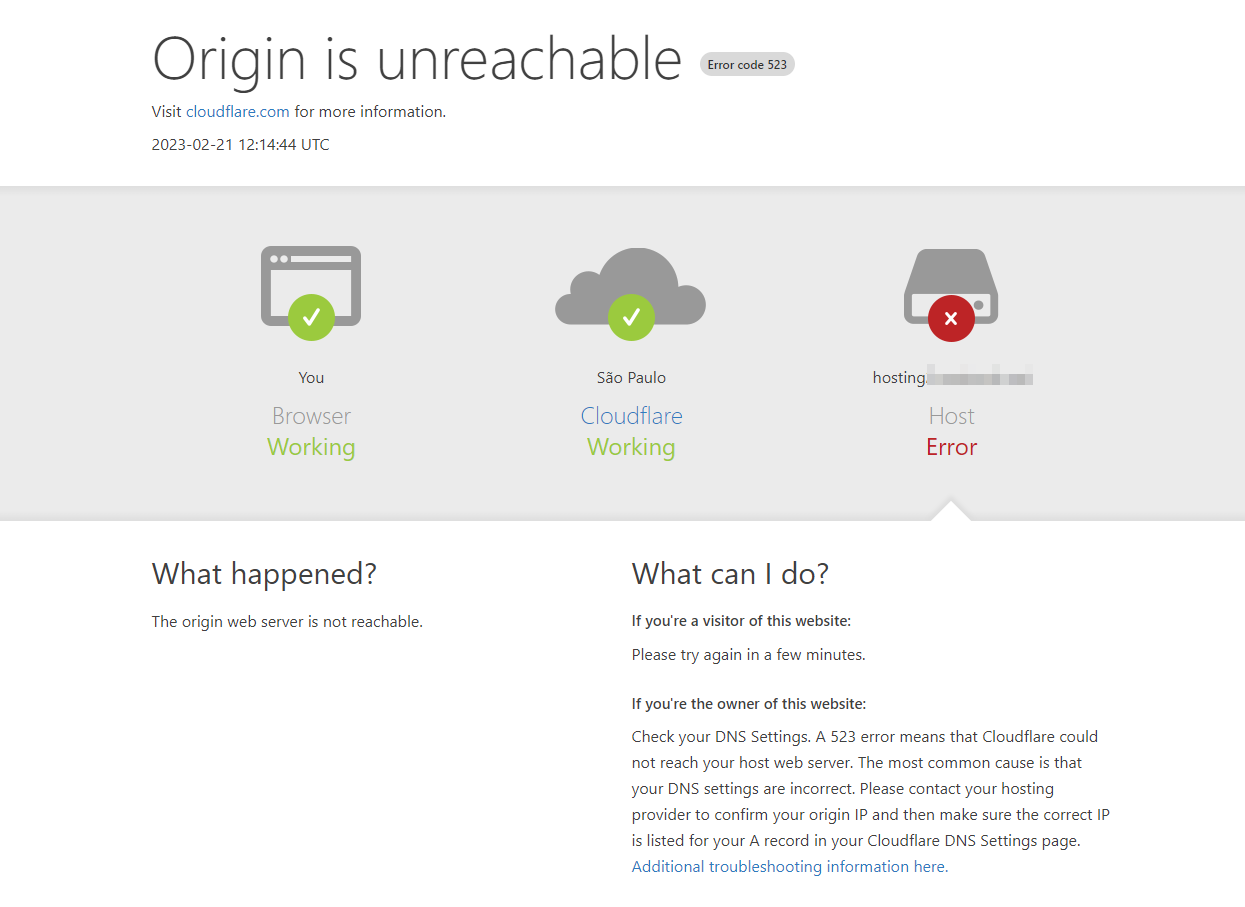
Closed Cloudflare Error: Origin is unreachable
Ca
Carlos
#2
Friend is the SSL check it
Dr
Dreamer
#3
Disable cloudflare and try again, if that won’t work try with IP and also check is server running.
NC
Directly by ip or without cloudflare I get timeout
Apparently the panel is not running, how do I solve this?
JA
Joabe Arruda
#5
What url? Can you share?
This is clearly an SSL mismatch that is affecting DNS, now we need to know which exactly. 
NC
Panel URL
It has the cloudflare proxy disabled!
JA
Joabe Arruda
#7
Problem with port connection.
What firewall are you using?
default? or csf?
JA
Joabe Arruda
#8
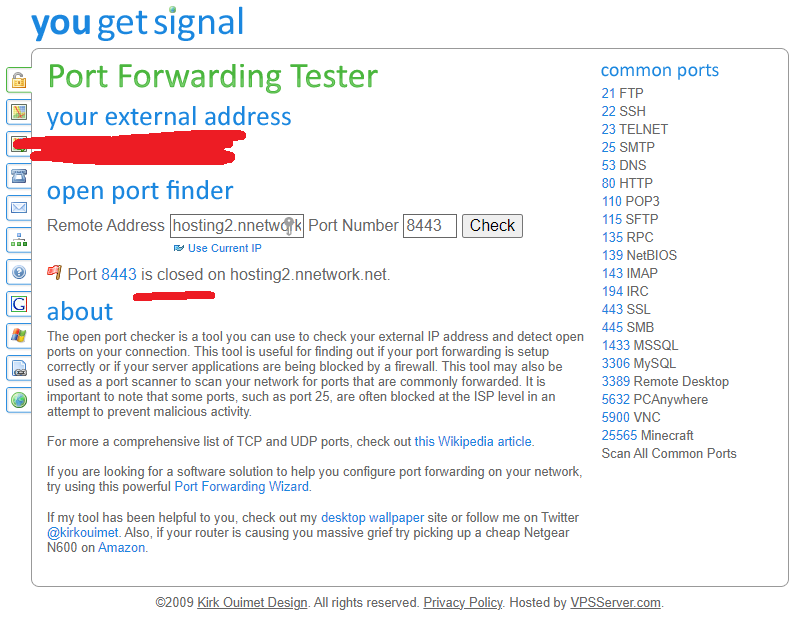
See here:
your WEbAdmin works
So clearly it’s a problem with port 8443 that’s not open on the server.
JA
Joabe Arruda
#10
NC
Nilberto César
#11
Port 7080 is from OLS what is not opening is cyberpanel
How can I open this port through the terminal?
What is strange is that it closes out of nowhere, because I went to sleep when I woke up it was inaccessible!
JA
Joabe Arruda
#12
What firewall are you using?
JA
Joabe Arruda
#13
If you are using the default firewall, this command below solves your problem:
firewall-cmd --permanent --zone=public --add-port=8443/tcp
If it is csf, then this:
nano /etc/csf/csf.conf
And then insert your panel port.
Let me know if it worked.
NC
Nilberto César
#14
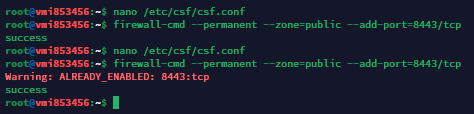
The editing command does not work, the file does not exist, and I use the default firewall!
But the dashboard is still not accessible!
JA
Joabe Arruda
#15
The port is inserted into your default firewall, but it is still inaccessible. 
Check your csf:
vim /etc/csf/csf.conf
JA
Joabe Arruda
#16
The nano, did not work because you have not installed, or csf is not installed.
If it is not csf, then the lock comes from the side of your host. Then you’ll need to make a ticket support with them.
For example, I use GCP, and even though I open ports in the panel, it doesn’t work if I don’t open in GCP.
JA
Joabe Arruda
#17
But I still believe it’s on your side, because the other doors are working, just your custom door that doesn’t. So there is no problem with your server or with the cyberpanel, it is certainly problem with the release of the customized port 8443.
NC
Nilberto César
#18
My host doesn’t block the ports, it’s just on the same machine, I’m using Contabo
nano is installed use it!
The csf directory doesn’t exist but normal because I’m not using it as a correct firewall?
NC
Nilberto César
#19
Is there a way to change this port to the default via the terminal?
Or check if the admin service is running?
JA
Joabe Arruda
#20
Hello,
-
if your host has not blocked the port…
-
if csf is not installed…
then this should work by now. As you saw in the image you posted above, port 8443 was successfully opened.
The question is, did you restart the firewall?
Otherwise restart:
firewall-cmd --reload
If this still doesn’t work, restarts the server:
sudo shutdown -r now
Dr
Dreamer
#21
Try run upgrade script you can find it from docs.
This topic is closed to new replies.