
ki
kinngjatt
#1
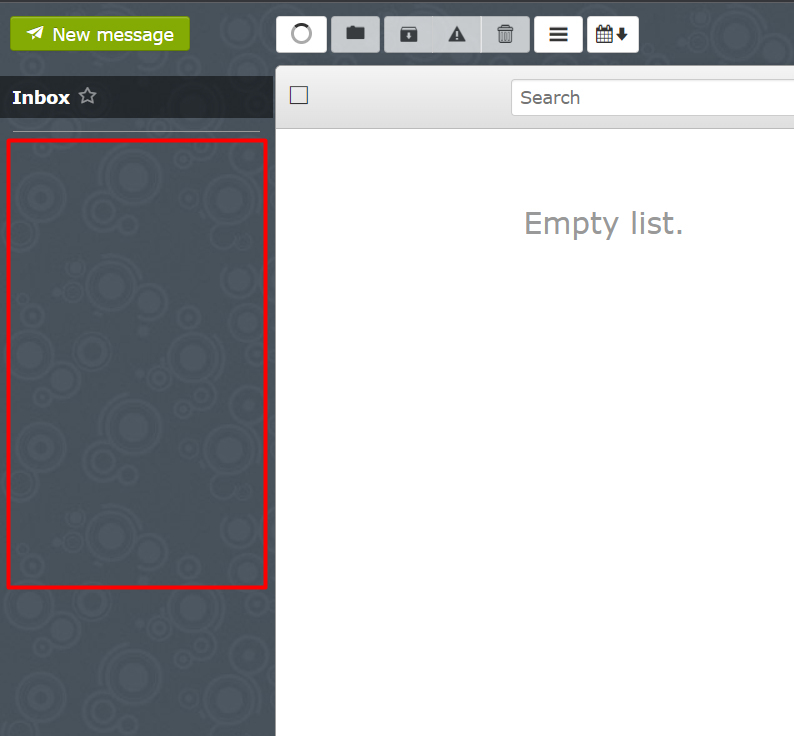
No system folders for email (sent, archive, deleted, etc) show for sub-domain websites in Snappymail.
To reproduce,
-Go to Websites > Create website
-Enter domain name as a subdomain for example:
-Check SSL, DKIM and open_basedir and Create Website
Now create an email account for example:
Login to SnappyMail and it only shows the INBOX folder.
When sending an email, it will ask to select system folders, but there aren’t any folders to choose in the list.
This happens only with “subdomain. domain. com” websites and not with “domain .com” websites.
Can someone please help me to fix this?
I faced this issue in v2.3.2 and now in v2.3.3 as well.