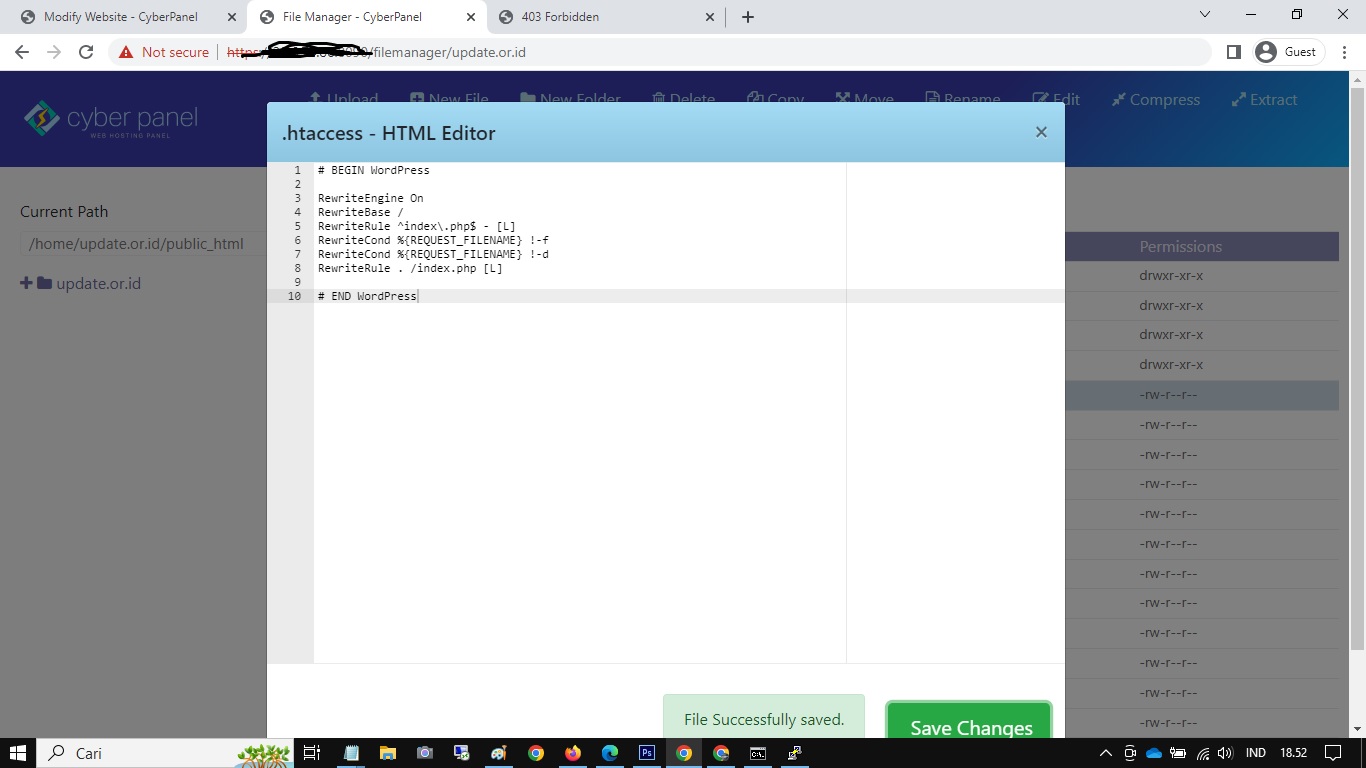
Hello @josephgodwinke this my .htaccess
# BEGIN LSCACHE
## LITESPEED WP CACHE PLUGIN - Do not edit the contents of this block! ##
<IfModule LiteSpeed>
RewriteEngine on
CacheLookup on
RewriteRule .* - [E=Cache-Control:no-autoflush]
RewriteRule \.litespeed_conf\.dat - [F,L]

### marker MOBILE start ###
RewriteCond %{HTTP_USER_AGENT} Mobile|Android|Silk/|Kindle|BlackBerry|Opera\ Mini|Opera\ Mobi [NC]
RewriteRule .* - [E=Cache-Control:vary=%{ENV:LSCACHE_VARY_VALUE}+ismobile]
### marker MOBILE end ###

### marker CACHE RESOURCE start ###
RewriteRule wp-content/.*/[^/]*(responsive|css|js|dynamic|loader|fonts)\.php - [E=cache-control:max-age=3600]
### marker CACHE RESOURCE end ###

### marker FAVICON start ###
RewriteRule favicon\.ico$ - [E=cache-control:max-age=86400]
### marker FAVICON end ###

### marker WEBP start ###
RewriteCond %{HTTP_ACCEPT} "image/webp"
RewriteRule .* - [E=Cache-Control:vary=%{ENV:LSCACHE_VARY_VALUE}+webp]
RewriteCond %{HTTP_USER_AGENT} iPhone.*Version/(\d{2}).*Safari
RewriteCond %1 >13
RewriteRule .* - [E=Cache-Control:vary=%{ENV:LSCACHE_VARY_VALUE}+webp]
### marker WEBP end ###

### marker DROPQS start ###
CacheKeyModify -qs:fbclid
CacheKeyModify -qs:gclid
CacheKeyModify -qs:utm*
CacheKeyModify -qs:_ga
### marker DROPQS end ###

</IfModule>
## LITESPEED WP CACHE PLUGIN - Do not edit the contents of this block! ##
# END LSCACHE
# BEGIN NON_LSCACHE
## LITESPEED WP CACHE PLUGIN - Do not edit the contents of this block! ##
### marker BROWSER CACHE start ###
<IfModule mod_expires.c>
ExpiresActive on
ExpiresByType application/pdf A31557600
ExpiresByType image/x-icon A31557600
ExpiresByType image/vnd.microsoft.icon A31557600
ExpiresByType image/svg+xml A31557600

ExpiresByType image/jpg A31557600
ExpiresByType image/jpeg A31557600
ExpiresByType image/png A31557600
ExpiresByType image/gif A31557600
ExpiresByType image/webp A31557600

ExpiresByType video/ogg A31557600
ExpiresByType audio/ogg A31557600
ExpiresByType video/mp4 A31557600
ExpiresByType video/webm A31557600

ExpiresByType text/css A31557600
ExpiresByType text/javascript A31557600
ExpiresByType application/javascript A31557600
ExpiresByType application/x-javascript A31557600

ExpiresByType application/x-font-ttf A31557600
ExpiresByType application/x-font-woff A31557600
ExpiresByType application/font-woff A31557600
ExpiresByType application/font-woff2 A31557600
ExpiresByType application/vnd.ms-fontobject A31557600
ExpiresByType font/ttf A31557600
ExpiresByType font/otf A31557600
ExpiresByType font/woff A31557600
ExpiresByType font/woff2 A31557600

</IfModule>
### marker BROWSER CACHE end ###

## LITESPEED WP CACHE PLUGIN - Do not edit the contents of this block! ##
# END NON_LSCACHE
### Rewrite Rules Added by CyberPanel Rewrite Rule Generator

RewriteEngine On
RewriteCond %{HTTPS}  !=on
RewriteRule ^/?(.*) https://%{SERVER_NAME}/$1 [R,L]

### End CyberPanel Generated Rules.

cat: /home/update.or.id/public_html/.htaccess: No such file or directory

# BEGIN WordPress
# Arahan (baris) antara "BEGIN WordPress" dan "END WordPress"
# dihasilkan secara dinamis, dan hanya dapat dimodifikasi melalui filter WordPress.
# Setiap perubahan pada arahan di antara penanda berikut akan ditimpa.
<IfModule mod_rewrite.c>
RewriteEngine On
RewriteRule .* - [E=HTTP_AUTHORIZATION:%{HTTP:Authorization}]
RewriteBase /
RewriteRule ^index\.php$ - [L]
RewriteCond %{REQUEST_FILENAME} !-f
RewriteCond %{REQUEST_FILENAME} !-d
RewriteRule . /index.php [L]
</IfModule>

# BEGIN security
<IfModule mod_headers.c>
Header set Strict-Transport-Security "max-age=31536000; includeSubdomains; preload"
Header set X-XSS-Protection 1;mode=block
Header set X-Frame-Options SAMEORIGIN
Header set x-content-type-options: nosniff
Header set Referrer-Policy "strict-origin-when-cross-origin"
</IfModule>
# END BEGIN security

# END WordPress
# BEGIN DS-XML-RPC-API
# Arahan (baris) antara "BEGIN DS-XML-RPC-API" dan "END DS-XML-RPC-API"
# dihasilkan secara dinamis, dan hanya dapat dimodifikasi melalui filter WordPress.
# Setiap perubahan pada arahan di antara penanda berikut akan ditimpa.

RewriteEngine on
RewriteCond %{HTTP_REFERER} !^$
RewriteCond %{HTTP_REFERER} !^https://update.or.id [NC]
RewriteCond %{HTTP_REFERER} !^http(s)?://(www\.)?google.com [NC]
RewriteRule \.(jpg|jpeg|png|gif)$ – [NC,F,L]

<Files xmlrpc.php>
order deny,allow
deny from all

</Files>

# END DS-XML-RPC-API