Community

High CPU Usage, 4CPU 8GB RAM

SH
Sirajul Huq #1

Hi, My Website is on WordPress, But when I edit/publish posts, CPU usage goes 100%. Multiple users can’t think about editing or publishing posts on my Website. I was checking server stats using CyberPanel>Server Status>Top Processes and I just noticed that only 1 processor is running and 3 sleeping. Screenshot = Screenshot-2022-10-31-001049 hosted at ImgBB — ImgBB

Server & Hosting info
OS: Cent OS 7
Hosted on Linode (4CPU, 8GB RAM)
Panel: CyberPanel
Website Platform: WordPress
Woocommerce: No
PHP: 7.4
Memcached Extension: Disabled
Redis Extension: Enabled
Too many posts/pages: Yes, 2000/2000+
Cache Plugin: Lightspeed Cache
Installed Plugins: 16 (only useful)

Can someone please help me?

jo
josephgodwinke #2

Hello @SuperPSX Happy you are here

Considering you are using PHP I believe this is a PHP sessions issue. Just run as sudo user:

# deletes php 7.4 session folders and recreates them
$ rm -rf /var/lib/lsphp/session/lsphp74; mkdir -p /var/lib/lsphp/session/lsphp74; chmod 1733 /var/lib/lsphp/session/lsphp74
SH
Sirajul Huq #3

Hi Jose, Thank you for your reply. I have a question, Only my 1 Processor working also 3 sleeping? What does sleeping mean?

jo
josephgodwinke #4

Well wrong wording. Processors cannot go to sleep. 3 cores are inactive or isolated through cpuset or VPS setting by your provider. Consult your provider.

Or do you mean you have a bunch of processes that are asleep?

SH
Sirajul Huq #5

Hi, sorry for my bad wording. I’ve attached screenshot where you can see only 1 processor is running and 3 sleeping (inactive). I don’t know how to activate them. I’m facing 100% CPU usage issue when I edit/publish/update posts. I don’t know much about server status I mean how to check and fix it. Please guide

SH
Sirajul Huq #9

Where to put these commands? Putty/SSH?

  1. $ rm -rf /var/lib/lsphp/session/lsphp74
  2. mkdir -p /var/lib/lsphp/session/lsphp74
  3. chmod 1733 /var/lib/lsphp/session/lsphp74

Can I just copy-paste and enter them one by one?

jo
josephgodwinke #10
  1. Open SSH terminal using any client
  2. log in as a sudo user or root
  3. copy this command as is:
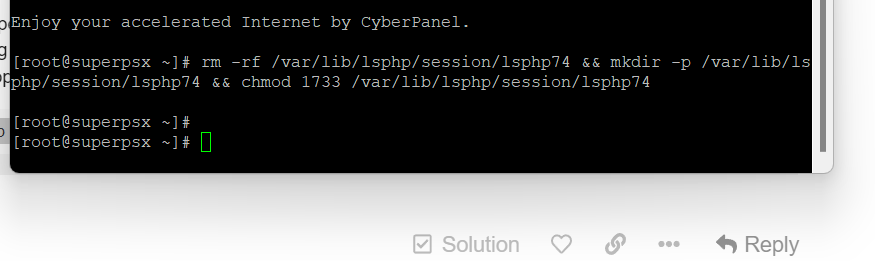
rm -rf /var/lib/lsphp/session/lsphp74 && mkdir -p /var/lib/lsphp/session/lsphp74 && chmod 1733 /var/lib/lsphp/session/lsphp74
SH
Sirajul Huq #11

jo
josephgodwinke #12

Test by trying to edit several bog posts or have one wp website updating multiple plugins and another try to upload an image

SH
Sirajul Huq #13

Still same, No changes, I’m gonna upload a video on YouTube for you.

jo
josephgodwinke #14

This might be a reason. I missed it ! sorry am multi-tasking

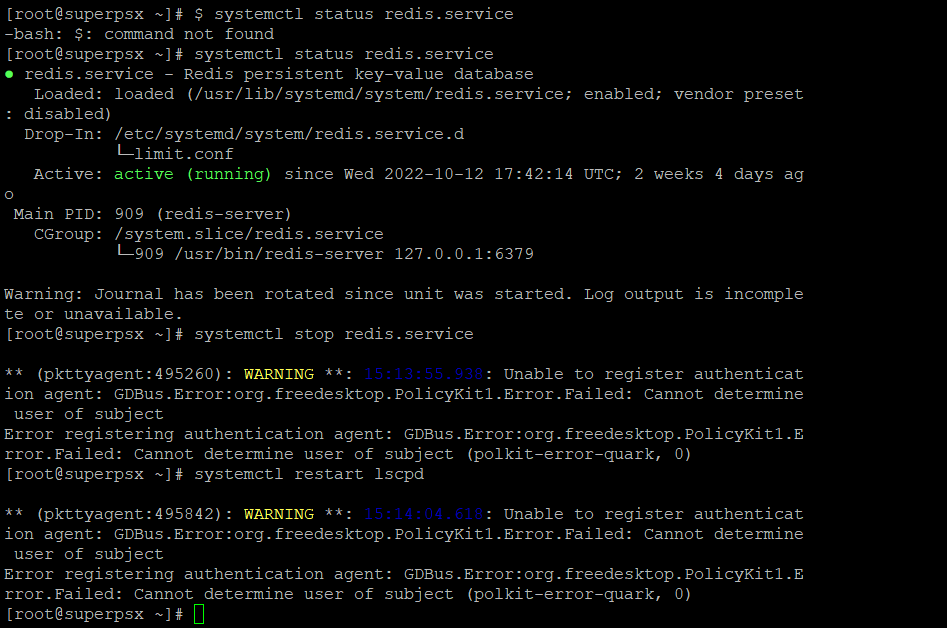
Am convinced becuase here High CPU Usage, 4CPU 8GB RAM - #7 by SuperPSX you are consuming 5gb of RAM in buffer/cache. This must be some technology hogging the system via caching. Try this

$ systemctl status redis.service
$ systemctl stop redis.service
$ systemctl restart lscpd

Then test your server and take a screenshot of your server stats from cyberpanel

jo
josephgodwinke #16

Just did.

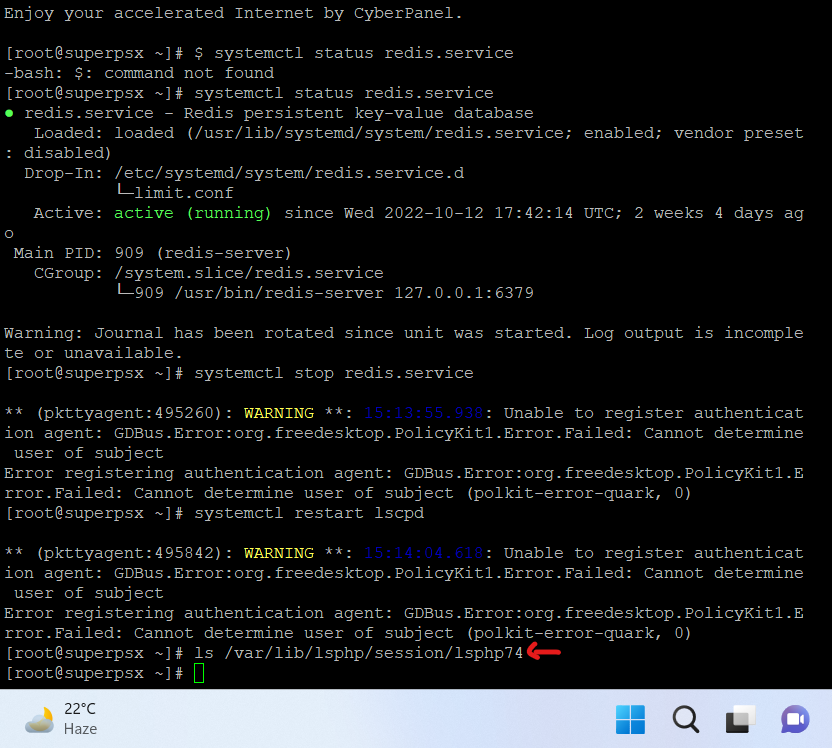
Now post a screenshot of the result of running this command ls /var/lib/lsphp/session/lsphp74

jo
josephgodwinke #19

Well we can rule out the php sessions issue unless you are running multiple php versions. To be sure try this:

# start here copy line bleow me
rm -f /var/lib/lsphp/session/lsphp71/* && rm -f /var/lib/lsphp/session/lsphp72/* && rm -f /var/lib/lsphp/session/lsphp73/* 
# then copy line below me
rm -f /var/lib/lsphp/session/lsphp74/* && rm -f /var/lib/lsphp/session/lsphp80/* && rm -f /var/lib/lsphp/session/lsphp81/*

Sign in to reply