Community

Can't issue SSL properly

aj
aj161 #1

Hi Guys,

I need big help. I’m having an issue with the SSL. First I created a website n issued SSL without any issues. after that, I delete that website n create it again on the same domain website. after that, I tried to reissue SSL on this point it gave an error. below is the error message.

Cannot issue SSL. Error message: [Fri 28 Oct 2022 12:35:25 PM UTC] Registering account: https://acme.zerossl.com/v2/DV90 [Fri 28 Oct 2022 12:35:26 PM UTC] Already registered [Fri 28 Oct 2022 12:35:26 PM UTC] ACCOUNT_THUMBPRINT=‘YpDcyzrPiYHxSsWjyijX0ZtjT3o39zg9XXqOOy2Z0-k’ Killed

Please help me :slightly_smiling_face:

jo
josephgodwinke #2

Welcome @aj161 Happy you are here

Can you try and force an installation with this command:

acme.sh --force --issue -d example.com -d www.example.com -w /home/username/public_html

Post any errors here

aj
aj161 #3

Thank you for the quick reply

This time I’m trying to issue SSL for the hostname, Is this method work for that?

jo
josephgodwinke #4

Remove the failed issuance using command rm -rf /etc/letsencrypt/live/domain.com and follow the normal issuance https://SERVER_URL:8090/manageSSL/sslForHostName

aj
aj161 #5

Still giving an error.

Cannot issue SSL. Error message: [Fri 28 Oct 2022 01:33:38 PM UTC] Registering account: https://acme.zerossl.com/v2/DV90 [Fri 28 Oct 2022 01:33:39 PM UTC] Already registered [Fri 28 Oct 2022 01:33:39 PM UTC] ACCOUNT_THUMBPRINT=‘YpDcyzrPiYHxSsWjyijX0ZtjT3o39zg9XXqOOy2Z0-k’ Killed

after running this command, anything else to do? restart or something

rm -rf /etc/letsencrypt/live/domain.com

jo
josephgodwinke #6

Start by getting the latest version of acme by running this on the command line:

wget -O - https://get.acme.sh | sh

Then try reinstalling SSL. if you get errors paste the error log here:

https://SERVER_URL:8090/serverstatus/cyberCPMainLogFile

Here you will see a command which CyberPanel have tried to obtain SSL for your site, now copy this command and execute it via command line, and you will see why CyberPanel failed to obtain the SSL. The command will look like:

/root/.acme.sh/acme.sh --issue -d cyberpanel.xyz -d www.cyberpanel.xyz --cert-file  
/etc/letsencrypt/live/cyberpanel.xyz/cert.pem --key-file  
/etc/letsencrypt/live/cyberpanel.xyz/privkey.pem --fullchain-file  
/etc/letsencrypt/live/cyberpanel.xyz/fullchain.pem -w  
/home/cyberpanel.xyz/public\_html --force

Here CyberPanel is trying to obtain SSL for cyberpanel.xyz, in your case, it will be your domain.

Reference: 1 - Issuing SSL for website - Docs - CyberPanel Community

aj
aj161 #7

Still same error,

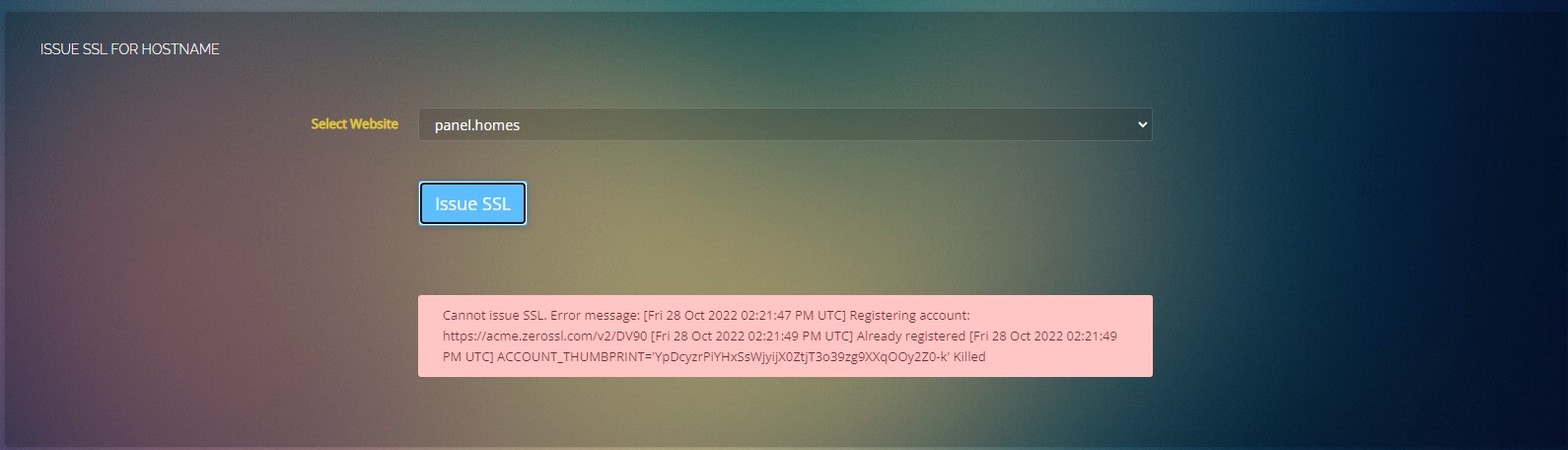
Cannot issue SSL. Error message: [Fri 28 Oct 2022 01:45:06 PM UTC] Registering account: https://acme.zerossl.com/v2/DV90 [Fri 28 Oct 2022 01:45:09 PM UTC] Already registered [Fri 28 Oct 2022 01:45:09 PM UTC] ACCOUNT_THUMBPRINT=‘YpDcyzrPiYHxSsWjyijX0ZtjT3o39zg9XXqOOy2Z0-k’ Killed

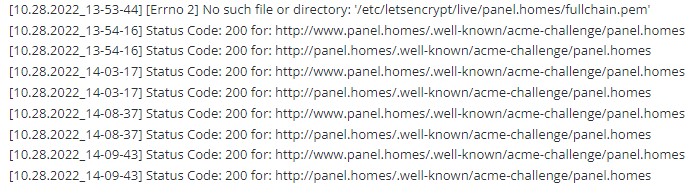
Main log file shows these

[10.28.2022_13-43-41] Status Code: 200 for: http://panel.homes/.well-known/acme-challenge/panel.homes
[10.28.2022_13-45-05] Status Code: 200 for: http://www.panel.homes/.well-known/acme-challenge/panel.homes
[10.28.2022_13-45-05] Status Code: 200 for: http://panel.homes/.well-known/acme-challenge/panel.homes

any command to see how many SSL on my server n SSL details?

jo
josephgodwinke #8
aj
aj161 #9

Thank you very much for helping me.
That domain already pointed to IP address. I think that issue is because of the previous SSL certificate.
need to find a method to remove old SSL

jo
josephgodwinke #10

Run cd /etc/letsencrypt/live/ && ls delete the hostname ssl of old domain e.g. you see:

mycustomerdomain1.com mycustomer2.net oldhostnamedomain.tech newhostname.io

Run the command rm -rf oldhostnamedomain.tech

aj
aj161 #11

Still the Same error, Why does this SSL complicated :disappointed_relieved:

Thanks, brother, you try your best. I think this panel complicated for me

jo
josephgodwinke #12

Don’t worry am hear to help.

Clear DNS cache on your client side.

What error are you getting? Post screenshots here

aj
aj161 #13

This is not the first time, last time before pointing out the DNS issue with the SSL, it was my bad, so after deleting it all again, I set up DNS correctly and try to reissue SSL. that time also gave the error same as this. it’s another domain.

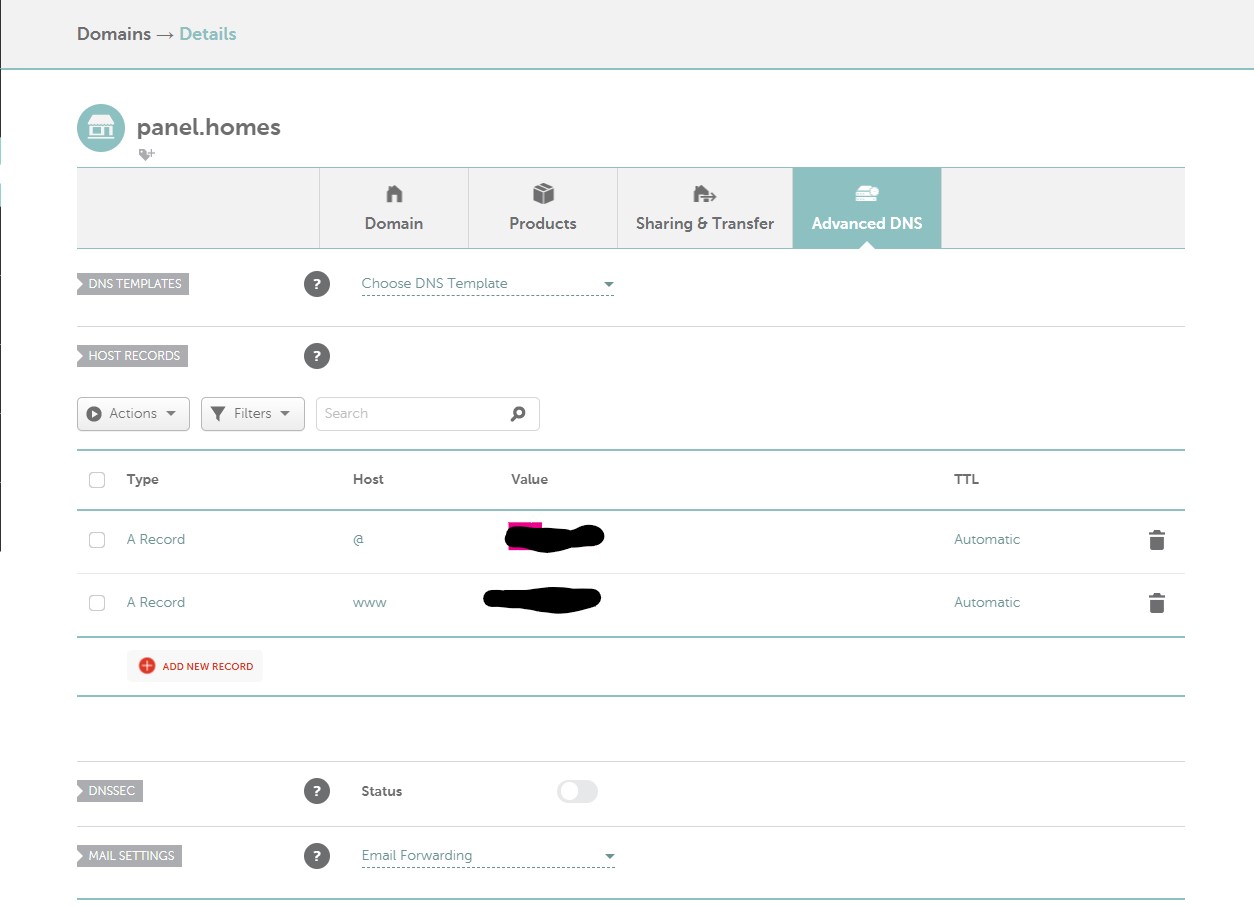
Here are the DNS records.

Here is the giving error.

Here is the main log file

aj
aj161 #15

On the location panel.homes already deleted. then after I try your steps.

Current Version: 2.3

jo
josephgodwinke #16

See list of all certificates acme.sh --list and run acme.sh --remove -d panel.homes

jo
josephgodwinke #18

Run acme.sh --remove -d panel.homes --ecc

jo
josephgodwinke #20

Run rm -rf /root/.acme.sh/pane.homes_ecc

Sign in to reply