de
devius
#1
 Community
Try entering the cyberpanel with your IP like you did before and re-issue hostname SSL.
Then try to enter using the domain again
I have tried many times issuing certificate again.
you can check:
go to normal website https://h.alphanews.ge → this works
then go to https://h.alphanews.ge:8090 → this does not work
I there any log or configuration file where I can see what certificate files are using panel?
I understand that but just to be sure, you issued the certificate here correct?
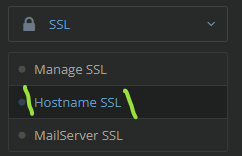
About the log, looking for it
Edit:
hostname appears to be logged on the cyberpanel main log, at the following location:
/home/cyberpanel/error-logs.txt
yes of course, I issued correct domain here.
no errors in that log file
Same problem…
Incredible that nobody give a answer.
Do you solved?
Still have a problem, I think stability of CyberPanel is not so good as I tought.
well if I check hosting.alphanews.ge:8090 everything is fine, no errors. So not sure what you need help with?
You should enable 2fa tho.
I solved it by
Update and Upgrade the list of packages in the system using this command.
sudo apt-get update && sudo apt-get upgrade

