
CyberPanel Community

ClosedCannot recreate web site

Mi
Michael #1

I deleted an existing website and tried to Install Wordpress + LS Cache on the same domain
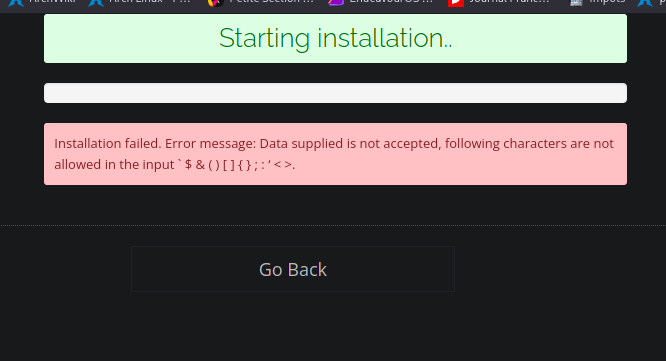
and got this
image
Entered a simple password without any of those unacceptable charactersas, and it still won’t install, but gives me the same message.

Is there a problem trying to recreate a blank wordpress site on the same domain?

Current Version : 2.3
Build : 1
Current Commit : d3256678becae4aa4ecebb5f3efe6cf087df3904
5 replies
Ga
Gabriel #2

Have you checked if the website’s DNS register still exist? If so, try to delete it and recreate.

Mi
Michael #3

Yes the DNS still exists. I deleted the zone and recreated it, even though the DNS is managed by Cloudflare.

Got the same error message on Install Wordpress +LSCache.
The rest of the sites work, so could this be a caching problem where it is still seeing the old site even though it is is deleted.

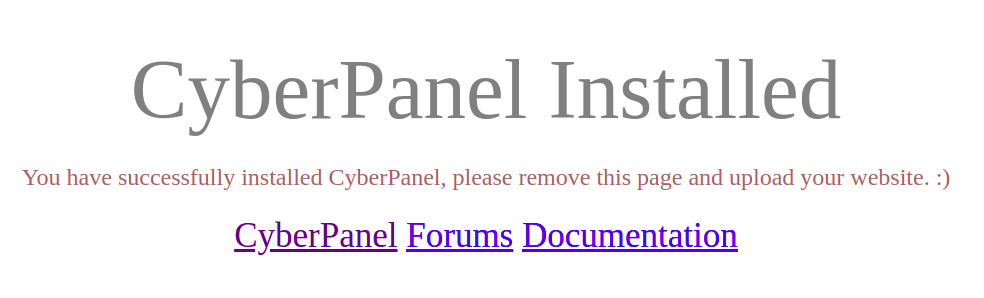
This is what the browser sees, so a website definitely does not exist at the url.

Mi
Michael #5

For now I put a URL redirect to another domain, so that solves the problem for now.

How about looking into this horrible bug? Whether it is a DNS flushing, caching issue or rules or whatever, we should be able to create a web site with the same domain after waiting 24+ hours.

The only member to reply said :

To which I have deleted the DNS and recreated it.

I have used 1234567 password for the Wordpress site, so that is not any of those not permitted characters, but it still gives this error.

image

Ga
Gabriel #6

Could you supply wich data you’re using to input? When we have more information, we can do better

Mi
Michael #7

Thanks for your reply.

After looking at that error page…
image

I did not realize the “not allowed iin the input” did not just relate to the the password field, as it is a typical error you see trying to use invalid characters in a password.

The Create Website interface in Cyberpanel does will not allow us to use any othe not permitted characters in any filed on the form. I had an apostrophe in the ‘Site Title’.

After creating the website, I went to the Wordpress dashboard, and changed the Site Title in the Settings.

So this is my own solution. Sorry to cause confusion. I will mark it :white_check_mark: solved as I 'm sure even as veteran WP users, it caught me, so new users may find this helpful.

Sign in to reply