Community

Data loss in a website public folder

Ja
Jad #1

Hello,

I have recently experienced some data loss in the public folder of a website, I didn’t pay attention to that and I don’t know when was the time this have happened. I tried to see the logs but I can’t fetch more than 50 lines.

Is there anything I can do the fetch all the logs of the last 30 days and see if there was some security breach?

Thank you,
Jad
NK
Nitesh Kunnath #2

What is the cyberpanel version which you are using?

Ja
Jad #3

Hello,

It’s the 2.1 build 2.

NK
Nitesh Kunnath #4

Please update cyberpanel to the latest version because its been solved way back. When server storage space is almost full and you try to backup and restore, such thing used to happen. But it was fixed already and the current cyberpanel version is 2.3 build 1

sh
shoaibkk #5

ALthough this is first time issue like this reported but please update your cyberpanel to latest version

Ja
Jad #6

Ok thanks.

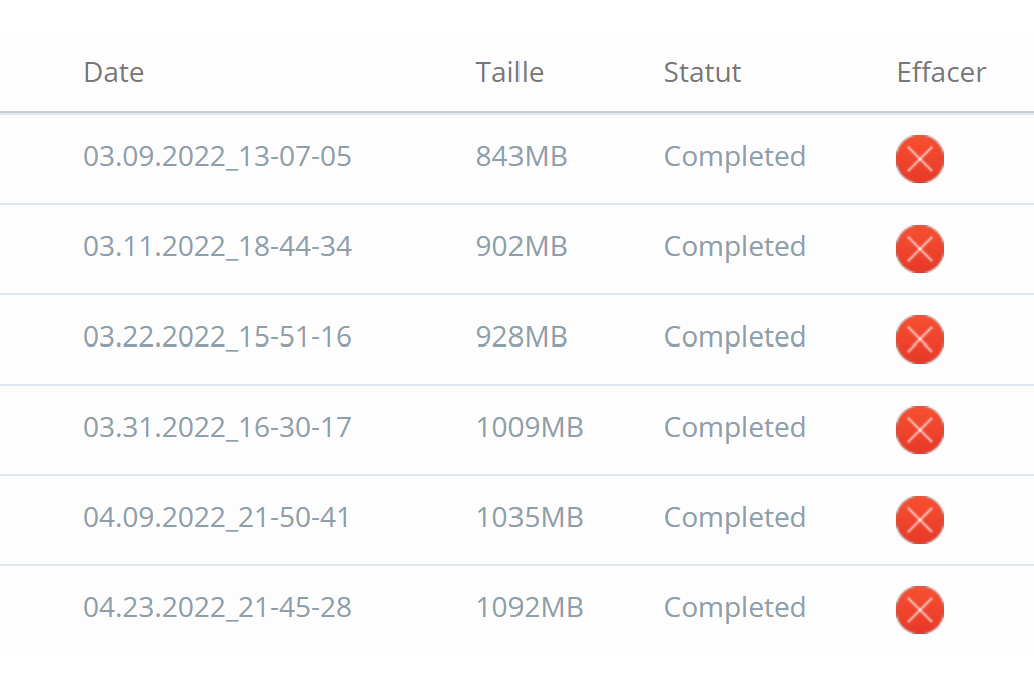
Before updating cyberpanel I’m trying to download a backup of the website just in case something went wrong however I can’t find the path /home/website/backup, this could be something related ? I can see the backups in the panel.

MK
Mirza Khadnezar S [sick] #7

depends or your configuration/setup what folder

my forlder are /home/mybackups

Ja
Jad #8

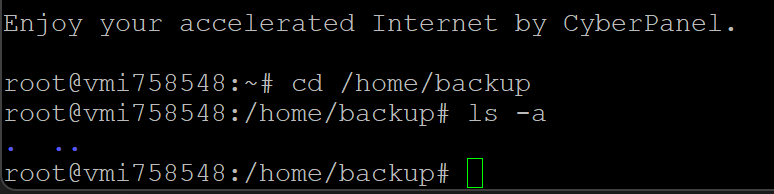
I have a /home/backup created by me, but the directory for cyberpanel backups doesn’t exist in my case therefore I can’t find my backups.

NK
Nitesh Kunnath #9

The backup folders will be created when you backup the website and it will be created at the base directory of the respective website.

NK
Nitesh Kunnath #11

These cannot be accessed normally using the inbuilt filemanager. You will need to use SFTP using root permissions or SSH commands.

Ja
Jad #12

I know, I am using root access through ssh.

NK
Nitesh Kunnath #13

Then you should look the backups under /home/backup/ path

NK
Nitesh Kunnath #15

make use of find command and see if there is such backup file in the entire server
If you dont find it, then its probably not there (maybe deleted)

Ja
Jad #16

Running
" Find /home backup-deligourmet-epiceriefine.com-04.23.2022_21-45-28.tar.gz " gave the results below.

If this means that there is no such file (while I can still see it in the panel by the way), it would be problematic, all the work I have done is stored in this backup.


NK
Nitesh Kunnath #17

Always backup remotely to external server or backup programs and never depend on local backups because for any reason if your server storage is corrupted, server malfunctions, server system issues; then you will be loosing on your local backups and files.

If you care about your sites, always have multiple copies of backup across remote servers/providers. Maybe Amazon S3, Blackblaze and a lot other backup providers are there.

Ja
Jad #18

Perfect timing for a meme, lol. Other than that, why am I still seeing the backups in the panel if they are not in the server?

NK
Nitesh Kunnath #19

Because it might have deleted from the server and not via the cyberpanel interface and cyberpanel still believes its on the same path. If you rename the backup file name directly in server, that change too will not be reflected in the cyberpanel interface as it doesnt sync that way. This can be improved though, but this is what it is currently.

Ja
Jad #20

I see,. And knowing that no one has access to the server, what could be the issue that got us into this situation ? or how would we know (if it’s possible of course) ?

Sign in to reply