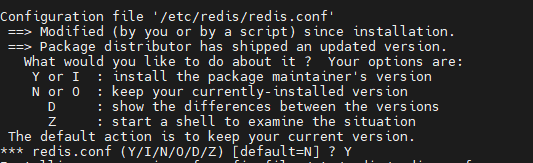
When run your command on Debian 11, I got warning
apt-key is deprecated. Manage keyring files in trusted.gpg.d instead (see apt-key(8)).
Check full results below:
 ** NOTICE **

Redis now has an official APT repository. We urge users to use the APT repository, as described here:
https://redis.io/docs/getting-started/installation/install-redis-on-linux/

This PPA is still maintained but bugfix releases of older versions cannot be distributed here.

* * *

Redis is an open source (BSD licensed), in-memory data structure store, used as a database, cache and message broker.

It supports data structures such as strings, hashes, lists, sets, sorted sets with range queries, bitmaps, hyperloglogs, geospatial indexes with radius queries and streams.

Redis has built-in replication, Lua scripting, LRU eviction, transactions and different levels of on-disk persistence, and provides high availability via Redis Sentinel and automatic partitioning with Redis Cluster.
 More info: https://launchpad.net/~redislabs/+archive/ubuntu/redis
Press [ENTER] to continue or ctrl-c to cancel adding it

gpg: keybox '/tmp/tmpt5k_uhqr/pubring.gpg' created
gpg: /tmp/tmpt5k_uhqr/trustdb.gpg: trustdb created
gpg: key CC59E6B43FA6E3CA: public key "Launchpad PPA for Redis Labs" imported
gpg: Total number processed: 1
gpg:               imported: 1
Warning: apt-key is deprecated. Manage keyring files in trusted.gpg.d instead (see apt-key(8)).
gpg: no valid OpenPGP data found.
And after run update and upgrade command, Redis not get upgraded to the latest version.
Please help!
Thanks