RR
Ronny Rolim
#1
 Community
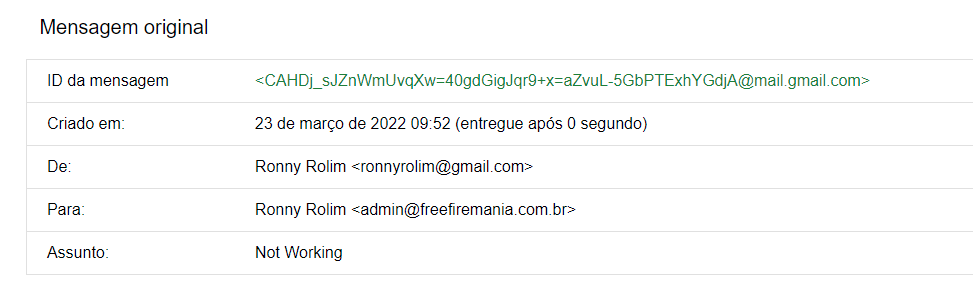
cannot received
and
cannot sent
that mean postfix / mail server problem…
check the mail error log
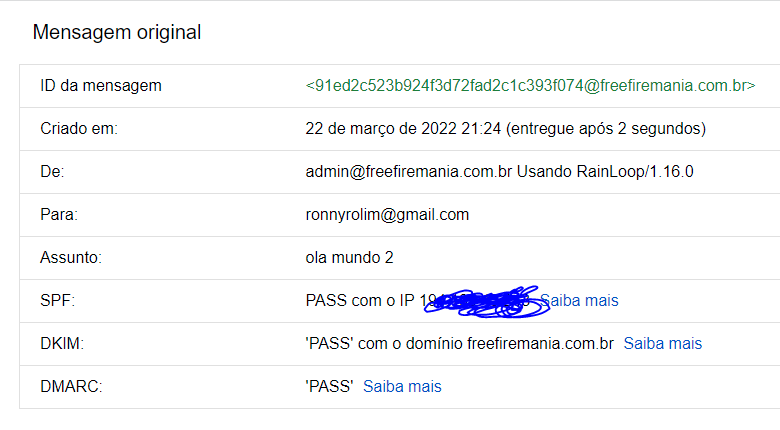
I can send, I just can’t receive.
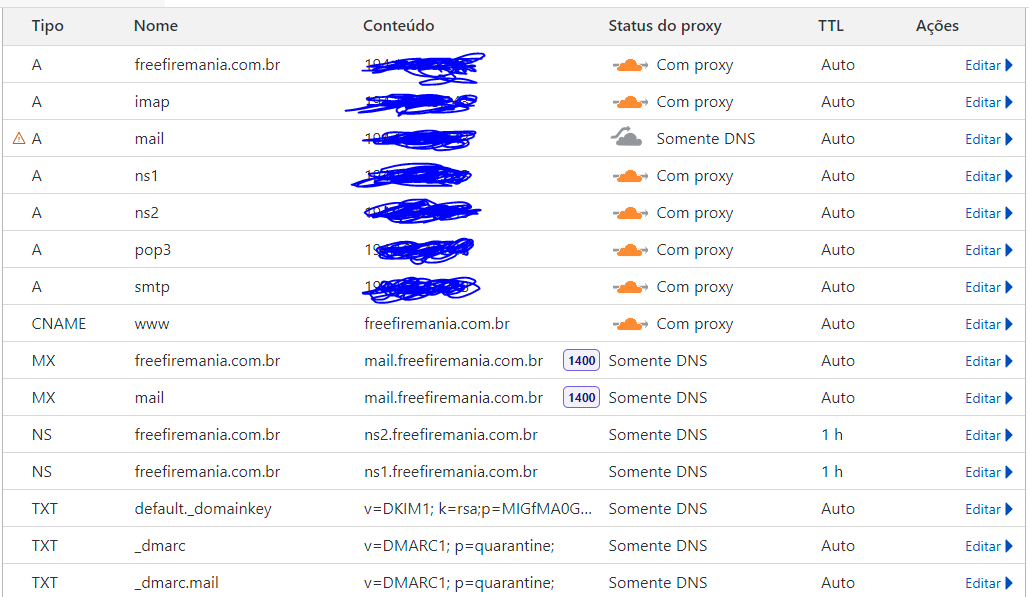
If you can not receive then check your MX records.
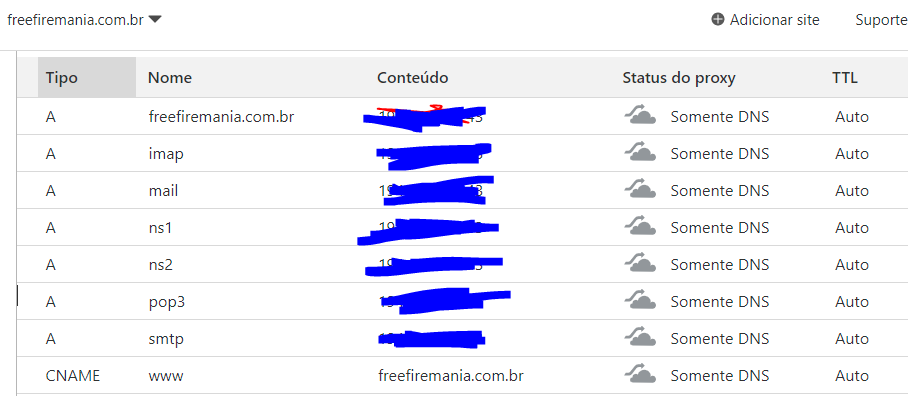
Delete the second MX record from your picture and does mail.freefiremania.com.br points to your CyberPanel server IP?
then…like @asma said. the problem is on your NS Record
edited: i forgot your first post… brb. i will check
from Cloudflare panel
mail IN A 194.163.45.243 (no proxy)
@ IN MX mail.freefiremania.com.br 10
so far…
as i can see tour record at cloudflare is correct…
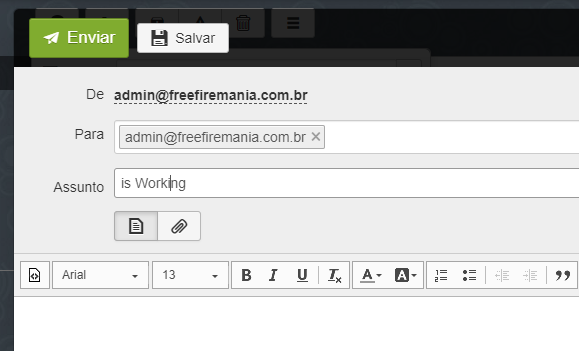
try send to your email (better try use gmail) and check it using rainloop.
if you get mailer daemon… post here the info of mailer-daemon
Yes, mail.freefiremania.com.br points to my CyberPanel server IP
If I delete the imap record, I can’t use it in applications.
like i said before
open gmail account
compose
type the address something@freefiremania.br
enter the body message
click send
then wait
open your rainloop
and check your gmail… about 10minuetes
if your email get reject or bounce or cannot received to freefiremania.br email
then your gmail will have MAILER-DAEMON
if not… then we must check the log
let’s do 1 by 1 to trace and troubleshoot your email problem
i just “re-read” your post
i find this…
you cant sent email to your self ???
test@freefremania.com.br to example@freefiremania.com.br is OK
test@gmail.com to example@freefiremania.com.br is NOT OK
my script PHP to example@freefiremania.com.br is NOT OK
my script PHP to test@gmail.com is NOT OK
Also, when sending email from test@gmail.com, it does not return, there is no error. It just doesn’t arrive at the destination (test@freefiremania.com.br)
Edit
Mar 23 13:04:04 freefiremania pipe[403506]: fatal: pipe_command: execvp /usr/bin/spamc: No such file or directory
Mar 23 13:04:04 freefiremania postfix/pipe[403502]: 8B57F825EB: to=<ronnyrolim@gmail.com>, relay=spamassassin, delay=84305, delays=84305/0.03/0/0.01, dsn=4.3.0, status=deferred (temporary failure. Command output: pipe: fatal: pipe_command: execvp /usr/bin/spamc: No such file or directory )
I found this in the logs, it looks like it might be the cause of the problem.
I installed spamassassins, but removed it because it was consuming all my processor, now this error remains.
Do you have any idea how to solve it?
i never use spamassasin and firewall from many years ago
hmmmm
in that case perhaps this guy can help:
@die2mrw007 @shoaibkk
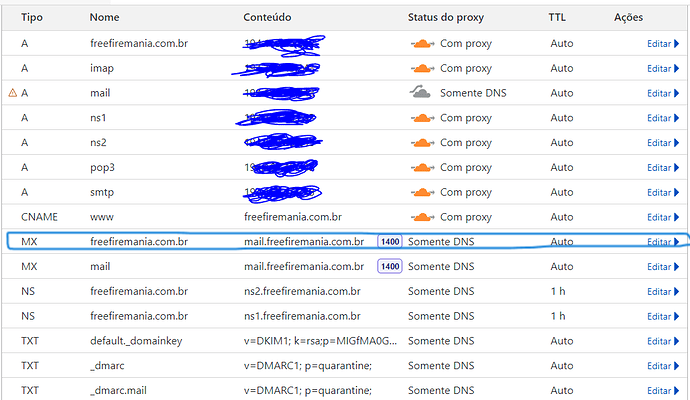
Delete this entry and Restart your server and then try again.
Done as per your guidance. I deleted the DNS record and restarted the VPS. Now there’s another error.
Error 1:
Failed to obtain SSL, issuing self-signed SSL for: freefiremania.com.br
Error 2:
Mar 24 10:00:05 freefiremania postfix/smtp[678217]: 2BC4A358B15: to=freef6432@freefiremania.vps, relay=none, delay=0.01, delays=0.01/0/0/0, dsn=5.4.4, status=bounced (Host or domain name not found. Name service error for name=freefiremania.vps type=A: Host not found)
Mar 24 10:00:05 freefiremania postfix/qmgr[603754]: 2BC4A358B15: removed
Mar 24 10:03:17 freefiremania postfix/postqueue[678578]: fatal: usage: postqueue -f | postqueue -i queueid | postqueue -p | postqueue -s site
I have now reinstalled postfix, but I was not successful. I went to CyberPanel to issue the SSL of mail.domain but
Mar 24 10:12:42 freefiremania postfix/error[684375]: 9438D825C8: to=admin@freefiremania.com.br, relay=none, delay=69979, delays=69979/0.05/0/0, dsn=4.3.0, status=deferred (mail transport unavailable)
Ticket #UTAOE7LYE requesting for email debug service Successfully Created
That is because the A record for your domain is proxied by cloudflare. Disable the proxy and then try to issue SSL and after successful SSL creation, you can again enable the proxy.
Edit: I am seriously sorry, the last post where I marked the DNS entry got wrong marking mistakenly. I meant was the MX record with name as “mail” needs to be deleted and not the one actually marked by me. I am extremely sorry for that.
You just need 1 MX record only which should be
Type - MX
Name - freefiremania.com.br
content - mail.freefiremania.com.br
Not working.
Failed to obtain SSL, issuing self-signed SSL for: freefiremania.com.br
Mar 24 11:29:23 freefiremania postfix/smtp[15463]: CBA1935C705: to=email@mail.freefiremania.com.br, relay=none, delay=0.08, delays=0.01/0.02/0.05/0, dsn=4.4.1, status=deferred (connect to mail.freefiremania.com.br[194.XX.XX.XX]:25: Connection refused)
If possible do send me the server SSH login details on private message. I will take a look and fix/guide you.
I managed to solve it with the help of @die2mrw007 and CyberPanel support.
I did the CyberPanel update and also the debugEmail at https://cloud.cyberpanel.net/
https://community.cyberpanel.net/docs?topic=81
Thanks!
this solution again 
This topic is closed to new replies.