do
You can add a function at the docker image interface to pull the latest image.
I understand I can do that from the command line. But adding it to interface might be easier for everyone.
 Community
You can add a function at the docker image interface to pull the latest image.
I understand I can do that from the command line. But adding it to interface might be easier for everyone.
We will check this but it is good if you write an complete guide to do it from command line and share here may be it will help others too
If this helps others…
The command to pull latest docker image:
docker pull [docker_image]
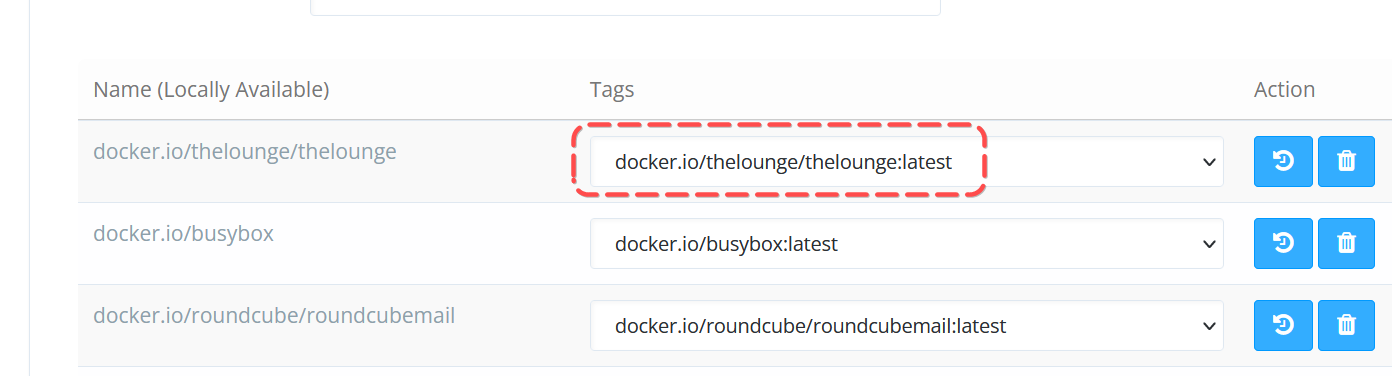
You can get image name from: Docker Manager > Manage Images
If I am to update my thelounge image, I’ll go to terminal and type:
docker pull docker.io/thelounge/thelounge
(my image here is already updated, so it did not do anything)
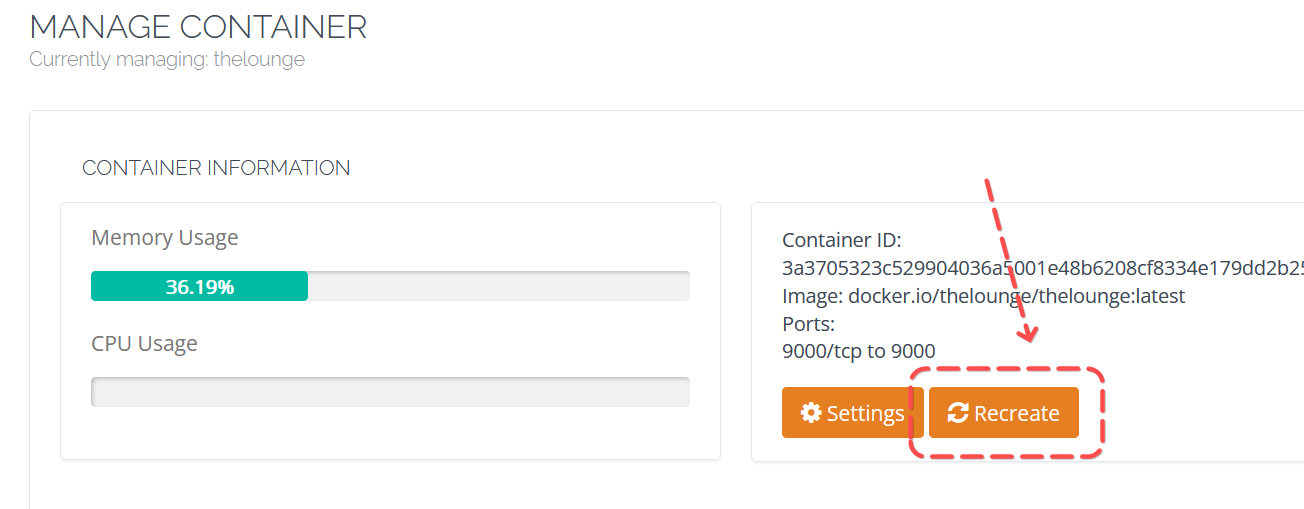
Once you have updated the image, go to your container and click on “Recreate”
Don’t forget to “start” your container.
Any updates oh this request? It would be a great function!
The main issue with making the docker again instead of updating it, is that you lose “all” data in it.
The data for dockers shouldn’t be saved within the docker it self, in case you want to uninstall and re-install the docker, it should not remove the data unless you click “Delete all data”.