Community

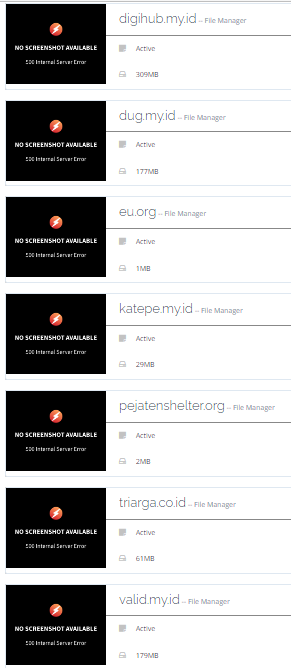
No Screenshot available 500 Internal Server error

je
jessicarobert #1

Dear Users,
I am getting some errors "when I click on all websites, there is no preview instead showing an error

“No Screenshot available”
500 Internal Server error

Why it is showing on all websites, however, the websites are running ok, I have checked it on gtmetrix and google page speed, websites are working fine, secondly, after installing Cyberpanel my traffic is decreasing day by day and Alexa rank is hit badly.

MK
Mirza Khadnezar S [sick] #2

its normal
i have 20++ website hosted with cyberpanel
some 14 screenshoot not available
but everything is working well…

I just embed myself that the screenshot feature doesn’t exist.
so I don’t worry about the looks

MK
Mirza Khadnezar S [sick] #3

alexa…
i have no comment if you use alexa :smiley:

je
jessicarobert #4

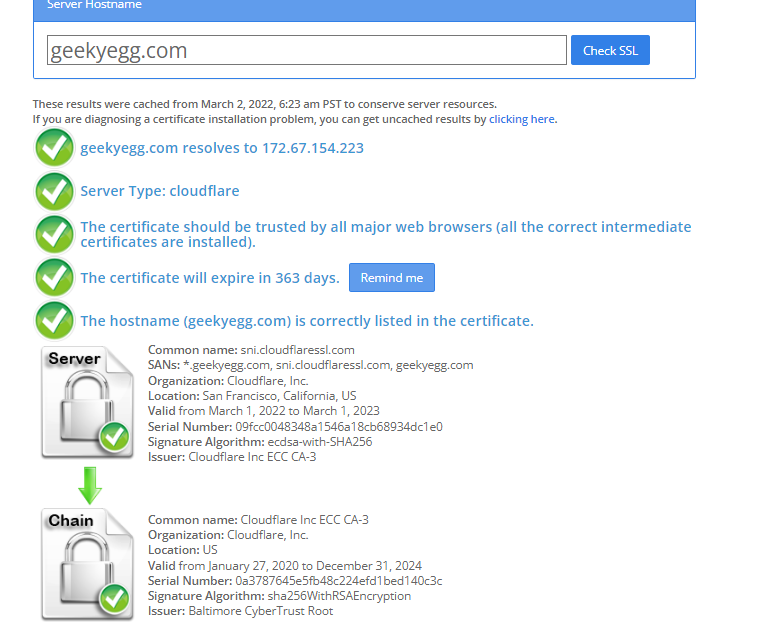
Dear Please guide me, SSL is installed by Let’s encrypt but chrome is unable to open the website, most of the websites using let’s encrypt, will you support me why this happens.

MK
Mirza Khadnezar S [sick] #5

Forgive me. I’m the group of people who question Alexa’s judgment. even when they want to close because of bankruptcy I still can’t trust their scheme.
when what they do is right. of course their algorithm will be expensive and always used, in fact quite the opposite, currently they are close to closing their business

how u know ? u said unable to open ?
and can you screenshoot the chrome that you said “unable to open”

je
jessicarobert #9

Dear
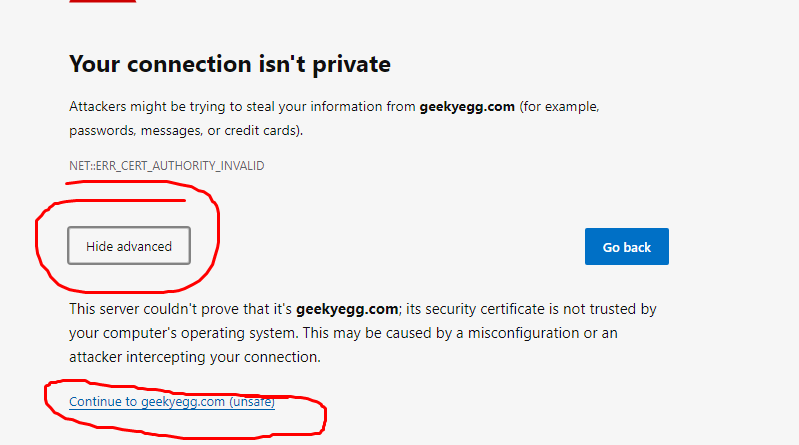
Why it is shown as “Your connection isn’t private” on chrome, will you please tell me about this error, I know how to open the website, but why such an error is occured.

MK
Mirza Khadnezar S [sick] #10

because DNS Cache
close your browser

CMD run as admin (if you can…)

ipconfig /flushdns

J@
John @ S4 #11

What is the mechanism used to grab these screenshots actually?

Sometimes we have all of them showing perfectly and other times we get the 500 images, it’s a bit strange.

MK
Mirza Khadnezar S [sick] #12

i dont know
it’s look like using crontab just like the SPACE QUOTA info

like jacko said, You Are Not Alone


fyi: all of those site using Cloudflare

at other server that i use direct NS, 4 from 6 website display the screenshot

J@
John @ S4 #13

We aren’t using Cloudflare for any sites and still get missing screenshots from time to time, but it’s an interesting point, I just tried adding a few Cloudflare sites to one of our servers out of curiousity and none of them display a screenshot.

MK
Mirza Khadnezar S [sick] #14

that what happen to me :slight_smile:

but

for this one, i have no idea. i have no new website right now. all website that already add is working.
but i test 1 site. i remove from cyberpanel then i change the ns for 1 day to he.net then i A to other panel, after 24h i turn it back direct to cyberpanel(and create new website) the result no images too…

something happen with crontab at 2.1.2.some-hidden-update-version

NK
Nitesh Kunnath #15

The screenshots are generated and served using cdn.statically.io API and sometimes it may fail to generate cdn… Maybe some quota limit I guess. Anyways, it has nothing to do with website performance or anything related to your server or website.

NK
Nitesh Kunnath #17

There isn’t any free alternative for image storage CDN. Either cyberpanel can use the screenshot image or else remove it completely. But I feel, it should be there for better look.

Mi
Michael #18

This is my first post. This seems like a definitive answer that we should just ignore it, since the sites are working in every other respect.

Thn you.

MK
Mirza Khadnezar S [sick] #19

OPTIMOLE… but that plugin for WP
lol

sk
skitzo2000 #20

While I understand the sentiment. From my perspective it looks like crap because it never works on my server. Removing it is the better option until it can work properly.

And It does impact server performance. The list websites page if not cached takes forever to load slowing down the page.

I see a very clear case for why it should be either fixed or removed. But definitely not left as is…

Sign in to reply