Ad
Adrian
#1
 Community
check the ftp log. and try copy then paste your password first at notepad
to eliminate blank space (perhaps)
btw, have you upgrade to latest cyberpanel ?
this is happen to me at 2.1.1
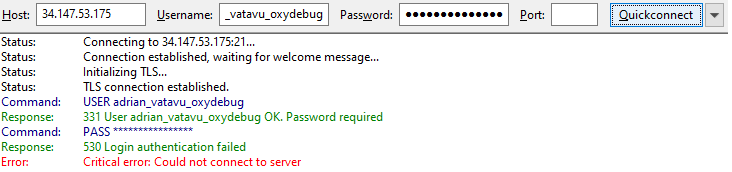
I did it but continue to see the same messagge.
The versione is 2.1
current version 2.1.2 and even you are using 2.1.2 already. better to upgrade… because developer sometimes put some improvement without notification
OK thanks
For the ftp account problem what else can I check to find the problem?
log ? error log?
try to re create and try to copy paste the cred to notepad before to ftp client (try other simple popular ftp client)
watchout for blank space…
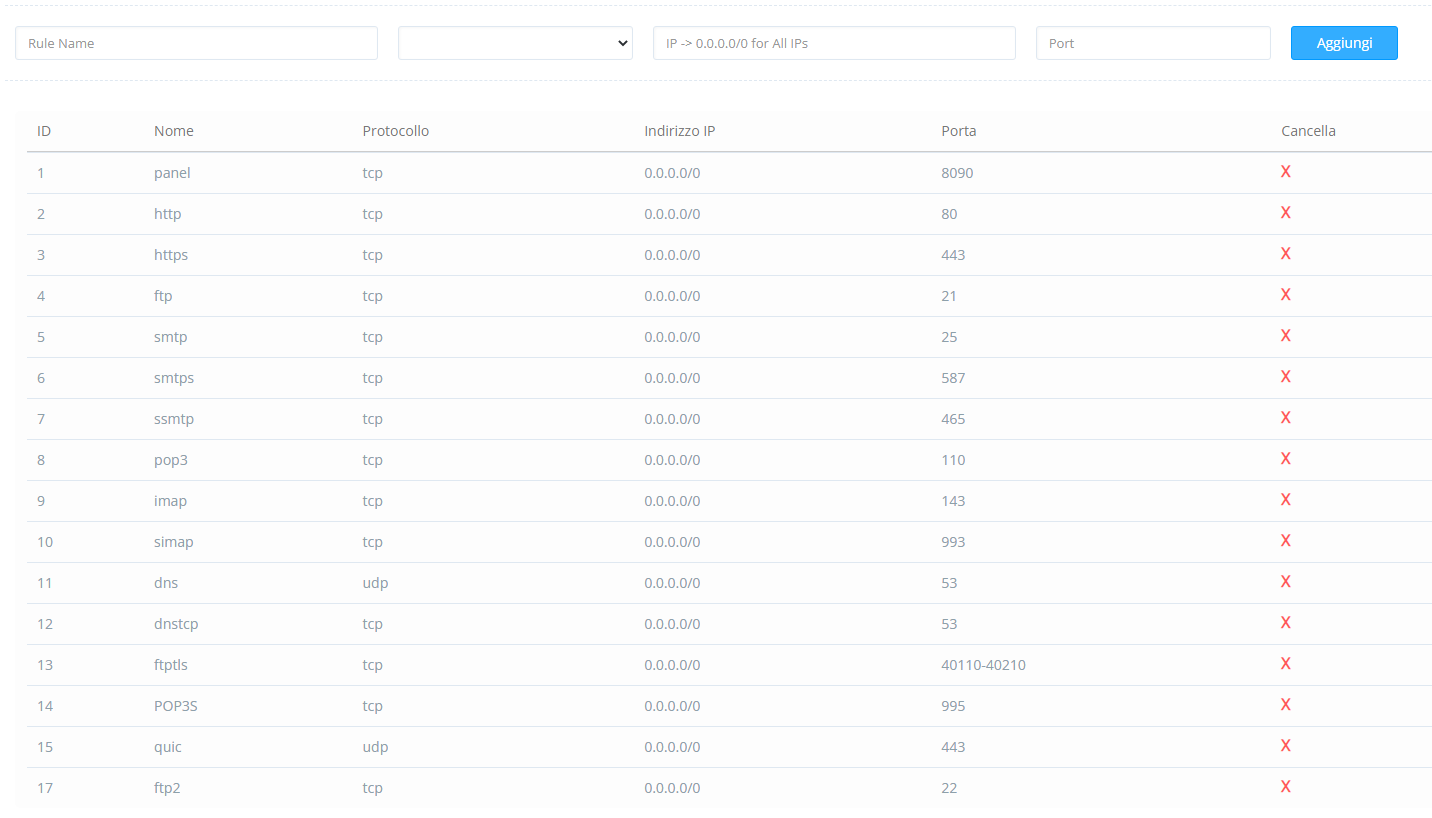
check firewall…ftp port
there is billion way to fix it
if you only give to us only a little info and what you did before error and what you do after you find error and before post here/…
whats is your current version ?
try to run Upgrade Cyberpanel once more from CLI
then remove FTP user after that RE-Add…
try not using filezilla
try other FTP Client
I have updated CyberPanel
I removed the user and created a new one
I uninstalled FileZilla and installed CyberDuck
LOOM => https://www.loom.com/share/700fcb7bb5ab43379b4c03302d4d7184
The credentials i will delete it when i can access ftp
wait a min… i will check the video
update:
i will ignore the domain name. since the domain name pointing to other places and you request ftp using IP. so that is not the problem…
have you try to using non secure ?
since 34.147.53.175 not have valid SSL yet
btw
have you doublecheck your username ?
I think it might be related to the fact that I have assigned a domain as hostname
LOOM => https://www.loom.com/share/b05c266b3d29426db43f4addf68bc29d
I inform you that when I opened cyberpanel I had set another hostname and it worked correctly but then I had to delete the domain so now I have set server.spuntolab.it but it does not work, may it have to do with the ssl problem? what can I do??
I controll and copy the right username and pass of ftp account that i was create.
i will tell you something that maybe not related with your problem
i was facing problem with ftp using hostname (server hostname) and client domain name.
but that was happen on 2.1.1
and that still happen include mail ssl if i put it under Cloudflare proxy…
so , starting that day. i always put my domain (server hostname) not behind cloudflare proxy (gray mode) and until now i can login using FTP
https://1drv.ms/v/s!AnxcThy_1nJ671dlaZ1-_prKidTV?e=lNp75Y
and i always using default ftp or native ftp
some of ftp client will make trouble like filezilla
so i use 2 ftp client… winscp and total commander (so far this two ftp client have zero trouble, except ssl mode)
I solve the problem with hostname and try again ftp account log, this is the result with Total Commander
LOOM => https://www.loom.com/share/bbe3ffb537f34c598dd48dd362220417
if you trust me. can you inbox/pm me the login to your cyberpanel and let me check ?
only cyberpanel not ssh or osl admin
delete it from here… dangerous lol… sent me mail box
i work on it now
sorry m8…
i cant find the problem 
cant help you more… i have already test all combination of problem solving for ftp inside the cyberpanel
but still cant login
there is one way to try it out
run the upgrade from CLI
then turnoff firewall
reboot
then try re create the ftp then login
@usmannasir @usmannasir1 @die2mrw007 maybe they can help ?
I just made update and upgrade.
i tried turn off the firwall(not from cli)
and tried reboot
and created again ftp account but nothink