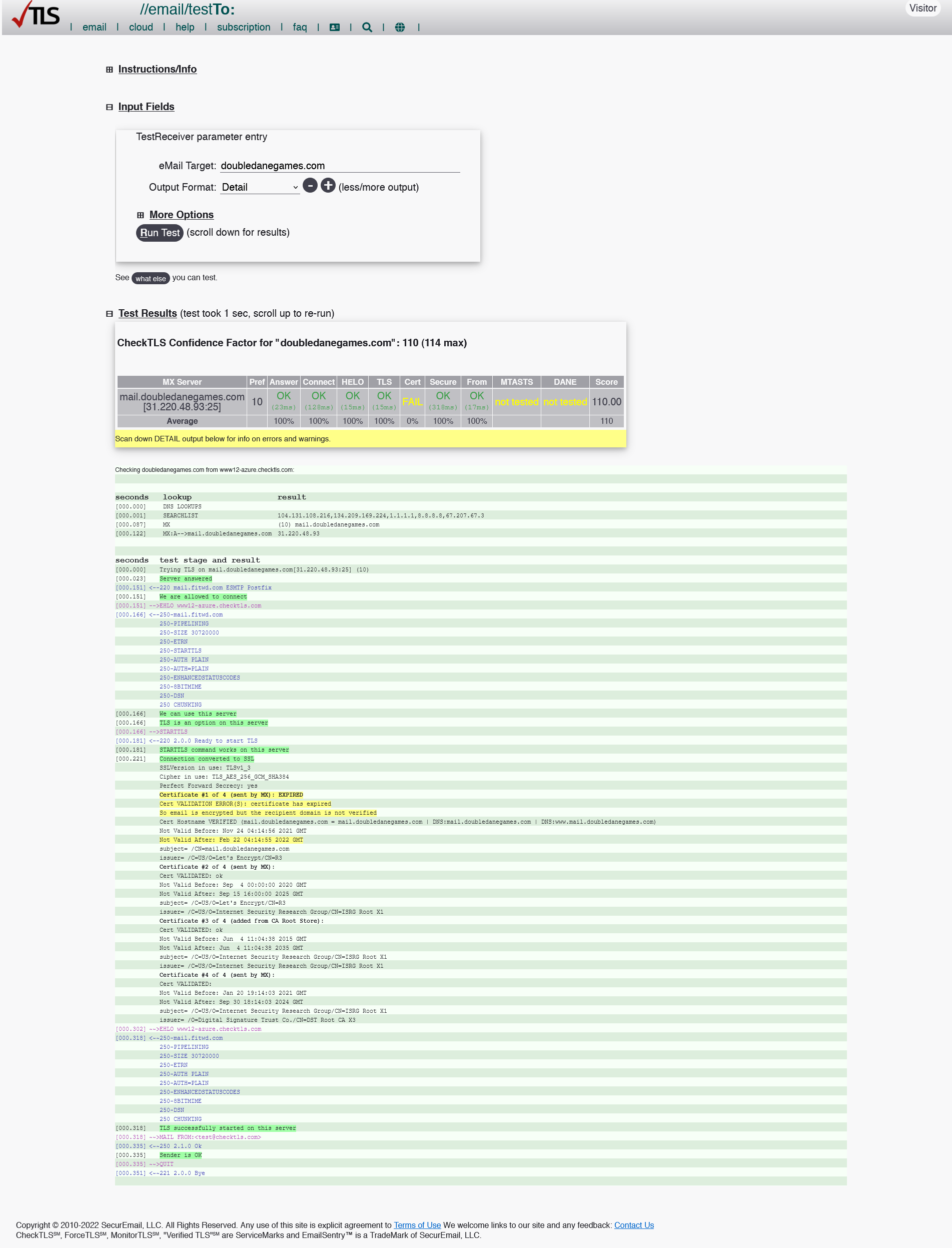
Recently had a Let’s Encrypt SSL Certificate auto update and Thunderbird is now giving the following message when trying to send an email:
Sending of the message failed.
Peer’s Certificate has expired.
The configuration related to mail.[mywebsite].com must be corrected.
I’ve spent some time googling around and haven’t come up with much. At the Thunderbird support forum they’re saying this is a server issue (not related to Thunderbird) and something about it receiving a cached version of the certificate over TLS? Is that possible? Seems unlikely.
Cyberpanel is reporting the certs are fine and https is working fine on the website side of things. The certificates themselves seem bundled together in a file at: /etc/pki/ca-trust/extracted/openssl/ca-bundle.trust.crt (and tls-ca-bundle.pem) - opening the files, I can’t tell one from another but I have no reason to believe there’s anything wrong with them in any case.
Sending email works fine in rainloop.
Typically, I like to figure these things out myself but I must admit I’m completely baffled. Has anyone else experienced this issue? I’d greatly appreciate any help. Thanks!