CyberPanel Community

LiteSpeed servers do not read .htaccess file

Su
Summersalt #1

Hi guys,
My LiteSpeed servers do not read .htaccess file.
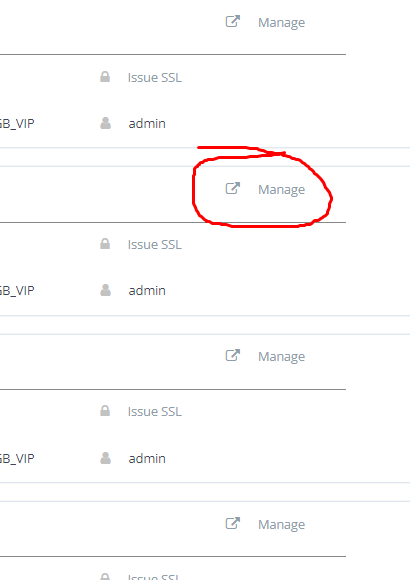
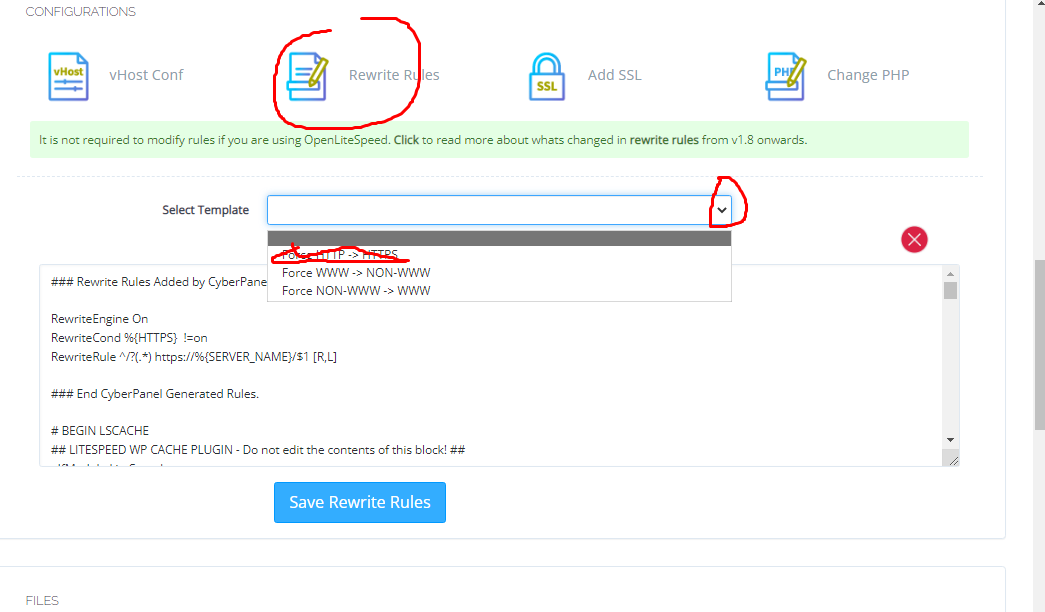
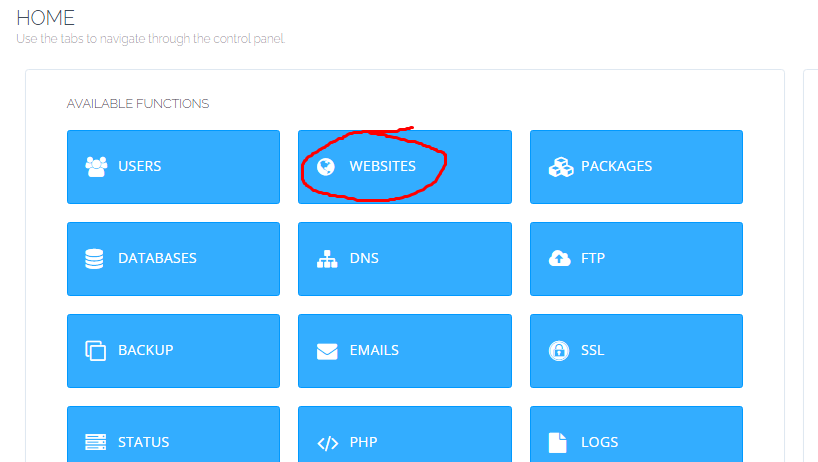
I’ve been reading online, and found that rules will need to be added explicitly via the control panel, but I haven’t found a step by step tutorial. Please can someone guide me on how to achieve this or send me to a video lesson that can walk me through it?
Looking forward to your answers and thanks in advance.

16 replies
MK
Mirza Khadnezar S [sick] #2

how you know the OLS is not read .htaccess ?

Su
Summersalt #3

I recently moved an application from my apache powered shared hosting server to my cyberpanel server. It couldn’t load index page. I contacted app developer, and he said:

Some LiteSpeed servers do not read .htaccess file. Rules will need to be added explicitly via the control panel. You might need to copy the .htaccess file content and paste it to your litespeed configuration via the control panel.

Su
Summersalt #5

I don’t know how to do that. can you guide me?

Su
Summersalt #7

I just followed the instruction above to re-write rules. but I am still facing the same problem. The page won’t load and I get an error 500. But error 500 page loads with https.

Su
Summersalt #9

I just pm-ed you my domain.

MK
Mirza Khadnezar S [sick] #11

your site is not 500 404 or any error everything is fine now :slight_smile:

try to re upload the script

and… if i can say… dont touch the OLS panel :smiley:
Cyberpanel should enough for everything

Su
Summersalt #13

Everything is fine now… Thank you!

Su
Summersalt #15

I deleted that website and started afresh. I re-added it, re-uploaded files, I re-installed ssl. Then i went to rewrite rules and forced all connections through https.

That did the magic.

MK
Mirza Khadnezar S [sick] #16

you dont follow my step… do you ?

sh
shoaibkk #17

share steps here too so we can add as solution if anyone face the issue in future so he can find here

Sign in to reply