CyberPanel Community

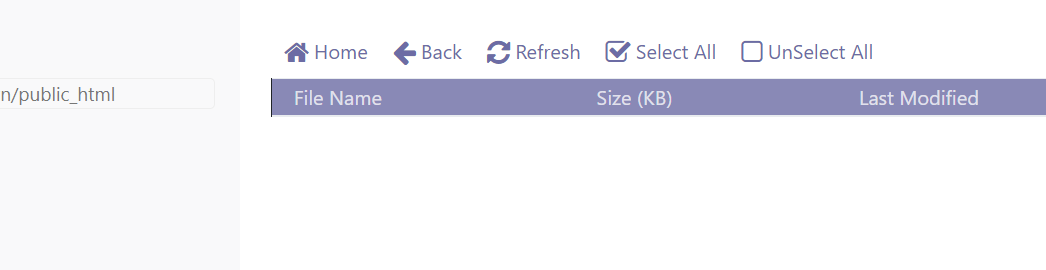
Cyberpanel delete all files and directors public_html

bc
bcat95 #1

A fatal error has just occurred on the latest version on my vps.

After I clicked on backup website, I got the message that the backup failed and the entire folder with the public_html file was deleted.

Data cannot be recovered. I lost everything.

This error should not be able to backup instead of deleting the entire public_html.

Log information:

  • Start backup

  • Backup failed because of insufficient disk space (19/32Gb)

  • public_html is completely removed.

Website cannot be displayed.
The public_html directory could not be added.
Solution:

  • Delete website
  • Create a new website
160 replies
NK
Nitesh Kunnath #2

Please make sure you upgrade your cyberpanel setup. The latest version doesnt have such issues.

sh
shoaibkk #3

can you please share the cyberpanel version with us?

vi
victorsousadev #4

I had the same problem, I almost lost my job because of it, luckily I had backup, it happened on a dedicated server I want to manage, I never use Cyberpanel again.

of
ofm1990 #5

Is this then a known issue? It was totally fixed, because of the most serious things that can happen, this is one of the worst.

Happened to me and I’m on version 2.1

Which Log file might have a clue about this?

Happened to me yesterday, deleted the whole folder but I had backup.

NK
Nitesh Kunnath #6

In the world of technology, anything can happen and having a backup ready is always a savior.

NK
Nitesh Kunnath #7

It was reported by users back then in around august or September month but the developers were unable to reproduce this bug because it doesn’t happen with all setups… Later got to know from cyberpanel users that if the server storage is less, then this bug triggers while doing restore operation.

It was fixed immediately after identifying the issue.

You need to update cyberpanel to get those bug fixes done.

bc
bcat95 #8

Do not backup if you do not have enough space or inodes.

bc
bcat95 #9

It’s 0H night…again the error occurred on my big website. Total website size 1.7Gb and now = 0. Public_html = 0

I went into backup to delete old backups and didn’t do anything, I got an error message and all public_html was deleted.

NK
Nitesh Kunnath #10

Just make sure you have enough server storage left.

Make sure you are using latest cyberpanel version.

Restore your backup.

bc
bcat95 #11

With a 2Gb website, more than 10Gb of memory is more than enough. So this time the cause is not from memory.
VPS uses the latest version of cyberpanel since it was released, because I have a server to test the version, updates are always prioritized.

NK
Nitesh Kunnath #12

If you are on latest cyberpanel version, this file deletion issue would not have occurred.

NK
Nitesh Kunnath #15

When was the last time you performed upgrade command? Cyberpanel minor updates doesnt change the version number. If you want to check this in detail, then do check cyberpanel at github branch.

Just do a cyberpanel upgrade using the upgrade command provided here.

Secondly, this issue was occured in August-September around and it happens with server having less remaining storage when restoring a backup. This was fixed immediately and so far none reported any issues with any file deletion.

If you are by any chance even after upgrading is having such issues, please share the relevant log files to see why this happened so that the developers can fix it.

bc
bcat95 #16

Thanks for the support. :wink:

NK
Nitesh Kunnath #17

Did you find the reason for your issue? If so, please do share with us.

bc
bcat95 #18

If the updates are minor, I haven’t updated yet. Update only when the version number on versionManagement changes. Currently creating a backup for VPS before running the upgrade command. Will notify if there is a similar problem.

NK
Nitesh Kunnath #20

Please share vps provider details… Is it contabo by any chance? And the OS installed in your vps.

bc
bcat95 #21

4th time on another website.
When I was issuing Let’s Encrypt SSL and as a result all /public_html/* was deleted. :rage: :rage: :rage: :rage:

Ka
Kais #23

As I figured out backup needs a least 2 time size of website, because in first step the backup script copies the entire website to a subfolder in backup directory. After this all aassocaited databases are dumped in the same folder and some more informations. So we have twice he size. And at last step all is packed with tar.gz.

Maybe a good wish for wish list is a check of freevspace an of the size of the websites dir. If double this is more than free space the backup should quit before it do anything :wink:

My “solution” for prevent losing data is to move regular a backup file outside the websites homedir to the global /home/backup

And I do snapshots on regular times (cyberpanel is running on a virtual root server).

And I managed to install the “Synology Backup Agent”. It´s my hint for all ownders of a Synology NAS. The built in backup Tool called “active backup for business” is a perfect tool for me. After insalling its agent onyour machine you are able to run automated regular increental backups. I do it every hour. An best: there is a client version for linux servers

bc
bcat95 #24

As I figured out backup needs a least 2 time size of website (y) :heart:
With google drive backup I also have difficulty for 4Gb website or crash vps when backup script runs to compress files.

Ka
Kais #25

Yes - 2 time additional the size of your website. So if your website folder + Database Dump is 10GB you need additional 20GB to run the backup. 10 GB for the copy and >10GB for the .tar.gz file
After it´s done the copy of your date is going to be deleted

Ka
Kais #26

So it´s worth to have a look at this if you own a Synology NAS

it´s included and without additional costs

NK
Nitesh Kunnath #27

As I mentioned earlier, if you are using the latest updated version of cyberpanel you wont be having this file deletion issue. It was solved in September 2021.
Please run the Cyberpanel upgrade command.

bc
bcat95 #29

I would like to confirm again that the vps has the latest version installed and on another vps the installation time is January 2022

Ka
Kais #30

Depends :slight_smile: on the model and the amount of HD´s inside, and the quality of …

It´s a NAS. Not every model of Synology supports that Backup. I have some RackMounted in my copany and a cube at home for private use.

A lot of different types are available. Here you can check which model supports the “Active Backup for Business”:

The smallest version for home use is “Synology Diskstation DS420+” without HD it start at 500€ here in germany,- you need 2 to 4 HD in it.

It offers a lot of functionality.

But Backup is one of the best things inside.

Client for windows …you install the agent and the Synology do the rest. Full desaster recovery backup and incremental at any timeframe you want.

New ist client for linux based installations. Install the client and you have same features. Not only inceremntal and full backups - you can get any file you want directly on Synology DiskStation - copy it back to source or download it to your computer. You can choose version by calendar and timetable.

Before I implemented it, I tested desaster recovery on a virtual installation:

Installed Ubuntu + Cyberpanel
Installed Backup Agent
Rund some Backups
Shoot down machine
Create a new VPm with same parameters.
Upload the ISO boot file from Synology recovery Agent to machine
Connect to the Synology Disc station and revover machine
It runs :slight_smile:

I tested a lot of backups - but this one is without additional licenses or costs - if you own Synology DiskStation

You cann add a lot of clients …not limited …only by HD space of your NAS

By the way: I´m not working for synology :wink:

Ju
Juan #31

Hi,

There are problems with Contabo?

thanks

NK
Nitesh Kunnath #32

Contabo uses legacy servers and have limitations. There are better alternatives too.

Ju
Juan #33

Hetzner maybe? Well Hetzner has 2 VPS type: virtual core or dedicated core. The price is about 6€-35€ for virtual or dedicated.

Is this virtual what you say legacy?

Thanks in advance for the info.

NK
Nitesh Kunnath #34

The major drawback I see about contabo is their limited lower network port speed. Usually many recognized providers provide roughly 1GBps public port speed atleast nowadays and it matters/impacts a lot in your overall website performance too.

Ri
Ricardo #35

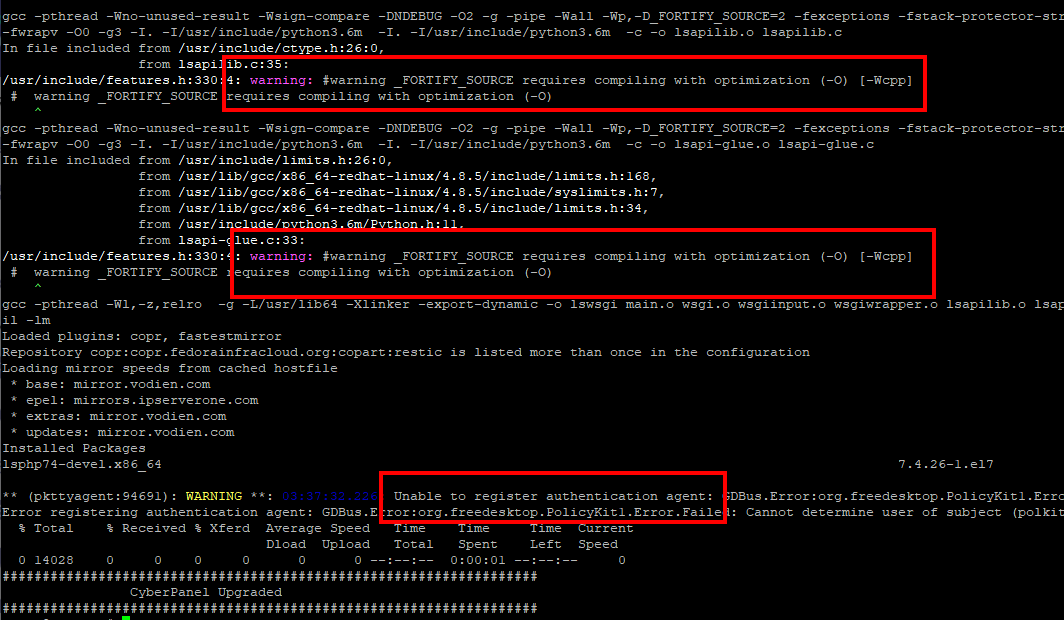
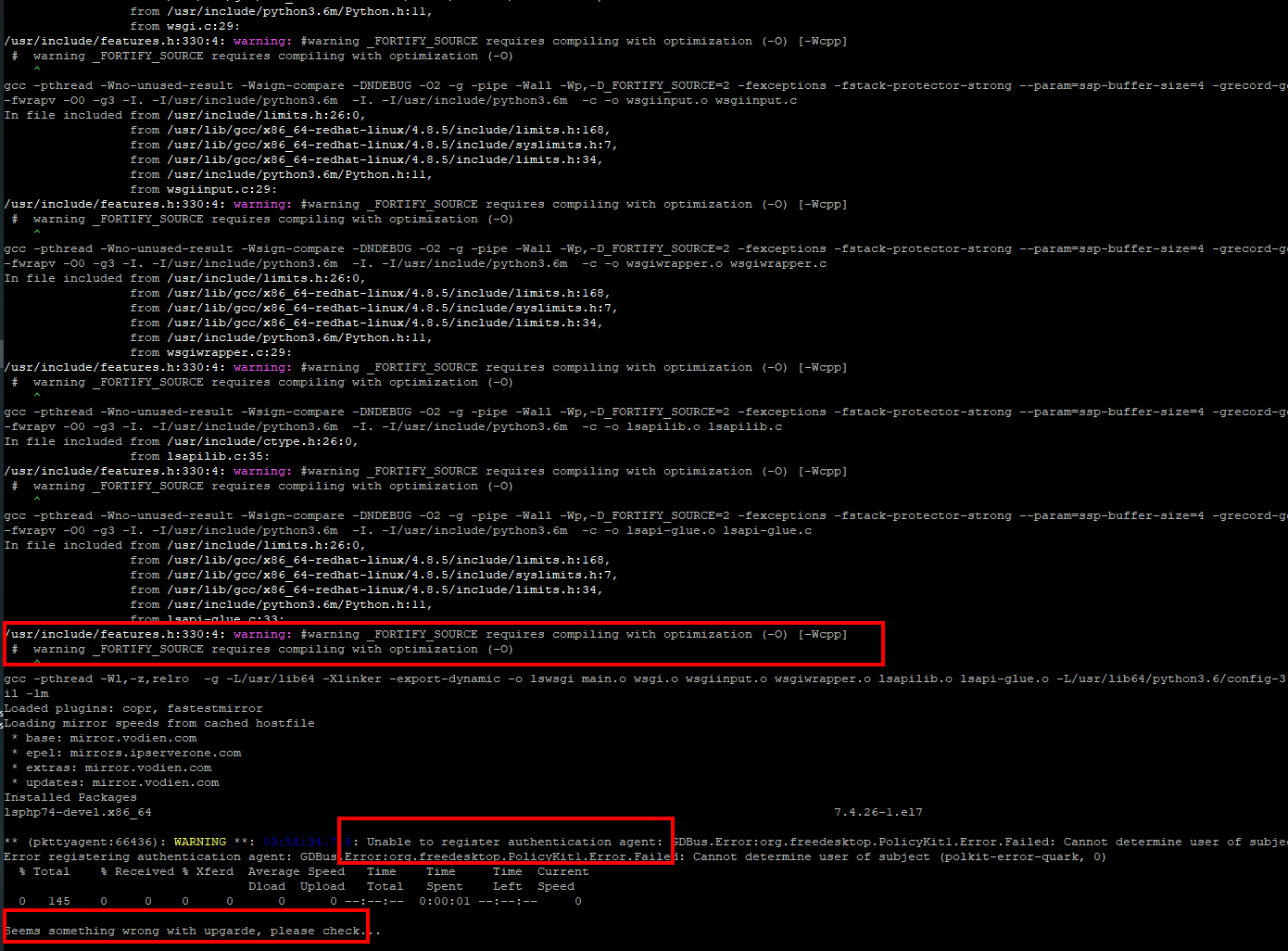
Hi, i think the issue may be related to almalinux 8.5 i justi instaled 2 days ago de 2.1 version and the problem persisted, upgrading a get a lot of messages and the issue persists.

Can you clariffy if the support of alamalinux 8 dont include alma linux 8.5
I also have issues with the powertools cyberpanel repo, probably because of Centos EOL

In my instalation i didnt install powerdns and email services

RM
Rana Muhammad Usman Nasir #36

Hello everyone

I’ve double/tripple checked the code. But can not find any remove code, kindly force update to v2.1.2 and you should not have this issue.

If you still face issue after upgrading, then let me know.

thanks.

Ri
Ricardo #37

Do you mean

Current Version 2.1
Build 2

sorry i’m new to cyberpanel

Ri
Ricardo #39

can you point me to the issue that was corrected to check if the updates i tried changed the needed files

AM
Azam Mohamed Nisamdeen #40

I am on version 2.1 lost all the files including the public_html folder. Had backups only for 2 days and it is not even there so lost everything. 6GB worth of data, is there any way to recover this?

bc
bcat95 #41

If you are using centos please switch to ubuntu for future projects.

RM
Rana Muhammad Usman Nasir #42

This issue has been solved long time ago, kindly everyone upgrade using the guide I shared above.

Ri
Ricardo #43

Sorry to infor that it doesnt look like it, please point me to the source code location so that i can check in my install. i think this is related to quota management and almalinux or other Centos flavors, please help me helping you

AM
Azam Mohamed Nisamdeen #45

This is not good enough to deploy on production servers if it is a serious project. I think it is still not ready yet…

MK
Mirza Khadnezar S [sick] #46

Why u here then ?

cyberpanel have their own market
at my first experience with cyberpanel
i have same though with you
but after i read the history of cyberpanel
now i have my own opinion
cyberpanel is good for personal use
if you want use panel for commercial (sry cyberpanel’s team) i recommend you cwp… $1-$2 / month for multiple php site … they have free version too but with some limitation

now, because i manage many website
i use 3 server (vps) with 3 cyberpanel (because i manage them)
1 cpanel reseller hosting :smiley: (cpanel only for person that want to manage their own site or panel)

acutally if @usmannasir @usmannasir1 @die2mrw007 can make cyberpanel like VistaPanel and/or cpanel (not vesta) only the link tree not the GUI(but the GUI is good :stuck_out_tongue: ) or other bloat
cyberpanel will enough for everyone.

some of feature that i still hoping cyberpanel will have

  1. email forwarder
  2. Filemanager for root
  3. user themes
  4. optional enable disable awstat

and fix the tool’s flow (more like vistapanel or cpanel) just the link tree not the bloat :smiley:
like open new window on filemanager and other think
i hope …
but if they said no…
it’s ok
this is their panel. i believe they have big blue print.

MK
Mirza Khadnezar S [sick] #47

Just upgrade to 2.1.2 :frowning:

Ri
Ricardo #48

i did it, its still the same thats why i want to confirm possible issue with the upgrade. i believe the problem is not in cyberpanel but in the OS please point me to the bug file and line or commit so that i cant confirm my thesis

Ri
Ricardo #49

Just to make my point, the server was clean installed on 18 of Feb, if the bug is from September why the install script still install the bugged version?

MK
Mirza Khadnezar S [sick] #50

you need to learn about programming…

btw… have you already update or just want to argue ?

Ri
Ricardo #51

I started programing when i was 10 with help of my brother, started learning to program in school when i was 15, graduate in computer engineering and have a small cloud services company.

I run the upgrade script, but as i said the server was installed 7 days ago, the bug is from September i ask if the install script keeps installing the version with a major bug?

What i need is to be pointed to the bug so that i can confirm if there is a problems with my server(SO related) that makes de upgrade not to finish, the files date are all update to the date of the day that i run the upgrade script so the upgrade changed the files so i need to check if the file with the bug is realy updated to the corrected version.

bc
bcat95 #52

confirmed, can you change the post title?

bc
bcat95 #53

The 3 vps I have are all using centos, the vps using ubuntu are all fine.

MK
Mirza Khadnezar S [sick] #54

then you understand sometimes there is a glitch when add some new line :slight_smile:
thats why i was (and always ) asking developer to put build number just like v2.1.2 build 1123 etc
so we can help to trace version and what trouble are comming when add some feature

MK
Mirza Khadnezar S [sick] #55

afaik
usman was told to us that ubuntu 20.04, centos 7, alma is supported

MK
Mirza Khadnezar S [sick] #56

usman and other dev team always create new version (build version) not major version
so we only know 2.1.2 without knowing new tiny update

i was told you before
i was facing this problem too and no one can solved… until i wait for 7-10 days. then i run upgrade
save version 2.1.2 but the bug was fixed.

@die2mrw007 @usmannasir @usmannasir1 @nick.chomey
perhaps you guys must add build number. to make easier solving problem

Ri
Ricardo #57

What was the OS you were using?

MK
Mirza Khadnezar S [sick] #58

me ? 3 Vps using ubuntu 20.04 + OLS + Cyberpanel

perhaps in future i want try alma

Ri
Ricardo #59

Keep up with Ubuntu for now :grinning: AlmaLinux loocks like having issues with cyberpanel :upside_down_face:

Now for solving this issue. how can we report it and how can i help? i’m going to try o replicate it in the lab

MK
Mirza Khadnezar S [sick] #60

so i dont understand the point

Ri
Ricardo #61

The point of fixing an issue that deletes all files when we try to make a backup? i just requests the procedures to report an issue and volunteer to try to fix it.

Ri
Ricardo #63

It confirms, the file in my server has the same line as you referenced, Sent you a PM

Ri
Ricardo #65

When i updated i tested and it deleted the files i can test again later the site is a production one i need to make a manual backup first.

Is it possible that when i updated there could be some kind of cache or something that made it use the outdated code?

RM
Rana Muhammad Usman Nasir #66

Can you tell me if the error happens when you create backups from GUI or through scheduled google drive backups?

ja
jamsheer #69

@die2mrw007 I just got this error yesterday. I installed cyberpanel latest with contabo vps last month. I setup google drive backup before one day. The first day backupworked properly. yesterday backup failed and my public_html got deleted. What’sthe solution here ? This is the worst that can happen to any site.

ja
jamsheer #71

For now I restored the files via first backup. I am using 2.1 Build 2 now. So is his related to update or anything else? If I run the update scripr now does it make any changes?

MK
Mirza Khadnezar S [sick] #72

sorry to bumbed
sometimes cyberpanel developer do some update without changing the version
and yes it will fix or broke something &_&
that is no secret. about cyberpanel
same version
different installation day or update will result different bug or different improvment…
because developer hiding sub-build version or last update date

Ri
Ricardo #73

I’m a little more busy this day’s, hope to, in the next two weeks, get back to this, for now i’m backing up manualy with mysqldumps and tar.
Next week i will make a deploy in ubuntu 20 and i will check if the backups are ok in ubuntu.

Ri
Ricardo #74

one thing a noticed now repo powertools-for-cyberpanel is giving error, maybe some tools are missing and the backup dont run properly

Léo #75

I have this problem too with a Google Drive backup.
I have the version 2.1.2
But, the worst problem is the backup that i’m trying to restore. A lot of files name have been cutted off.
Look

Léo #76

Jesus crist, i’m in a big trouble right now :scream:

Léo #77

Impossible to restore those backups. I lost a client website.
I really recommend you guys, if you have a wordpress website verify the plugins and themes files.
Update: I lost the client too.
Update 2: I was tested the normal backup and the same thing happens, file names are cutted of

Léo #79

Good to know. I didn’t had the same luck. I checked another websites and the problem is the same. I made a manual zip for all websites for now

Ri
Ricardo #80

Hi everyone, hi started today making the second deploy i had to do, this time with ubuntu server to test my theory, unfornalty i was wrong it happened again in ubuntu.

Test scenario: created a text file in public_html with a String (14 bytes) Put the original site backup file (4.7GB in the public_html folder) (the package has “Enforce Disk Limits” unchecked)
What i found:
1 - If i keep the 4.7GB file owned by root:root when a run the backup the folder is deleted.
2 - If i change the file to be owned by the website user and group (AAAAA####) everything goes as planned.
3 - For the 14bytes text file it doesnt matter if it is owned by root or the website user

Can anyone how knows the code better find some sense in this? why when there is a big file owned by root public_html folder is deleted

Ni
Nick #81

Good info. Someone more knowledgeable will have to comment on why this happens, but you really should be having files within a website owned by the website user. I can’t see any reason to have them owned by root, and clearly this is one of probably many examples of what can break if that’s the case.

Its why it is advised to use site-specific FTP users rather than logging in via root - when you upload/change files, it does it as the website’s user rather than root.

But, sometimes it is necessary to act as root (e.g. move a Duplicator backup file from an existing website to a newly created one). So, while I’m sure there’s a simple SSH command for this, whenever I move files around, I always use the “Fix Permissions” function in the File Manager afterwards.

Give that a try and then test out the backups to see if the problem persists. If not, we’ve found the problem and there should probably be some fix whereby Fix Permissions is run before a backup is initiated.

Ri
Ricardo #82

IMPORTANT ADITIONAL INFO

Just made another test, the issues may not be on the user and group but on gorup and others permition, i noticed that my backup file (4.7GB) add 600 permitions and the small file 644 so i tested changing it to 600 and user and group root and the folder public_html was deleted.

Resuming when there is a file that the website user/group cant read it deletes the public_html folder.

Ni
Nick #83

@ricardojds Can you please try running Fix Permissions as I detailed in my comment above?

Ri
Ricardo #84

Fix permission makes all file 644 and put the website user and group, after that the backup run ok

A work around could be running fix permissions before the backup but this has security problems because for configuration files we may what to put the permissions at 400

Ni
Nick #85

Ok, so to clarify, when chmod permissions are:

  • 644 (Owner can Read/write, groups and others can Read) - backups work fine
  • 600 (Owner can Read/Write) - backups delete files

It seems like Backups should work for any permission level, so that you can set them as required for your site’s needs.

But this brings up a more general issue - what should default permissions be?

It seems to me that 600 should be the default for all permissions, no? Why would other users have read access to another site?

In fact, why is it 600 rather than 700 (allow execute permissions as well)? Is execute never something that needs to be done? Or is it a great security issue and execute permissions should only be granted manually to specific files?

Ri
Ricardo #86
  • 644 (Owner can Read/write, groups and others can Read) - backups work fine
  • 600 (Owner can Read/Write) - backups delete files
    600 fine if the file is owned by the website user.

It only fails if the website user cant read the file ex: -rw------- 1 root root

The defaul permition can be like it is, is the standar and needed if you are editing files during development, and if the website allows to upload files the folders sould also allow wite.

If the backup make the backup and discard the files it coulnt read is aceptable(may give warning)

The issue is not the backup fail, is the deleted public_html folder.

I’m searching in cyberpanel source code and didnt found a reason to delete files the only os.delete i see is for pid files. unless the pidfile is notset i cant figureout why it deletes a folder.

NK
Nitesh Kunnath #87

What we got to know with few users on debugging about this issue is that, the public_html folder gets deleted when the server has low disk space left.

And please make sure you are on the latest version of cyberpanel (minor changes doesn’t get new version number and hence its recommended to run the cyberpanel upgrade command whenever possible, maybe atleast once a month or twice)

Ni
Nick #88

I’m pretty sure he has confirmed that there aren’t disk space issues and has latest versions. It is quite possible that there’s an issue with backups when permissions are changed.

MK
Mirza Khadnezar S [sick] #89

forgive me…
but cyberpanel updated is not about the version

there is sub-version sometimes submitted by developer without changing the version

so your 2.1.2 with last upgrade february
will different with
2.1.2 with upgrade/installed today (if any “hidden” update between feb and today)

so i agree with

but… sometimes… new “hidden” upgrade bring some glitch and make old bug comming back or new bug :slight_smile:

Ni
Nick #90

Please see what they already said - its a fresh install.

Though, this is yet another example of why CyberPanel needs better version control.

RM
Rana Muhammad Usman Nasir #91

Good information here.

But why would someone keep a root owner file under a user directory?

Because the files inside there should be owned by user.

I will test this out though.

RM
Rana Muhammad Usman Nasir #92

I’ve created a file as root but nothing got deleted

root@ip-172-26-15-87:/home/incbackus.cyberpanel.net/public_html# ls -la
total 228
drwxr-x---  5 incba4896 nogroup    4096 Mar 18 08:47 .
drwx--x--x  8 incba4896 incba4896  4096 Mar 16 14:43 ..
-rw-r--r--  1 root      root          0 Mar 18 08:47 hello.txt
-rw-r--r--  1 incba4896 incba4896   725 Mar 16 06:42 index.html
-rw-r--r--  1 incba4896 incba4896   405 Mar 16 06:44 index.php

hello.txt is file owned and created by root

However, when the file is like this

root@ip-172-26-15-87:/home/incbackus.cyberpanel.net/public_html# ls -la
total 228
drwxr-x---  5 incba4896 nogroup    4096 Mar 18 08:47 .
drwx--x--x  8 incba4896 incba4896  4096 Mar 16 14:43 ..
-rw-------  1 root      root          0 Mar 18 08:47 hello.txt
-rw-r--r--  1 incba4896 incba4896   725 Mar 16 06:42 index.html

public_html is now gone.

Its good finding, I will dig more and revert.

Ri
Ricardo #94

I understand your point but the most important question in my point of view is “why should it delete an entire folder BECAUSE there is a root owned file in the directory”

Thanks for the commit, i will try to keep digging because this solution for me is more of an work around because probably(i didnt test it) if in this code

if ProcessUtilities.normalExecutioner(command) == 0:
                raise BaseException(f'Failed to run {command}.')

if it is replaced with one

ProcessUtilities.normalExecutioner(command) 

It will work ok, probably.

The real issue here, i think, is why when we raise the exception it ends ups deleting the public_html folder. Without finding out the reason soon or later the bug will appear again.

Ri
Ricardo #95

Another thing we should be considering is that with the new commit if the user get out of disk space the copy tree will be incomplete, but the user don’t get that information, for the user it will look like the backup went all ok.

Or in the worst scenario, copy_tree will raise an exception and public_html will be deleted. From the thread comments, i think that was the reason copy_tree was commented and replaced with a “cp command”

MK
Mirza Khadnezar S [sick] #96

dear mr usman…

is this bug mean… all cyberpanel’s user must upgrade
or only for people that had this bug ?

RM
Rana Muhammad Usman Nasir #97

Well I am being honest. Even I can not figure out why a simple CP command will result in deletion of whole public_html directory.

As far as I remember I removed copytree because of security concern and had to run the command as user, but now this whole function is run through user so it can use copytree as well.

And when the backup fails it will for sure give an error to the user as it will raise an exception.

Also the normal execution won’t send command to lscpd. I beleive there can be something going on in lscpd binary?

I will talk to david about this, but this should fix the problem because copytree works fine for long time before we changed it due to security reasons.

If you find anything else, feel free to let me know.

Ri
Ricardo #99

If its lscpd related that bad.

I believe (due to my experience) that this could be a cleanup related due to backup failure. The temporary backup folder is not deleted when the exception is raised, so, probalby when the exception is raised the code that grab it is not being the right one. I’m trying to create a development environment so that i can do debuging and see the flow of the code.

Ni
Nick #101

@ricardojds If you figure out a development environment, can you please make a post about how to do so? I have started tinkering with adding rclone support to incremental backups and would love to follow the code l, but couldn’t figure out how to do so. So I am now just printing various error messages in different places to figure out how it works.

Usman, if you could help with this, it would greatly help us contribute to the code - be it bug fixes or new features.

Ri
Ricardo #103

I just found the line of code that deletes the folder, this is the stranger thing i found ever, and means that is could be a huge bug somewere

print(f"Aborted, {str(msg)}.[365] [5009]")

if you comment this line it wont delete the public_html folder does this make any sense to someone?

Ri
Ricardo #104

Just to get this to an almoust end

if we replace this line

raise BaseException(f'Failed to run {command}.')

with this

raise BaseException(f'Failed to run .')

it doesn’t delete the folder

So the issue is because we are concatening the os command to string, and somewhere it get some other component bug on the message piping probably in lscpd or lswsgi that runs a command that grabs part of the cp command.

Ri
Ricardo #105

I think the last test to do is the out of disk space, can anyone test? i need to get back on track in my work timeline.

da
dazburn #109

Just wanted to chime in on this thread.

I’m by no means a sysadmin or a dev expert, but consider myself proficient enough to run a website using AWS and Cyberpanel.

This morning, I woke up to find our entire site completely gone. Wiped, deleted, no files, nothing.

Thankfully we have backups on AWS which we were able to restore, but I also had Google Drive backups enabled for good measure as the site is very large, 11 years old, has millions of users a month and is the heart of our small business.

To wake up and to find that completely missing was completely incomprehensible to me. After thinking we’d been hacked, only after several hours of digging did we find this thread and realise that Cyberpanel had literally deleted all our files in our /public_html folder.

image

I am far calmer now we’ve fixed the problem and found this thread, but I just wanted to put on the record how stressful this experience has been, how a small business could literally have been decimated overnight and how this shouldn’t even be able to happen in what is meant to be an advanced system. Deleting all files without any kind of check or prevention before it happens is the worst possible thing that can happen to a company.

And the fact it happened this morning on a STABLE BUILD of this product is frankly criminal.

Just my two cents - and I know they won’t be popular.

ed
edwardm #110

@dazburn Precisely this. The last thing you’d expect your backup service to do is wipe out your files.

@ricardojds is correct regarding what is happening. Despite the comments made by the dev team in this thread claiming that it was fixed, the code is still there as of v2.1.2 Stable.

/plogical/backupUtilities.py:375 Edit: 378

This seems pretty uncalled for given that we are talking about a backup system. But yeah, god help anyone who didn’t make a backup — before making a backup.

Ri
Ricardo #111

The line changed to avoid the isso is line 378
raise BaseException(f'Failed to run cp command during backup generation.')
before there was injected the command string to the exception message.

@edwardm can you confirm the date you installed cyberpanel and the date you configured the backup or run manualy the backup?

MK
Mirza Khadnezar S [sick] #112

first of all I want to say welcome to this forum

I’d like to say that I heard that some people did experience deletion of content from public_html
Luckily I didn’t experience this

Can you tell me when you last accessed or installed something in public_html ?

based on: Cyberpanel delete all files and directors public_html - #92 by usmannasir

the problem happened instantly

@edwardm :

i think what happen with @dazburn is not about the backup
he woke up and …zaaappp empty public_html but still have wp-content (that might not deleted becaus it “not-listed” or have custom folder…like uploads)

MK
Mirza Khadnezar S [sick] #113

sorry to reply this…
but…
you mean… to prevent this bug, i will need create new fresh backup ?

Ri
Ricardo #114

That message was for @dazburn i missed the mention :rofl:
He said the site was 11 year old i wanted to know when did he migrated the site to cyberpanel and when did he run or configure the backup or if it deleted even when he didnt configure no backups.

MK
Mirza Khadnezar S [sick] #115

You’re like putting a bomb under my chair
lol
so any backup will safe ?

da
dazburn #116

There was nothing in wp-content - it was blank.

da
dazburn #117

I migrated on 2nd March. Google Drive backups worked for a few days, then stopped earlier this week. But that was a few days ago. Overnight last night is when everything disappeared at 00:30 - the same time Google Drive backup was running by Cyberpanel.

ed
edwardm #118

@MyIDKaTePe
Not actually right. I worked with him on this issue. The contents of the entire public_html directory were wiped out (i.e. wp-content didn’t exist either), and later the LiteSpeed service generated a ucss folder inside it which also generated the parent directory.

This was not user error and you can actually see in the syslog file exactly when the backup failed due to lack of space this morning — one minute before our website uptime checker started sending notifications about the site being inaccessible.

All the other logs consistently mention the server running out of diskspace around this time.

The logged failed backup time is also the time when our diskspace usage saw a sharp drop, pointing again to the fact that the entire website contents were removed at the very same moment that the CyberPanel backup script ran.

We went through all the logs for services, auth and access with a fine tooth comb and it led to nothing until we found that the rm command targets the wrong directory if it encounters a diskspace error.

MK
Mirza Khadnezar S [sick] #119

why it not removed just like other folder like wp-admin wp include… weird… then maybe this is another cases…

you can create new thread…
so community can help you figure it out
because your plugin that have backdoor… or old version of wp… or leak of credential… everything can be happen

ed
edwardm #120

@MyIDKaTePe
Read my reply above yours, it explains why it seemed like wp-content was there.

ed
edwardm #122

@MyIDKaTePe A new thread would be pointless because this thread is the one relevant to the issue. Read my reply for the explanation, you are assuming a lot and you happen to be wrong.

MK
Mirza Khadnezar S [sick] #123

create new thread.
then put ref: this thread

why ? if you need community help then you need they to focus.
as you can see this thread actually created not related to your case that not “instantly-deleted”
and already marked “solved”

MK
Mirza Khadnezar S [sick] #124

so you can repeat the process then

can you create the video with the process ?
so the developer and other community member can see the problem easier
please…

Ri
Ricardo #125

Ok is the cyberpanel installation is from 2nd March makes sense, the bug was corrected last week, (dont kill the messenger the revisions management on the version control is bad at the moment)

The trigger that deleted the files was the out of disk space.

The issue was that when a backup failed, it deleted the files(the worst scenario possible for an IT guy).

@usmannasir can you point me to where this command is called, this is probably why the unfinished backup folder is not deleted, as a mention, this ca mean that it could be also some other situation where it can still happen.

ed
edwardm #126

@MyIDKaTePe I’m sure it can be recreated but it’s not something I aim to do. dazburn just chimed in to clarify that the issue is still present in an up-to-date version of CyberPanel despite the staff saying otherwise and I just added in my findings. Neither of us came here to ask for help, we’re just saying that we’ve experienced the same bug that OP reported.

If it was actually only fixed last week as per @ricardojds’s comment then it makes sense, however we appeared to be running the latest version this morning and were greeted by a “Your CyberPanel is up to date” message on SSH login.

MK
Mirza Khadnezar S [sick] #127

at least you can help cyberpanel going better…
and try to report the problem you had.
who knows…

but it’s only if you sure that cyberpanel delete * except wp-content

Ri
Ricardo #128

@usmannasir

Quick note: String concact for OS command need some sanitizing and at least Quotes. does anyone knows some tool or technique for this?

ed
edwardm #129

It didn’t delete everything except wp-content, it deleted everything including wp-content and then wp-content was recreated (as an empty shell) by an automatic script that needed to make a folder inside it.

If you run mkdir -p wp-content/something/something-else it will create all the parent directories for your innermost one.

MK
Mirza Khadnezar S [sick] #130

ok,hope your problem will get solved soon

MK
Mirza Khadnezar S [sick] #131

why you have process than run this ?
if public html already empty

well i hope your problem will solved soon

da
dazburn #132

The main point I came to make is that this bug had the potential to destroy an entire business for someone who didn’t have any other backups except Google Drive installed.

Thankfully, we’re not complete amateurs, but there is no way I could recommend Cyberpanel to anyone if such a major error and deletion of all site files could even be a possibility, bug or no bug.

@ricardojds thanks for the note about 2nd March installation. Can someone advise in simple terms how to update Cyberpanel then? Should we be installing the dev version because at the moment our server is showing it’s using 2.1 Build 1 though, not Build 2.

Ri
Ricardo #134

Proceed with caution :rofl:

FIY i’m not part of dev team i just need a good hosting manager tool and this project beeing opensource and Python based, its a match for my needs and skills

RM
Rana Muhammad Usman Nasir #135

@ricardojds

I’ve confirmed both cases after my fix. public_html is not deleted now, these guys may have v2.1.2 but they will not have the latest code.

Be sure to upgrade.

Ni
Nick #136

@usmannasir

This is yet another example of why it is MISSION CRITICAL, TOP PRIORITY to improve the versioning system before you work on anything else.

We currently don’t receive any notification that there have been minor updates, so most people have no idea that they need to do so. This is even more urgent when you push tiny updates to fix CATASTROPHIC bugs, such as this one.

It seems completely clear that you should be making proper use of the 2.1.X for all of these - each minor commit should result in the final digit incrementing. It can go to 2.1.99999999 if needed. And then when a major feature is added, it moves to 2.2.0. And when there are breaking changes, it moves to 3.0.0. This is basic, standard practice.

If this makes your development/git workflow more difficult, so be it - it doesn’t matter compared to this. Though, given that this is standard practice, I don’t see how it could be difficult to manage. You’ll just have to adapt your workflow. There is no other choice.

Again, someone nearly lost their entire business because of this bug. Moreover, how many servers and businesses are currently running on a version of 2.1.2 that doesn’t have this fix (let alone all the other fixes from the past 6 months since 2.1.2 was released)? Thousands? Tens of thousands? More? All of your efforts to improve the security and stability are irrelevant if people aren’t made aware until an official version comes out every 6-12 months…

It would be completely unforgivable if you don’t urgently take the appropriate steps (detailed above) to fix this problem once and for all.

@die2mrw007 @shoaibkk @asma, I’m copying you here to make sure you are aware and that you can put your energy towards supporting Usman in urgently making this crucial change

MK
Mirza Khadnezar S [sick] #137

i always vote-up and always agree with this…

Ri
Ricardo #139

One quick fix is using

root@server:/usr/local/CyberCP# git rev-parse --short HEAD
e6ed5094

becoming the version 2.1.2.e6ed5094

Ni
Nick #140

How is this different/better than running the upgrade script?

Also, that’s an old commit - there’s a newer one related to this bug since then

Commits · usmannasir/cyberpanel (github.com)

Or, are you saying that the “fix” was not a fix?

Ri
Ricardo #141

@usmannasir i’m woried with this log line

Remember that when i was digging it was the print function that was causing the issue.

why whould some print command send the string to be used as a parameter on a rm -f command?

This means that with the newest version it is beeing called an command like this:

/usr/bin/rm -f Failed to run cp command during backup generation.

If there is somewere else another thing like this, cyberpanel may be vunerable to sheel injection that will be run as root, this is a huge security risk to be taken light

Ni
Nick #142

Ok, thanks. I dont really understand, but take your word for it.

So, the most recent fix is not a fix. But the commit (e6ed5094) that uses copytree works fine and doesnt delete anything when there is a disk space or permissions issue?

Ri
Ricardo #143

ignore e6ed5094 this is from my dev server that is not up to date :laughing:

Ni
Nick #144

Ok, so is there a commit that satisfies this issue? Or does it still need Usman’s attention?

Ri
Ricardo #145

two known scenarios where fixed with the change of the line 378 with commit 6e40f53

The thing that is worrying me is that the string passed to the exception, according to the log line shared, is being used in an rm command. this is another thing we need to checkout

RM
Rana Muhammad Usman Nasir #146

CyberPanel has been audited by rack911 (they are pioneer in these sorts of audits), our work with them is almost complete now.

However, if you can still penetrate using any function do let me know.

We’ve fixed and addressed many security issues.

Because to make it easy to understand where problem happened (but it was our mistake), it was kind of you to point it out. I will again go through code to make sure things are OK.

thanks.

RM
Rana Muhammad Usman Nasir #147

It is fixed.

RM
Rana Muhammad Usman Nasir #148

I will release v2.1.3 first and then take care of it.

MK
Mirza Khadnezar S [sick] #149

this 2.1.2 too ?

MK
Mirza Khadnezar S [sick] #150

thank you…

Ni
Nick #152

@dazburn That’s odd. Perhaps open a ticket within cyberpanel cloud, or a separate topic in the forum here.

For now, you could run the single automatic upgrade command via your ssh root user. Just wait or press enter when prompted and the most recent version will be installed in a minute or two.

https://community.cyberpanel.net/docs?topic=81

MK
Mirza Khadnezar S [sick] #154

i will try
right now no warning/confirmation box. because im not update cyberpanel yet :smiley:

da
dazburn #157

Once again, our WHOLE SITE has been deleted. And we don’t have a recent backup because of the problem last time.
To say I’m angry is an understatement. I’m fuming that even though we’ve upgraded to your “stable” product your system has DELETED EVERY FILE AGAIN.
We will revert with more logs shortly.

Dr
Dreamer #158

I would recommend set Amazon s3 backups and not trust local backup solution. Use local backup just for store 3 day and AWS atleast couple weeks.
I have s3 for my and wife computer, websites family pictures etc… cost under 3usd month.

da
dazburn #159

Thankfully, we found a snapshot backup on AWS.

Having said that, we have no idea WHY or HOW all the files got deleted again and there was nothing in the logs. It’s super concerning that this can even happen. Exactly the same behaviour as last time, all files deleted from /public_html.

Something far more sinister going on in Cyberpanel’s setup and it would be amiss of me to not flag this publicly.

RM
Rana Muhammad Usman Nasir #160

All of CyberPanel code is available open-source that gets downloaded to your server.

I am not sure if you have the latest code. give me output of

cat /usr/local/CyberCP/plogical/backupUtilities.py

Ni
Nick #162

Looks great. Could there also be a small notification in the header when there is a new version? Perhaps it is a link that sends you to the version management page for more details?

Could it even show a count of how many commits you are out of date, and also a number of days that you’re out of date? And a link to the Github commit log to check the comments on them?

Finally, perhaps there could be a button there that runs the upgrade command for you, so that you don’t need to go to SSH?

sv
svenms #163

I had the same problem today! lscache folder went too big and when trying to do a Backup it deleted public_html.
Current version 2.1 build 2 ! with litespeed ! :open_mouth:

Dr
Dreamer #164

Your panel is probably not latest version, devs said they fixed that problem…
Biggest problem with cyberpanel is your panel show version 2.1 build 2, but that don’t mean you are latest version. After initial relase of 2.1 build 2 there been multiple bug fixes on same relase but version stay same… Only way stay updated is keep running update script every week.

sp
splaquet #168

@ricardojds … did you ever follow up with anyone on the upgrade issues potentially coming from AlmaLinux 8.5? While I run CloudLinux, it’s installed on top of AlmaLinux (and it’s also the same folks behind both distros).

Anyhow, my install has been stuck at v2.1.2 for MONTHS. No one’s been able to offer any advice, other than “you should use Ubuntu next time”. (Dear Everyone… thank you for your thoughtful suggestion… but next time ain’t this time, here and now!!!)

So, while I’m not experiencing the backup issue (thank god I have several TB of free space), I am experiencing an upgrade issue.

I’m at a complete loss as to what I should do. So, I simply had to reply after reading your post.

Anyone else on AlmaLinux 8+ or CloudLinux 8+ experiencing upgrade issues?

Sign in to reply