CyberPanel Community

Ram Leak Problem: Ram usage is constantly over 80%

He
HeyTurko #1

I have also installed untouched Cyberpanel on centos 7 many times.
I have done a zero Cyberpanel installation on all versions of ubuntu.
But the result did not change.
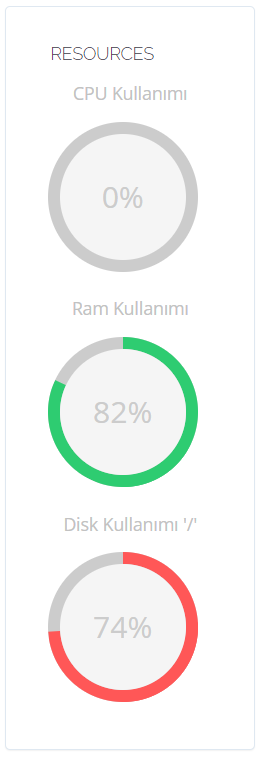
I only have 1 or 2 websites on my server. While there is no problem when the server is running for the first time, after a certain period of time, the ram usage rises to over 80% by itself. (And my disk usage is increasing day by day, I don’t understand why.)
I have been using Cyberpanel for many years, but now I am feeling nauseous.
Please help me.

My Server Specs:
Ryzen 9 3950x 4 core, 4 GB Ram, 30 GB NVME SSD

System: Ubuntu 20.04.3 LTS
Codename: focal
OLS or Enterprise?
OpenLiteSpeed
Installing from official server or mirror server?
official
Install Memcached extension for PHP?
no
Install LiteSpeed Memcached?
no

Install Memcached?
no

Install Redis extension for PHP?
no

Install Redis?
no

Screenshot of the problem:
24 replies
us
usmannasir #3

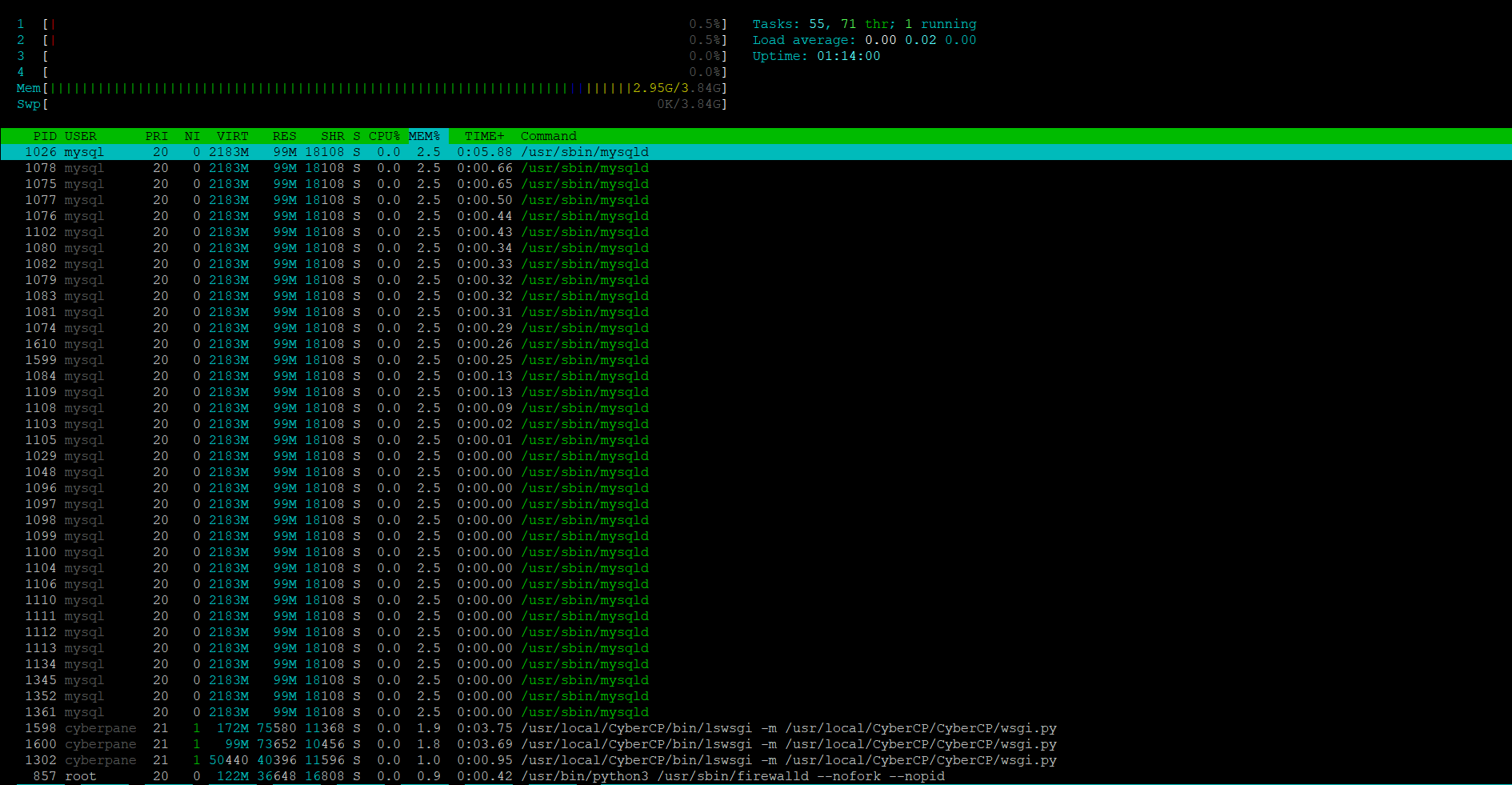
can you give the output of htop command.

us
usmannasir #5

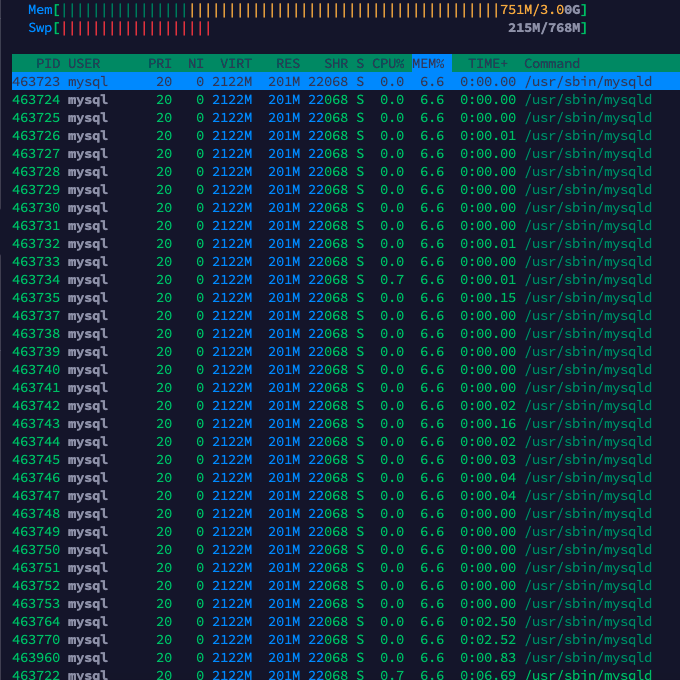
Why do you have so many MySQL processes? what are you running there?

He
HeyTurko #6

@usmannasir I did not do anything.
I installed the official Cyberpanel on the newly installed server.
This is the result I am experiencing.
I don’t know why there are so many Mysql processes.
I am also looking for a solution.
There is only 1 website on Cyberpanel.

ve
vedon #7

I know it has been a long time but did you find any solution to this ? I’m experiencing the same thing with mysql and I have only 1 website on my server. Thanks!

BA
Bahadır Acar #8

I’m also having this problem :frowning:

di
dieselbaby #9

You are not alone, I have also been having this issue, ever since I installed Cyberpanel – on a server that has nothing going on in terms of actual usage, just a couple of sites currently parked. I’ve just learned to ignore it, as far as I’m concerned it’s a bug or something, because the performance has been just fine.

ab
abhishek #10

my website is not getting loaded because of this issue. its not bug its actually my memory is engaged

BA
Bahadır Acar #12

I found a solution. I switched to another control panel.

VL
Vishal Lohar #13

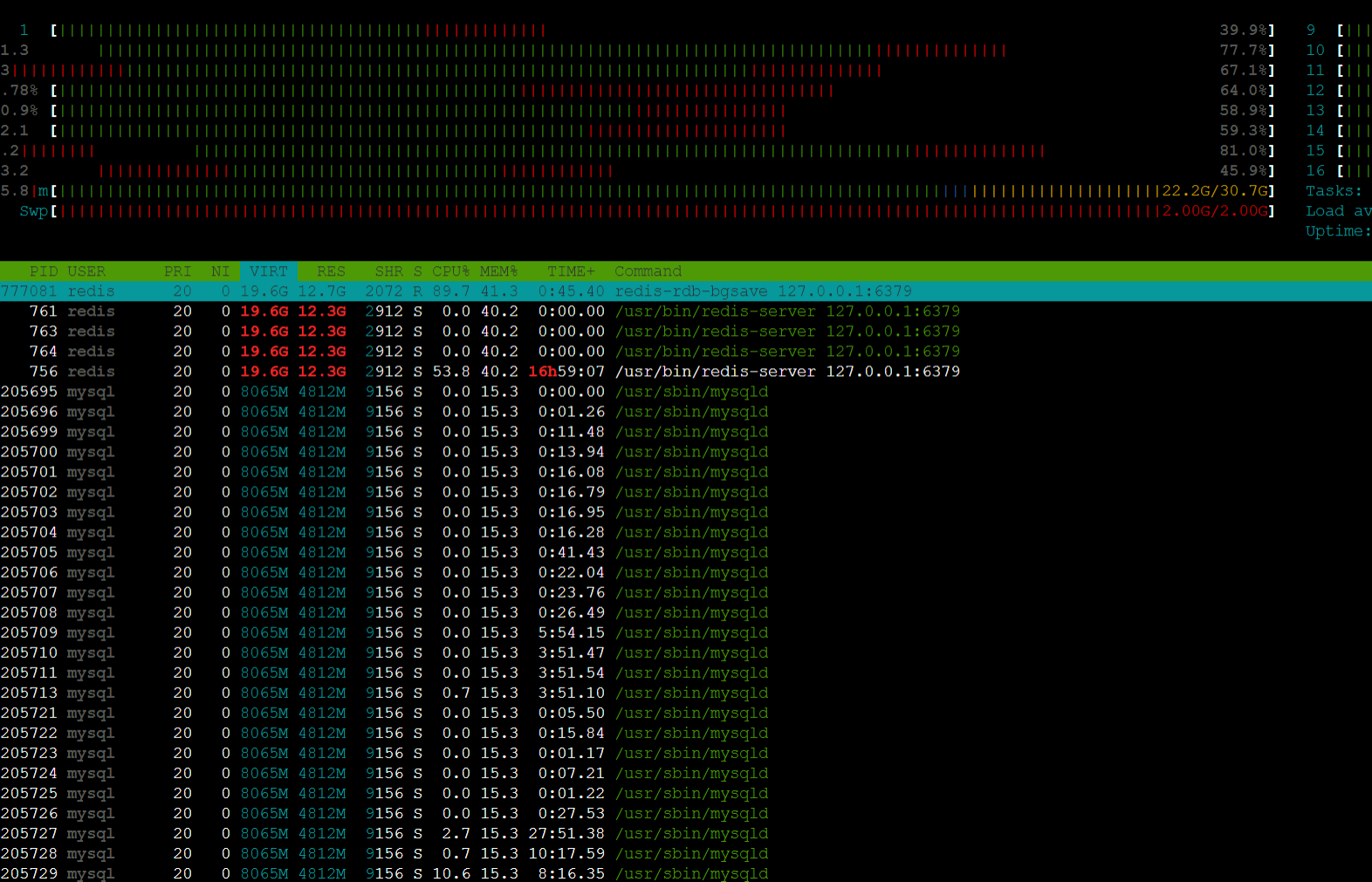
I am experiencing the same problem. Too many MySQL processes. I have to manually restart litespeed every few hours to reduce the usage.

But even after that the ram usage slowly rises back to 90% from 30%.

Can anyone help?

RM
Rana Muhammad Usman Nasir #16

Upgrade CyberPanel and go to 8090/dataBases/MysqlManager

Do you see any slow queries?

VL
Vishal Lohar #17

Its a paid tool. Any free option?
Also,
Recently When I disabled Redis on one of the hosted sites. The RAM usage dropped to 30%.
However, It’s still rising as Redis is enabled on another site.
May be that action triggered Redis to restart

RM
Rana Muhammad Usman Nasir #18

On google you can search how to find slow mysql queries.

From there you will get to know which mysql queries are creating problem then we can try to figure it out.

RM
Rana Muhammad Usman Nasir #20

First query is taking almost 41 seconds ?

SELECT DISTINCT p1.post_id FROM wp_postmeta p1 WHERE p1.meta_value LIKE ?s? AND p1.meta_key IN (?s?,?s?,?s?,?s?,?s?,?s?,?s?)
VL
Vishal Lohar #21

Yes.
First, I want to understand the connection between slow queries and the increasing RAM Usage. I have allotted 4GB RAM to MYSQL so why consume more?

And, What can I do here to fix the issue?

RM
Rana Muhammad Usman Nasir #22

This query looks really suspicious I don’t know much internals about WP query, but this query does not make much sense.

your site might be hacked?

If query is taking this much time it must be using ram + cpu.

VL
Vishal Lohar #23

No, It’s not hacked. We have 2 lakh order entries on our website. It takes around 20-40 seconds at max to search for an order.

The query is for searching an order.

I did try with Redis Disabled but nothing changed.

RM
Rana Muhammad Usman Nasir #24

If your site is that much serious then hire someone with knowledge of sys-admin who can properly help you diagnose. This problem is not related to CyberPanel, if your site is resource heavy then no panel can do anything.

Because the amount of money you will save by not hiring will go into loss of orders.

VL
Vishal Lohar #25

True, I have already suggested this to my client.
Thanks @usmannasir for your help!

Sign in to reply