
CyberPanel Community

Backup restore issue MySQL server has gone away

MS
Muhammad Sazid Zamil #1

I am getting the following error while trying to fetch backup from old server to new server, how to solve the issue?

I DIDN’T CHANGE ANY MY CNF CONFIG.

[05.19.2021_18-32-38] (2006, ‘MySQL server has gone away’) [207][5009]
[05.19.2021_18-32-47] (2006, ‘MySQL server has gone away’) [207][5009]
[05.19.2021_18-33-05] (2006, ‘MySQL server has gone away’) [207][5009]
[05.19.2021_18-33-07] (2006, ‘MySQL server has gone away’) [207][5009]
[05.19.2021_18-33-09] (2006, ‘MySQL server has gone away’) [207][5009]
[05.19.2021_19-14-41] (2006, ‘MySQL server has gone away’) [207][5009]
[05.19.2021_19-15-16] Aborted, Failed to run cp -R /home/mydomain.com/public_html /home/mydomain.com/backup/backup-mydomain.com-05.19.2021_19-14-57/public_html…[365] [5009]
8 replies
us
usmannasir #2

Kindly share your server specs, looks like your server can’t handle MySQL load.

MS
Muhammad Sazid Zamil #3

12 core CPU, 48GB ram. now I reinstalled the server. the problem seems to be gone.

but now I am experiencing other types of problems.

most of the time CPU load is fine but suddenly sometimes CPU usage and ram usage seem to be full.

how can my 4 sites use 48GB ram?

my php memory limit is 512mb
virtual host Max Connections * 15
LSAPI_CHILDREN=15
Memory Soft Limit (bytes) 3047
Memory Hard Limit (bytes) 4047M

Process Soft Limit 600
Process Hard Limit 800

LiteSpeed tuning setting Screenshot by Lightshot

Php tuning setting Screenshot by Lightshot

error log error log cyberpanel - TextBin

brother, can you please tell me where is wrong, my site has heavy traffic around 300/400 / sec

daily 90k/100k+ traffic. help me please brother @usmannasir

MS
Muhammad Sazid Zamil #4

@usmannasir said:
Kindly share your server specs, looks like your server can’t handle MySQL load.

help me please brother

an
antivirusadmin #6

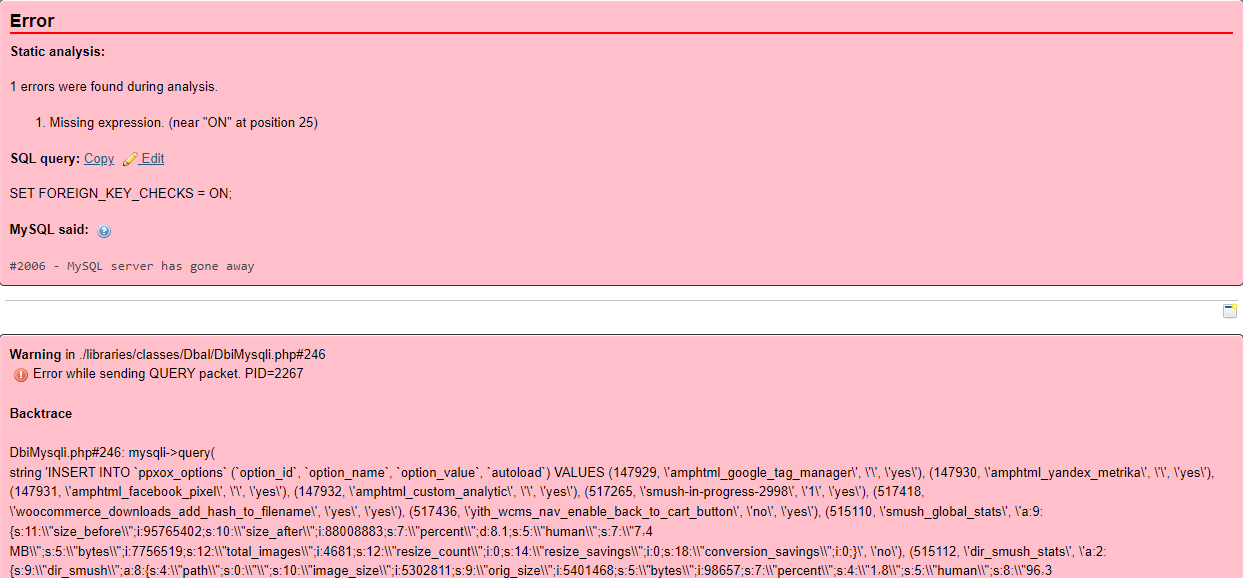
#2006 - MySQL server has gone away

How fix this?
I want to edit the /etc/my.cnf but I couldn’t find …
Need to add ```
[mysqld]
max_allowed_packet=16M

would you please help me?

Server hardware : HP G10+ - CPU 2 / Ram : 128 Gig - Hard : 8*1TB MVME
sh
shoaibkk #7

How big the file is?

sv
svenms #8

@JonathanDHN told me to use: (copy all the 4 following lines in console)

sudo cat > /etc/mysql/mariadb.conf.d/50-custom.cnf <<EOF
[mysqld]
max_allowed_packet = 64M
EOF

THEN:
sudo systemctl restart mariadb

Sign in to reply