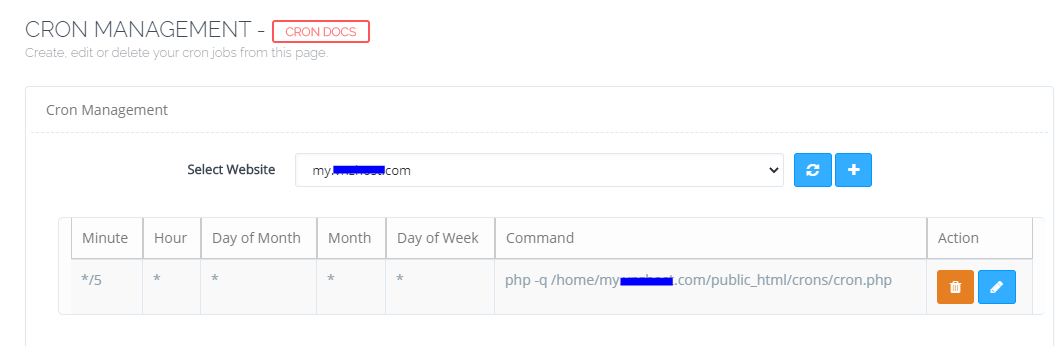
ph
phamvanhoai
#1
 Community
Hi there,
Try the following below, where it says lsphp73 change the 73 for the version of php you are using for your WHMCS. Also where it says your domain name put in the domain name for the website.
/usr/local/lsws/lsphp73/bin/lsphp -q /home/your domain name/public_html/billing/crons/cron.php >/dev/null 2>&1
Thanks
Bossmanuk
Type your comment> @Bossmanuk said:
still doesn’t workHi there,
Try the following below, where it says lsphp73 change the 73 for the version of php you are using for your WHMCS. Also where it says your domain name put in the domain name for the website./usr/local/lsws/lsphp73/bin/lsphp -q /home/your domain name/public_html/billing/crons/cron.php >/dev/null 2>&1
Thanks
Bossmanuk
has been successful thank you
Type your comment> @phamvanhoai said:
Type your comment> @Bossmanuk said:
still doesn’t workHi there,
Try the following below, where it says lsphp73 change the 73 for the version of php you are using for your WHMCS. Also where it says your domain name put in the domain name for the website./usr/local/lsws/lsphp73/bin/lsphp -q /home/your domain name/public_html/billing/crons/cron.php >/dev/null 2>&1
Thanks
Bossmanuk
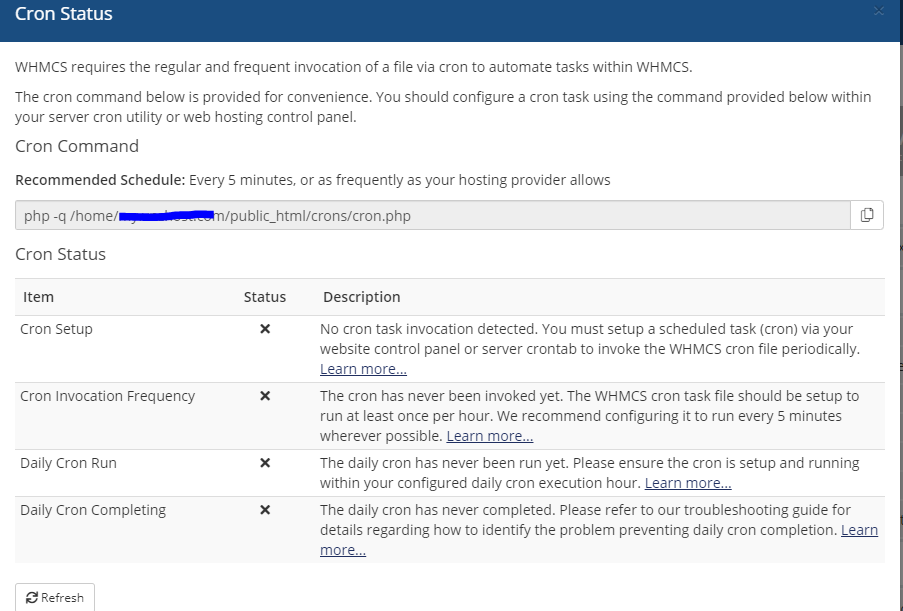
Hi, can help please?
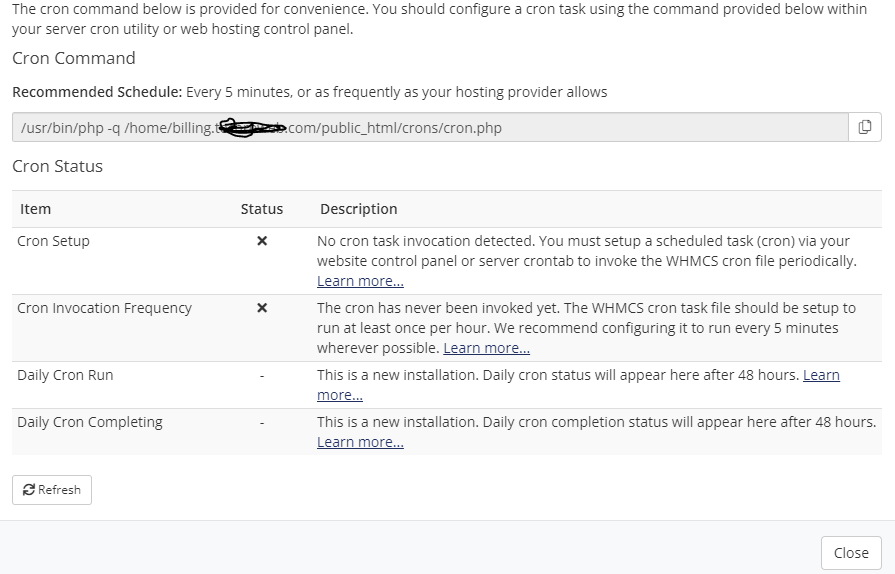
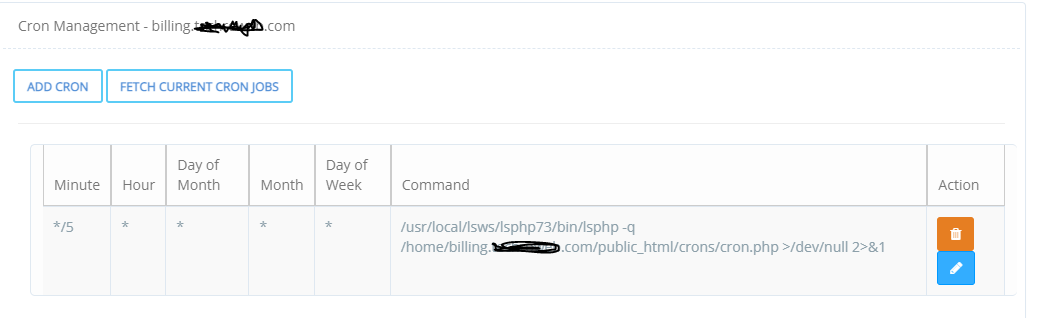
Someone!
Seems pretty dead on here x3inspire. Think I’ve made my mind up whether or not to even bother looking at cyberpanel. The demo is always down - not a great advertisement.
@x3inspire can you first try to run your exact command from command line and see if there is no error?
There is no error when i run this command from terminal
/usr/local/lsws/lsphp74/bin/lsphp -q /home/billing.mydomain.com/public_html/crons/cron.php >/dev/null 2>&1
The status and Cron Invocation Frequency now is changed, however Daily Cron Run and Daily Cron Completing still not completed
Cron command line:
What happens if you run
/usr/local/lsws/lsphp74/bin/lsphp -q /home/billing.mydomain.com/public_html/crons/cron.php
Also no error Screenshot by Lightshot
And i got reply from WHMCS support team as well, they said:
It appears that the cron daemon is not working on the server so the cron job is not running automatically every 5 mins.
@x3inspire and if you run the above command, WHMCS reports that cron job ran? I mean the last run time for cron job updates?
can you tell me your OS?
@usmannasir
Distributor ID: Ubuntu
Description: Ubuntu 20.04.2 LTS
Release: 20.04
Codename: focal
do this on your terminal
systemctl restart cron
Ok done, so next is?
It should be working now.
Seem like it work now, thank you!