
CyberPanel Community

CyberPanel WHMCS Module

je
jetchirag #1

CyberPanel WHMCS Module

Using WHMCS module for CyberPanel, you can sell or automate basic functions of CyberPanel for your customers. You can install this module by following WHMCS server module installation steps. Here they are again:-

Option 1 (Recommended)

  1. Login to SSH for whmcs server
  2. Navigate to path_to_whmcs/modules/servers
  3. Clone this repo into cyberpanel folder
git clone https://github.com/jetchirag/cyberpanel-whmcs.git cyberpanel

Option 2

  1. Download this repo as zip file
  2. Navigate to path_to_whmcs/modules/servers
  3. Upload and extract the file in cyberpanel folder (create new)

Functions of this module are:

  • Create new website or user account
  • Terminate website
  • Suspend or un-suspend website
  • Change package
  • Change user password
  • Auto-login for Customer or Admin user

Common Errors

Error:
 Data supplied is not accepted, following characters are not allowed in the input ` $ & ( ) [ ] { } ; : ‘ < >.

Solution: Remove those special character from service’s password

Error:
API Access Disabled.

Solution: Enable API Access from CyberPanel for user

Error:
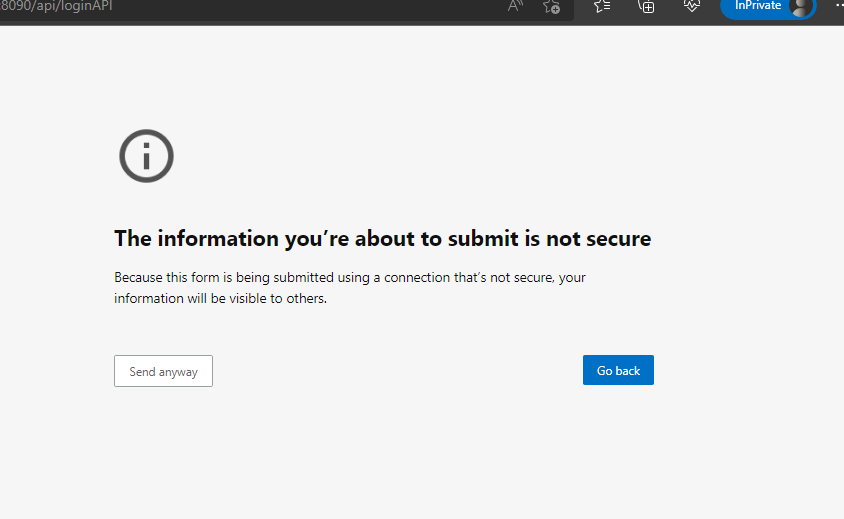
Unknown Error Occurred

Solution: Usually means WHMCS is unable to reach api. Ensure hostname/ipaddress is correct and CyberPanel access port is open i.e. 8090 in firewall.
29 replies
Za
Zalcig #2

Great work Jetchirag! Thanks for improving it further! We would appreciate it a lot if we can also choose the ACL or max website with the module. As now API supports both I believe

jo
jobayer #4

API doesn’t support this yet. There is an issue if any website failed to terminate automatically it shows in the whmcs pending action menu and when you retry the action it shows success but the website still remain. We have to manually remove the site.

mj
mjunaid #5

Thank you so much.
Much appreciate your works <3

co
conma72 #6

Use the “phpseclib” library to implement CLI

ma
mazeweb #7

Hello
I have installed WHMCS module using steps given in GitHub - jetchirag/cyberpanel-whmcs: Official Module for CyberPanel to integrate it with WHMCS. Cyberpanel is a web hosting control panel powered by Litespeed with lots of features link. After installing it is showing below files but no single file is getting accessed.

api.php
cyberpanel.php
LICENSE
Readme.md

http://mydomain/api.php == showing blank page
http://mydomain/cyberpanel.php === This file cannot be accessed directly

Can anyone tell me how it works after installation?

Thank you

ma
mazeweb #8

Please provide solution as I am new to this and want to use whmcs for my website.

je
jetchirag #9

@mazeweb You have to upload these files in modules/servers/cyberpanel not in webroot. You can then add a new server for cyberpanel like usual in WHMCS.

je
jetchirag #10

Update is available.

  • Ability to change ACL for service
  • Configure custom port
    @Zalcig
De
Dexxa #11

Great addon, Just tested it, Creates the account no problem, But doesnt seem to suspend the account or terminate. it changes the whmcs status to suspend and terminate, But it doesnt suspend nor terminate via CyberPanel

us
usamayounus #12

can you please tell where can I generate Api key / access hash for whmcs?

Tr
TrevorRoberts #13

Hi everyone!

This is my first post here. Thanks, jetchirag for the module.

I have installed the module and set everything up on my server and WHMCS, including creating a special user, assigning an ACL and enabling API Access, but like @usamayounus, I cannot find an “Access Hash” anywhere. Is this the SSH key?

Any help with this will be greatly appreciated. Thank you!

BB
Benjamin Biswas #14

Type your comment> @TrevorRoberts said:

Hi everyone!

This is my first post here. Thanks, jetchirag for the module.

I have installed the module and set everything up on my server and WHMCS, including creating a special user, assigning an ACL and enabling API Access, but like @usamayounus, I cannot find an “Access Hash” anywhere. Is this the SSH key?

Any help with this will be greatly appreciated. Thank you!

you don’t need any “Access Hash” simply use your API user id normally “admin” or your reseller id with API permission & it’s password, you may be get “unknown error” just ignore it & continue rest of the setup. You are done.

MK
Mirza Khadnezar S [sick] #16

i got no error
but cannot create user… no error message, i just check my cyberpanel user list,

BS
Bruno Silva #18

It connects to WHMCS, but it is not creating an account, it does not suspend or activate the service on the cyberpanel.

I use the newest versions of both software.

DG
Dale Grimmond #19

I am very keen to get this working but I can’t! :cry:

I have a new install of Cyberpanel.
Server says it’s listening on port 8090.
External test shows port 8090 is open.
I created a new admin user for whmcs.
Removed any symbols from the password.
Added API access to user.
When setting up the server in WHMCS I get ‘Unknown Error’ on test.
The login to control panel button works fine.
When testing a new order I get “Order Accept Encountered Problems”
Generated password has no symbols.

I have retried this process several times without success. Where am I going wrong?

je
jetchirag #20

Can you please check if there’s anything in module log?

DG
Dale Grimmond #21

It sends a request but there is nothing in the response.

DG
Dale Grimmond #23

It’s working :smiley:

The host provider where the WHMCS installation is had the port blocked.

MA
Md Abu Sufian #24

I uploaded these in the directory /home/mydomainname/public_html/modules/servers/cyberpanel
After that, What I have to do? And, how I can get connected to the CyberPanel with the WHMCS?
I looking for a video tutorial on it, but I haven’t gotten a video tutorial. can you please help me?

CH
Chris Hudson #25

Thanks for the plugin it works great except it creates the user but not the website. Is this correct or have a i missed a config somewhere?

Thanks

Chris

mr
mrwebng #26

This is great work. I was trying to add a WHMCS extension for this module but it is not working yet. I am trying to enable the user to be able to create and manage email, domains, Wordpress, and SSL directly from WHMCS without visiting Cyberpnel CP. Your Idea will be appreciated Many Thanks

Ro
Roberto #27

Hello! How to fix this error permanently?

Data supplied is not accepted, following characters are not allowed in the input ` $ & ( ) { } ; : ‘ < >.

Hi
Hifihedgehog #29

Hi and long time no see, @usmannasir! :slight_smile: You might want to check this as well in CSF. A similar text check (with the latest release and the new UI) is blocking edits to the config files in CSF with the blocklists. See my post here:

fa
famous #31

hey there
i can not connect to cyberpanel
it says unknown error. but everything is fine. even i can login from whmcs but i cant test connection, create account …

Sign in to reply