CyberPanel Community

How to install and use Imunify360 on CyberPanel

RM
Rana Muhammad Usman Nasir #1

Imunify360 is available with CyberPanel v2.0.0 and above.

Go to Security->Imunify360
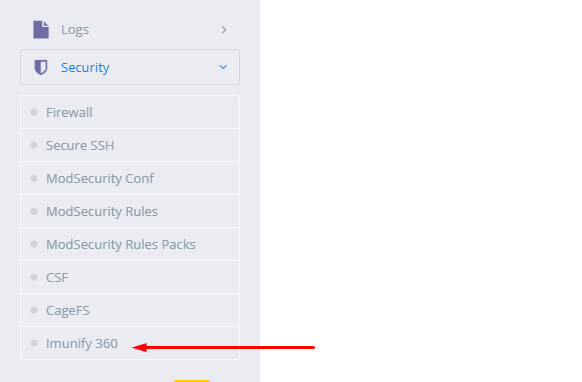
Click on the option and you will see the following screen

Enter your Imunify360 key and click the “Install Now” Button

CyberPanel will start the installation and integration of Imunify360 immediately. CyberPanel uses Imunify360’s API to tightly integrate it with CyberPanel.
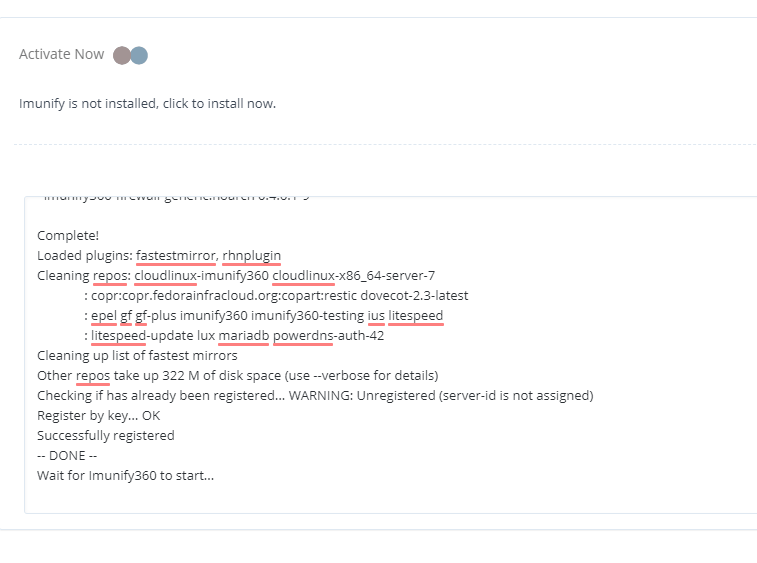
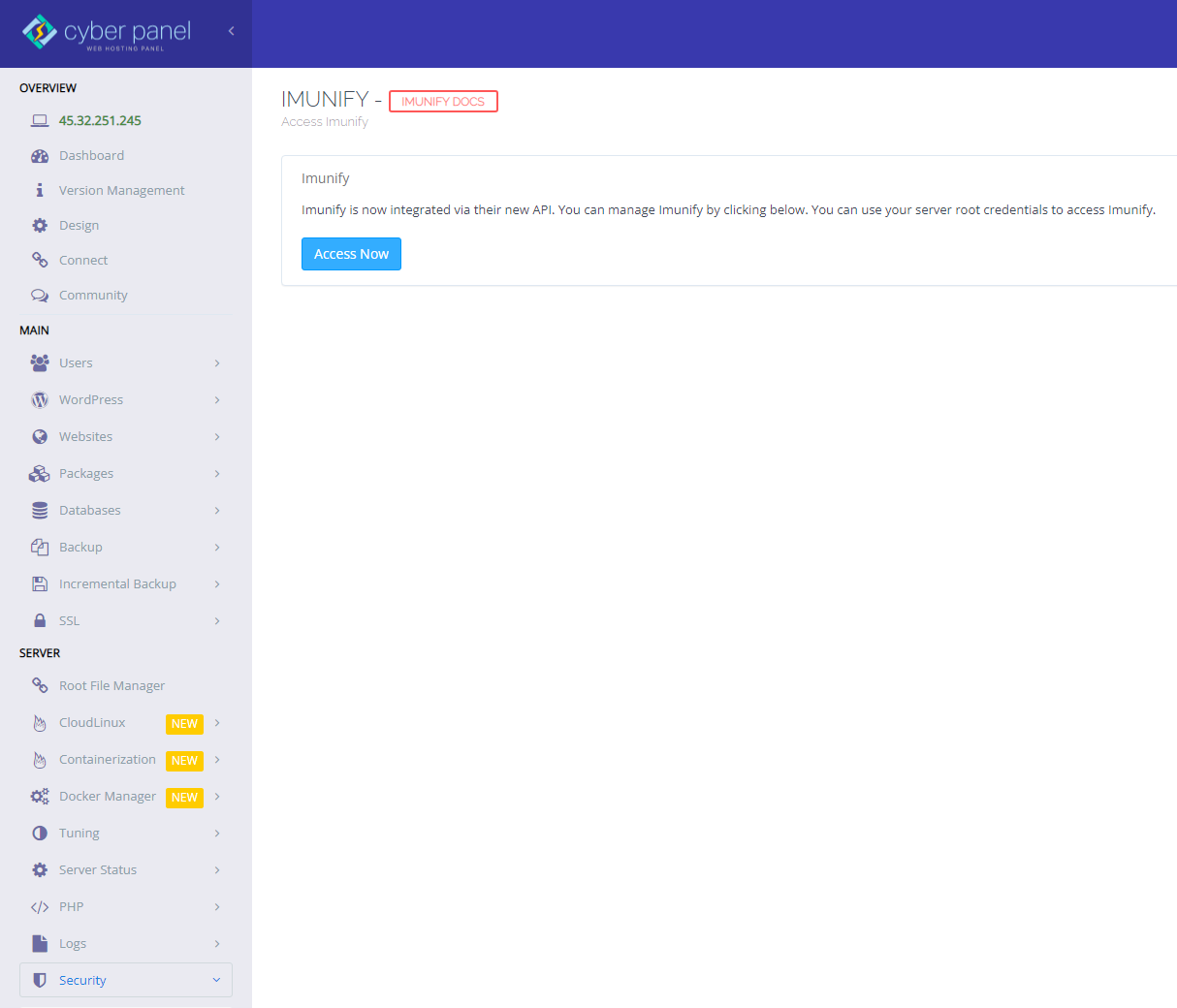
After being completely installed and integrated into CyberPanel, CyberPanel will show you the following page

Click the access now to activate Imunify and access the integrated panel. You will be presented will a login screen
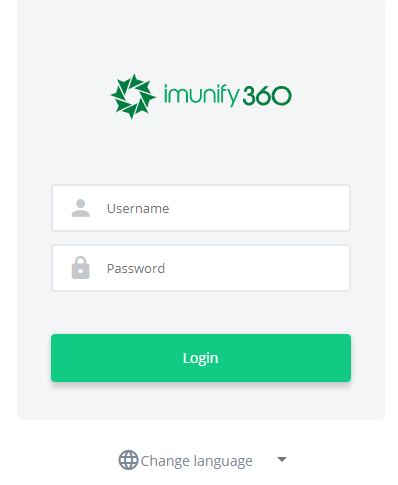
Use your root credentials to log in, your CyberPanel administration credentials won’t work.

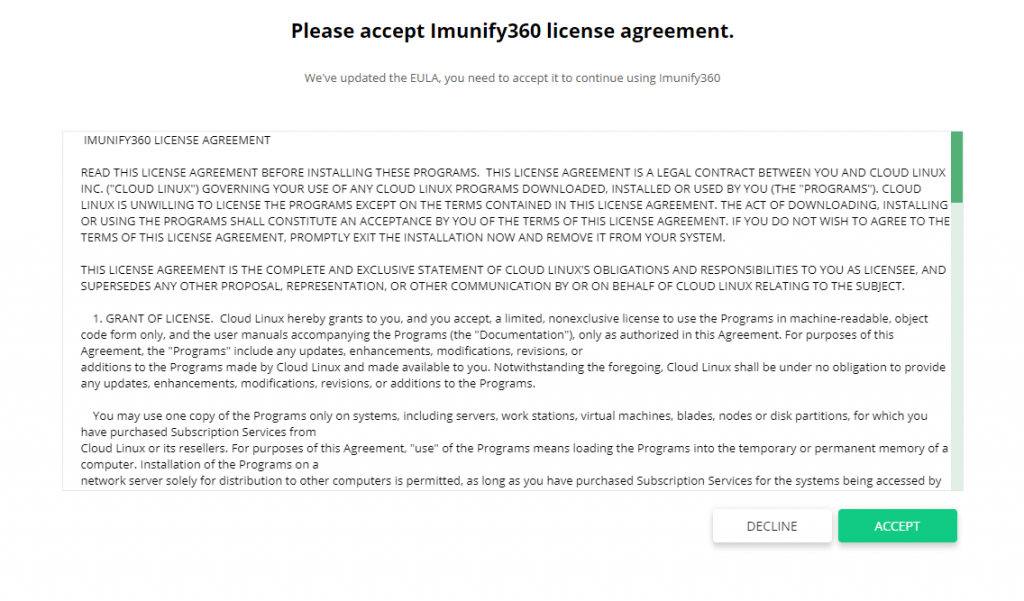
On the next screen read the terms and condition and accept them
It will take you to Imunify360 dashboard and ask for your email address in case you want to receive an email notification for any security breach or security issue on you server
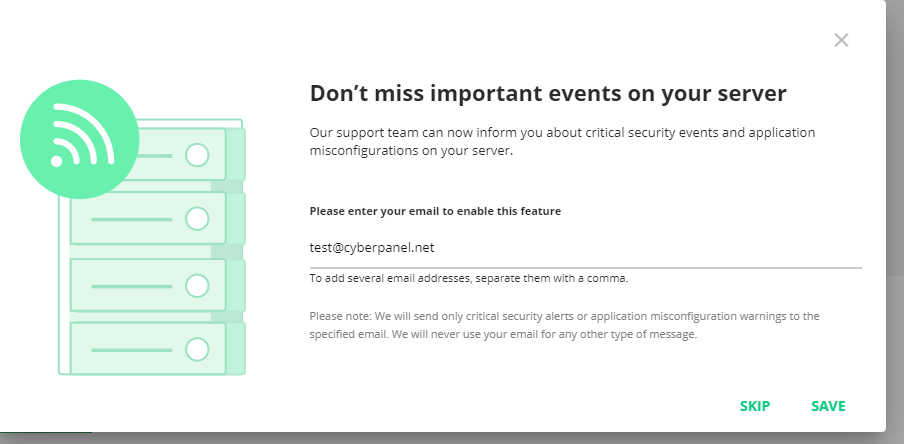
Click save or skip depending on your choice and Imunify will be up and running for your server.

You will be presented with the following dashboard which will show you the current security status of your server and the issues if there are any
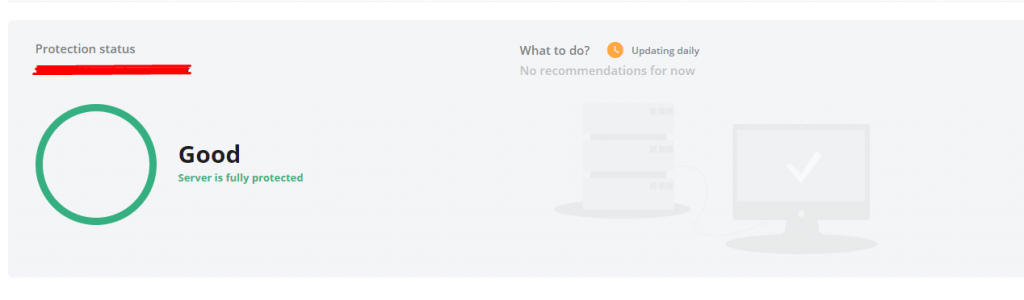
From the top menu, you can use any option to scan or tweak settings. For example, in order to scan current users or files, click the “Malware Scan” option in the top menu and you will see the following

Here you can scan based on user or files.

Other menu options provide you a way to change firewall settings, setup or change your proactive defense mechanism and modify the parameters for KernelCare.

Using ModSecurity with Imunify360

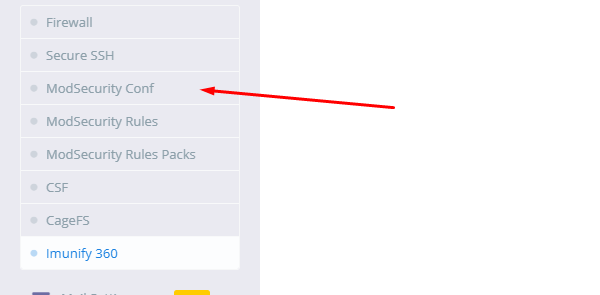
In order to use Imunfiy360 rules in ModSecurity, go to https://:8090/firewall/modSecurity or Click ModSecurity Conf in the menu
Enable SecRuleEngine
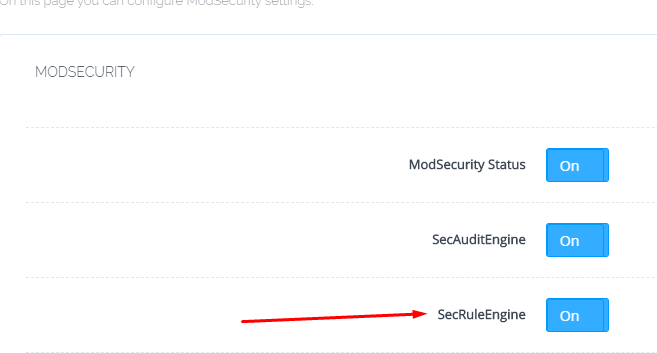
Now you need to add the rules from Imunify to ModSecurity
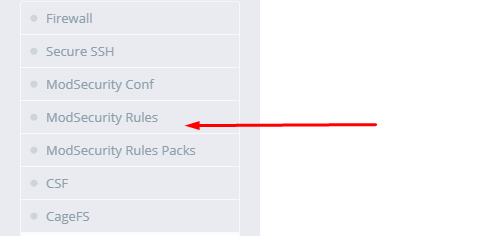
In order to to do that go to https://:8090/firewall/modSecRules or click ModSecurity Rules
Add the following line to the end and click Save Rules!

IncludeOptional /etc/sysconfig/imunify360/generic/modsec.conf
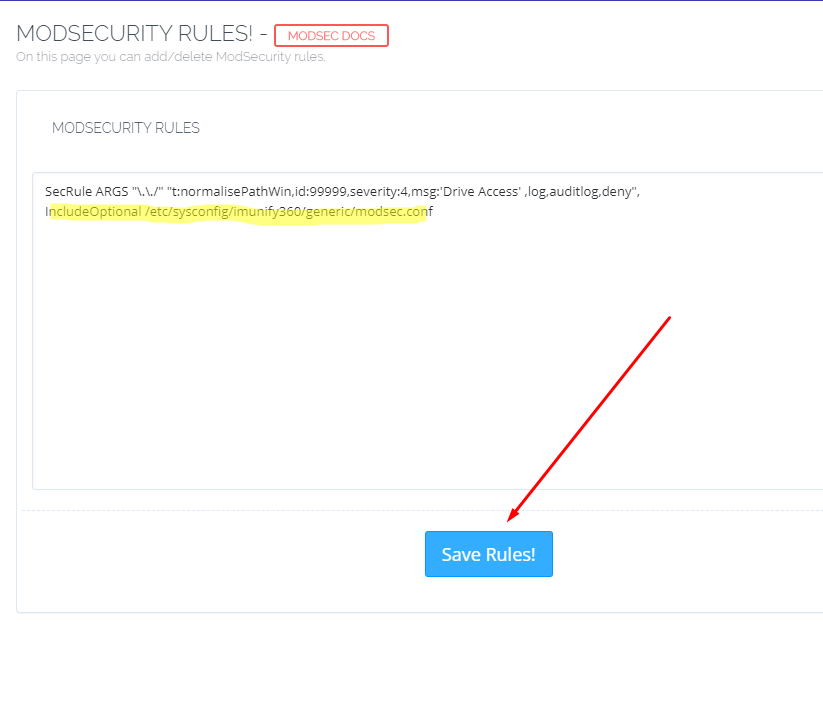
Imunify ruleset has been successfully added to ModSecurity

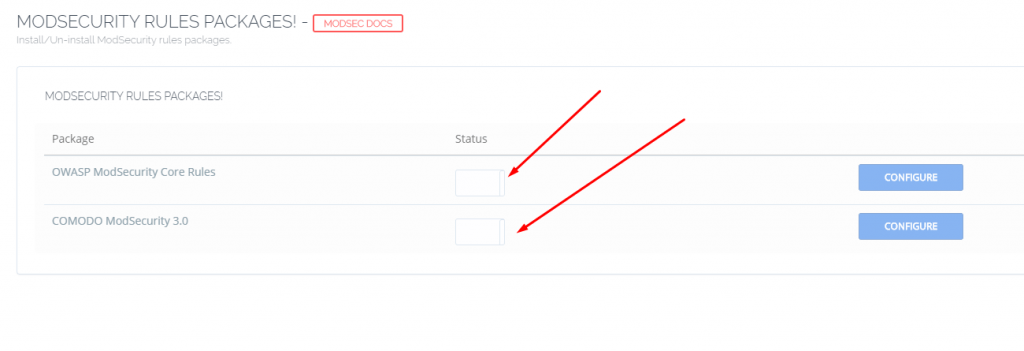
It is recommended that additional rulesets shouldn’t be enabled to avoid clashes. In order to disable them, go to https://:8090/firewall/modSecRulesPacks

Turn off all the Rule Packs here
In this 10 minutes guide, you have successfully installed and used Imunify360 for your CyberPanel server.

25 replies
Ni
Nick #2

Is it possible to use this with other OS than CloudLinux - for example, Ubuntu or AlmaLinux?

NK
Nitesh Kunnath #3

Yes, Immunify360 works on many Linux Distro
Here is the official list from Immunify360 team on their officially supported OS list:
CentOS 6, 7 & 8
CloudLinux OS 6, 7 & 8
Ubuntu 16.04, 18.04 & 20.04
OpenVZ/Virtuozzo 7
(OpenVZ/Virtuozzo 6 are not supported)

Ni
Nick #4

Thanks!

Since that is the case, we need to edit this doc because the first paragraph says we have to use CloudLinux.

As it is a wiki post, you (and anyone) should have access to updating it.

Ni
Nick #6

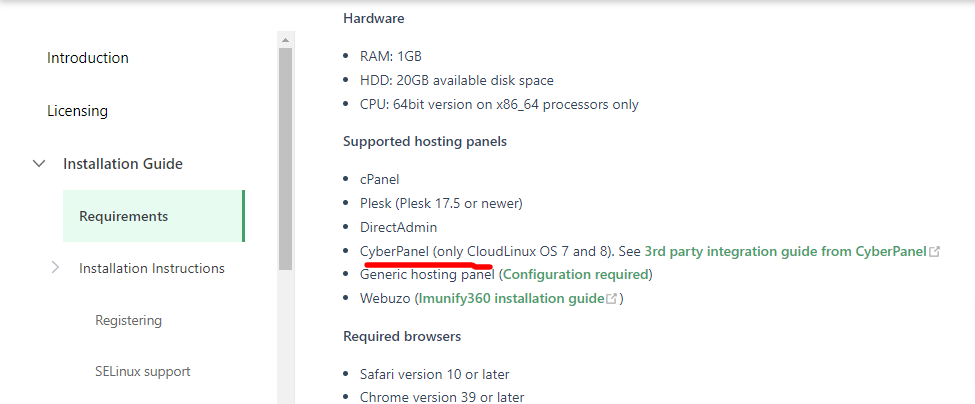
In Imunify360s install instructions it also says only available on cloudlinux 7 and 8.

@usmannasir can you confirm what what is supported by cyberpanel?

Supported hosting panels

If cyberpanel does support other OS with imunify, someone please modify the first couple paragraphs of this doc.

NK
Nitesh Kunnath #7

I am trying out the trial license now to check the same.
I never tried immunify360 before. I am using immunifyAV free.

NK
Nitesh Kunnath #8

Just checked. Immunify360 license doesnt install on Ubuntu with cyberpanel.

Ni
Nick #9

Any indication of what the problem is so that Usman can address it? How about almalinux, etc…?

CloudLinux is expensive and unnecessary for most people.

NK
Nitesh Kunnath #10

Actually it installs fine with Almalinux or RHEL based OS but havent logged in and checked its functionality. Will revert later on this.

Ni
Nick #11

Ok. It’ll be something for @usmannasir to look into when he has time.

of
ofm1990 #12

@die2mrw007 It is not yet possible to use the Imunify360 + CyberPanel + Ubuntu 20.04?

What are the alternatives to have an active antivirus and waf?

Ak
Abhishant kumar #13

I am using putty with pem file key to get root access. Then how I get root credential for Imunify login through cyberpanel.

ma
markomo #14

From what I saw when tried to install Imunify360 on CyberPanel it shows that only CloudLinux is supported and offers me to upgrade to CloudLinux.

I have another server where Centos 7 runs fine with cPanel and Imunify. So it’s all mixed up I guess. I guess I’ll have to try :slight_smile:

CyberPanel shows:

NOT AVAILABLE - 
Either Imunify is not installed or you are not on CloudLinux OS.

But still offers “Activate Now” and allows to enter key and install.

jo
josephgodwinke #15

It is very clear on their documentation as to the requirements of running imunify360 on cyberpanel

I advice you always check the documentation before raising any issues here How to install and use Imunify360 on CyberPanel - Docs - CyberPanel Community

fy
fyfa69 #16

Me too. So, how users can connect when they only uses keys, and no passwords…

li
liufunyu #17

I have tried to install it on Ubuntu 20.4 + Cyberpanel 2.3.2, it’s ok!
And then I trid again on Almalinux 8 + Cyberpanel 2.3.2,it’s ok,too.

I installed Imunify360 under Cyberpanel/Security/Imunify360.
It took about 10 minutes to complete the installation of Imunify360, and it finally worked successfully.

I didn’t install Cyberpanel 2.3.3, because it has an SSL auto-renew failure problem nowadays.


li
liufunyu #18

I installed only Imunify360 is working well,
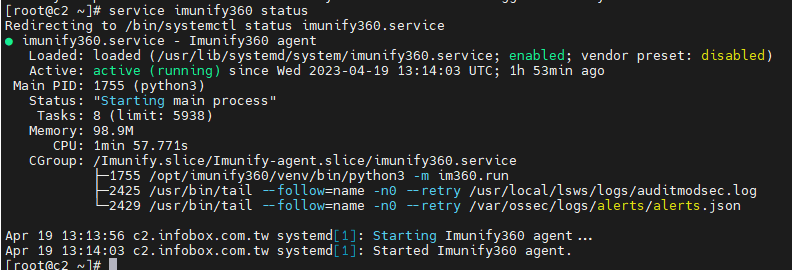
But when I built a new Almalinux8 with Cyberpanel, then install CloudLinux first, and Imunify360, it shows bellow. @usmannasir Could you give me some advice to debug it? I want to install these two apps at the same Cyberpanel server. Thanks a lot.
image

But I can see it’s running.

SN
Steve Nelson #21

Please update to latest version of cyberpanel. This issue is resolved. Btw, how imunify360 calcluates users in centos/cyberpanel installation? i am on 15 days trial license now, after that i will take single user licence.

sw
swiftly #22

Hi!

@iamstevenelson thanks for your tip, unfortunately, for me the issue persists.

My issue is the same as yours (posted in the other thread) and the issue from @liufunyu, only for me, the issue is also with a fresh Almalinux 8 install.

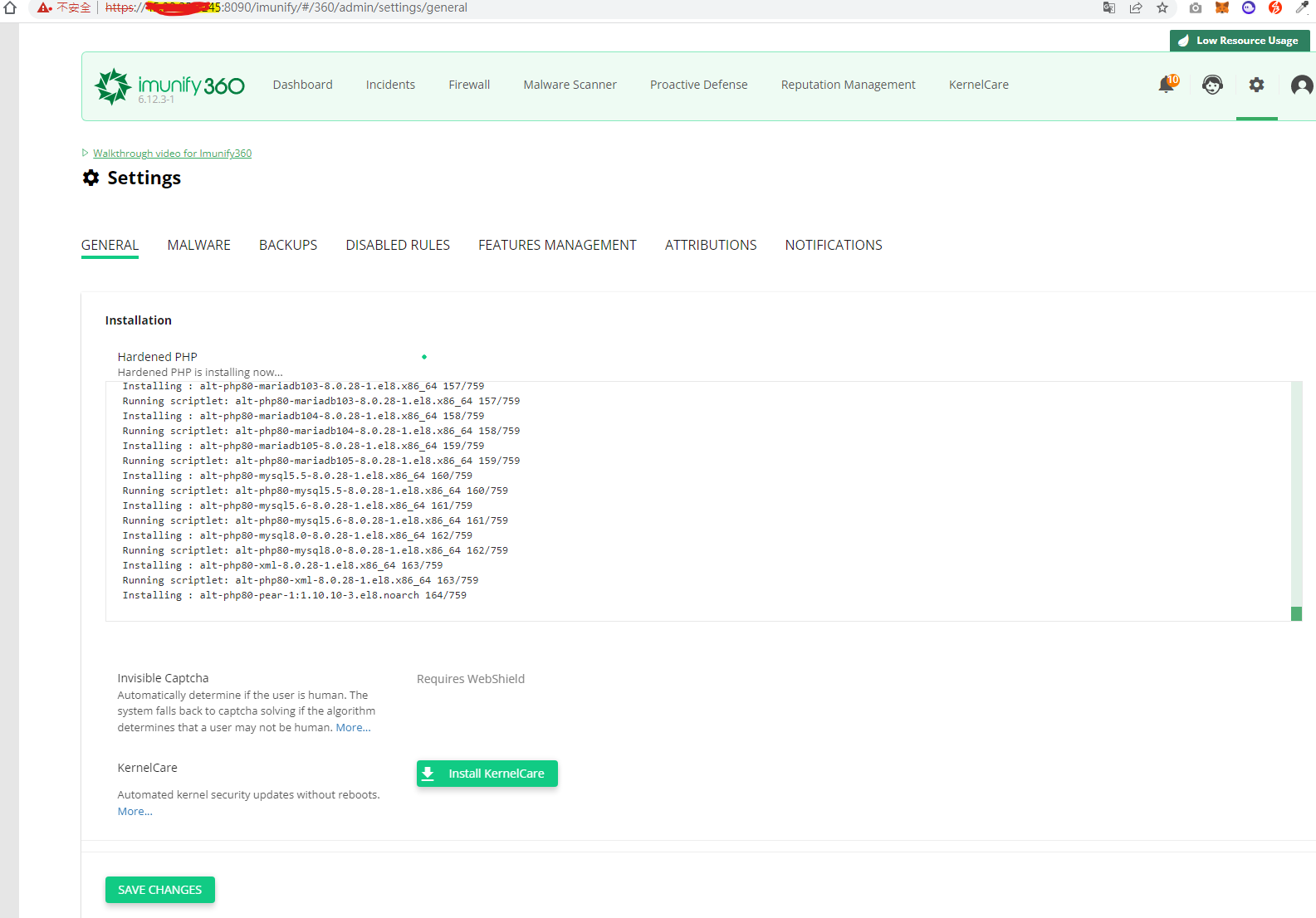
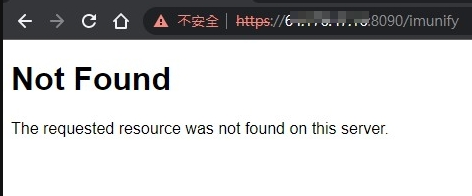
After installation the IMF360 service seems to be running fine, but there is no folder /usr/local/CyberCP/public/imunify(*).

Did you guys manage to resolve the issue, and did you do something else with the installations that might have made it work?

I tried on

  • a fresh CloudLinux OS 8 install with fresh CyberPanel v2.3.4 (which includes the proposed fix) and v2.3.2
  • a fresh AlmaLinux 8 install with fresh CyberPanel 2.3.4 and v2.3.2 (because this worked for @liufunyu )

I noticed the following errors during the installation:

sed: can’t read /usr/local/CyberCP/public/imunify/assets/js/config.js: No such file or directory

No supported panel detected

WARNING: /usr/local/CyberCP/public/imunify is not a directory (it should be created by the imunify deploy script). UI will not be installed.

Hope you guys resolved the issue and might be able to give us a few tips!

Thank you in advance.

SN
Steve Nelson #23

cd /usr/local/CyberCP/public/imunify
and chmod +x ./bin/execute.py

CH
Carlos Henrique #24

Hello, I have a server with cyberpanel installed where we configure cloudlinux perfectly.

Imunify 360, on the other hand, generates the following error to install:
WARNING: /usr/local/CyberCP/public/imunify is not a directory (it should be created by the immunify deploy script). UI will not be installed.

Not being able to manage immunify through cyberpanel

Current Version:  
2.3
Build:  
4
Current Commit:  
d32d25fa9acd163e5bcffebd05f0dd565710e964
Latest Version:  
2.3
Latest Build:  
4
Latest Commit:  
d32d25fa9acd163e5bcffebd05f0dd565710e964

PS. I’ve already updated the cyberpanel to the latest version, I’ve reinstalled the imunify and the error is the same

Mv
Mike van Eckendonk #25

The click and go in Cyberpanel is broken somehow and I could only install it manually on AlmaLinux.8.8

Still can’t login on the normal way, but need to run

$ imunify360-agent login get --username root

That will give me a token to log in,

https://switch.domain.com/imunify/#/login?token=

I need to repeat this step everytime on a new login. Seems super secure this way.

on
onur #26

comodo mod security does not appear in “Mod security rules packages” even though I did the installation step by step. I had CSF installed, I deleted it, I restarted Cyberpanel but it is still not there.

Sign in to reply